Why We Ditched Libraries for Native Browser Printing: The Quest for the Perfect Markdown to PDF…
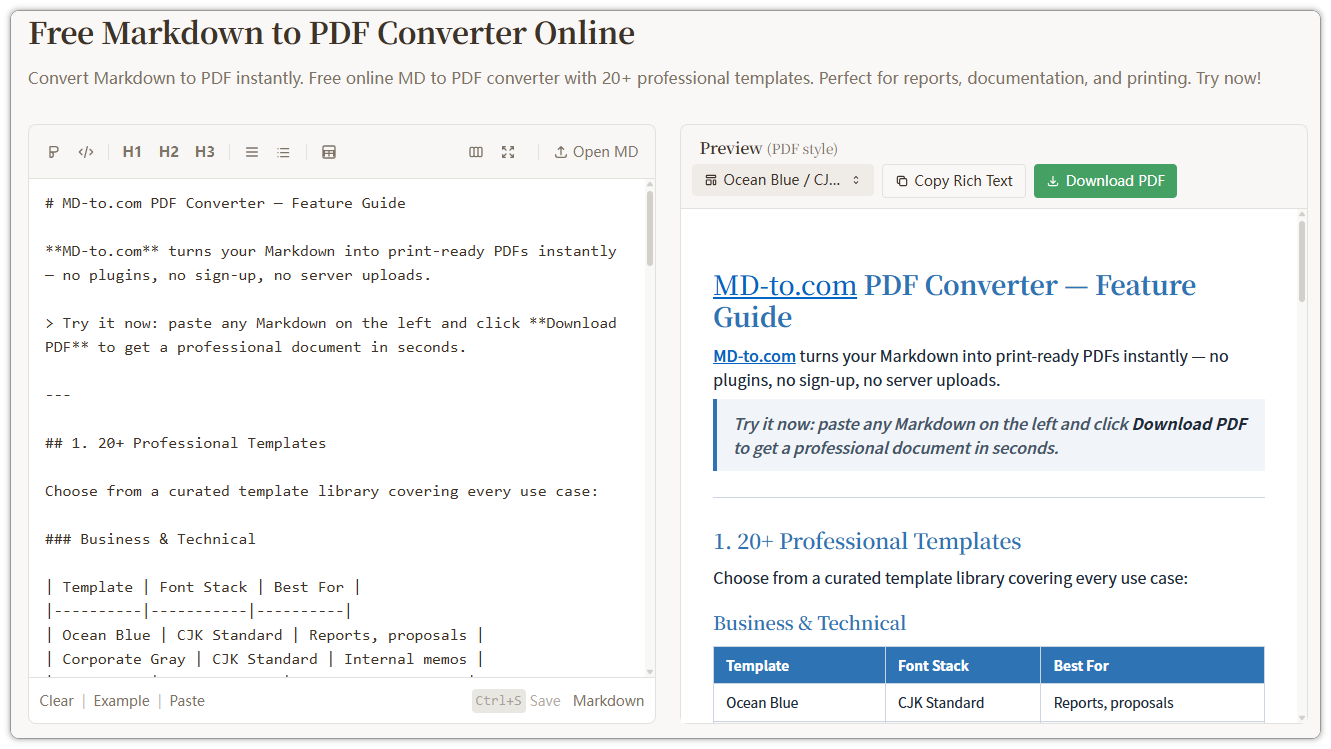
When building md-to.com, our mission was clear: create a purely client-side Markdown to PDF converter. No servers, no data collection, and…
Why We Ditched Libraries for Native Browser Printing: The Quest for the Perfect Markdown to PDF Solution
When building md-to.com, our mission was clear: create a purely client-side Markdown to PDF converter. No servers, no data collection, and zero latency.
Initially, like many developers, we reached for popular libraries like html2pdf.js. It seemed like the perfect shortcut. However, as we moved into production, we realized that the “easy path” was riddled with technical debt and poor user output.
The Problem with JavaScript PDF Libraries
While libraries like html2pdf.js are impressive, they operate on a flawed premise for technical documents:
- Bitmap vs. Vector: These libraries typically render HTML to a Canvas (a screenshot) and then stitch those images into a PDF. The result? Text is not selectable, links are broken, and the file becomes blurry when zoomed in.
- The Truncation Nightmare: Because JS doesn’t “understand” page flow like a layout engine, code blocks and images are often sliced in half at page breaks.
- Memory Bloat: For a 20-page document, rendering a high-resolution Canvas can easily crash a mobile browser.
The Shift to Native Browser Printing
We eventually pivoted to a “back to basics” approach: Native Browser Printing. By leveraging the browser’s built-in layout engine, we unlocked a superior Markdown to PDF experience.
Native printing generates vector PDFs. This means text remains searchable, hyperlinks stay clickable, and the file size is significantly smaller.
The Architecture: Overlay + IFrame
To prevent the browser from printing the entire website UI (sidebars, buttons, ads), we implemented an IFrame isolation layer:
- Trigger: User clicks “Export PDF.”
- Creation: We generate a hidden or preview-mode
<iframe>. - Injection: We inject the rendered Markdown HTML along with specialized CSS into the IFrame.
- Execution: We call
iframe.contentWindow.print().

Essential CSS for a Flawless Markdown to PDF Export
The “secret sauce” of this solution lies in CSS. If you want professional-grade pagination, you need these rules:
- Avoid Content Truncation: Ensure your code blocks and quotes aren’t split across pages.
pre, blockquote, img, tr {
   page-break-inside: avoid;
   break-inside: avoid;
}- Repeat Table Headers: If a table spans multiple pages, the header should automatically reappear at the top of each page.
thead { display: table-header-group; }- Prevent Orphaned Headings: Never let a heading sit alone at the bottom of a page.
h1, h2, h3 {
    page-break-after: avoid;
    break-after: avoid;
}
Smart UX Features
To make the Markdown to PDF process even smoother, we added a few “quality of life” features:
- Smart Naming: We wrote a script to extract the first
# H1from the Markdown source to use as the default filename. - Color Fidelity: By using
print-color-adjust: exact, we force the browser to respect syntax highlighting background colors, which are usually disabled to save ink.
Conclusion
Don’t let the allure of “one-click” JS libraries distract you from quality. If you are building a tool that requires high-fidelity document export, the browser’s native printing engine is your best friend. It’s faster, cleaner, and yields a professional Markdown to PDF result that users actually want to read.
메타데이터
- post_id
- a91cc5e46cff
- slug
- why-we-ditched-libraries-for-native-browser-printing-the-quest-for-the-perfect-markdown-to-pdf-a91cc5e46cff
- url
- https://medium.com/@Lanxk/why-we-ditched-libraries-for-native-browser-printing-the-quest-for-the-perfect-markdown-to-pdf-a91cc5e46cff
- canonical_url
- https://medium.com/@Lanxk/why-we-ditched-libraries-for-native-browser-printing-the-quest-for-the-perfect-markdown-to-pdf-a91cc5e46cff
- author_url
- https://medium.com/@Lanxk
- status
- ok
- fetched_at
- 2026-06-10 08:17:25