letsdefend.io: SOC138 — Detected Suspicious XLS File (EventID: 77)
Hello, and welcome!
letsdefend.io: SOC138 — Detected Suspicious XLS File (EventID: 77)
Hello, and welcome!
In this walkthrough, we’ll investigate a suspicious Excel file alert from Let’sDefend and approach it the same way a SOC analyst would in a real Security Operations Center. Rather than rushing to the answer, we’ll examine the available evidence, validate our findings, and build confidence in our conclusion through a structured investigation.
One of the most valuable traits a SOC analyst can develop is adaptability. Every alert is different, every environment is unique, and no two investigations follow the exact same path. The ability to adapt your workflow while remaining methodical is what separates simply closing alerts from truly understanding an incident.
Let’s begin.
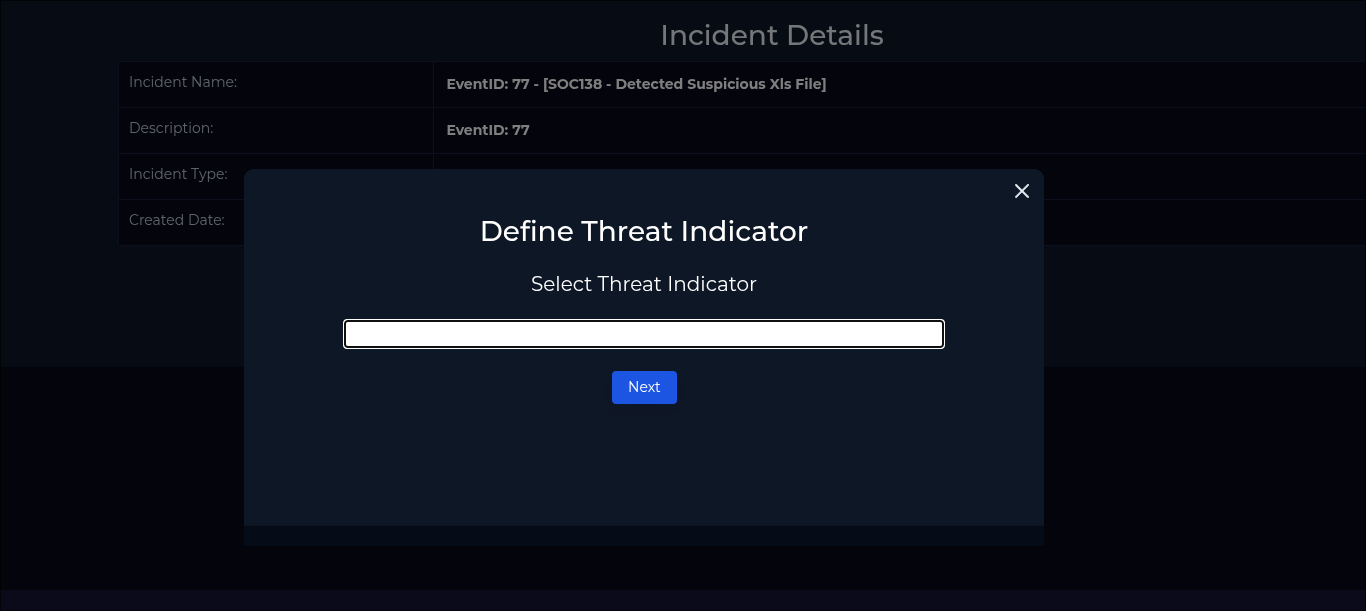
You can find this in the Case Management tab and starting the Playbook.
Defining the Threat Indicator
The playbook first asks us to define the threat indicator. At this stage, we are not trying to force an answer — we are trying to match the alert behavior to the evidence available.
The available options are:
- Unknown or unexpected outgoing internet traffic
- Antivirus programs malfunctioning or becoming disabled for unknown reasons
- Unknown or unexpected services and applications configured to launch automatically on system boot
- Other
Before selecting one, we need to review the information provided by the alert and determine which behavior is actually supported by evidence. A good SOC analyst should avoid guessing based on the alert title alone. The goal is to identify what the suspicious XLS file actually did, then choose the indicator that best matches the observed activity.
With that in mind, let’s review the alert details, malware analysis results, endpoint logs, and network evidence.

You can find this by going to the Monitoring tab and selecting the alert.
Reviewing the Alert Details
Before answering the playbook questions, let’s go back to the original alert and review what we already know.
Alert Details
Severity: Medium Date: Mar 13, 2021, 08:20 PM Rule Name: SOC138 — Detected Suspicious Xls File EventID: 77 Type: Malware
Source Address: 172.16.17.56 Source Hostname: Sofia
File Name: ORDER SHEET & SPEC.xlsm File Hash: 7ccf88c0bbe3b29bf19d877c4596a8d4 File Size: 2.66 MB
Device Action: Allowed
At this point, we have enough information to begin forming a hypothesis, but not enough to make a final conclusion.

You can find this by going to the Endpoint Security tab and entering the host name or source IP.
Now we’ll begin with the host in question and analyze the affected machine for any quick clues or indicators that can help narrow down the threat indicator.
Our goal at this stage is simple: understand what happened on the host before jumping to a conclusion. Our source host is:
Hostname: Sofia
Source IP: 172.16.17.56
File: ORDER SHEET & SPEC.xlsm
Hash: 7ccf88c0bbe3b29bf19d877c4596a8d4
You can find this by going to the Endpoint Security tab , entering the host name and selecting the host in question.
Process Evidence
There were no active malicious processes, but process history revealed a suspicious trail related to the Excel file.
The process that stood out was POwersheLL.exe .
That matters because PowerShell is often abused by malware for execution, downloading payloads, and reaching external infrastructure. It is legitimate by default, but suspicious in this context.
Next, we inspect the PowerShell process to understand what it executed.

to reach this point scroll down in the process list and click the magnifying glass.
PowerShell Encoded Command
The process details show PowerShell executing an encoded command.
This command appears to be Base64-encoded UTF-16LE, which is commonly used with PowerShell encoded commands. That matters because encoding can hide the command’s real behavior from quick visual inspection.
Our SIEM does not include a built-in decoder, so this is where we adapt. Analysts will not always have every tool available inside the platform. In this case, I used CyberChef to decode the command, but any trusted decoding method would work.
At this stage, decoding the command may reveal whether PowerShell was:
- Downloading a payload
- Reaching out to an external IP or domain
- Attempting persistence
- Executing another malware stage
The goal is simple:
Encoded PowerShell → Decoded command → Actual behaviorOnce decoded, we can use the output to better understand the malware behavior and choose the threat indicator based on evidence instead of guessing.

CyberChef
Decoded PowerShell Findings
After cleaning up the decoded output, the behavior became much clearer:
$directoryType = [System.IO.Directory]
$servicePointManagerType = [System.Net.ServicePointManager]
$securityProtocolType = [System.Net.SecurityProtocolType]
$targetDirectory = $env:USERPROFILE + "\W9ludan\Avgqkj3\"
$payloadPath = $env:USERPROFILE + "\W9ludan\Avgqkj3\Stwk31v.exe"$servicePointManagerType::SecurityProtocol = $securityProtocolType::Tls12$urls = @(
"http://tudorinvest.com/wp-admin/rGtnUb5f/",
"http://dp-womenbasket.com/wp-admin/Li/",
"http://stylefix.co/guillotine-cross/CTRNOQ/",
"http://ardos.com.br/simulador/bPNx/",
"http://drtheurelplasticsurgery.com/generalo/rhrhflv92/",
"http://bodyinnovation.co.za/wp-content/2ssHvi/",
"http://nomadco.es/wp-admin/MvwVHCG/"
)$minimumPayloadSize = 26346$analysis = [PSCustomObject]@{
Directory = $targetDirectory
PayloadPath = $payloadPath
Urls = $urls
MinimumPayloadSize = $minimumPayloadSize
Downloader = "Net.WebClient.DownloadFile"
ExecutionMethod = "Win32_Process.Create"
}This output gives us a much stronger lead.
The PowerShell command appears to define a target directory inside the user profile, prepare a payload path named Stwk31v.exe, set TLS 1.2, and list multiple external URLs. It also references Net.WebClient.DownloadFile, which suggests downloader behavior.
At this point, the investigation has a clear path.
We did not observe an active process or child process during the investigation, but the process history shows PowerShell activity connected to the suspicious Excel file. Now that we can see the decoded command, the behavior points towards an attempted external communication and payload retrieval.
This strongly supports the threat indicator:
Unknown or unexpected outgoing internet traffic
Confirming the Threat Indicator
To confirm the threat indicator, we moved to the Log Management tab and searched for the affected host
Source IP: 172.16.17.56
Hostname: Sofia
Since the suspicious Excel file executed on this host and the decoded PowerShell showed multiple external URLs, we expected to see outbound network activity from this source IP.

The logs confirmed outbound traffic from the host to an external destination.
We could have gone straight to the logs and searched the source IP first, but that alone would not explain the behavior. Outbound traffic by itself can mean many things. It could be normal browsing, malware download activity, command-and-control traffic, persistence setup, or another stage of execution.
By decoding the PowerShell first, we gave the log evidence context.
Now the investigation is no longer based on a suspicious file name or a single network event. We have a clear chain:
Suspicious XLSM file → PowerShell execution → Encoded command → External URLs → Outbound traffic confirmedThat evidence strongly supports the threat indicator and gives us a clear direction for the rest of the investigation.
Playbook Question 1 Answer
Based on the decoded PowerShell command and the confirmed outbound network traffic from the affected host, the correct answer for the first playbook question is:
Unknown or unexpected outgoing internet traffic
To reach this point select “Unknown or unexpected outgoing internet traffic” in the playbook.
Checking if the Malware Was Quarantined or Cleaned
The next playbook step asks whether the malware was quarantined or cleaned.

To verify this, we return to the alert details and check the Device Action field. This field tells us how the security device handled the suspicious file activity.
In this case, the device action was:
Device Action: AllowedBecause the action was Allowed, there is no evidence that the malware was blocked, quarantined, or cleaned by the device at the time of the alert.
Playbook Question 2 Answer
So the answer for this playbook step is:
No, the malware was not quarantined or cleaned.
To reach this point select “Not quarantined” in the playbook
Analyzing the Malware in Third-Party Tools
The next playbook step asks us to analyze the malware using third-party tools and identify a possible C2 address.
To do this, we return to the alert details and copy the file hash:
7ccf88c0bbe3b29bf19d877c4596a8d4
Then we search the hash in a third-party malware analysis platform such as VirusTotal, AnyRun, URLHaus, URLScan, or Hybrid Analysis.

Important detail: search the value as a file hash, not as a file upload or URL.

The file came back as malicious, with a detection ratio of:
46/64
Under Contacted IP addresses we can see the IP “177.53.143.89”
From there, we review the Relations tab and focus on contacted URLs, contacted domains, contacted IP addresses, dropped files, and bundled files.
A few important findings stood out:
Malicious contacted URL:
https://multiwaretecnologia.com.br/js/Podaliri4.exe
Contacted IPs of interest:
177.11.52.83
177.53.143.89
185.157.161.61Bundled malicious components:
xl/vbaProject.bin
xl/embeddings/oleObject2.bin
xl/embeddings/oleObject1.bin
Module2.basAt this point, we should not blindly call every contacted IP a C2 server. Some contacted infrastructure may be normal certificate checking, hosting infrastructure, redirectors, payload delivery, or unrelated sandbox noise.
The strongest C2 candidate is:
177.53.143.89Why? Because this IP appears in the malware analysis results and was also observed in the internal logs as outbound traffic from the affected host.
That gives us correlation:
Malware analysis shows contacted IP → Internal logs confirm host reached that IPSo for this investigation, 177.53.143.89 is the best-supported C2 indicator.
This IP was present in the malware analysis results and also appeared in the internal logs as outbound communication from the affected host. That correlation makes it the strongest C2 indicator for this investigation.
Playbook Question 3 Answer
Based on the third-party malware analysis results and the confirmed outbound traffic from the affected host, the answer is:
Malicious
To reach this point select “Malicious” in the playbook.
Checking if the C2 Address Was Accessed
The next playbook step asks whether the C2 address was accessed.
At this point, we already have the key pieces of evidence:
Affected Host: 172.16.17.56
Hostname: Sofia
C2 Candidate: 177.53.143.89
To verify the connection, we go back to Log Management and search using the affected host as the source.
In Pro Mode, the filter can be set as:
source_address = 172.16.17.56Since this is the host that executed the suspicious file, any outbound connection from this source to the suspected C2 address becomes highly relevant.
The logs show that the host communicated with the malicious address, confirming that the C2 was accessed.
Playbook Question 4 Answer
Based on the Log Management results, the affected host communicated with the suspected C2 address.
The correct answer is:
Accessed.
To reach this point, select “Accessed” in the playbook.
Containing the Affected Host
At this point, the investigation supports a true positive.
We confirmed:
Suspicious XLSM file executed
PowerShell activity observed
Decoded command showed external URLs and downloader behavior
Outbound traffic confirmed from the affected host
C2 address was accessed
The final playbook step is containment.
To contain the machine, go to the Endpoint Security tab, locate the affected host, and click Containment under the Action column. Then confirm the action by clicking Change.
This isolates the user’s machine and helps prevent any further communication with malicious infrastructure while remediation continues.
Final Action
The affected user machine should be contained.
Action: Contain the machineInvestigation Summary
This alert was confirmed as a true positive.
The investigation started with a suspicious macro-enabled Excel file, ORDER SHEET & SPEC.xlsm, allowed on host Sofia at 172.16.17.56. Process history showed PowerShell activity tied to the file, and after decoding the encoded command, we found downloader behavior, external URLs, and a payload path.
Third-party malware analysis confirmed the file hash was malicious and revealed contacted infrastructure. Log Management then confirmed outbound traffic from the affected host to the suspected C2 address 177.53.143.89.
The key evidence chain was:
Suspicious XLSM file
→ PowerShell execution
→ Encoded command decoded
→ Downloader behavior found
→ External traffic confirmed
→ C2 address accessed
→ Host contained
The malware was not quarantined or cleaned because the device action showed Allowed. The endpoint was contained to prevent further communication with malicious infrastructure.
Final verdict: True Positive.
메타데이터
- post_id
- a94bb212c0a2
- slug
- letsdefend-io-soc138-detected-suspicious-xls-file-eventid-77-a94bb212c0a2
- url
- https://medium.com/@angelfm1127/letsdefend-io-soc138-detected-suspicious-xls-file-eventid-77-a94bb212c0a2
- canonical_url
- https://medium.com/@angelfm1127/letsdefend-io-soc138-detected-suspicious-xls-file-eventid-77-a94bb212c0a2
- author_url
- https://medium.com/@angelfm1127
- status
- ok
- fetched_at
- 2026-07-10 16:46:54



