How to make a Swift4 iOS app without Storyboard
Developer apps faster and easier
Wiki topics:
📱 · Mobile Development
How to make a Swift4 iOS app without Storyboard
Step 1.
Delete “Main.storyboard”
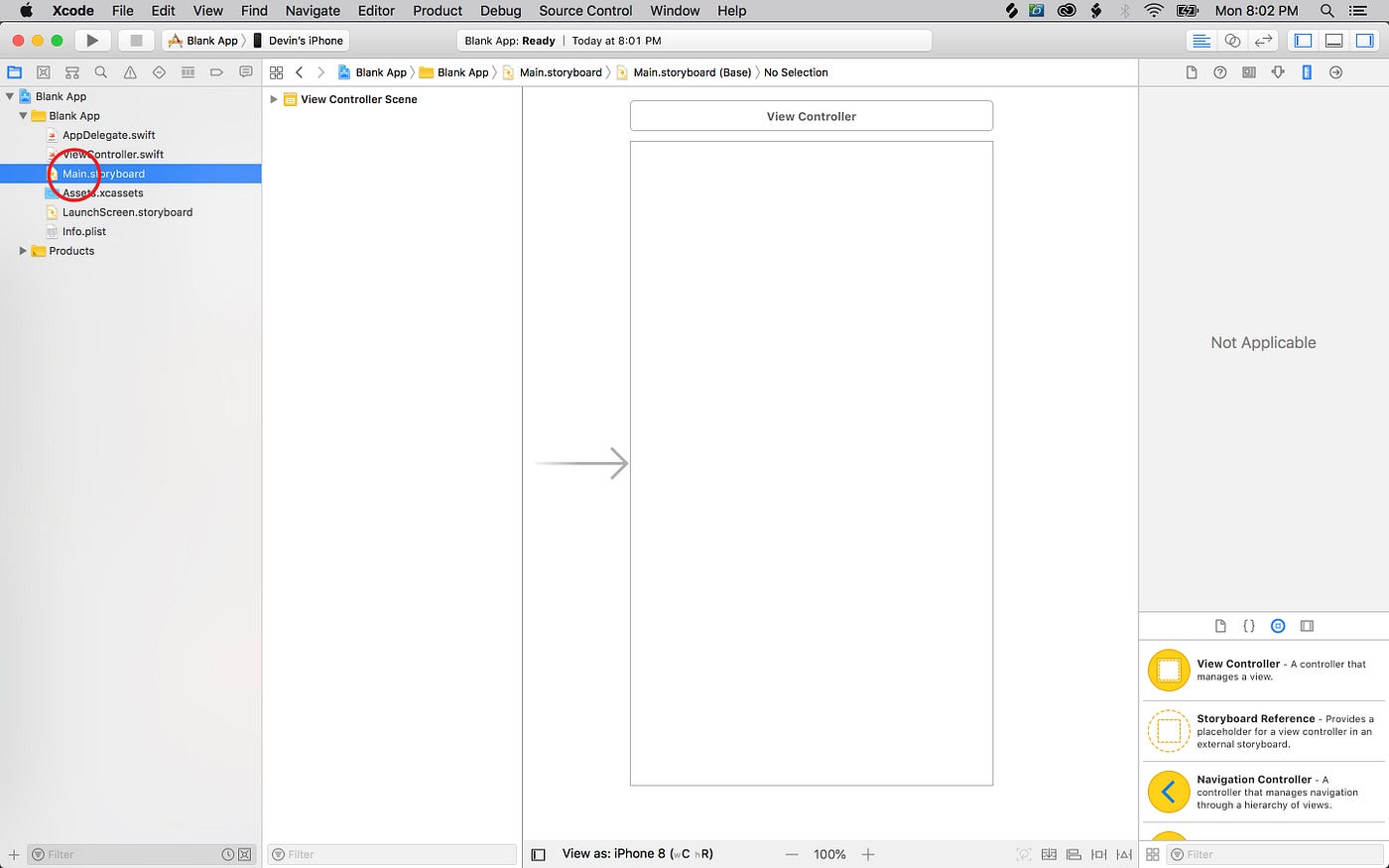
Step 2.
Delete “Main” from General->Main Interface

Step 3.
Click on “AppDelegate.swift”

Replace
//Override point for customization after application launch.
with:
window = UIWindow(frame: UIScreen.main.bounds) let homeViewController = ViewController() window?.rootViewController = homeViewController window?.makeKeyAndVisible() return true
Originally published at stacks2037.com on October 28, 2018.
메타데이터
- post_id
- aa1b07c4bf2f
- slug
- how-to-make-a-swift4-ios-app-without-storyboard-aa1b07c4bf2f
- url
- https://medium.com/@devin_sewell/how-to-make-a-swift4-ios-app-without-storyboard-aa1b07c4bf2f
- canonical_url
- https://medium.com/@devin_sewell/how-to-make-a-swift4-ios-app-without-storyboard-aa1b07c4bf2f
- author_url
- https://medium.com/@devin_sewell
- status
- ok
- fetched_at
- 2026-07-29 22:52:39




