KNIME Snippets (5) — Python Overview
KNIME Analytics Platform is a low-code platform, so you can easily integrate the power of Python with KNIME
GETTING STARTED | PYTHON | KNIME ANALYTICS PLATFORM
KNIME Snippets (5) — Python Overview
KNIME Analytics Platform is a low-code platform, so you can easily integrate the power of Python with KNIME

1 — Python is already on-board, no need for messy conda installations
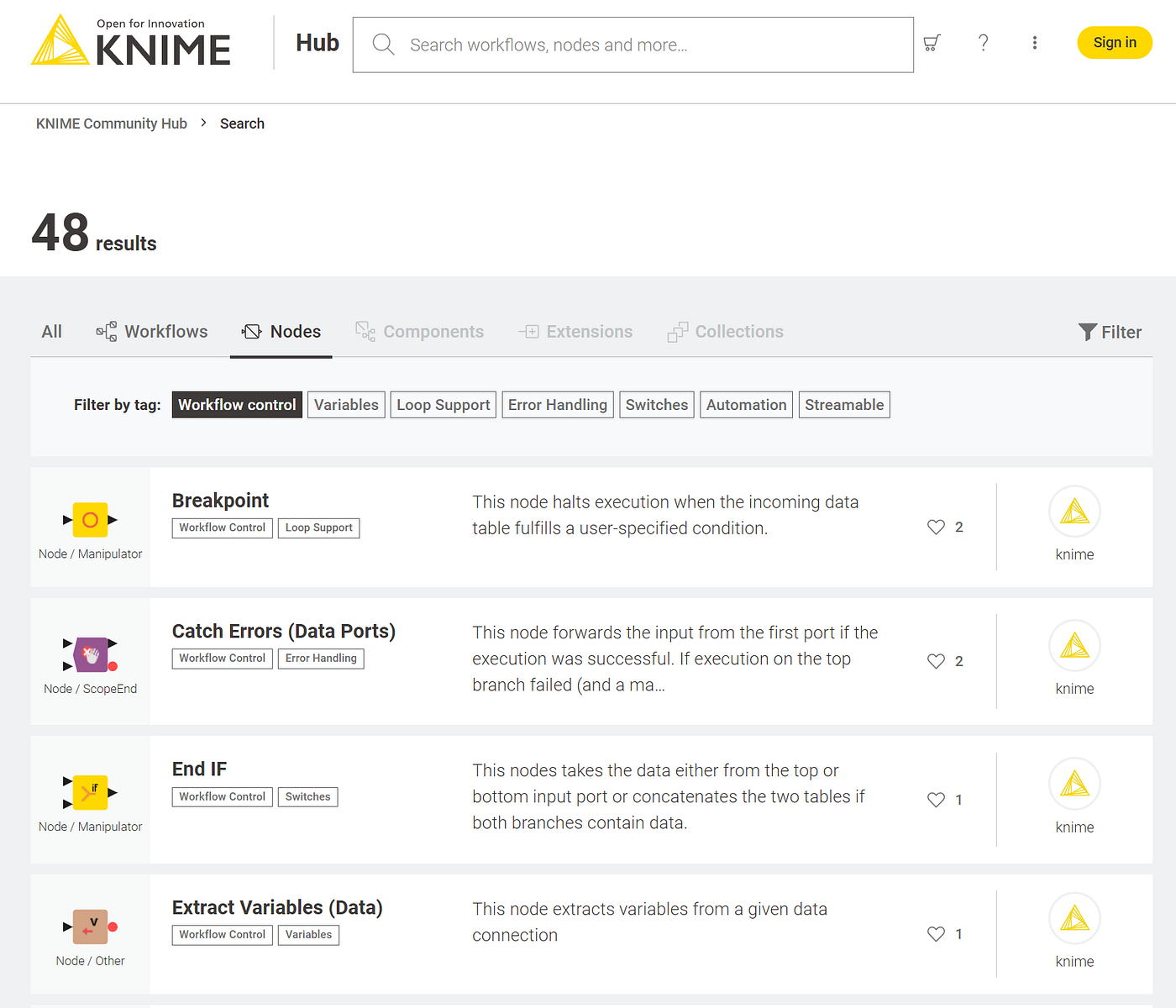
The installation and management of Python (packages) and dependencies sometimes can be quite complicated. So it is great that KNIME has a lot of basic Python functions and packages already on-board encapsulated in a nice extension that you can just install like any other:
- Guide: “**Installing Extensions and Integrations**”
- Video: “**How To Install Extensions in KNIME Analytics Platform**”
2 — Basic Python Script in KNIME
After you have installed the extension you can start right away with writing a Python Script. The basic input and output does look like in this example:
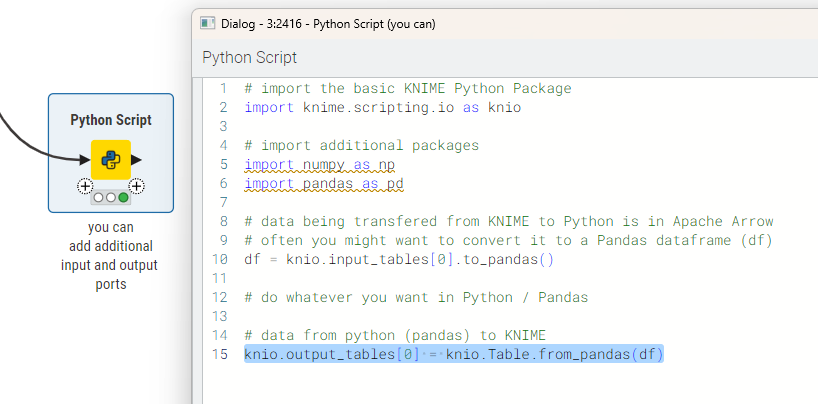
Basic data in and out for the KNIME Python Script. Inside you have your pandas data frame (df) — (https://hub.knime.com/s/fLRIlwhYLlDj4skh)
Just make sure that after your processes inside Python are finished you have your data again as a Pandas Data frame (df). The number in brackets corresponds to the order of the KNIME data ports of the node. You can always add or remove ports if you like.
# import the basic KNIME Python Package
import knime.scripting.io as knio

# import additional packages
import numpy as np
import pandas as pd

# data being transfered from KNIME to Python is in Apache Arrow
# often you might want to convert it to a Pandas dataframe (df)
df = knio.input_tables[0].to_pandas()

# do whatever you want in Python / Pandas

# data from python (pandas) to KNIME
knio.output_tables[0] = knio.Table.from_pandas(df)
Under the hood KNIME uses Arrow to transfer data between the Analytics Platform and Python. So you could also use that but most people will be familiar with Pandas or Numpy.
3 — More complex usage: Flow Variables
You can also work with KNIME Flow Variables and use them in Python script. And you can also create Flow Variables inside Python and use them in KNIME.

Python Script with KNIME Flow Variables (https://hub.knime.com/s/fLRIlwhYLlDj4skh)
import knime.scripting.io as knio
import pandas as pd
from datetime import datetime

# Use a Flow Variable from KNIME inside Python Script
var_text_1 = knio.flow_variables["Text_Variable"]

# Create a simplified DataFrame with two rows and both date and
# datetime columns. One value is from a Flow Variable "var_text_1"
data_simple = {
    "StringColumn": [var_text_1, "Example2"],
    "DoubleColumn": [5.5, 6.6],
    "IntegerColumn": [10, 20],
    "DateColumn": [datetime(2023, 5, 1).date(),
                   datetime(2023, 6, 1).date()],
    "DatetimeColumn": [datetime(2023, 5, 1, 8, 30),
                       datetime(2023, 6, 1, 15, 45)]
}

# Create the simplified DataFrame
df_simple = pd.DataFrame(data_simple)

# Bring the dataframe back to KNIME
knio.output_tables[0] = knio.Table.from_pandas(df_simple)

# Fill a KNIME Flow Variable from inside Python Script
knio.flow_variables["Variable_Out"] = 'Message from inside Python'
It is also useful to provide paths to the Python script so you can store data directly from inside Python.
More examples how to use the KNIME Python integration you can find in this Collection — including how to work with KNIME and Jupyter notebooks. But before you go to that you should explore the “getting started” space on the KNIME Community Hub:
4 — Complete Example with Machine Learning and Graphic Export
To explore further you can take a look at more examples on the KNIME Hub like this example for a classic Machine Learning case. Preparing the data, removing missing values and encoding strings and then storing the pipeline in a pickled object:

A classic ML Random Forest with a Data Preparation Pipeline for Missing Values etc. (https://hub.knime.com/s/fLRIlwhYLlDj4skh)
Also you can export graphics from the Python Script to KNIME or store them on the hard drive as SVG or PNG files (ort even PDFs).

Export Graphics from Python Script (https://hub.knime.com/s/fLRIlwhYLlDj4skh)
You can do way more advanced stuff . Also with the help of the integrated KNIME AI Agent that can help you create code (as well as ChatGPT and others).
Graphics with Python
A great way to utilize Python and KNIME is to create advanced graphics with the most common libraries like Matplotlib or Seaborn (already on board with the Python extension):
Use Conda / Miniforge to install additional Python packages and Environments
In case you want to expand your world and install additional packages or specific Python versions, use conda package manager you can read this article and examples:
If you want more little KNIME Snippets here is the collection:
If you enjoyed this article you can follow me on Medium (https://medium.com/@mlxl) and on the KNIME Forum (https://forum.knime.com/u/mlauber71/summary) and KNIME Community Hub (https://hub.knime.com/mlauber71).
메타데이터
- post_id
- aa4f3a55a768
- slug
- knime-snippets-5-python-overview-aa4f3a55a768
- url
- https://medium.com/low-code-for-advanced-data-science/knime-snippets-5-python-overview-aa4f3a55a768
- canonical_url
- https://medium.com/low-code-for-advanced-data-science/knime-snippets-5-python-overview-aa4f3a55a768
- author_url
- https://medium.com/@mlxl
- status
- ok
- fetched_at
- 2026-07-22 08:44:43