Why “Cannot Read Properties of Undefined” Happens So Often in NestJS (And How I Finally Fixed It)
Kalau kamu sering main backend pakai NestJS, ada satu error yang hampir pasti pernah bikin hidup terasa tidak damai:
Why “Cannot Read Properties of Undefined” Happens So Often in NestJS (And How I Finally Fixed It)
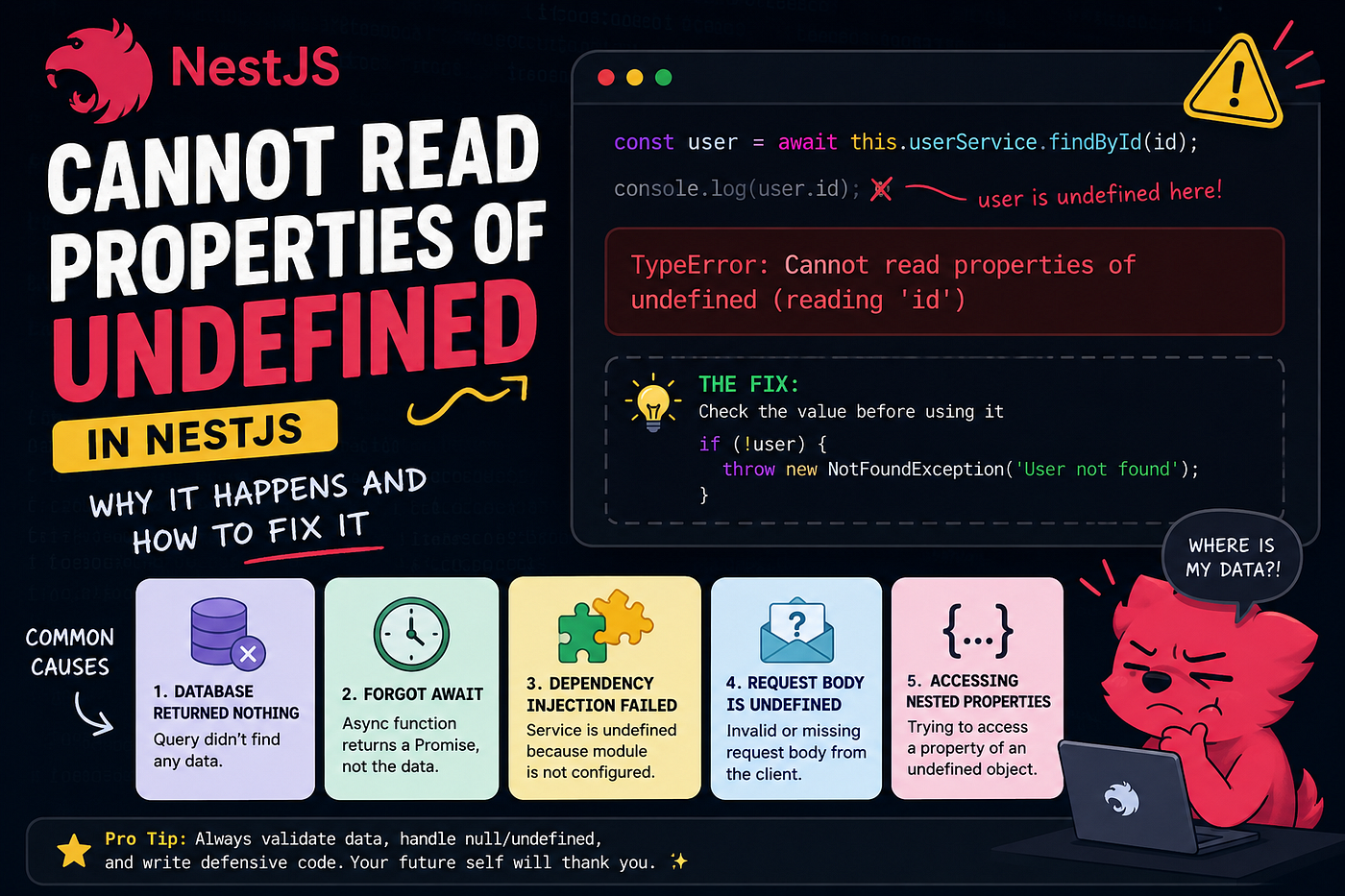
Kalau kamu sering main backend pakai NestJS, ada satu error yang hampir pasti pernah bikin hidup terasa tidak damai:
Cannot read properties of undefinedKadang:
- jalan di local,
- tiba-tiba error di production,
- atau lebih ngeselin lagi…
Cannot read properties of undefined (reading 'id')Padahal feeling kita:
“Ini tadi normal kok…”
Spoiler: biasanya masalahnya bukan di JavaScript doang.
Di NestJS, error ini sering muncul karena:
- dependency injection,
- async flow,
- database response,
- DTO validation,
- atau architecture yang mulai chaos.
Artikel ini bakal bahas:
- kenapa error ini sering terjadi,
- contoh real case,
- cara debugging,
- dan cara mencegahnya seperti backend engineer beneran.
The Real Meaning of This Error
Misalnya ada code kayak gini:
console.log(user.id)Tapi ternyata:
user === undefinedMaka boom:
Cannot read properties of undefined (reading 'id')Artinya simple: kamu mencoba akses property dari object yang sebenarnya belum ada.
Case #1 Database Query Returned Nothing
Ini paling sering terjadi.
Contoh di service:
const user = await this.userRepository.findOne({
  where: { email },
})
return user.idKelihatannya aman.
Tapi kalau user tidak ditemukan:
user = undefinedlangsung crash.
The Fix ✅
Jangan langsung percaya database selalu return data.
Gunakan defensive checking:
if (!user) {
  throw new NotFoundException('User not found')
}
return user.idIni jauh lebih clean dibanding membiarkan aplikasi meledak random.
Case #2 Forgot await
Ini classic banget.
Contoh:
const user = this.userService.findById(id)console.log(user.name)Masalahnya:
findById() itu async.
Jadi sebenarnya:
user = Promisebukan object user.
The Fix ✅
Tambahkan await.
const user = await this.userService.findById(id)console.log(user.name)Simple. Tapi literally bisa menghabiskan 2 jam debugging kalau lagi ngantuk.
Case #3 Dependency Injection Failed
Ini khas NestJS banget.
Misalnya:
constructor(
  private readonly authService: AuthService
) {}
Tapi ternyata module belum properly import/export.
Akhirnya:
authService = undefineddan ketika dipanggil:
this.authService.login()langsung kena:
Cannot read properties of undefinedWhy This Happens in NestJS
Karena NestJS heavily relies on Dependency Injection.
Kalau:
- provider belum register,
- service belum export,
- module belum import,
- atau ada circular dependency,
maka injection bisa gagal.
The Fix ✅
Pastikan:
Service ada di providers
@Module({
  providers: [AuthService],
})
Service di-export
@Module({
  providers: [AuthService],
  exports: [AuthService],
})
Module di-import
@Module({
  imports: [AuthModule],
})
Case #4 Request Body Undefined
Ini sering muncul di auth endpoint.
Contoh:
@Post('/login')
login(@Body() body) {
  return body.email
}
Tapi frontend ternyata tidak mengirim JSON dengan benar.
Atau:
Content-Type: application/jsontidak dikirim.
Akhirnya:
body = undefineddan boom.
The Fix ✅
Gunakan DTO + validation.
export class LoginDto {
  email: string
  password: string
}
@Post('/login')
login(@Body() dto: LoginDto) {
return dto.email
}Dan aktifkan validation pipe:
app.useGlobalPipes(new ValidationPipe())How I Debug This Error Faster Now
Dulu saya debug pakai metode:
- panic,
- refresh terminal,
- berharap error hilang sendiri.
Sekarang lebih systematic.
My Debugging Checklist
1. Check the exact variable
Tambahkan:
console.log(user)Jangan langsung asumsi object ada.
2. Trace async flow
Cari:
- promise,
- missing await,
- async chain.
3. Check dependency injection
Kalau service undefined:
- cek providers,
- exports,
- imports.
4. Check external response
Kalau data dari:
- database,
- API,
- request body,
anggap selalu bisa kosong.
Always validate.
The Bigger Lesson Here
Funny thing: error ini bukan cuma soal syntax.
Biasanya ini tanda:
- flow aplikasi belum aman,
- validation kurang,
- atau architecture mulai messy.
Dan jujur… semakin besar project NestJS kamu, semakin sering error beginian muncul.
Karena backend engineering bukan tentang “membuat code jalan”.
Tapi:
membuat aplikasi tetap aman saat sesuatu tidak berjalan sesuai harapan.
Final Thoughts
“Cannot read properties of undefined” memang kelihatannya basic.
Tapi di dunia nyata, error ini sering jadi pintu masuk untuk memahami:
- async programming,
- dependency injection,
- validation,
- dan clean backend architecture.
Dan setelah beberapa kali kena error ini…
percaya deh, kamu bakal mulai otomatis defensive saat nulis code.
Which is actually a good thing. 🚀
메타데이터
- post_id
- aadb3179ffb0
- slug
- why-cannot-read-properties-of-undefined-happens-so-often-in-nestjs-and-how-i-finally-fixed-it-aadb3179ffb0
- url
- https://medium.com/@pamunqkas03/why-cannot-read-properties-of-undefined-happens-so-often-in-nestjs-and-how-i-finally-fixed-it-aadb3179ffb0
- canonical_url
- https://medium.com/@pamunqkas03/why-cannot-read-properties-of-undefined-happens-so-often-in-nestjs-and-how-i-finally-fixed-it-aadb3179ffb0
- author_url
- https://medium.com/@pamunqkas03
- status
- ok
- fetched_at
- 2026-06-09 15:37:30



