Changing themes in Kiro caused my cache to corrupt.
Did you change theme because you were sick of the black and purple style? Well, that might be why Kiro stopped working for you.
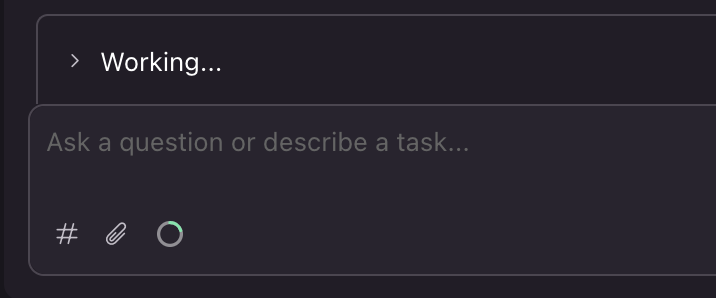
Kiro’s chat ini a “Working…” state
Changing themes in Kiro caused my cache to corrupt.
Did you change theme because you were sick of the black and purple style? Well, that might be why Kiro stopped working for you.
This weekend I felt like the universe was punishing me for working on Memorial Day weekend. No matter how many times I force closed Kiro, or rebooted my mac, every single time I opened it back up and asked Kiro if it could please pretty pretty please finish out the task, it said “Im sorry for the delay there, let me get started.” and then I was hit with a “Working…” loop that never resulted in completed tasks.
After an entire day of assuming it must be the program, or the AI, I decided to investigate.
Here is what I did to resolve the issue:
If re-booting your entire Mac didn’t break the loop, this is not a temporary UI freeze. It means Kiro’s backend state files on your hard drive have become corrupted, and the app is auto-loading that corrupted, frozen chat state every time it boots back up. Chat screen got freeze after one prompt · Issue #3994 · kirodotdev/Kiro
Because your main priority should be preserving your chat context, do not uninstall the app yet. Follow these steps to force-reset Kiro’s cache while keeping your work safe:
Step 1: Secure your chat context (Manual backup)
Before modifying files, copy your text so you dont lose it if a hard reset clears the screen:
- Click inside your frozen chat window
- Press CMD + A to select all text, then CMD + C to copy it
- Open the native TextEdit app and paste (CMD + V) your prompt history there as an emergency backup.
Step 2: Clear Kiro’s Local State Cache
If your mac rebooted and Kiro immediately went back into “working…”, it is pulling from a bad local storage cache. You need to wipe the app’s cache directory.
- Completely close Kiro (CMD + Q)
- Open your Mac Terminal app
- Run this command to delete Kiro’s local state and temporary configuration caches:
a.
mwinit -fb. Enter your password c. touch security key d.rm -rf ~/Library/Application\ Support/Kiro* ~/.kiro/cache(Note: this clears the app’s memory without touching your actual project folder code).Troubleshooting — IDE — Docs — Kiro
Step 3: Open the Workspace Directly via CLI
Instead of opening the app normally (which might try to auto-resume the broken session), force a clean instance directly from your project directory:
- In your Mac terminal, cd into your project folder:
cd /path/to/your/project/folder - Launch Kiro directly into this folder by running:
kiro .(orkiro-cli .depending on your installation)
Why did this happen?
According to known Kiro GitHub issues, this “silent working loop” is heavily triggered on macOS if you use shell prompt themes like Oh My Posh, Starship, or Powerlevel10k. These themes inject hidden characters into the background terminal, making Kiro think a command is still executing when it finished hours ago.The command line is stuck · Issue #318 · kirodotdev/Kiro
메타데이터
- post_id
- aba9eba3ba35
- slug
- changing-themes-in-kiro-caused-my-cache-to-corrupt-aba9eba3ba35
- url
- https://medium.com/@ameliagranata.ux/changing-themes-in-kiro-caused-my-cache-to-corrupt-aba9eba3ba35
- canonical_url
- https://medium.com/@ameliagranata.ux/changing-themes-in-kiro-caused-my-cache-to-corrupt-aba9eba3ba35
- author_url
- https://medium.com/@ameliagranata.ux
- status
- ok
- fetched_at
- 2026-06-09 15:37:30





