Why Adding Delays Didn’t Fix My UART Data Loss: Understanding Hardware Flow Control
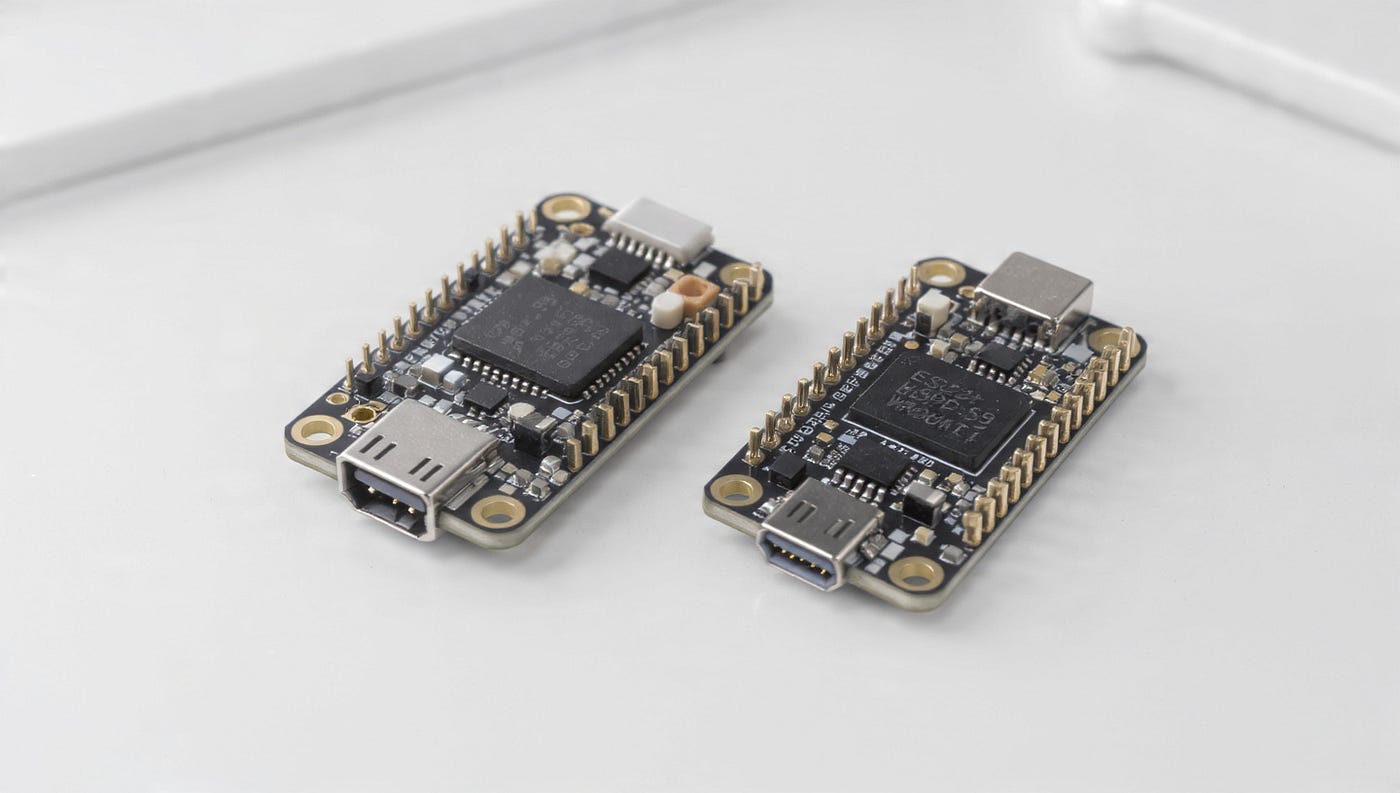
While working with an EBYTE E22 LoRa module, I encountered an interesting problem with UART communication.
Why Adding Delays Didn’t Fix My UART Data Loss: Understanding Hardware Flow Control
While working with an EBYTE E22 LoRa module, I encountered an interesting problem with UART communication.
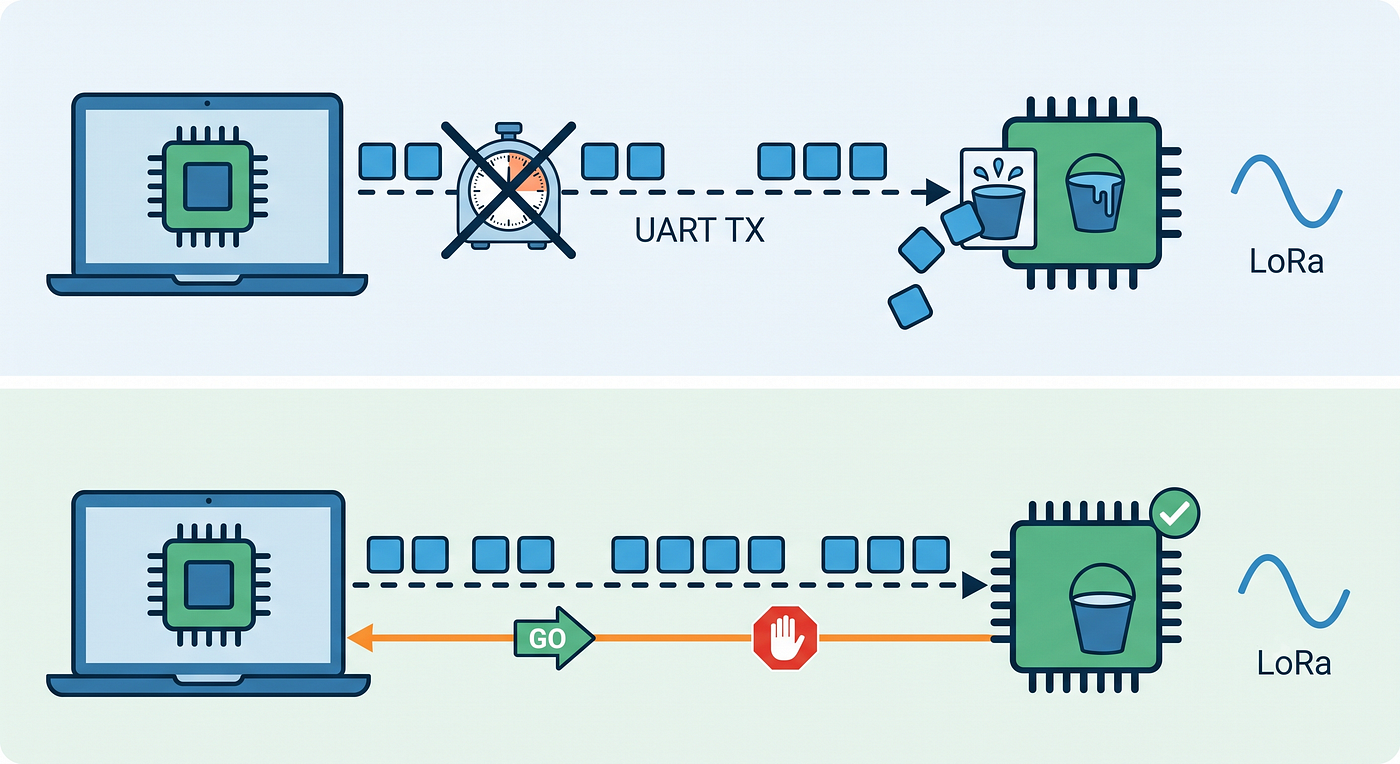
I was sending data continuously from a laptop to the E22 through a USB-to-TTL adapter. Small amounts of data worked fine, but when sending larger amounts continuously, some data was lost.
My first solution was simple: add delays between transmissions.
It didn’t work reliably.
The solution was to use the E22’s AUX signal as a CTS-like flow-control signal.
The Setup
My communication path was:
Laptop
   │
   │ USB
   ▼
USB-to-TTL Adapter
   │
   │ UART
   ▼
EBYTE E22
   │
   │ LoRa
   ▼
Remote Device
The laptop was sending data through UART to the E22.
The important point is that UART data reception and LoRa transmission do not necessarily happen at the same rate.
The laptop can continue sending UART bytes while the E22 is still processing previously received data or transmitting data over LoRa.
Conceptually:
Laptop
   │
   │ DATA DATA DATA DATA DATA
   ▼
  E22
   │
   │ Internal processing
   ▼
LoRa transmission
The E22 has finite buffering and internal processing capacity. If the host continuously supplies data faster than the module can accept and process it, the available buffer can eventually become insufficient, resulting in lost data.
This is essentially a flow-control problem.
My First Attempt: Adding Delays
My initial solution was to add a delay after each transmission:
ser.write(data)
time.sleep(0.01)
This improved the situation in some cases, but it wasn’t reliable.
The problem is that a fixed delay is essentially a guess.
For example:
SEND → 10 ms → SEND → 10 ms → SENDWhat if the E22 needs more than 10 ms before it can safely accept more data?
SEND → 10 ms → E22 still busy
                         ↓
                    DATA LOSS
I could increase the delay:
SEND → 50 ms → SEND → 50 ms → SENDbut now I am unnecessarily slowing down the communication if the E22 was actually ready after a shorter period.
The real problem wasn’t finding the “correct” delay.
It was that the laptop didn’t know when the E22 was actually ready to receive more data.
From Delays to Flow Control
This is where hardware flow control becomes useful.
Instead of telling the sender:
“Wait 10 ms.”
we want the receiver to be able to say:
“I’m busy. Wait.”
and later:
“I’m ready. Continue.”
Standard UART hardware flow control commonly uses RTS (Request To Send) and CTS (Clear To Send):
Device A                    Device B
────────────────────────────────────

TX  ──────────────────────> RX
RX  <────────────────────── TX

RTS ──────────────────────> CTS
CTS <────────────────────── RTS
The control signals allow one device to indicate whether the other device should continue transmitting.
Using the E22 AUX Signal
The EBYTE E22 provides an AUX pin that indicates the module’s status.
In my setup, I connected the E22 AUX pin to the CTS input of my USB-to-TTL adapter:
USB-TTL Adapter             EBYTE E22
─────────────────────────────────────

TXD  ────────────────────>  RXD
RXD  <────────────────────  TXD
GND  ─────────────────────  GND
CTS  <────────────────────  AUX
After doing this, the communication became much more reliable.
Instead of relying on an arbitrary delay, I was using the E22’s status as a CTS-like flow-control signal.
The concept becomes:
E22 ready
   ↓
 SEND
   ↓
E22 busy
   ↓
 WAIT
   ↓
E22 ready
   ↓
 SEND
The important difference is that the waiting is now based on the module’s state rather than an arbitrary number of milliseconds.
AUX Is Not the Same as CTS
There is an important technical distinction here.
The E22’s AUX pin is not a standard UART CTS signal.
AUX is an E22-specific status signal. In my setup, I was using that signal as a CTS-like flow-control signal.
So it is more accurate to say:
I used the E22 AUX signal as a CTS-like flow-control signal.
rather than:
The E22 AUX pin is CTS.
This distinction matters because AUX and CTS are not inherently the same signal or protocol.
Whether this approach works depends on the USB-to-TTL adapter, its support for CTS hardware flow control, the software/driver configuration, and the electrical compatibility and signal polarity between the AUX output and CTS input.
The General Lesson
Although I encountered this problem with an EBYTE E22, the underlying lesson applies to UART communication in general.
UART transfers data, but it does not automatically ensure that the receiver can always process data as quickly as the sender produces it. If the sender transmits continuously while the receiver is busy, data can eventually be lost.
Adding delays can sometimes help, but a fixed delay is still just an assumption about when the receiver will be ready.
Flow control provides a better approach: instead of guessing when the receiver is ready, the sender can respond to feedback from the receiver.
The important lesson I learned wasn’t just about the E22:
Fixed delays are assumptions. Flow control is feedback.
메타데이터
- post_id
- abc84414e9ca
- slug
- why-adding-delays-didnt-fix-my-uart-data-loss-understanding-hardware-flow-control-abc84414e9ca
- url
- https://medium.com/@nipundharmarathne/why-adding-delays-didnt-fix-my-uart-data-loss-understanding-hardware-flow-control-abc84414e9ca
- canonical_url
- https://medium.com/@nipundharmarathne/why-adding-delays-didnt-fix-my-uart-data-loss-understanding-hardware-flow-control-abc84414e9ca
- author_url
- https://medium.com/@nipundharmarathne
- status
- ok
- fetched_at
- 2026-08-13 00:03:50