DNS Queries| Name resolution process
If you are preparing for any support role in Infrastructure or Network admin role, I am sure you might have been asked this question: “How…
DNS Queries| Name resolution process

DNS(Domain Name System) translates a FQDN(Fully Qualified Domain Name) to IP addresses so browsers can load Internet resources. The process of DNS resolution involves converting a hostname (such as www.example.com) into a computer-friendly IP address and vice versa via Forward lookup zone and reverse lookup zone respectively.
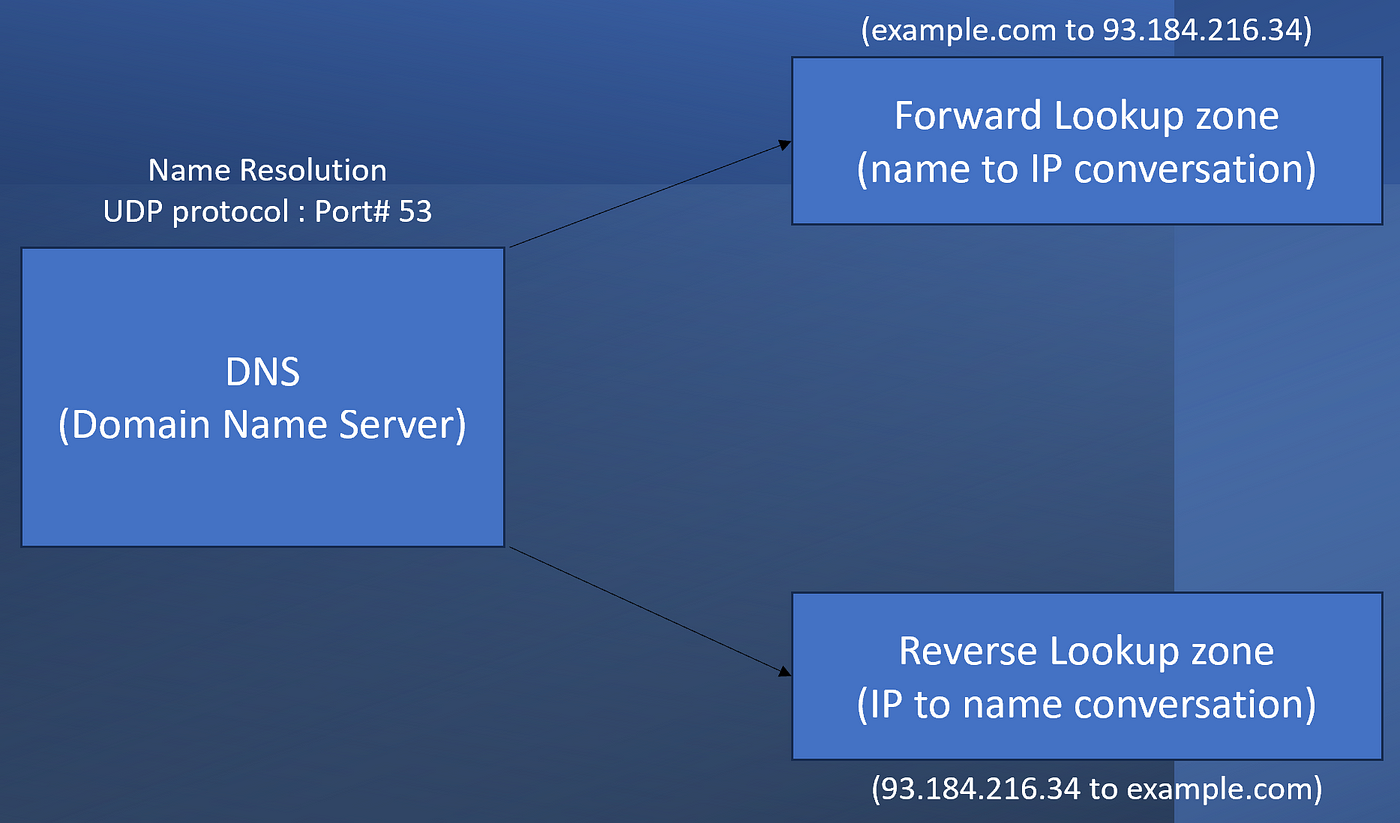
Explanation about DNS lookup zone
When you type the URL address *https://example.com *on the address bar of the browser, it first checks the browser cache if you had accessed the web page in the recent times and if it does not find any entry then checks for the hosts file(C:/Windows/System32/drivers/etc) entries if we have an IP address mentioned in the file for the given URL. If no record found in browser cache and host file for the given URL then the first query will be sent by the client to the local DNS server. This is a recursive query where your computer reaches to local DNS for translating the FQDN to IP address, however, queries between different DNS servers will be an Iterative query, which you can see the below picture. So major difference between a recursive and Iterative query is the request further forwarded to different DNS servers until the hostname translated to an IP is the recursive query, however, in iterative query the Server immediate respond without further forwarding the request if the server does not have the IP for the requested URL. **Don’t get confuse from the below picture showing Iterative query arrow between Local DNS and Root DNS Server. The query would be iterative query if root DNS would not further forward the query to TLD server instead itself respond to Local DNS.

DNS Name Resolution Flow
The traffic that we see over wires using network monitor or wire-shark network tools, shows that DNS queries takes place using UDP protocol where client uses an ephemeral port(a random port) and DNS server uses port# 53 to listen the DNS queries. In the below picture the we have explained a response that we have received from the local DNS server to the Client. In this picture IP 192.168.1.1 belongs to the local DNS server and 192.168.1.6 belongs to client. We can see that under Flags QR(which is a Response flag), RD(Recursion desired) and RA (Recursive query support Available) are set to 1 means true, which means this packet is an query response packet, supporting a recursive query. DNS query always uses UDP protocol where as per below snap, client using port# 54020 and DNS server using port# 53. In the query response packet we can see that local DNS has replied with the IP for example.com as 93.184.216.36 under A Record which contains host A record for the URL.

packet capture for DNS recursive query for example.com
메타데이터
- post_id
- abf48c4e0bdb
- slug
- dns-queries-name-resolution-process-abf48c4e0bdb
- url
- https://medium.com/@rajnishdixit/dns-queries-name-resolution-process-abf48c4e0bdb
- canonical_url
- https://medium.com/@rajnishdixit/dns-queries-name-resolution-process-abf48c4e0bdb
- author_url
- https://medium.com/@rajnishdixit
- status
- ok
- fetched_at
- 2026-08-26 14:38:53



