Stop Returning Generic 400 Errors: The Senior Developer’s Guide to RFC 7807 (Problem Details) in…
We’ve all been there. You’re integrating with a third-party API, you send a payload, and you get this highly “helpful” response back:
Stop Returning Generic 400 Errors: The Senior Developer’s Guide to RFC 7807 (Problem Details) in Spring Boot 3
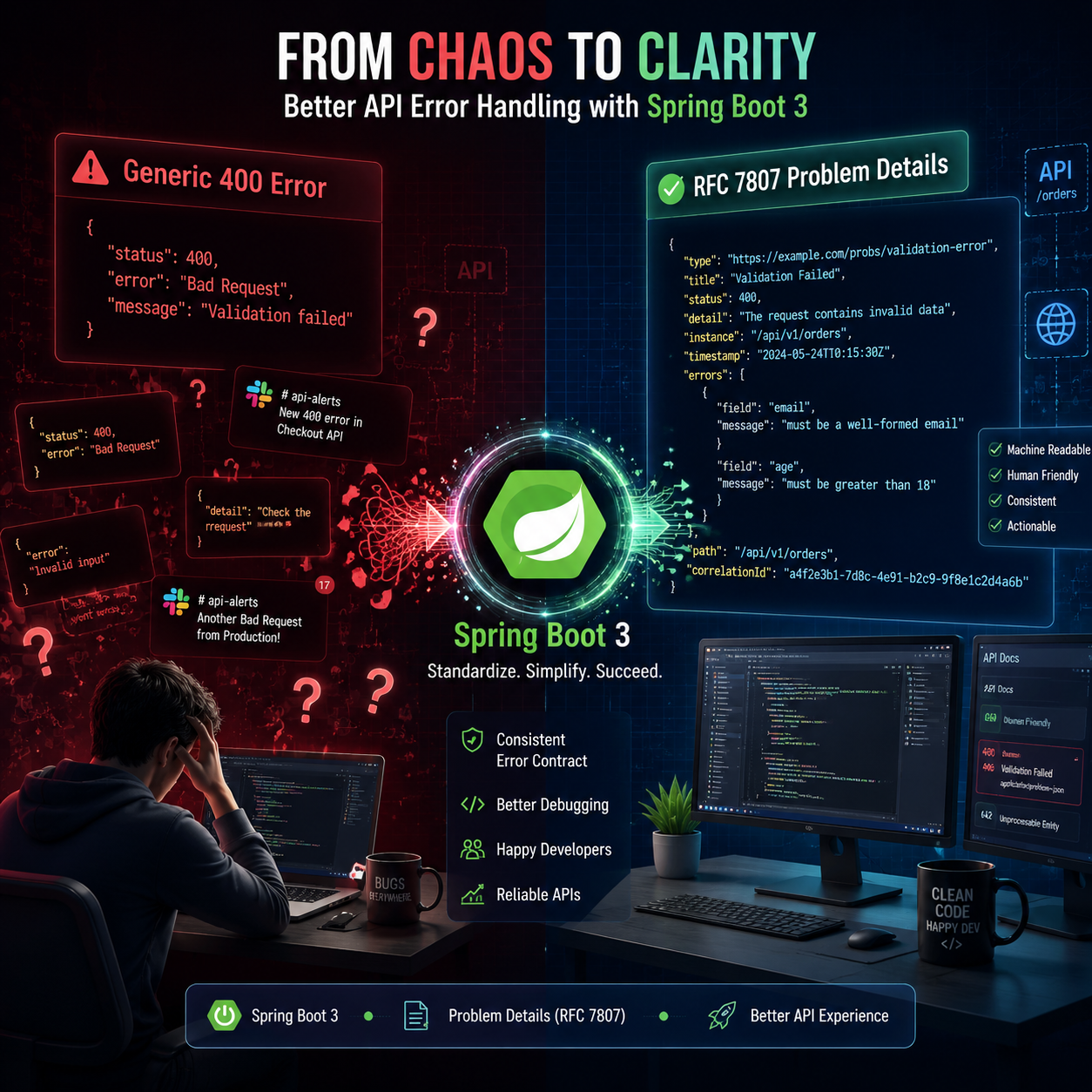
We’ve all been there. You’re integrating with a third-party API, you send a payload, and you get this highly “helpful” response back:
{
  "timestamp": "2025-05-17T10:15:30Z",
  "status": 400,
  "error": "Bad Request",
  "message": "Validation failed",
  "path": "/api/v1/users"
}
Great. What exactly failed? Was it the email format? Was the password too short? Did I forget a mandatory field? The frontend developer is now messaging you on Slack, asking why your API is rejecting their form.
For years, the Java community has solved this by creating massive, custom @RestControllerAdvice classes. Every team invents its own ApiErrorResponse object. One team uses errorCode, another uses internalCode, and someone else uses developerMessage. It’s a chaotic mess.
It’s time to stop reinventing the wheel. Let’s talk about RFC 7807 (Problem Details) and how Spring Boot 3 makes standardizing your API errors almost embarrassingly easy.
What is RFC 7807?
RFC 7807 is an IETF standard that defines a universal, standardized JSON structure for HTTP API errors. Instead of making the frontend guess how you formatted your error response, you give them a predictable structure.
A standard “Problem Details” response looks like this:
{
  "type": "https://api.mycoolapp.com/errors/insufficient-funds",
  "title": "Insufficient Funds",
  "status": 400,
  "detail": "Your current balance is $30, but the item costs $50.",
  "instance": "/users/123/transactions",
  "balance": 30
}
Notice a few cool things?
**type**: A URI identifying the specific problem.**title**: A short, human-readable summary.**detail**: The exact reason it failed.- Custom fields: Notice the
balancefield? You can add your own custom properties to the standard object!
The Spring Boot 3 Magic Trick
In the old days of Spring Boot 2.x, implementing this meant adding third-party libraries (like Zalando’s Problem library) or writing a lot of boilerplate.
In Spring Boot 3, it is built directly into the framework. You can enable the standard globally with exactly one line in your application.yml or application.properties:
spring:
  mvc:
    problem-details:
      enabled: true
(Note: If you are using WebFlux, it’s spring.webflux.problem-details.enabled=true)
Just by adding that line, Spring Boot will instantly convert all standard framework exceptions (like MethodArgumentNotValidException or NoHandlerFoundException) into beautiful, RFC 7807 compliant JSON.
Taking Control: Throwing Custom Problem Details
What about your custom business logic exceptions? Spring Boot 3 provides a brilliant ProblemDetail class that you can use in your @ExceptionHandler.
Instead of mapping your UserNotFoundException to a custom Map, do this:
import org.springframework.http.HttpStatus;
import org.springframework.http.ProblemDetail;
import org.springframework.web.bind.annotation.ExceptionHandler;
import org.springframework.web.bind.annotation.RestControllerAdvice;
import java.net.URI;

@RestControllerAdvice
public class GlobalExceptionHandler {

    @ExceptionHandler(InsufficientFundsException.class)
    public ProblemDetail handleInsufficientFunds(InsufficientFundsException ex) {

        ProblemDetail problem = ProblemDetail.forStatusAndDetail(
                HttpStatus.BAD_REQUEST,
                "Your current balance is insufficient to complete this transaction."
        );

        problem.setType(URI.create("https://api.mycoolapp.com/errors/insufficient-funds"));
        problem.setTitle("Insufficient Funds");

        // Add custom properties!
        problem.setProperty("current_balance", ex.getCurrentBalance());
        problem.setProperty("required_amount", ex.getRequiredAmount());

        return problem;
    }
}
Alternatively, you can have your custom exceptions extend ErrorResponseException, and Spring will handle the mapping automatically without even needing an @ExceptionHandler!
The Verdict
As senior developers, our job isn’t just to write code that works; it’s to write APIs that are a joy to consume. By adopting RFC 7807, you instantly make your API feel more professional, you eliminate endless frontend/backend communication loops, and you get rid of hundreds of lines of custom error-handling boilerplate.
If you are starting a new Spring Boot 3 project today, turning on Problem Details should be step number one.
메타데이터
- post_id
- ac5be6127950
- slug
- stop-returning-generic-400-errors-the-senior-developers-guide-to-rfc-7807-problem-details-in-ac5be6127950
- url
- https://medium.com/@mesfandiari77/stop-returning-generic-400-errors-the-senior-developers-guide-to-rfc-7807-problem-details-in-ac5be6127950
- canonical_url
- https://medium.com/@mesfandiari77/stop-returning-generic-400-errors-the-senior-developers-guide-to-rfc-7807-problem-details-in-ac5be6127950
- author_url
- https://medium.com/@mesfandiari77
- status
- ok
- fetched_at
- 2026-06-09 15:37:30