Cypress component testing for Next.js application
End to End testing is important to ensure every pieces fit together. However, it takes long time to execute and often does not directly…
Cypress component testing for Next.js application
End to End testing is important to ensure every pieces fit together. However, it takes long time to execute and often does not directly indicate where the issues coming from if that happen. Thus, we need the isolated testing level which provides us the result quickly and enable us to easily find out the reasons of the failed test. Cypress component testing is one of the ways to do that.
Photo by Tam Minton on Unsplash
Cypress does supports a bunch of popular frontend frameworks for component testing.
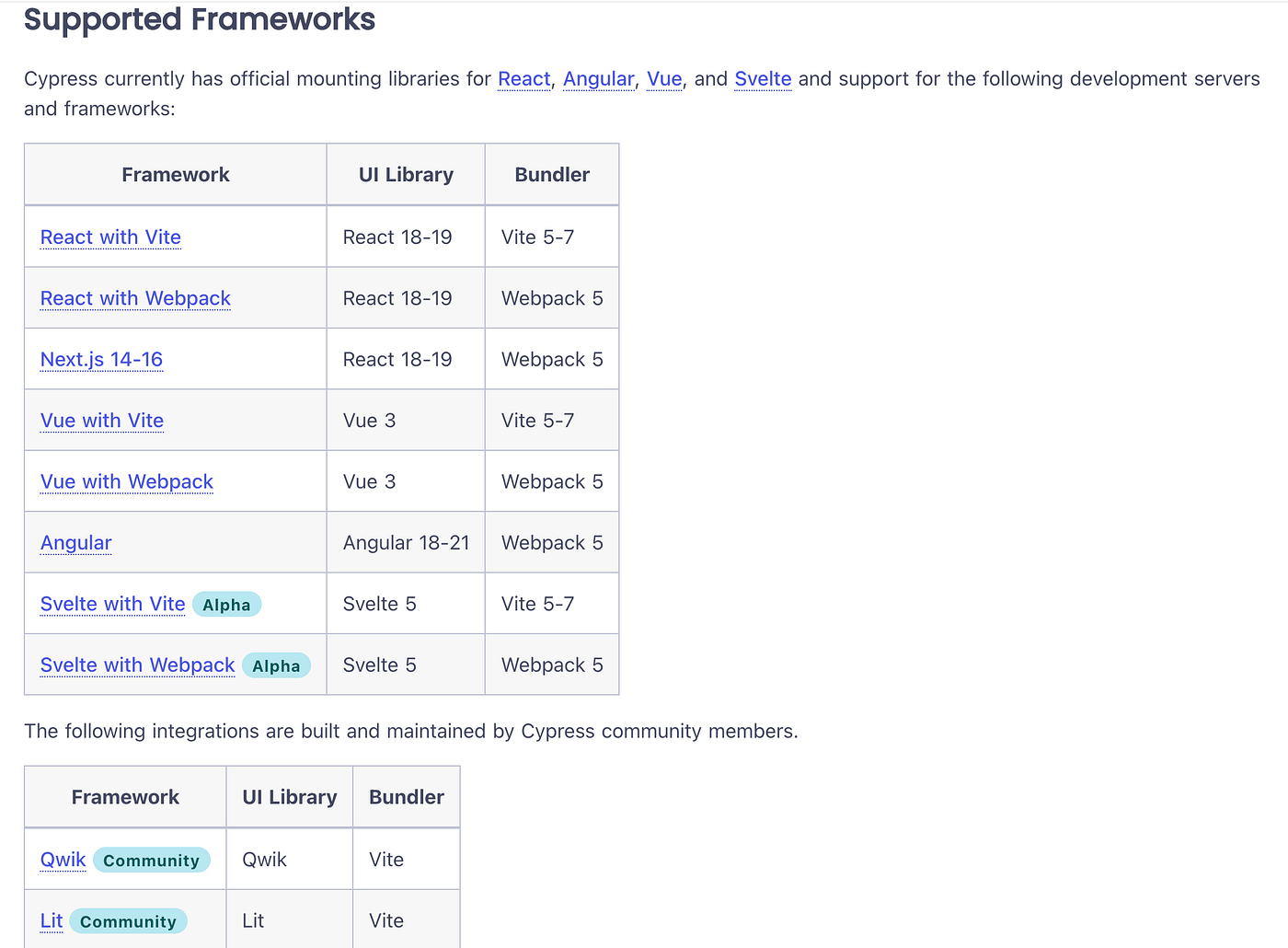
In this article, let’s see how we can apply component testing for a Nextjs frontend. To quickly get started, please clone the existing code from the weather-app repository.
git clone https://github.com/cuongld2/cypress-component-testing-examples.gitTo bring the application up and running, we need to deploy both the frontend and the backend service. First, let’s bring up the backend service.
cd backend
go run main.go
Then bring up the frontend service
cd frontend/nextjs
npm run dev
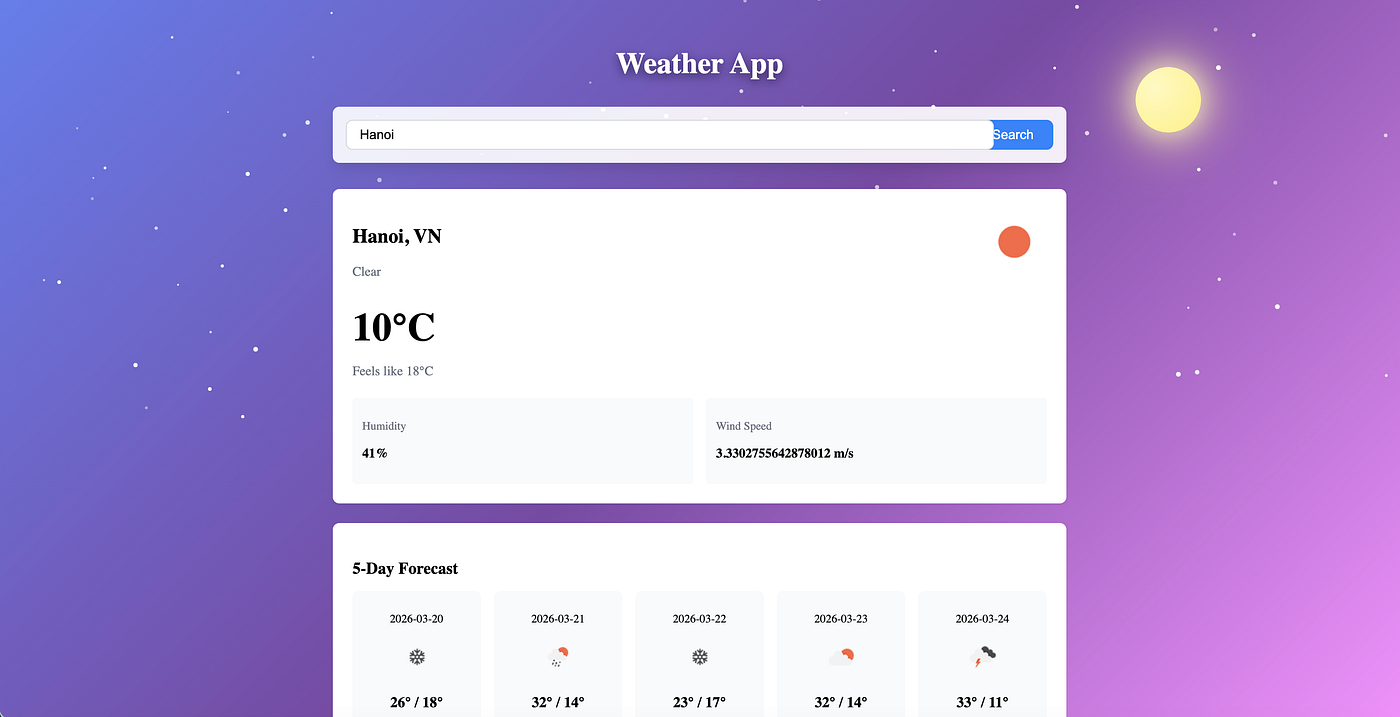
Now open the localhost:3000 URL in your browser. You should see the application UI for the weather app.

Now that’s the application is up and running, let’s see how we can write Cypress component testing for the Nextjs frontend.
The idea of writing Cypress component testing is to ensure the UI component is working as expected. It could be we’re able to input something into the text box, or ensuring the dropdown element is displayed correctly.
To set up the Cypress component testing for Nextjs, we need to create the cypress.config.ts like below:
component: {
    devServer: {
      framework: 'next',
      bundler: 'webpack',
    },
    setupNodeEvents(on, config) {
      return config;
    },
    supportFile: 'cypress/support/component.ts',
  },
Here we can see we need to indicate the framework as next and the bundler as webpack .
To simulate a Nextjs component or a frontend component in general, we use cy.mount supported method:
// cypress/components/CitySearch.cy.tsx

it('renders input and button', () => {
    cy.mount(<CitySearch onSearch={cy.stub()} loading={false} />);

    cy.get('[data-cy="city-input"]').should('be.visible');
    cy.get('[data-cy="search-button"]').should('be.visible');
    cy.get('[data-cy="search-button"]').should('contain', 'Search');
  });
If the Nextjs component requires a backend API call to have the response in order to show data, we can make use of the cy.intercept method to stub the response we need.
cy.intercept('GET', '**/api/weather/current?city=*', {
      statusCode: 200,
      body: mockCurrentWeather,
    }).as('getCurrentWeather');
We can also check the rendering of UI element that relies on the backend API data by directly mock it in the test.
const mockClearWeather: CurrentWeatherType = {
  city: 'New York',
  country: 'US',
  temperature: 22,
  condition: 'Clear',
  humidity: 65,
  wind_speed: 5.5,
  feels_like: 24,
  icon: '01d',
};

it('renders sunny background for clear weather during day', () => {
    cy.stub(Date.prototype, 'getHours').returns(14);
    cy.mount(<WeatherBackground weather={mockClearWeather} isLoading={false} />);
    cy.get('.weather-background').should('have.class', 'bg-sunny');
  });
To run the Cypress test with UI, execute the below command:
cd frontend/nextjs
npm run cypress:open
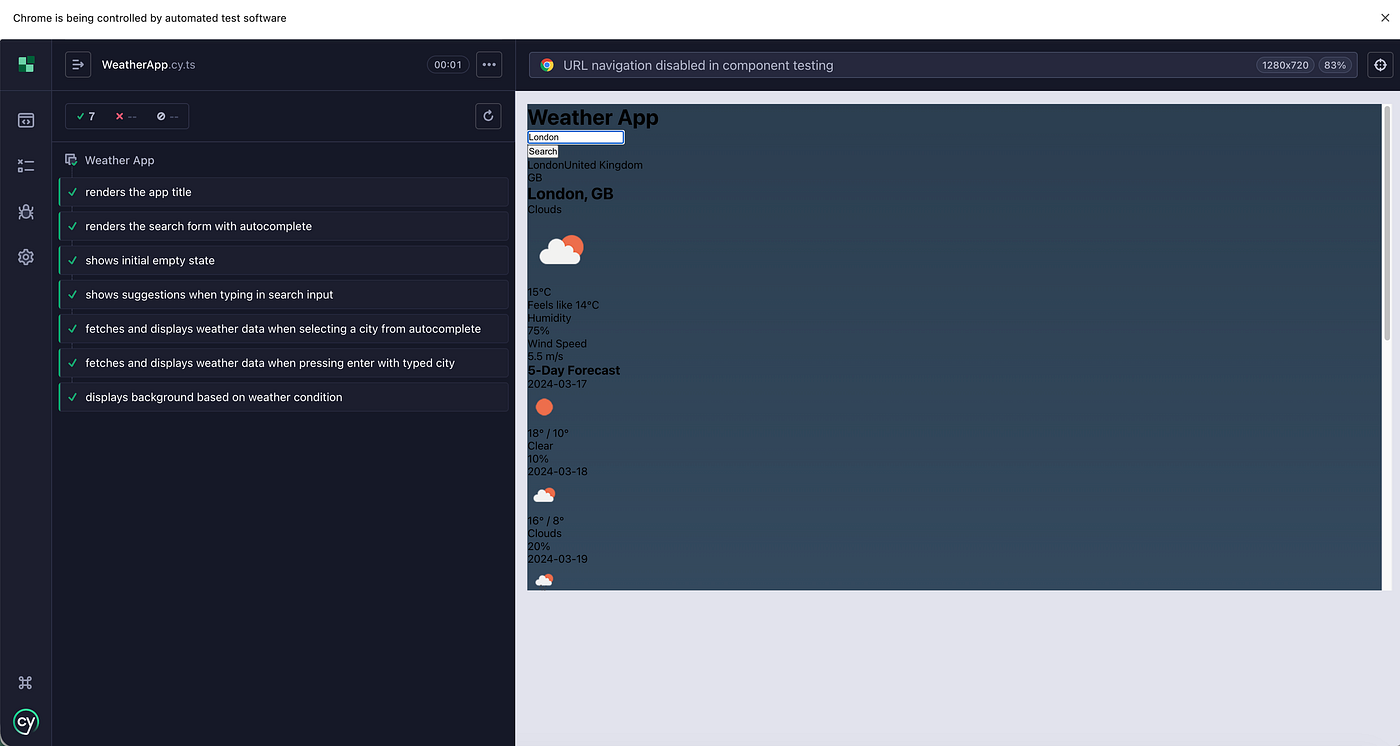
We can see Cypress is now able to display the required components in the test with the UI so that we can simulate real user behavior.
To run all the Cypress component tests without UI, try the below command:
cd frontend/nextjs
npm run cypress:run
And that’s how we can apply Cypress component testing for Nextjs frontend.
Happy testing~~
메타데이터
- post_id
- ac82fc02406c
- slug
- cypress-component-testing-for-next-js-application-ac82fc02406c
- url
- https://medium.com/@ledinhcuong99/cypress-component-testing-for-next-js-application-ac82fc02406c
- canonical_url
- https://medium.com/@ledinhcuong99/cypress-component-testing-for-next-js-application-ac82fc02406c
- author_url
- https://medium.com/@ledinhcuong99
- status
- ok
- fetched_at
- 2026-06-10 18:44:10