Dynamically Display Local Currency of the Selected Entity in Oracle Narrative Reporting
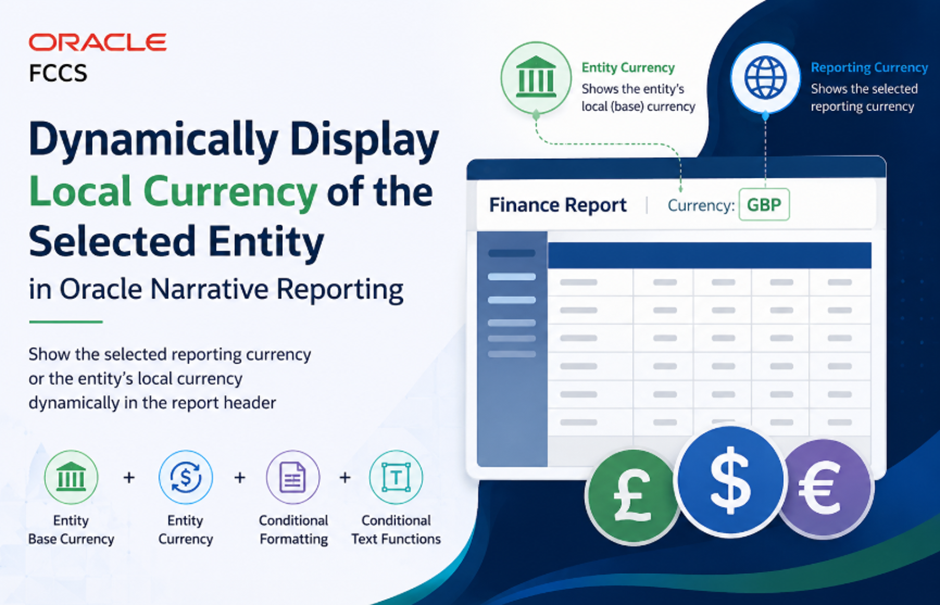
In Oracle FCCS, there are scenarios where reports should display:
Dynamically Display Local Currency of the Selected Entity in Oracle Narrative Reporting
In Oracle FCCS, there are scenarios where reports should display:
- The selected reporting currency when a reporting currency is chosen for Currency dimension, and
- The local currency of the selected entity when the user selects Entity Currency in the Currency dimension.
This can be achieved in Oracle Narrative Reporting using:
- The Base Currency property of the Entity dimension
- The Entity Currency member from the Currency dimension
- Conditional Formatting
- Conditional Text functions
This blog explains the complete setup step by step.
Requirement
When a user selects:
- A Reporting Currency → display the selected reporting currency in the report header.
- Entity Currency → dynamically display the local/base currency of the selected entity in the report header.
Solution Overview
In Oracle FCCS:
- Every Entity member contains a metadata property called Base Currency, which represents the entity’s local currency.

- The Currency dimension contains a specific member called Entity Currency, which dynamically points to the selected entity’s base currency.

Using these together with Narrative Reporting text functions and conditional formatting, we can dynamically display the correct currency in the report header.
Step 1: Create a Text Row in the Grid
Create a text row in the report grid (for example, Row 1).
Select cell 1,A and:
- Click the Text Functions icon.
- Select Member Name.
- Choose the Currency dimension.
- Set the option to True.
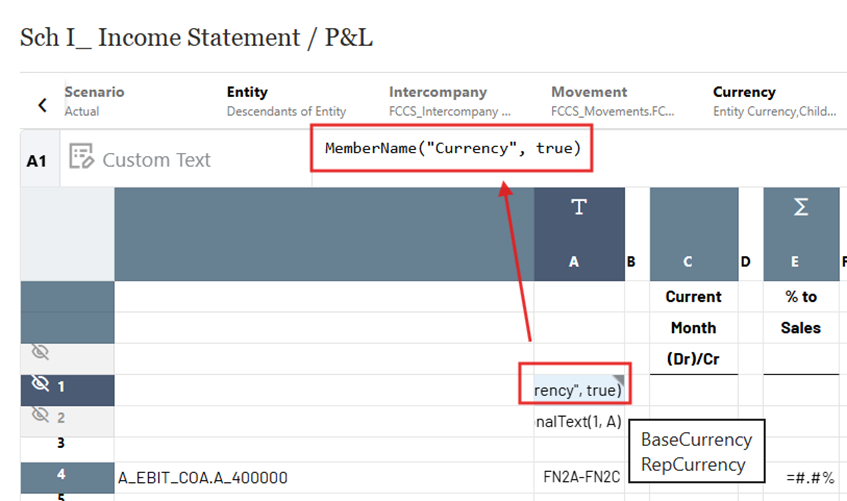
This cell will now display the selected Currency member name.
Step 2: Create Conditional Formatting for Entity Currency
Select cell 1,A and go to:
Conditional Properties → + (Add Conditional Formatting)
Create a condition for Entity Currency.

Logic
When the selected Currency member is Entity Currency, the report should fetch:
- The selected Entity’s Base Currency property
- Which represents the entity’s local currency

This condition dynamically resolves the local currency based on the selected entity.
Step 3: Create Conditional Formatting for Reporting Currency
Create another conditional formatting rule for the same cell (1,A).
Again go to:
Conditional Properties → + (Add Conditional Formatting)
Add conditions for all reporting currencies used in the application.
For these conditions:
- Use the same Currency Member Name text function
- Return the selected reporting currency member itself

Logic
When the selected Currency member is a reporting currency (USD, HKD, EUR, etc.), the report should simply display that reporting currency name.
Step 4: Create a Conditional Text Reference Cell
Now create another cell to evaluate the conditional formatting result.
For example, use cell 2,A.
- Select cell 2,A
- Click Text Functions
- Select Conditional Text
- Reference cell 1,A
This cell will now return the final evaluated currency text based on the conditions configured earlier.

You may also use another cell in the same row instead of creating a separate text row, and then can hide these text rows from display.
Step 5: Use the Cell in the Report Header
In the report Header Text Box:
- Open Text Functions
- Reference cell 2,A
- Save the report

This dynamically displays the correct currency value in the report header.
Expected Result
Scenario 1: Reporting Currency Selected
If the user selects:
- Entity = E_0094
- Currency = USD_Reporting
The report header displays:
USD_Reporting

Scenario 2: Entity Currency Selected
If the user selects:
- Entity = E_0094
- Currency = Entity Currency
And the entity’s Base Currency is TWD, then the report header displays:
TWD

This makes the report header fully dynamic based on the selected entity and currency combination.
Benefits of This Approach
- Provides dynamic and user-friendly report headers
- Avoids hardcoding currency values
- Supports multi-currency FCCS applications
- Improves report readability for end users
- Leverages standard FCCS metadata properties
Conclusion
By combining:
- FCCS Entity Base Currency metadata
- Entity Currency member behaviour
- Narrative Reporting Conditional Formatting
- Conditional Text functions
you can dynamically display either:
- the selected reporting currency, or
- the local currency of the selected entity
in Narrative Reporting report headers without any custom scripting.
메타데이터
- post_id
- ac8f95a37b85
- slug
- dynamically-display-local-currency-of-the-selected-entity-in-oracle-narrative-reporting-ac8f95a37b85
- url
- https://medium.com/@indirabeeram/dynamically-display-local-currency-of-the-selected-entity-in-oracle-narrative-reporting-ac8f95a37b85
- canonical_url
- https://medium.com/@indirabeeram/dynamically-display-local-currency-of-the-selected-entity-in-oracle-narrative-reporting-ac8f95a37b85
- author_url
- https://medium.com/@indirabeeram
- status
- ok
- fetched_at
- 2026-06-11 05:11:55



