Delta Sharing Explained: The End of “Can You Send Me That CSV?”
How Databricks kicked out the data export — and why the old way of sharing data was secretly costing your company a fortune.
Delta Sharing Explained: The End of “Can You Send Me That CSV?”
How Databricks kicked out the data export — and why the old way of sharing data was secretly costing your company a fortune.
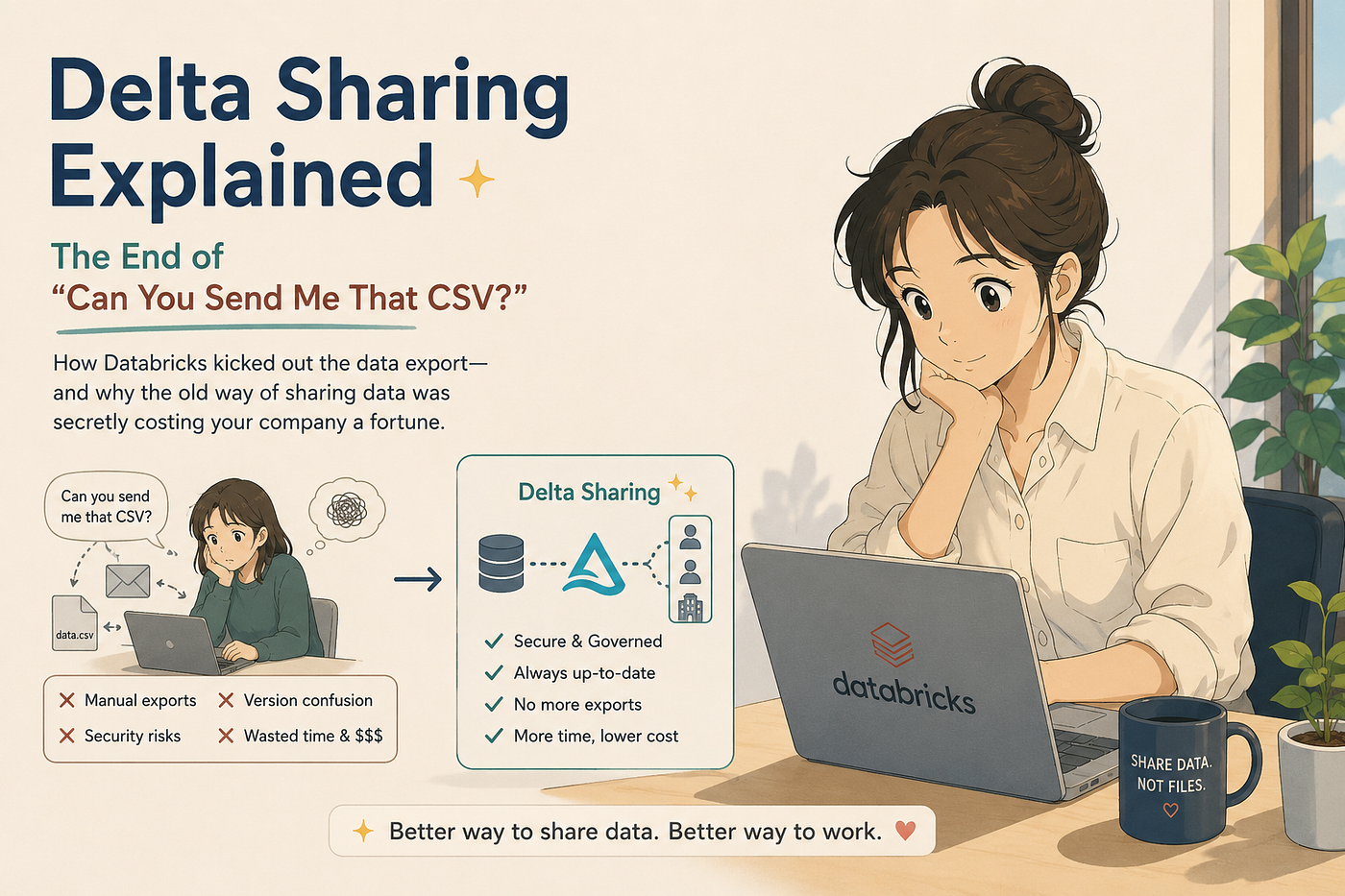
Picture this scene. You’ve lived it.
A partner company emails your team: “Can you send us last quarter’s sales data? Just a CSV is fine.”
Someone writes a query. Exports a file. Uploads it to SFTP. Sends a Slack ping. The partner downloads it, loads it into their warehouse, and starts analyzing.
Three weeks later, they email again. “Can you send the updated version? Also, can you add three more columns?”
This is how most companies still share data in 2026. And it’s broken in ways most people have stopped noticing — like a tap that’s been dripping for so long it sounds like silence.
Delta Sharing is the fix. In the next five minutes, you’ll understand what it is, why it exists, and why every modern data architecture is being rebuilt around it.
The One-Sentence Definition
Delta Sharing is an open protocol that lets you share live data across companies, clouds, and tools — without copying it.
That phrase — without copying it — is the whole revolution. Hold onto it.
Why the Old Way Is Worse Than You Think
Let’s count the ways the email-a-CSV approach is broken. Not the obvious ones. The hidden ones.
1. Your data is stale the moment it’s sent. That CSV from Tuesday? It’s a snapshot of a moving river. By Thursday, the partner is making decisions on data your business has already moved past.
2. You’ve lost all control. Once the file leaves your system, you have no idea where it went. Was it forwarded? Copied to a personal laptop? Loaded into a third system? You’re trusting people with your data the same way you trust strangers with your house keys at a party.
3. You’re paying twice — sometimes ten times. The partner stores their copy. So does their backup. So does the analyst who downloaded it locally. Multiply this across every partner, every dataset, every refresh cycle. Storage bills balloon. So do compliance audits.
4. Schema changes break everything silently. You add a column. The partner’s pipeline crashes at 3 AM. Now you’re on a call explaining why “a small change” broke their reporting.
5. The recipient has to use your tools. If you exported a Parquet file, the partner needs Spark. If it’s a CSV, they need to invent the schema. Every share creates a tools-and-skills tax on the other side.
This is the world Delta Sharing was designed to end.
The Big Idea: Share the Pointer, Not the Data
Here’s the conceptual leap.
Instead of copying data from your storage to theirs, Delta Sharing gives the recipient a secure, scoped pointer to your data — and a protocol for reading it directly from where it already lives.
Think of it like Netflix versus DVDs.
- The DVD era was: here’s a physical copy of the movie, please don’t make pirated copies, please send it back when you’re done.
- The Netflix era is: here’s a link, you can watch it, we control the access, we know when you stopped watching, and we can pull the rights tomorrow if we need to.
Delta Sharing is Netflix for tables.
Your data stays in your cloud storage. You control who can see it, which columns they can see, and when access expires. The recipient queries it like any other table — and they get the latest version every single time, because they’re reading the actual source, not a snapshot.
How It Actually Works (The Architecture in Plain English)
Delta Sharing has three pieces. That’s it.
1. The Provider — the company sharing the data
You. Your data sits in Delta Lake tables, governed by Unity Catalog. You create a Share (a logical bundle of tables you want to expose) and a Recipient (the partner you’re sharing with).
2. The Sharing Server — the bouncer at the door
This is the service that handles the authentication and authorization. When a recipient tries to read a shared table, the server checks: Are you allowed? Which tables? Which rows? Which columns? If yes, it hands back short-lived, pre-signed URLs that point directly to the data files in cloud storage.
3. The Recipient — the company receiving the data
The partner. They use any Delta Sharing client — and this is the magical part — they don’t need Databricks. They can be on Snowflake, BigQuery, Spark, pandas in a notebook, Power BI, Tableau, or a custom Python script. The protocol is open.
The flow looks like this:
- Recipient says: “I want to read the
sales_dailytable." - Sharing server checks permissions and returns pre-signed URLs valid for, say, one hour.
- Recipient downloads the data files directly from cloud storage. Fast. Parallel. No middleman.
- When the URLs expire, they request new ones if they still have permission. If you’ve revoked access, the door closes.
You never move the data. You never duplicate the data. You just open a controlled window onto it.
The “Open Protocol” Part — Why This Matters
This is the bit that separates Delta Sharing from every previous attempt at cross-org data sharing.
Most “data sharing” features from cloud vendors only work inside their own ecosystem. Snowflake’s sharing works between Snowflake accounts. AWS Data Exchange works inside AWS. They’re walled gardens.
Delta Sharing is an open standard, donated by Databricks to the Linux Foundation. That means:
- The protocol spec is public.
- Anyone can build a client.
- Anyone can build a server.
- It works across clouds (AWS to Azure, Azure to GCP, anywhere).
- It works across platforms (Databricks to Snowflake, Databricks to a pandas script in someone’s laptop).
This is the same playbook that made HTTP win. Open protocols beat proprietary ones, eventually, always.
The Two Flavors of Delta Sharing
There are two ways to use it, and you should know the difference.
Databricks-to-Databricks Sharing
If both sides are on Databricks (even on different clouds, different regions, different companies), you get the premium experience. Unity Catalog handles everything. The recipient sees the shared tables appear in their catalog explorer like they were native. They can query with SQL. They get fine-grained access controls, audit logs, row and column filters.
This is the path for partnerships, B2B data products, and corporate data exchanges.
Open Sharing
If the recipient is not on Databricks — they’re on Snowflake, or running pandas, or using Power BI — they still get full access via the open protocol. They just don’t get the Unity Catalog niceties. They get a credentials file, point their client at the sharing server, and read the data.
This is the path for data monetization, public datasets, regulatory reporting, and any case where you don’t control the recipient’s stack.
A Realistic Example
Let’s make it concrete. You’re a retailer. You sell to 200 suppliers. Every supplier wants weekly inventory and sales data for their products.
The old way: A data engineer maintains 200 export jobs. Each one writes a CSV to a supplier-specific SFTP folder. When a supplier complains the file is late, missing, or wrong, that’s a ticket. When a supplier asks for “just one more column,” that’s a new pipeline. You have a full-time job just shipping CSVs.
The Delta Sharing way:
- Create one Delta table:
supplier_datawith columns includingsupplier_id. - Create one Share per supplier — or, better, one share with a row filter that restricts each supplier to only see their own
supplier_id. - Create a Recipient for each supplier and hand them a credentials file.
- Done. Forever.
When you add a column, every supplier sees it. When inventory updates, every supplier sees the latest numbers in real time. When a supplier ends their contract, you revoke their recipient. The data has stopped moving. The work has stopped repeating.
-- The provider side, simplified
CREATE SHARE supplier_share;
ALTER SHARE supplier_share
ADD TABLE prod.gold.supplier_data
WITH ROW FILTER (supplier_id = CURRENT_RECIPIENT('supplier_id_property'));CREATE RECIPIENT acme_corp
PROPERTIES ('supplier_id_property' = 'ACME-001');GRANT SELECT ON SHARE supplier_share TO RECIPIENT acme_corp;That’s a multi-year, multi-person operational problem solved in roughly twelve lines of SQL.
Where Delta Sharing Fits in the Bigger Picture
Delta Sharing is one of three pillars Databricks built on top of Unity Catalog to turn the lakehouse into a data ecosystem:
- Unity Catalog governs your data (who, what, when, where).
- Delta Lake stores your data (with versioning, ACID, time travel).
- Delta Sharing distributes your data (across orgs, clouds, tools).
Together, they’re the answer to a single question that’s been hanging over the data industry for a decade: How do we share data without losing control of it?
The Three Things to Remember
If you take nothing else away from this article, take these.
1. Sharing without copying is the entire point. Every other benefit — freshness, governance, cost — flows from this one architectural choice. The pointer replaces the export.
2. The open protocol is the strategic moat. Delta Sharing works regardless of where the recipient lives. That makes it the closest thing the data world has to a universal sharing standard.
3. Unity Catalog is the control plane. Delta Sharing isn’t a standalone product you install. It’s a capability that turns on once your data is governed by Unity Catalog. If you’re designing a new platform on Databricks, Unity Catalog isn’t optional — it’s the foundation everything else snaps into.
What to Take Away
The era of emailing CSVs, maintaining 200 SFTP exports, and discovering that your “sensitive” data is sitting on someone’s laptop is ending.
Delta Sharing replaces all of it with a simple idea: share the pointer, not the data. Keep the data where it lives. Open a window for the people who need to see it. Close the window when they don’t.
If you’re new to Databricks, this is one of the concepts worth understanding deeply, because it changes how you design every cross-team and cross-company data flow you’ll ever build.
The CSV email is dead. We just haven’t all admitted it yet.
This is the article in my ongoing series on Databricks, data engineering, and AI ML architecture. I’m documenting my deep-dive journey through the Databricks platform — from fundamentals to advanced architecture patterns — one article at a time. Follow along if you’re on a similar path.
메타데이터
- post_id
- acf8e1c4bfa3
- slug
- delta-sharing-explained-the-end-of-can-you-send-me-that-csv-acf8e1c4bfa3
- url
- https://medium.com/@nidhin.dwh/delta-sharing-explained-the-end-of-can-you-send-me-that-csv-acf8e1c4bfa3
- canonical_url
- https://medium.com/@nidhin.dwh/delta-sharing-explained-the-end-of-can-you-send-me-that-csv-acf8e1c4bfa3
- author_url
- https://medium.com/@nidhin.dwh
- status
- ok
- fetched_at
- 2026-06-09 14:34:10