Seeing What the Car Sees: Building an AV Block by Block-Part 5
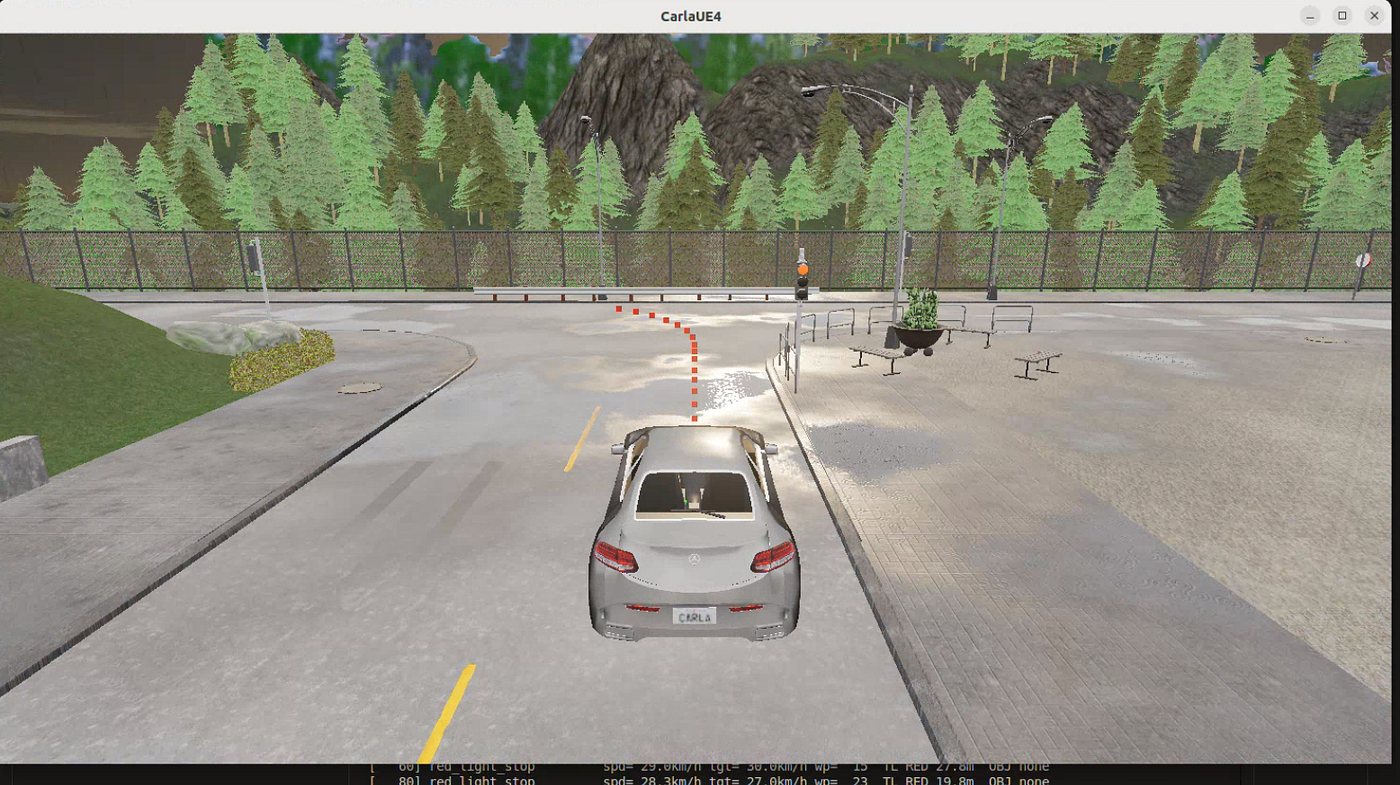
In Part 4, the planner worked. Zero collisions, zero red light violations across all test routes.
Seeing What the Car Sees: Building an AV Block by Block-Part 5
In Part 4, the planner worked. Zero collisions, zero red light violations across all test routes.
But watching it run felt like flying blind.
Every time something looked off — the car braking a little late, slowing at a green light — I had no idea which layer caused it. Was perception feeding the wrong traffic light state? Did the planner fire the wrong rule? Was control tracking the waypoints correctly? The only way to find out was to stop the sim, open a CSV, and stare at numbers.
That’s not how you debug a complex system. Part 5 is about fixing that — building a real-time visualizer so I can actually see what the stack is thinking.
Why a Visualizer?
The AV stack has three layers — perception, planner, control — and bugs can live in any of them:
- Perception feeds wrong traffic light state → planner brakes unnecessarily
- Planner fires the wrong rule → car stops at a green light
- Control tracks waypoints but at the wrong speed
Without a live visual, every diagnosis is hard. You run the sim, something looks wrong, you stop, you scrape logs, you guess. A visualizer lets you watch the exact SceneState the planner sees, the rule it fired, and how the car responded — all synchronized to simulation time — and catch problems within seconds instead of minutes.
There’s another reason too. When the YOLO detector replaces ground truth perception in Part 6, I want to visually compare what the real detector sees versus what ground truth would have given. Diffing CSVs for that is painful. Watching two entity trees side by side is not.
Why Rerun?
CARLA’s built-in spectator shows the world but has no concept of the perception layer. RViz needs a full ROS stack — which this project deliberately avoids. Matplotlib works great for offline analysis but not real-time multi-panel telemetry.
Rerun fit cleanly — open source, ships a native 3D viewer and time-series panels out of the box, accepts NumPy arrays directly for LiDAR, and records sessions to .rrd files for later replay. I just had to decide what to log, not how to display it.
What It Shows
The visualizer runs as a second CARLA client alongside the main stack — it observes but never commands. It calls world.get_actors() and reads sensor data, but never touches world.tick() or any vehicle control. The sim clock belongs to main.py only.
The layout is like this:
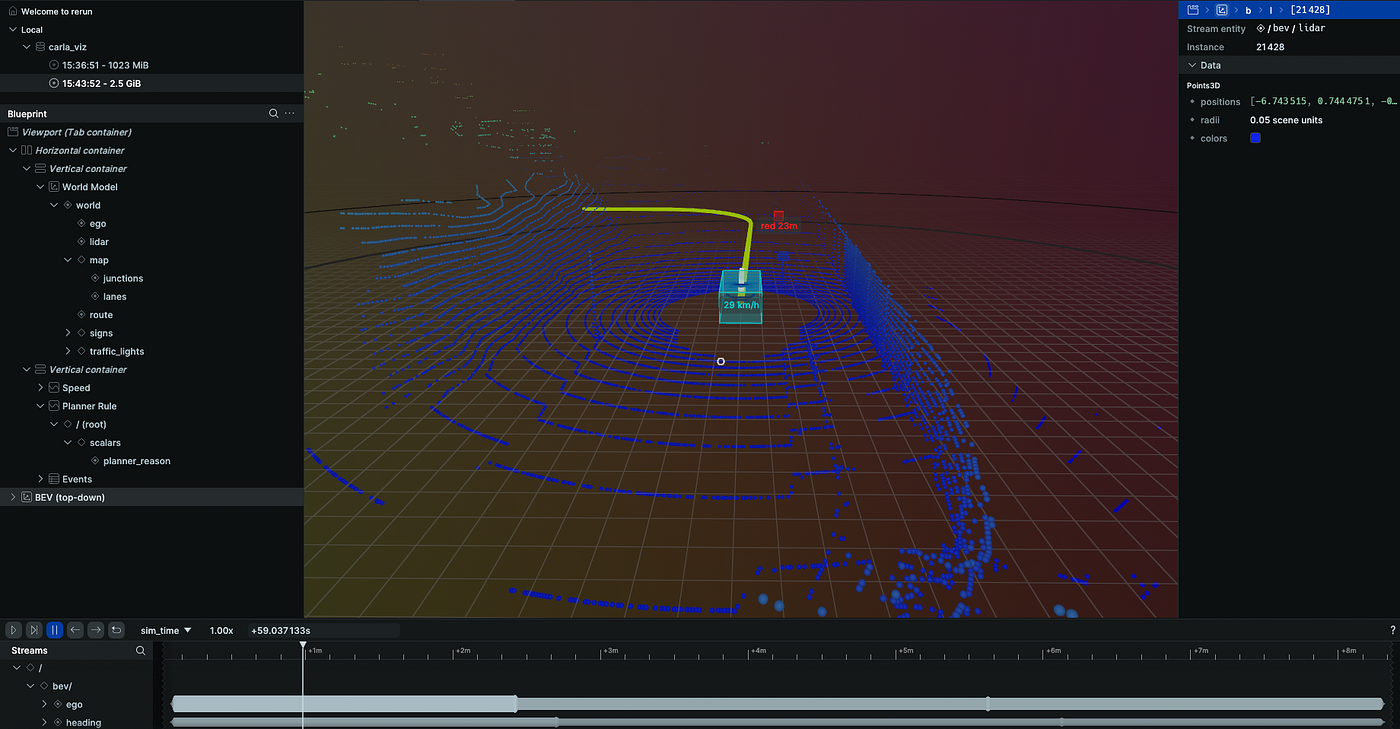
Rerun Visualizer Window
- 3D world view — god’s-eye view of Town01 with lane geometry, the ego car, NPC vehicles, LiDAR point cloud, and traffic lights rendered as 3D structures with their actual state colors
- BEV view — ego-centric top-down view that always centers on the car. Range rings at 30m and 60m. Route colored by speed zone. Traffic lights with full housing geometry when relevant, dim cubes otherwise
- Time-series panels — ego speed vs target speed as live plots, planner rule as a numeric time-series (so you can see the exact moment the planner switches from
cruisetored_light_stop), and a text log of every planner decision
The Hard Parts
Getting the visualizer working took more engineering than I expected. Three problems in particular.
Coordinate system mismatch.
CARLA and Rerun use different coordinate systems. CARLA is left-handed with Y pointing south. Rerun is right-handed with Y pointing north. Yaw is clockwise in CARLA, counter-clockwise in Rerun.
The fix is two functions applied at the CARLA boundary — negate Y on every position, negate yaw on every rotation. Everything downstream is already in Rerun space and never needs to think about it again. Same principle as the unit conversion boundary in GTPerception — do the conversion once, at the edge, nowhere else.
The ego-centric BEV problem.
Rerun’s 3D viewer is a fixed world viewer — it has no concept of “follow this entity.” To get a BEV that always centers on the ego car, I maintain two parallel entity trees: world/ in absolute CARLA coordinates, and bev/ in ego-local coordinates recomputed every tick.
Every entity — route waypoints, NPC vehicles, traffic lights, LiDAR points — gets logged twice. Once in world space, once transformed into the ego’s local frame. The BEV panel points at the bev/ tree; the 3D world view points at world/. Result: the BEV always shows the car at center facing forward, while the 3D view shows the full map.
Traffic light two-path architecture.
Rendering traffic lights correctly turned out to be the most complex part. SceneState.traffic_lights contains the lane-filtered relevant lights — but not their world positions. World positions need to come directly from CARLA's actor API.
The viz caches all traffic light positions and orientations at startup, then every tick runs two passes: one from SceneState (which lights does the planner actually see?) and one from CARLA's actor list (which lights are physically nearby?). Lights in the first set get rendered as full 3D structures with colored R/Y/G tiles and a white ring marking them as relevant. Lights in the second set but not the first get rendered as small dim background cubes — visible but not highlighted.
This two-path approach is what makes the visualizer useful for the YOLO swap in Part 6. When the real detector starts missing traffic lights, you’ll see the ring disappear on lights that should be relevant — the visual mismatch between what’s physically there and what the planner sees becomes immediately obvious.

3D World View
A Few Details Worth Mentioning
Route coloring by speed zone. The route line isn’t a single color — it’s segmented by speed limit, green for slow zones, orange for faster roads, red for highways. At a glance you can see what speed constraint is coming up before the car reaches it.
Planner reason as a time-series. Rerun’s scalar panels only accept numbers, so I map each planner rule to an integer (0 = cruise, 7 = emergency brake) and plot it as a time-series. The moment the planner switches rules shows up as a step in the graph — synchronized with the speed plot right above it. You can see the planner’s decision and the car’s response on the same timeline.
LiDAR in both views. CARLA’s LiDAR returns points in sensor-local coordinates. Getting them into Rerun’s world frame requires rotating by ego yaw, translating by ego position and sensor mount height, then negating Y. For the BEV frame, the sensor-local coords are already ego-relative — just negate Y. The points are colored by height so ground returns, vehicle surfaces, and above-vehicle geometry show up as distinct layers.
The Result
[embed]Real-Time AV Stack BEV Visualizer | CARLA + Rerun
The stack is no longer blind. Every run is now observable — what the planner saw, what rule fired, how the car responded, all on a scrubable timeline. Sessions save to .rrd files so I can replay any run without touching the sim.
What’s Next
The visualizer exists for a reason - Part 6 is the YOLO swap.
Ground truth perception gets replaced by the real YOLO traffic light detector from Part 2. Same SceneState contract, same planner, same eval harness. Only perception changes. The visualizer will make the comparison immediate — watch the ring appear and disappear on traffic lights as the real detector fires, see the planner reason flicker when a detection is missed, compare the speed profile against the ground truth baseline.
That’s the test of whether the architecture actually holds under real, noisy perception.
Let’s connect on LinkedIn: https://www.linkedin.com/in/yash-phalle-3b596b192
GitHub: https://github.com/yashphalle/AutonomousCar
Stay tuned for Part 6! 🤖
메타데이터
- post_id
- ad309bf2e6e7
- slug
- seeing-what-the-car-sees-building-an-av-block-by-block-part-5-ad309bf2e6e7
- url
- https://medium.com/@yashphalle/seeing-what-the-car-sees-building-an-av-block-by-block-part-5-ad309bf2e6e7
- canonical_url
- https://medium.com/@yashphalle/seeing-what-the-car-sees-building-an-av-block-by-block-part-5-ad309bf2e6e7
- author_url
- https://medium.com/@yashphalle
- status
- ok
- fetched_at
- 2026-06-23 03:48:11