Logitech MX Master 3S Review (2026) — Best Wireless Mouse for Productivity, Freelancers & Creators?
Finding the perfect wireless mouse in 2026 is no longer just about clicking and scrolling.
Logitech MX Master 3S Review (2026) — Best Wireless Mouse for Productivity, Freelancers & Creators?
Finding the perfect wireless mouse in 2026 is no longer just about clicking and scrolling.
Today, professionals want:
- better comfort
- smoother workflow
- silent clicks
- multi-device connectivity
- precise tracking
- customizable controls

By Author
That is exactly why the Logitech MX Master 3S has become one of the most recommended productivity mice for:
- freelancers
- programmers
- designers
- video editors
- remote workers
- office professionals
The Logitech MX Master 3S Bluetooth Edition is designed to improve workflow efficiency while offering premium comfort and advanced productivity features.
With:
- ultra-fast MagSpeed scrolling
- 8K DPI sensor
- quiet clicks
- ergonomic design
- multi-device support
…the MX Master 3S positions itself as a premium productivity mouse rather than a basic office accessory.
But is it really worth spending around $100 on a wireless mouse?
Let’s break down everything in simple language.
I. Quick Specifications

By Author
II. Design & Comfort — Built for Long Working Hours
The first thing users notice about the MX Master 3S is comfort.
Unlike cheap flat mice, this mouse is designed specifically for long work sessions.
The ergonomic shape naturally supports:
- the palm
- thumb
- wrist posture
This reduces strain during:
- editing
- coding
- office work
- browsing
- multitasking
The thumb controls are also placed intelligently, making navigation feel faster and more natural after some usage.
For freelancers and remote workers who spend hours daily on a computer, comfort becomes extremely important.
This is where the MX Master 3S performs exceptionally well.
III. 8K DPI Sensor — Extremely Precise Tracking
One of the biggest upgrades in the MX Master 3S is the 8000 DPI optical sensor.
This high DPI sensor allows:
- smoother movement
- faster cursor travel
- more accurate control
The most impressive feature is:
it even works on glass surfaces
This makes the mouse useful in:
- cafés
- offices
- travel setups
- glass desks
- co-working spaces

By Author
Users can also customize sensitivity levels depending on their workflow.
For designers, editors, programmers, and multitaskers, precise cursor movement improves productivity significantly.
IV. Quiet Clicks — Surprisingly Useful
The MX Master 3S introduces “Quiet Clicks,” which reduce click noise by around 90%.
At first, this may sound like a small feature.
But during long work sessions, quieter clicks create:
- less distraction
- better focus
- cleaner working environments
This is especially useful for:
- office users
- students
- shared workspaces
- late-night work sessions
- meetings and libraries
The clicks still feel tactile and satisfying while becoming much quieter than traditional mice.
V. MagSpeed Scrolling — One of the Best Features
The MagSpeed scrolling wheel is one of the main reasons professionals love this mouse.
Scrolling becomes:
- faster
- smoother
- more precise
- nearly silent
According to Logitech:
- scrolling is significantly faster
- precision improves noticeably
- noise becomes minimal
This feature feels extremely useful when:
- reading long documents
- editing timelines
- browsing large spreadsheets
- coding
- multitasking heavily

By Author
Once users experience MagSpeed scrolling, normal mouse wheels often feel outdated.
Check price now on amazon
VI. Multi-Device Connectivity
The MX Master 3S supports connection with:
up to 3 devices simultaneously
Users can switch between:
- laptops
- desktops
- tablets
…using Bluetooth.
This feature is extremely useful for:
- multitaskers
- freelancers
- remote workers
- content creators
who work across multiple devices daily.
The mouse also supports:
- Windows
- macOS
- Linux
- Chrome OS
making it highly flexible.
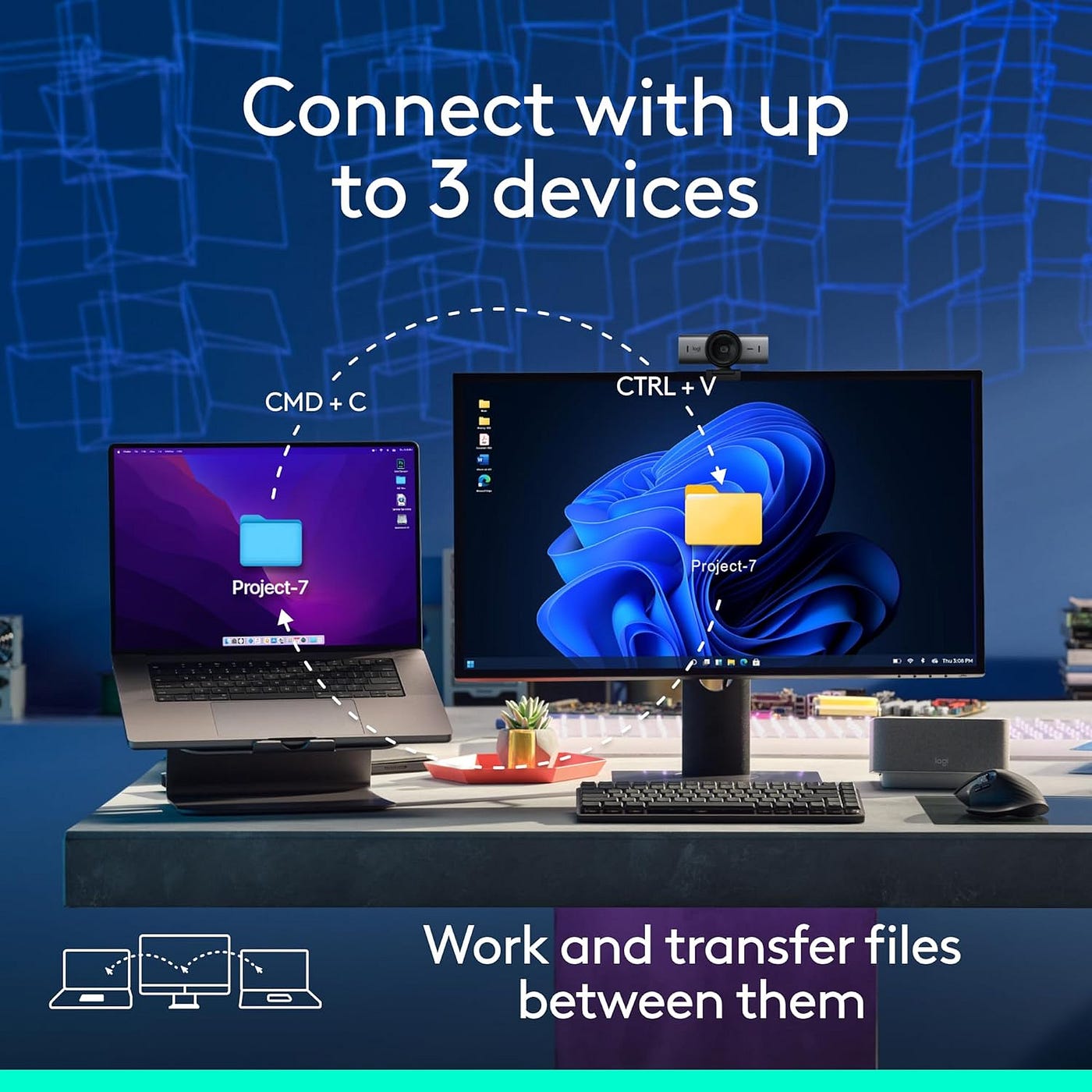
By Author
Check price now on amazon
VII. Logitech FLOW — Powerful Productivity Feature
One underrated feature is:
Logitech FLOW
FLOW allows users to:
- move the cursor across multiple computers
- transfer files
- copy text and images between systems
This creates a seamless multi-device workflow experience.
For users with:
- work laptops
- personal computers
- editing systems
…FLOW can significantly improve efficiency.
VIII. Customizable Buttons & Workflow Control
The MX Master 3S includes programmable buttons that can be customized using:
Logi Options+ software
Users can assign shortcuts for:
- Photoshop
- Premiere Pro
- Chrome
- Excel
- coding software
- productivity apps
This helps automate repetitive tasks and improve workflow speed.
For creators and professionals, this feature becomes incredibly valuable over time.
IX. Battery & Wireless Experience
The mouse is rechargeable and fully wireless through Bluetooth connectivity.
However:
X. Pros
I. Extremely comfortable ergonomic design II. Excellent 8K DPI tracking III. Works on glass surfaces IV. Quiet click technology V. Premium MagSpeed scrolling VI. Multi-device Bluetooth support VII. Customizable workflow controls VIII. Great for productivity and multitasking IX. Strong build quality X. Excellent for freelancers and creators
XI. Cons
I. Expensive compared to normal mice II. No USB receiver included III. Learning curve for advanced features IV. Better for productivity than gaming
XII. Buying Guide — Who Should Buy It?
Buy This If You:
- work long hours on a computer
- multitask heavily
- are a freelancer or creator
- want ergonomic comfort
- need precise tracking
- use multiple devices
- value workflow efficiency
Avoid This If You:
- want a cheap office mouse
- mainly play competitive games
- prefer lightweight gaming mice
XIII. Final Verdict — Is the Logitech MX Master 3S Worth It?
The Logitech MX Master 3S is not an ordinary wireless mouse.
It is a productivity-focused premium accessory designed for people who spend serious time working on computers.
Its combination of:
- ergonomic comfort
- quiet clicks
- MagSpeed scrolling
- 8K DPI precision
- multi-device support
- workflow customization
…makes it one of the best productivity mice available in 2026.
Yes, it is expensive.
But for:
- freelancers
- creators
- programmers
- remote workers
- office professionals
…the comfort and productivity improvements can genuinely justify the price.
In simple words:
If your work depends heavily on a computer every day, the Logitech MX Master 3S can become one of the best productivity upgrades for your setup.
Check price now on amazon
Affiliate Note
This article may contain affiliate links. If you purchase through these links, I may earn a small commission at no extra cost to you. This helps support Tech Hub and allows us to continue publishing honest technology reviews and productivity content.
메타데이터
- post_id
- ae586fba2834
- slug
- logitech-mx-master-3s-review-2026-best-wireless-mouse-for-productivity-freelancers-creators-ae586fba2834
- url
- https://medium.com/@lilgenius1221/logitech-mx-master-3s-review-2026-best-wireless-mouse-for-productivity-freelancers-creators-ae586fba2834
- canonical_url
- https://medium.com/@lilgenius1221/logitech-mx-master-3s-review-2026-best-wireless-mouse-for-productivity-freelancers-creators-ae586fba2834
- author_url
- https://medium.com/@lilgenius1221
- status
- ok
- fetched_at
- 2026-06-09 15:37:30



