You’re Probably Using Claude Wrong. Here’s How to Fix That.
A product designer’s honest guide to getting real work done with AI, not just impressive demos.
You’re Probably Using Claude Wrong. Here’s How to Fix That.
A product designer’s honest guide to getting real work done with AI, not just impressive demos.
Lately I’ve been noticing something in design communities. Someone posts a screenshot and says, “Look what Claude made in one prompt.” The result looks great. Polished, clever, sometimes even beautiful. People in the comments praise it. But when they try the same thing themselves, it usually falls apart by the third message, and the whole conversation just fizzles out.
The reality is that most of us are using Claude the same way we use Google. We type a question, skim the answer, and move on. That works for quick searches. But when it comes to real design work, the messy, iterative kind that requires judgment, that approach runs into a wall pretty fast. Claude is capable of much more than many designers realize. The real limitation usually isn’t the tool. It’s the way we approach it.
So this isn’t really a tutorial about writing better prompts. It’s more about understanding what Claude actually is, and how your workflow might need to change once you start thinking about it that way.

The Kitchen Analogy You Actually Need
Anthropic has an official guide on building what they call Claude Skills which are essentially custom instruction packages. In that guide they use an analogy that really stuck with me: MCP gives you the professional kitchen, and skills are the recipes.
I want to use that idea because it highlights something important that many designers overlook.
When you open a chat with Claude and start typing, it’s a bit like walking into a commercial kitchen with no recipe, no prep list, and nothing laid out ahead of time. The tools are there, the stove is ready, but you’re basically improvising as you go. Sometimes that works out fine. But quite often, it doesn’t.
Designers who consistently get useful results from Claude tend to approach it differently. Before they start, they’ve already organized the groundwork. They’ve thought about the kind of output they want, what “good” actually looks like, and how they’ll handle the process if things start going off track.
None of that preparation is very glamorous, and it certainly doesn’t produce flashy screenshots. But it’s exactly what turns Claude from a fun experiment into a dependable collaborator.
What Claude Actually Remembers (And Doesn’t)
Here’s the part that surprises a lot of people: Claude doesn’t have memory between chats. Every time you start a new conversation, it’s like talking to someone who has no idea who you are. It doesn’t know your design system, the project you talked about yesterday, that you prefer Figma tokens over CSS variables, or that your client absolutely hates gradients.
So if you’ve ever felt like you’re constantly repeating yourself to Claude, that’s why.
The more professional way to deal with this is what Anthropic calls Skills. These are instruction sets you create once, upload, and then Claude automatically uses them whenever they’re relevant. You can think of them as onboarding documentation for your AI collaborator. You write it once, and it quietly works in the background every time.
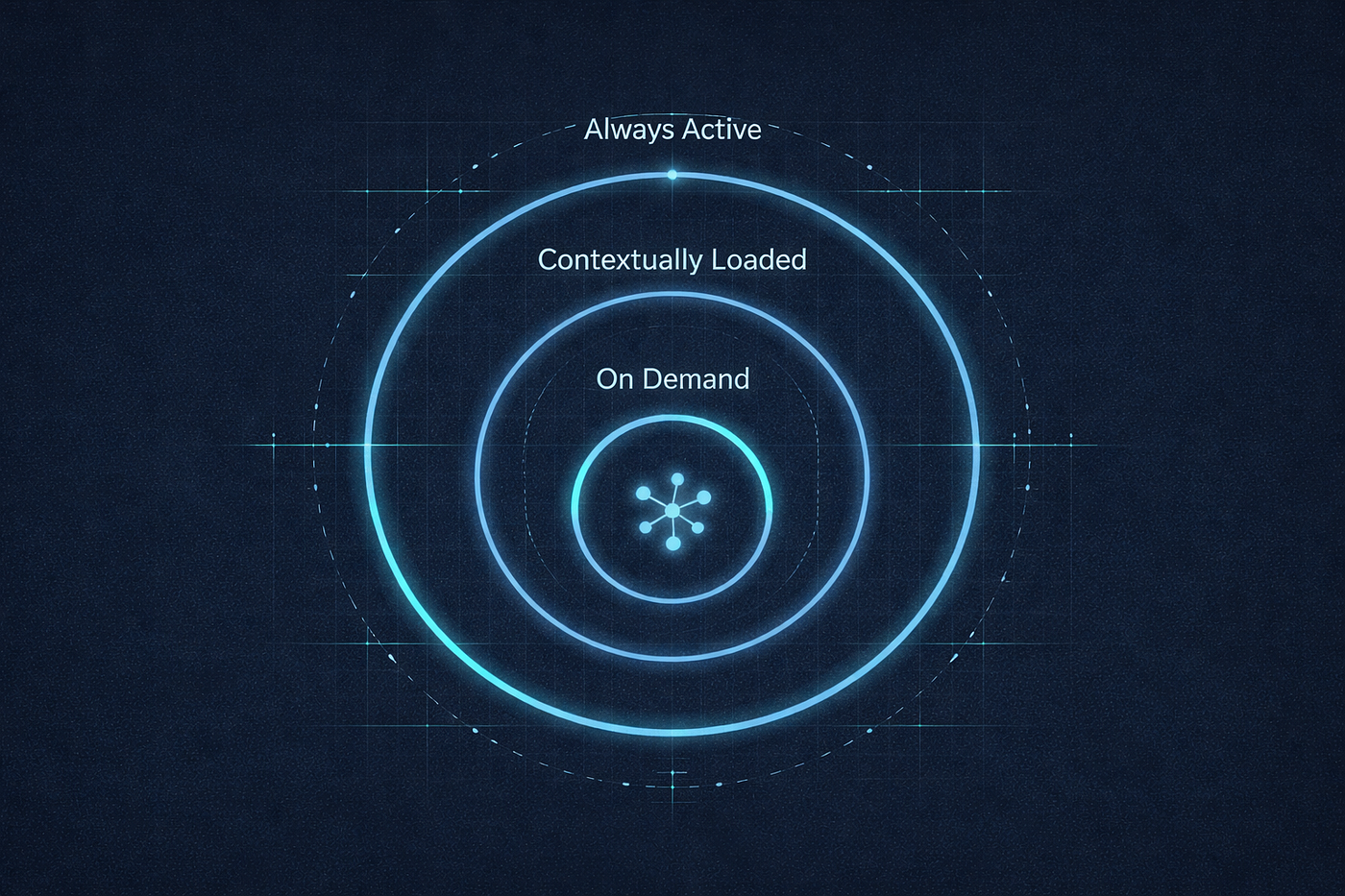
Skills are structured in three levels, and understanding that structure matters.
The first level is a short description that’s always loaded. Its job is to tell Claude when the skill should be used.
The second level contains the full instruction document. Claude only loads this when it decides the skill actually applies to the current task.
The final level includes linked reference files. These are extra documents that Claude pulls in only when necessary. The idea is to keep things efficient. For example, Claude doesn’t need to load a 5,000-word design system document every time you ask something about a simple calendar app.
The Real Reason Your Prompts Keep Failing
A lot of prompt advice out there misses the point. It tells you to be more specific, use delimiters, or ask Claude to think step by step.
That advice isn’t entirely wrong, but most of the time it treats the symptoms rather than the underlying problem. In practice, the real issues usually come down to three things:
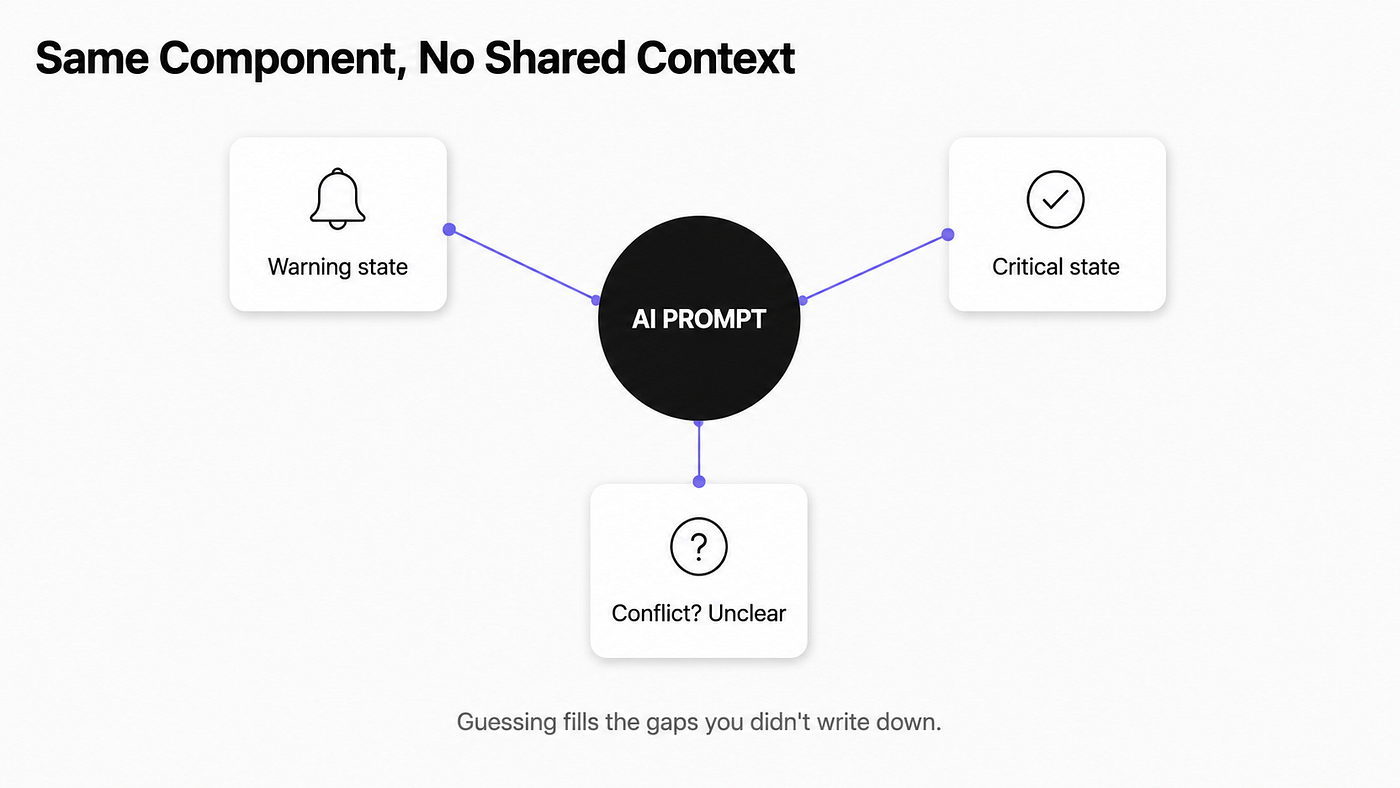
Missing context. Claude doesn’t know who you are, what the project is, what constraints you’re working with, or what “good” actually means in your situation. You’re asking it to produce something meaningful without giving it the context required to make that possible.
Undefined workflow. You’re asking for a deliverable without defining a process. That difference matters a lot in complex design work. If you say, “Design a user onboarding flow,” Claude has very little to anchor to. But if you say, “We’re redesigning onboarding for a B2B SaaS product aimed at non-technical users, and most users drop off at step three. Give me five possible directions, then help me compare the trade-offs,” you’re no longer making a vague request. You’re setting up a workflow.
An invisible quality bar. Claude has no idea what “great” means to you unless you define it. Do you want something concise or detailed? More opinionated or more balanced? Full of examples or more abstract? If you don’t set that bar yourself, Claude will fill in the blanks, and it will usually default to the most generic version of what it thinks people want.
There’s a line in Anthropic’s guide for building Claude Skills that captures this well: “Code is deterministic; language interpretation isn’t.” When a decision in your workflow actually matters, the more clearly you define what you want, the less likely you are to get something that sounds reasonable but misses the mark.
How to Build a Design Workflow That Actually Scales
Let’s get practical. Here’s how a working product designer might set up Claude for a real project:
Start with use cases, not prompts. Before writing any instructions, identify two or three specific tasks you do repeatedly. Not something vague like, “Help me with UX,” but something concrete. For example: “Every two weeks I receive a feature brief and need to turn it into a research question before starting discovery.” Or: “I run weekly design critiques and want to give feedback in a consistent structure.”
The more concrete the use case, the more useful Claude becomes. Vague skills usually produce vague results.
Draft your context document. Create a simple text file that explains who you are, the type of work you do, the constraints you operate under, and what quality means in your work. It doesn’t need to be long. A few hundred words is enough. The key is specificity. Saying, “I design products for Portuguese SMEs that aren’t very digitally savvy” gives Claude far more useful context than simply saying, “I’m a product designer.”
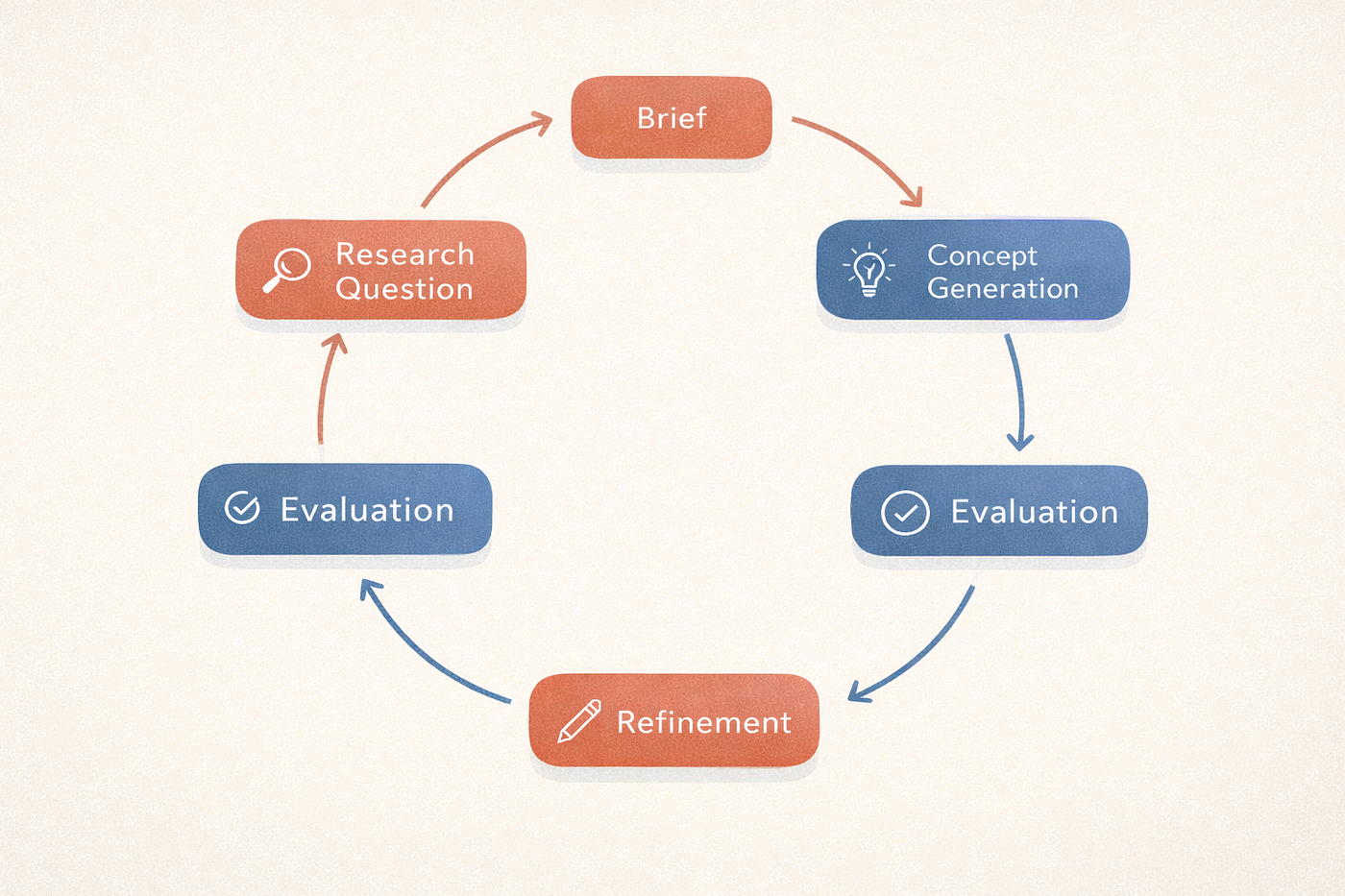
Define your iteration patterns. Most design work happens in stages. You generate options, evaluate them, refine the strongest one, test it, and then adjust. Each phase has a different goal, and Claude’s role should shift with it. A well-structured workflow instruction tells Claude when to expand and explore ideas, and when to narrow the focus. In other words, when to generate options and when to concentrate on developing a single direction further.
The Triggering Problem: Getting Claude to Act at the Right Moment
One part of Anthropic’s documentation about skills that almost no one talks about publicly is that skills need to trigger correctly. Claude has to load the right instructions at the right moment, not too early and not in the wrong context.
If you’ve ever seen Claude suddenly behave in an unexpected way in the middle of a conversation, this is often the reason. Either an instruction that wasn’t really relevant got triggered, or the instruction you actually needed never loaded because the wording didn’t match.
The practical lesson is that the description of any workflow or instruction set you create matters just as much as the instructions themselves. The description is what Claude uses to decide, “Yes, this is relevant right now.” Anthropic is very explicit about this: a good description should explain both what the skill does and when it should be used, including the kinds of phrases a user might say.
For product designers, that means thinking about how you actually phrase things when you’re working. In practice, you might say, “Help me plan this sprint,” or “Let’s review research synthesis.” Those are different contexts. If you build a skill for sprint planning, the trigger description should reflect the real phrases you naturally use, not a polished or theoretical version of them.
Multi-Step Workflows and Why They Change Everything
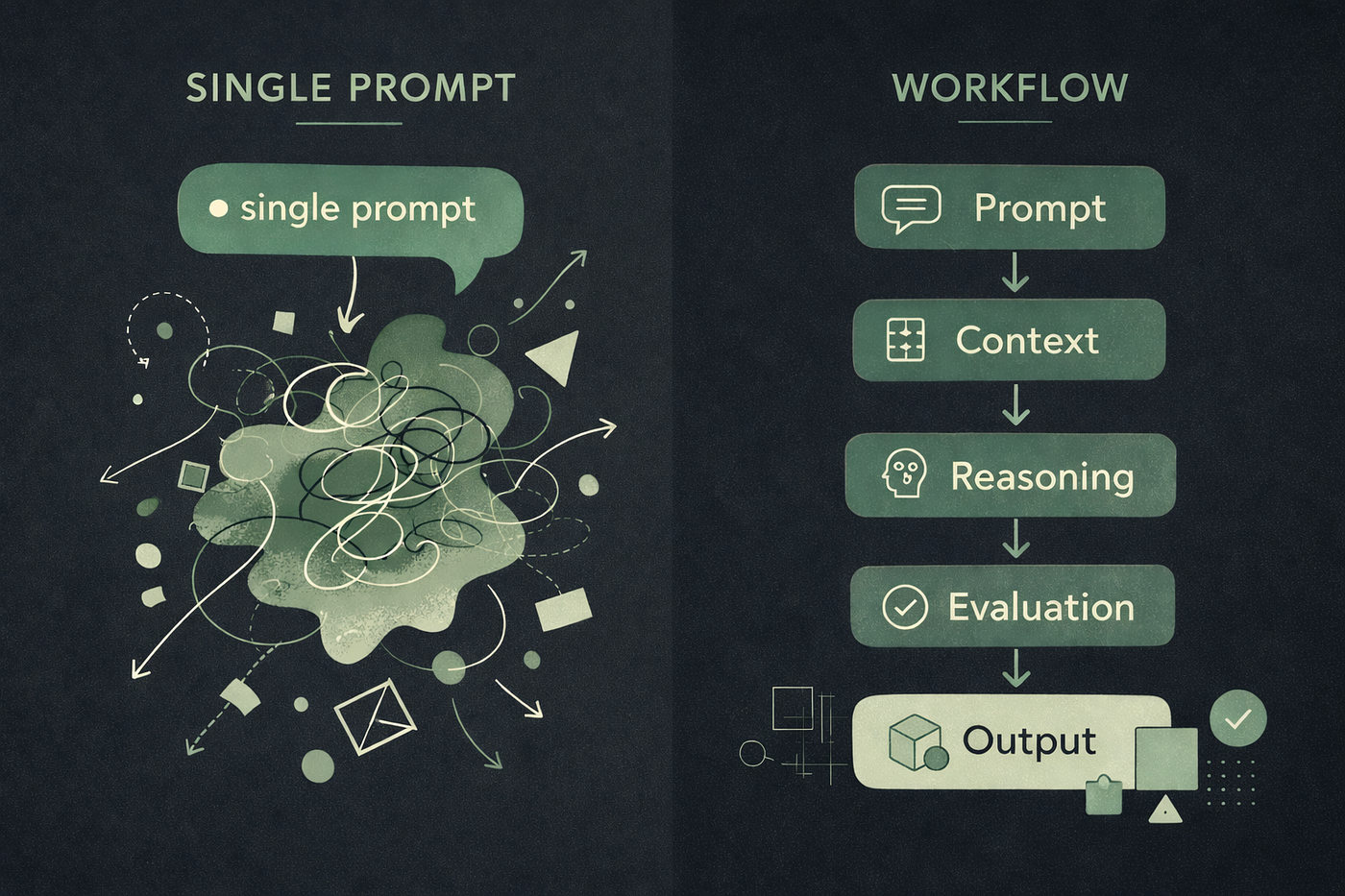
This is where the real value starts to show. Many designers use Claude for isolated tasks like rewriting copy, suggesting design patterns, or explaining components. That’s completely fine. But the real advantage appears when you start using it for multi-step workflows.
In Anthropic’s documentation, they describe a pattern called “sequential workflow orchestration.” In simple terms, it means defining a process where Claude understands the sequence of steps, how those steps depend on one another, and what needs to be checked at each stage. Their example focuses on customer onboarding, but the same structure works very well for design workflows too.
Imagine a structured discovery process: Claude begins by reviewing your brief, then asks three clarifying questions. After that, it turns the information into a clear research question and generates five different conceptual directions, each one based on a specific assumption being tested. At the end, it produces a comparison matrix you can take into a stakeholder discussion.
That’s not just a prompt anymore. It’s a workflow. And the difference in the quality of the outcome can be significant.
The effort is mostly upfront. You design the workflow once, but after that it runs in a consistent way every time you use it. Same structure, same level of quality. Without that structure, you’re back to improvising from scratch each time.
What Good Claude Output Actually Looks Like
There’s a success criteria framework in the Anthropic guide that’s worth adapting for design work. They mention quantitative and qualitative metrics like “skill triggers on 90% of relevant queries” and “users don’t need to redirect or clarify.”
In terms of product design: you’ve set Claude up properly when you’re not spending the first five messages of a chat re-explaining context. When the output you receive matches the right audience — detailed enough for a senior designer but accessible enough for a PM. When an unexpected edge case arises, and the workflow adapts instead of falling apart.
The test I use: could a junior designer on my team, with no prior context about the project, run this workflow and produce something I’d actually find useful? If the answer’s yes, then the setup is spot on. If no, then the knowledge is still stuck in my mind, not in the system.
The Honest Part: What Claude Still Can’t Do
None of this is a pitch for replacing design judgment with AI output.
At the end of the day, none of this is about replacing design judgment with AI output. There are areas where Claude genuinely doesn’t shine, and the designers getting the most from it are clear about that boundary. Claude doesn’t have taste in any real sense. It can spot patterns and follow rules to come up with plausible options, but deciding, “this feels right,” is still a human call. Plus, it struggles with truly novel problems where no recognizable patterns exist.
Anthropic’s documentation offers another useful perspective. They explain that the model incorporates domain expertise, not original thinking. In other words, its knowledge comes from patterns and information that have already been documented. That makes it extremely helpful for many kinds of tasks. But it’s less useful when the goal is to create something that has no precedent yet.
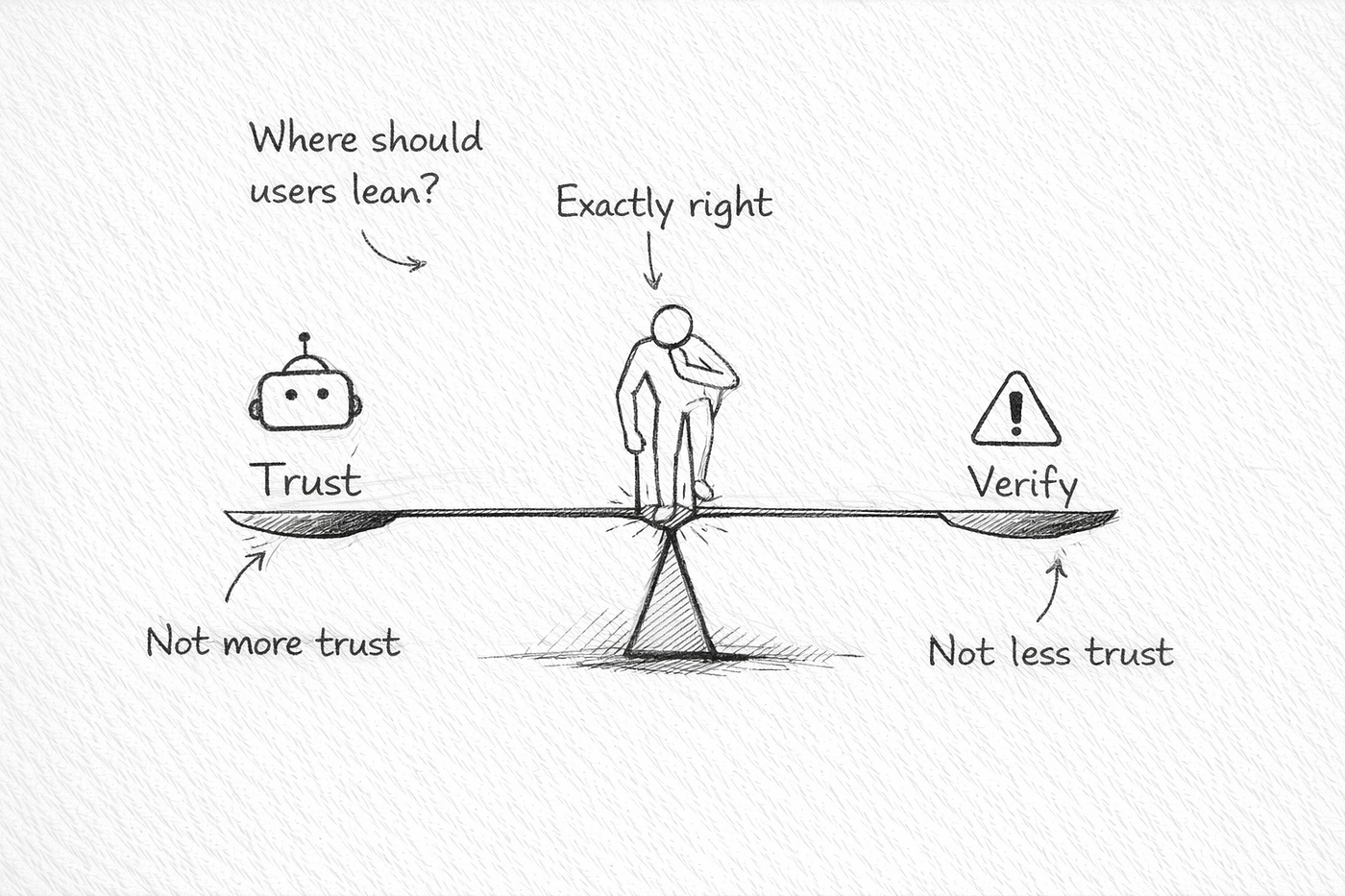
Because of that, the smartest way to work with Claude isn’t to hand everything over and simply review the output afterward. A better way to think about it is as a well-informed, quick-thinking collaborator. It understands many patterns and can execute tasks reliably, but it still depends on your judgment to decide what actually matters.
Designers who have successfully integrated AI into their workflow aren’t using it less. They’ve just been clear-eyed about where its strengths end and where human judgment still has to lead.
Starting Today: The Minimum Viable Setup
If you want to make something useful before your next project starts, here’s the bare minimum to get you going:
Write a short context document. Two or three paragraphs are enough. Describe who you are, the type of design work you do, and what “quality” output means for you. Keep it somewhere accessible so you can reuse it when needed.
Then define a workflow you’ll actually use on a regular basis. Avoid something vague like “help me design things.” Make it specific. For example: “When I receive a new feature brief, help me turn it into a research question and three testable hypotheses before discovery begins.” Spell out the steps clearly.
After that, test it with real work, not a sample brief or a side project. Use something messy and unfinished from your current week. That’s where the weaknesses in your setup will show up. Notice what doesn’t work, adjust the instructions, and try again.
The goal isn’t to build a perfect system on the first attempt. The goal is to create a working foundation that you can gradually improve. Anthropic describes skills as “living documents,” and in many ways, good design practice works the same way.
Claude can be an extremely powerful tool. But like most powerful tools, it rewards people who take the time to think about how they use it. In the end, it’s not just about writing a clever prompt. What really matters is the workflow behind it.
메타데이터
- post_id
- aedcd67321f0
- slug
- youre-probably-using-claude-wrong-here-s-how-to-fix-that-aedcd67321f0
- url
- https://medium.com/@hamedsattarian/youre-probably-using-claude-wrong-here-s-how-to-fix-that-aedcd67321f0
- canonical_url
- https://medium.com/@hamedsattarian/youre-probably-using-claude-wrong-here-s-how-to-fix-that-aedcd67321f0
- author_url
- https://medium.com/@hamedsattarian
- status
- ok
- fetched_at
- 2026-06-26 03:39:16