Why automation shouldn’t feel like an advanced trading feature
Introducing Conditional Orders into 5paisa by designing around trader behavior instead of trading systems
Why automation shouldn’t feel like an advanced trading feature
Introducing Conditional Orders into 5paisa by designing around trader behavior instead of trading systems
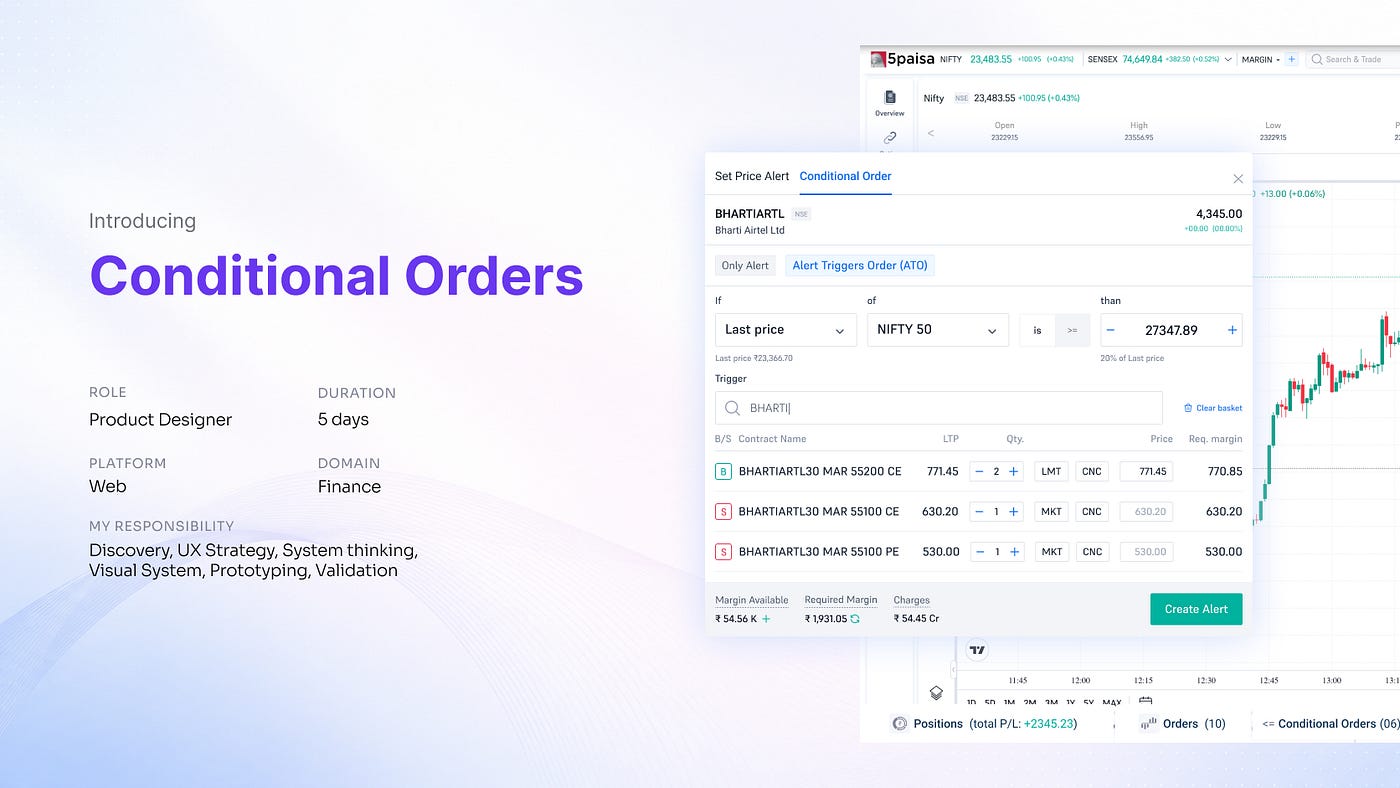
Apps say: “Configure a GTT trigger with OCO logic.”
Humans say: “Just buy it for me if the price starts going up.”
For years, the trading industry has treated automation like a feature reserved for experts, burying it under layers of intimidating technical jargon. But when I set out to build Conditional Orders at 5paisa, a platform used daily by millions of retail traders, I chose a different starting point.
I realized that introducing a major new capability into an existing app isn’t about creating a flashy new menu. It’s about figuring out where that behavior already naturally lives in a user’s mind. Here is how I translated complex financial engineering into a natural, stress-free user experience.
The Context
The challenge was introducing an entirely new trading capability into an ecosystem already used daily by retail traders.
The feature would allow users to:
- Set market conditions
- Monitor triggers like LTP, OHLC, OI, Volume, etc.
- Automatically execute single or basket orders once conditions become true
At a systems level, it sounded straightforward. At a UX level, it wasn’t.
Because introducing a new behaviour into an existing ecosystem is rarely about adding screens.
It’s about figuring out: where that behaviour naturally belongs.
The Initial Direction
The initial product proposal suggested adding ‘Conditional Orders’ as a separate item in the side navigation.
But the more I thought about it, the more it felt wrong.
Side navigation usually represents:
- Destination-level behaviors
- Persistent platform areas
- Intentional user goals
Things like:
- Portfolio
- Orders
- Holdings
- Watchlist
Conditional Orders didn’t feel like that kind of behavior. Users don’t open a trading app thinking“I want to use Conditional Orders today.” That was the first major insight.
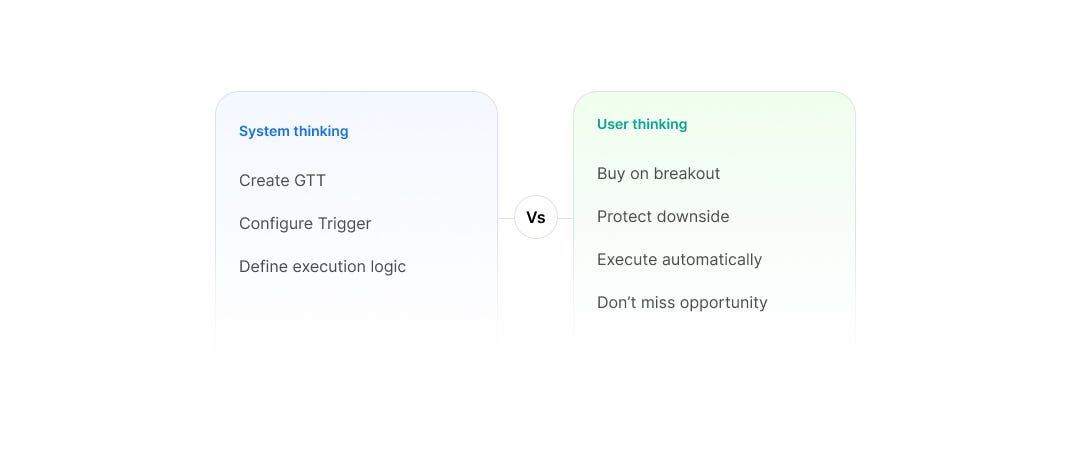
Understanding Trader Behavior
The more I explored trading workflows, the more obvious it became that automation is contextual.
It appears during:
- chart monitoring
- price tracking
- execution planning
- risk management
Not as a separate destination.
Users naturally arrive at automation while trying to solve a problem. Not while searching for a feature.
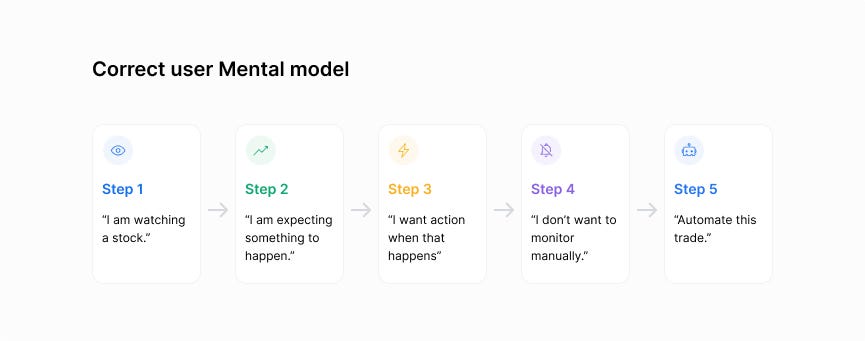
This is how user thinks before they automate a trade.
The Core Insight
This became the defining realization of the project:
“Conditional Orders are not a destination feature. They are a contextual execution behavior.”
Instead of asking, “Where should this feature sit?”, I started asking, “When does automation naturally become relevant?”.
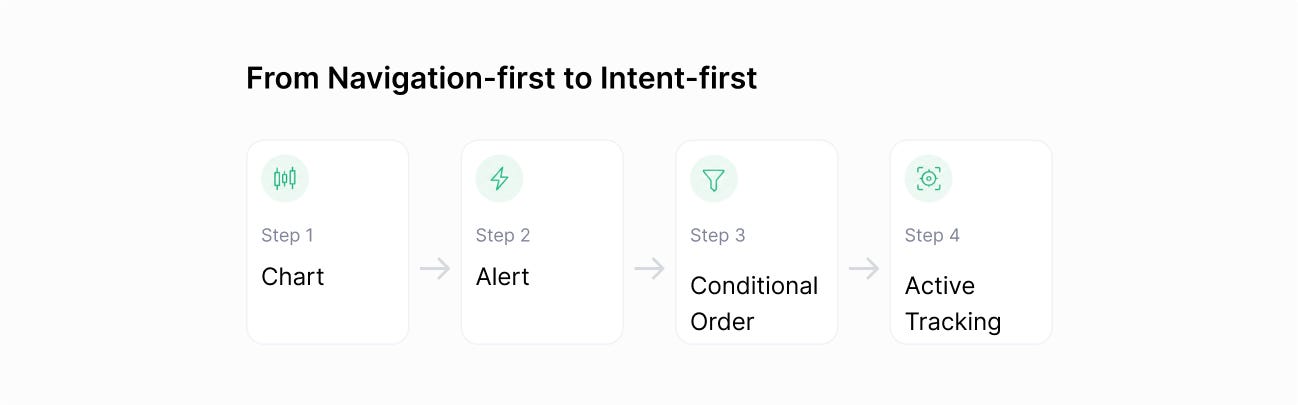
That question led to the final direction.
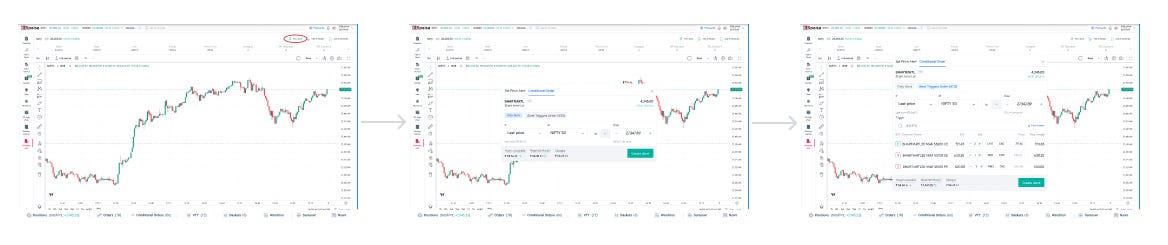
Why Price Alerts Became the Perfect Entry Point
Traders already use Price Alerts when they are monitoring an asset and waiting for a move. The psychological jump from “Alert me when this price hits ₹500” to “Just buy it for me when the price hits ₹500” is completely natural.
Instead of teaching users a brand-new workflow from scratch, I decided to extend a mental model they already understood and trusted.
Order management
Once a conditional order becomes active, the user’s goal changes.
Now they want to:
- check if the condition is active
- monitor trigger status
- edit or cancel orders
- track execution
- understand failures
At this stage, users need a dedicated management surface.
That’s why I introduced a separate “Conditional Orders” management layer inside the bottom navigation.
This created a cleaner separation between:
- creation behaviour and
- management behaviour
No matter where you are in the application, you can see exactly how many triggers are active. Clicking it, opens a clean, bottom-anchored control-center right over your workspace without pulling you away from your active charts.
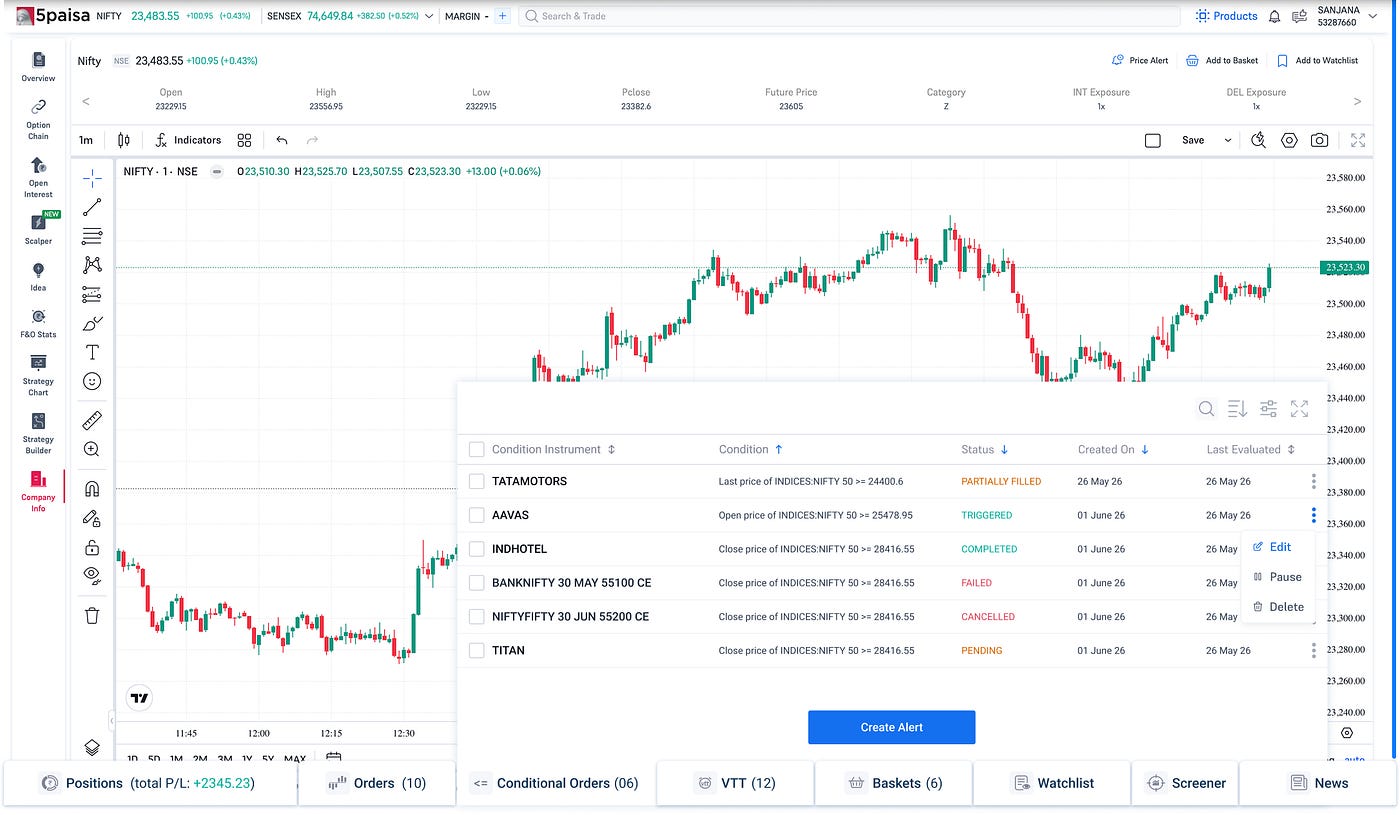
I included the management panel in the bottom navigation with the rest of the management panels so that user mental model does not get disturbed.
Initially, I approached Conditional Orders as a trading feature.
The project started with Conditional Orders as a trading feature.
But it eventually became a much deeper exercise in understanding how a new behavior fits into an ecosystem 5M+ users already rely on every day.
메타데이터
- post_id
- af09b419a76b
- slug
- why-automation-shouldnt-feel-like-an-advanced-trading-feature-af09b419a76b
- url
- https://medium.com/@mondal.sanjana7/why-automation-shouldnt-feel-like-an-advanced-trading-feature-af09b419a76b
- canonical_url
- https://medium.com/@mondal.sanjana7/why-automation-shouldnt-feel-like-an-advanced-trading-feature-af09b419a76b
- author_url
- https://medium.com/@mondal.sanjana7
- status
- ok
- fetched_at
- 2026-06-15 20:49:13