4mapper: The Browser-Based Projection Mapping Tool That Makes Video Mapping Accessible
Start with the problem: Traditional projection mapping software like MadMapper or Resolume Arena is powerful but often overkill for small…
4mapper: The Browser-Based Projection Mapping Tool That Makes Video Mapping Accessible
Start with the problem: Traditional projection mapping software like MadMapper or Resolume Arena is powerful but often overkill for small events, exhibitions, or quick installations. They require expensive licenses, complex 3D modeling skills, and lengthy setup times that can be frustrating for artists and technicians who just want to get a simple mapping up and running quickly.
Share your personal experience: “As someone who regularly works with projection mapping for visual projects, I found myself constantly frustrated by the complexity and cost barriers. I needed a tool that could handle 80% of my needs with 20% of the effort — something lightweight, browser-based, and focused on rapid deployment rather than exhaustive features”.
Introduce 4mapper: “That’s why I created 4mapper: a free, open-source, browser-based projection mapping tool designed for artists, event producers, and creatives who need quick results without sacrificing quality”.
What Makes 4mapper Different
No Installation Required Unlike desktop software like MadMapper or Resolume, 4mapper runs entirely in your browser using PHP and JavaScript. No heavy downloads, no compatibility issues — just open the URL and start mapping.
Focus on Speed and Simplicity 4mapper is built around quad warping: create rectangular surfaces (quads), independently adjust all four corners to match your physical projection surface, and assign videos or images. This approach eliminates the need for complex 3D modeling while covering the majority of real-world mapping scenarios.
Real-Time Projector Sync Open a dedicated projector window that displays your warped content on a secondary screen or projector. Every adjustment you make in the editor interface — corner positioning, color filters, masks — updates instantly on the projection output.
Core Features
Quad Warping & Surface Manipulation
- Create unlimited quad surfaces directly in your browser
- Drag corners independently to fit any real-world surface geometry
- Corner snapping system with magnetic alignment for perfect edge-to-edge matching
Media & Visual Control
- Assign videos or images to each surface
- Adjust brightness, contrast, saturation, and opacity per quad
- Support for multiple masking shapes: rectangle, circle, diamond, and triangle with 4 orientations

Scene Management
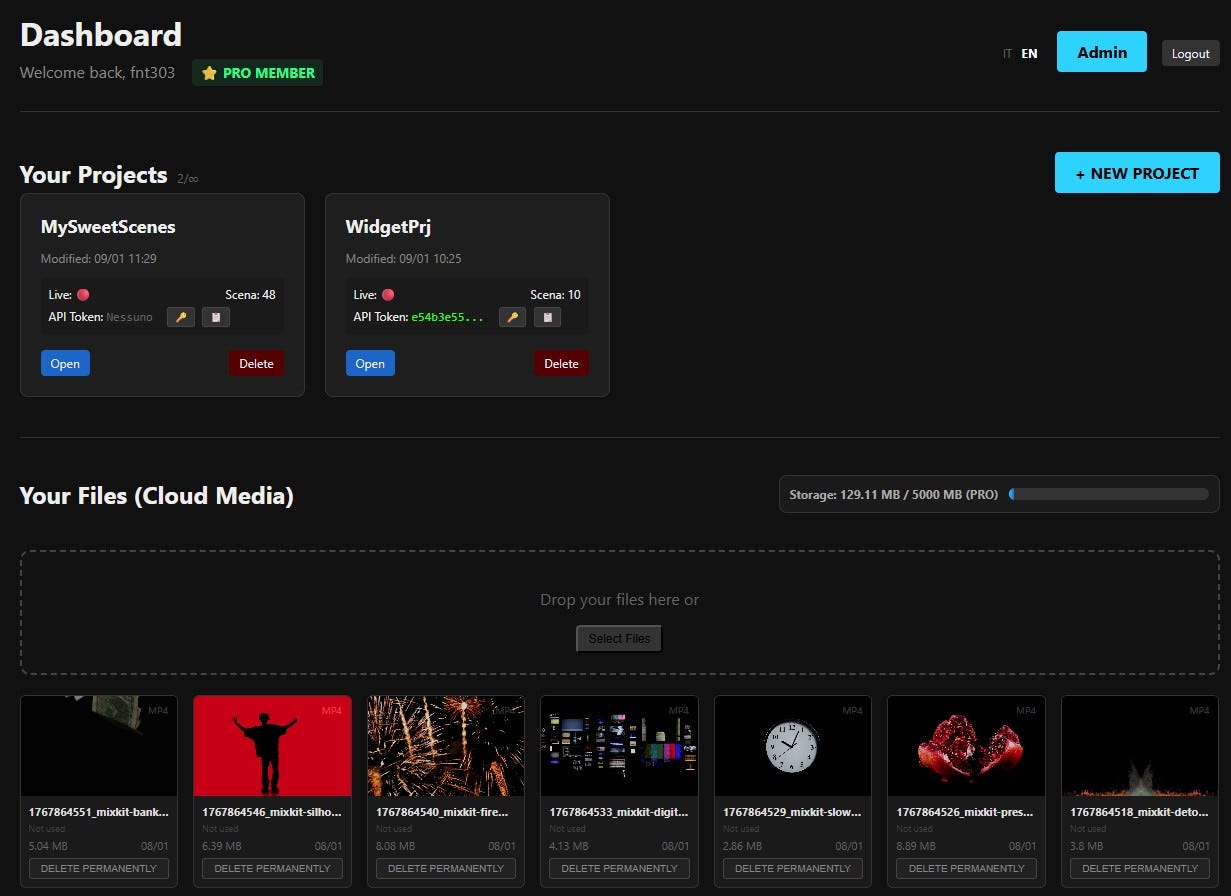
- Save complete project snapshots as “scenes” for instant switching between different visual configurations
- Perfect for multi-segment performances: Scene 1 for intro, Scene 2 for main act, Scene 3 for finale
- PRO feature: Interactive widgets and dynamic scene control
Calibration Mode
- High-contrast grid projection across all surfaces to simplify initial mapping alignment
- Reduces setup time from hours to minutes
Who Is 4mapper For?
Small to Medium Events DJs, VJs, and event producers who need quick turnaround for club nights, weddings, or corporate events without enterprise-level budgets.
Exhibitions & Installations Artists and galleries creating temporary or permanent installations where simplicity and reliability matter more than advanced 3D capabilities.
Education & Experimentation Students and newcomers to projection mapping who want to learn the fundamentals without investing in expensive commercial software.
Rapid Prototyping Professionals who need to test mapping concepts quickly before committing to more complex production workflows.

Technical Approach
Open Source & Web Standards 4mapper is built with PHP/JavaScript and leverages modern web technologies for real-time rendering. The open-source nature means the community can contribute features and improvements.
Lightweight Architecture By focusing on 2D surface mapping rather than full 3D environments, 4mapper maintains fast performance even on modest hardware. No GPU-intensive rendering or complex scene graphs.
Progressive Feature Development The philosophy is “functional tool first, elaborate features later”. Each update adds practical capabilities based on real user feedback from the projection mapping community
Recent Updates
Latest Features (January 2026):
- Scene system with instant switching
- PRO tier with interactive widgets
- Advanced masking tools
- Corner snapping for precise alignment
The Philosophy Behind 4mapper
End with your mission: “4mapper isn’t trying to replace professional tools like MadMapper, Resolume Arena, or Millumin. Instead, it fills a gap: making projection mapping accessible, fast, and free for creators who don’t need every bell and whistle but still demand quality results. Whether you’re mapping onto a small gallery wall or creating a multi-surface stage design, 4mapper gets you from concept to projection in minutes, not hours”
Try it now: https://4mapper.com
메타데이터
- post_id
- af5aa98ae42e
- slug
- 4mapper-the-browser-based-projection-mapping-tool-that-makes-video-mapping-accessible-af5aa98ae42e
- url
- https://medium.com/@gargakk/4mapper-the-browser-based-projection-mapping-tool-that-makes-video-mapping-accessible-af5aa98ae42e
- canonical_url
- https://medium.com/@gargakk/4mapper-the-browser-based-projection-mapping-tool-that-makes-video-mapping-accessible-af5aa98ae42e
- author_url
- https://medium.com/@gargakk
- status
- ok
- fetched_at
- 2026-06-13 16:00:06

