How Browser understands HTML & CSS?- Rendering Engine in action..!
Welcome to the browser’s soul-crushingly intense daily routine — the web page rendering process.
How Browser understands HTML & CSS?- Rendering Engine in action..!
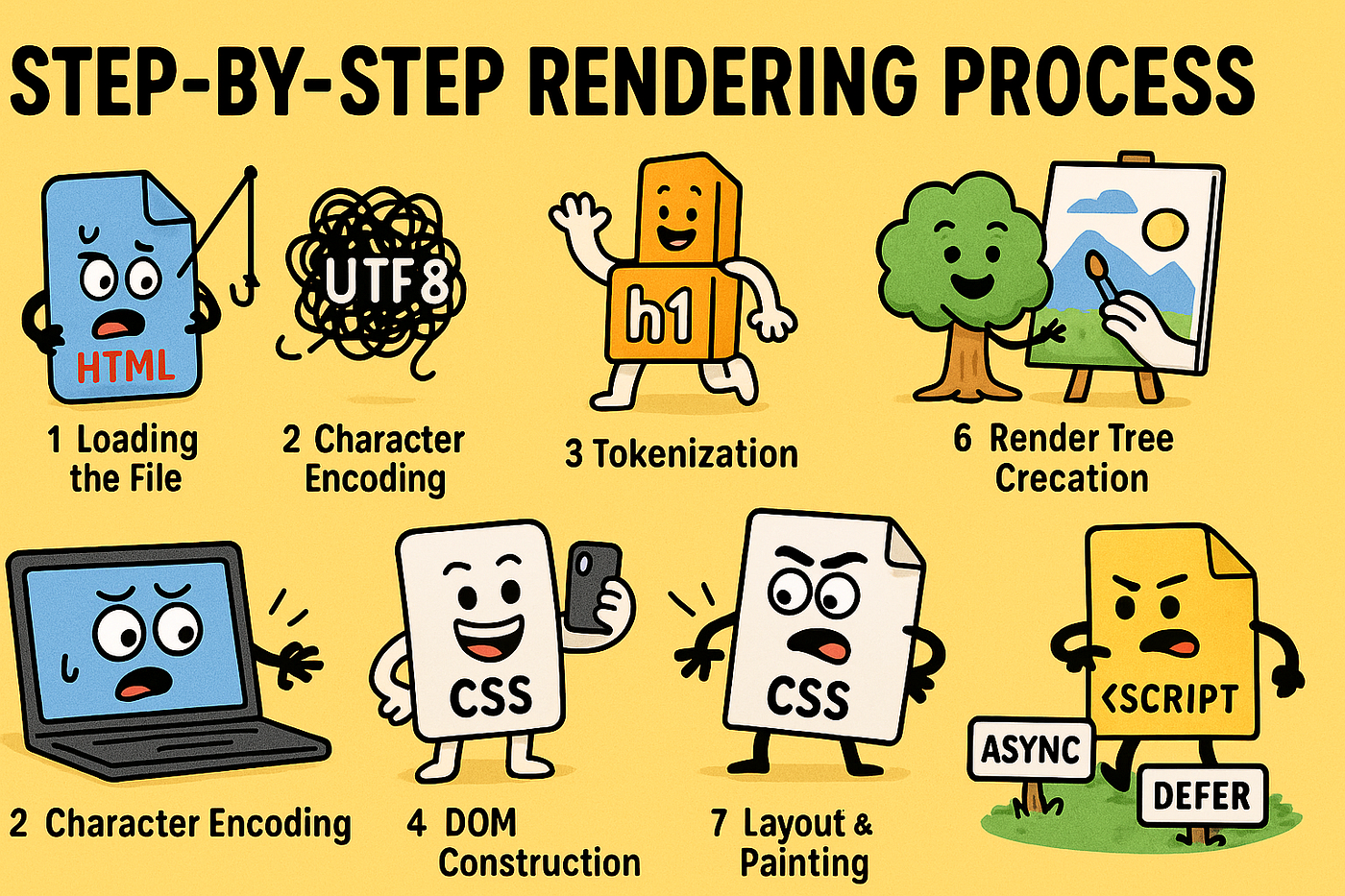
Welcome to the browser’s soul-crushingly intense daily routine — the web page rendering process.
Think your 9–5 is tough? Your browser wakes up every time you type a URL and proceeds to host the Avengers, build Legos, style them, slap on makeup, and make sure your shady inline script doesn’t blow up the page — all in milliseconds.
So buckle up, buttercup. We’re diving deep into the browser’s chaotic family dinner — where HTML, CSS, and JS all show up late, argue over who goes first, and someone inevitably forgets UTF-8 again.
📥 Step 1: Loading the File
The browser grabs your HTML file — whether from a faraway server or a cache chilling in your machine. It treats it like raw binary trash until proven otherwise.
fetch("index.html")
  .then((res) => res.arrayBuffer()) // The browser says: "Cool. Just bytes for now."
🔊 Browser: “Until I know if you’re UTF-8 or UTF-16, you’re just noise to me.”
🔠 Step 2: Character Encoding
Now the browser plays code detective and deciphers the byte gibberish into readable text using UTF-8, UTF-16, or whatever messed-up encoding you left behind.
<meta charset="UTF-8">🧠 Browser: “Oh, UTF-8 again? Classic. You developers are so original.”
🏷️ Step 3: Tokenization
Tags like <div>, <body>, <marquee> (seriously, stop using that) get converted into tokens, like puzzle pieces the browser will eventually cry over.
<p>Hello!</p>
<!-- becomes: StartTagToken(<p>), TextToken("Hello!"), EndTagToken(</p>) -->
💬 Browser: “I swear i I see another <center> tag, I will throw hands.”
🧱 Step 4: DOM Construction
The tokens get transformed into actual JavaScript objects. Not the “good kind” you put in arrays. These are needy little children that form the DOM — the ultimate entitlement hierarchy.
document.body.appendChild(document.createElement("div"));🤹 Browser: “So you want a tree of nested objects? Cool, I wasn’t planning to have a life anyway.”
🧱 Step 5: CSSOM Construction
Meanwhile, CSS is doing its own thing. It goes through tokenization, parsing, then builds a CSSOM, which is a giant JSON-looking wardrobe catalog full of style rules.
h1 {
  color: red;
  font-size: 200%;
}
💅 Browser: “Yes Karen, your ‘!important’ style will override everything. Congrats.”
🌳 Step 6: Render Tree Creation
The DOM and CSSOM get married and produce the Render Tree. It’s like a beautifully dysfunctional family where every visible element gets laid out and styled.
👪 Browser: “DOM says what to show. CSSOM says how to show it. Render Tree is their weird child.”
🎨 Step 7: Layout & Painting
Layout: The browser calculates exact pixel positions of every element like it’s laying tiles in your bathroom.
Painting: Then it draws those pixels on your screen — text, images, gradients, shadows, regret, etc.
// Behind the scenes magic — GPU might get involved, layout thrashing is real.🖌️ Browser: “Here’s your perfect design. Hope it looks nothing like what you saw in Figma.”
💡 Step 8: Blocking Behavior of JS and CSS
JS Blocking Behavior 🛑
If your page has <script>, the browser drops everything and fetches + executes that JS like it’s the bossy middle child.
⛔ Browser: “Stop everything. Little Timmy’s JS wants attention again.”
<script src="slow-script.js"></script>Solution? Use async or defer like a decent human:
<script src="main.js" defer></script>CSSOM Takes Priority ⚠️ Surprise! JavaScript won’t even run until CSSOM is done. 👗 Browser: “I don’t care if it’s life-saving JS. Until I know if the font is italic or not, JS can wait.”
Summary Flow- For those quickie enthusiasts..!
1. ⭐️ HTML Loaded → Raw Bytes (0s and 1s)
2. Raw Bytes → Characters (Encoding like UTF-8, etc.)
3. Characters → Tokens (Tags like <html>, <div>, etc.)
4. Tokens → Objects → DOM (Done by browser’s Rendering Engine, written in C++)
5. ⭐️ CSS Loaded → Tokens → CSSOM (also via C++ in the Rendering Engine)
6. DOM + CSSOM → Render Tree (What & Where to display and How it shall look)
7. Render Tree → Layout → Paint (Painting = Pixels on screen, and it's all done in C++!)
8. ⭐️ JS Blocks DOM/CSSOM construction unless async/deferred (Also, CSSOM takes priority over JS)
🤪🔥 OUTRO:
And that, my fellow developer, is how your browser survives the hellfire of HTML/CSS/JS chaos every time you load a webpage.
From byte-crunching to pixel-perfect diva drama — it all happens in milliseconds. So the next time your page feels a bit slow? Remember:
💻 The browser is juggling your legacy scripts, your 80kb font files, and that cursed CSS grid you copy-pasted from StackOverflow.
P.S. — Hug your browser today. It’s doing the most. Unless it’s IE. Then go ahead and throw it out the windows, unless it’s mac (pun intended😁).
메타데이터
- post_id
- af5b3dfe058a
- slug
- how-browser-understands-html-css-rendering-engine-in-action-af5b3dfe058a
- url
- https://medium.com/@apoorv-verma/how-browser-understands-html-css-rendering-engine-in-action-af5b3dfe058a
- canonical_url
- https://medium.com/@apoorv-verma/how-browser-understands-html-css-rendering-engine-in-action-af5b3dfe058a
- author_url
- https://medium.com/@apoorv-verma
- status
- ok
- fetched_at
- 2026-06-29 01:02:39