AD Hardening Part 2: Enterprise Misconfigurations in WebDAV, SQL Server, SMB, and Active Directory
AD Hardening Part 2: Enterprise Misconfigurations in WebDAV, SQL Server, SMB, and Active Directory
Hello Everyone,
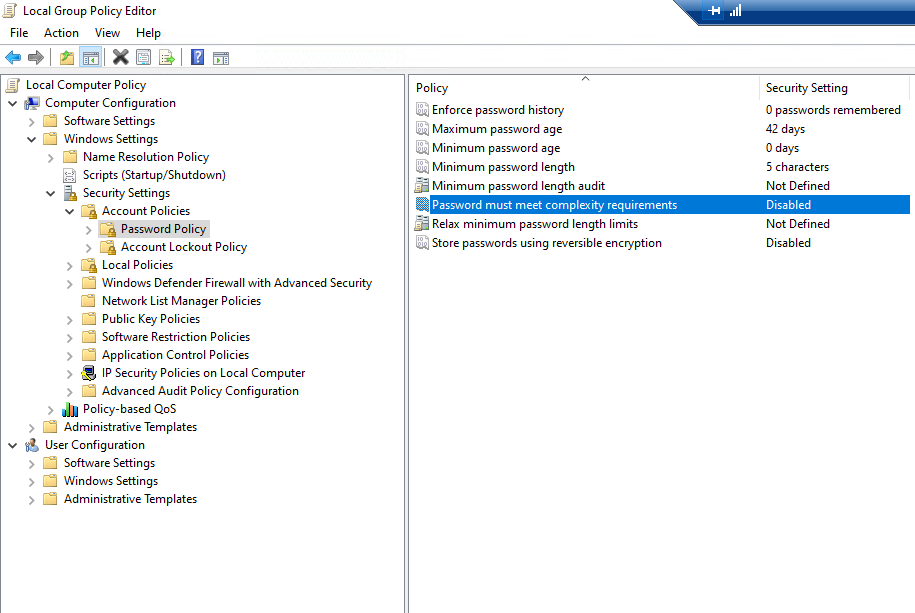
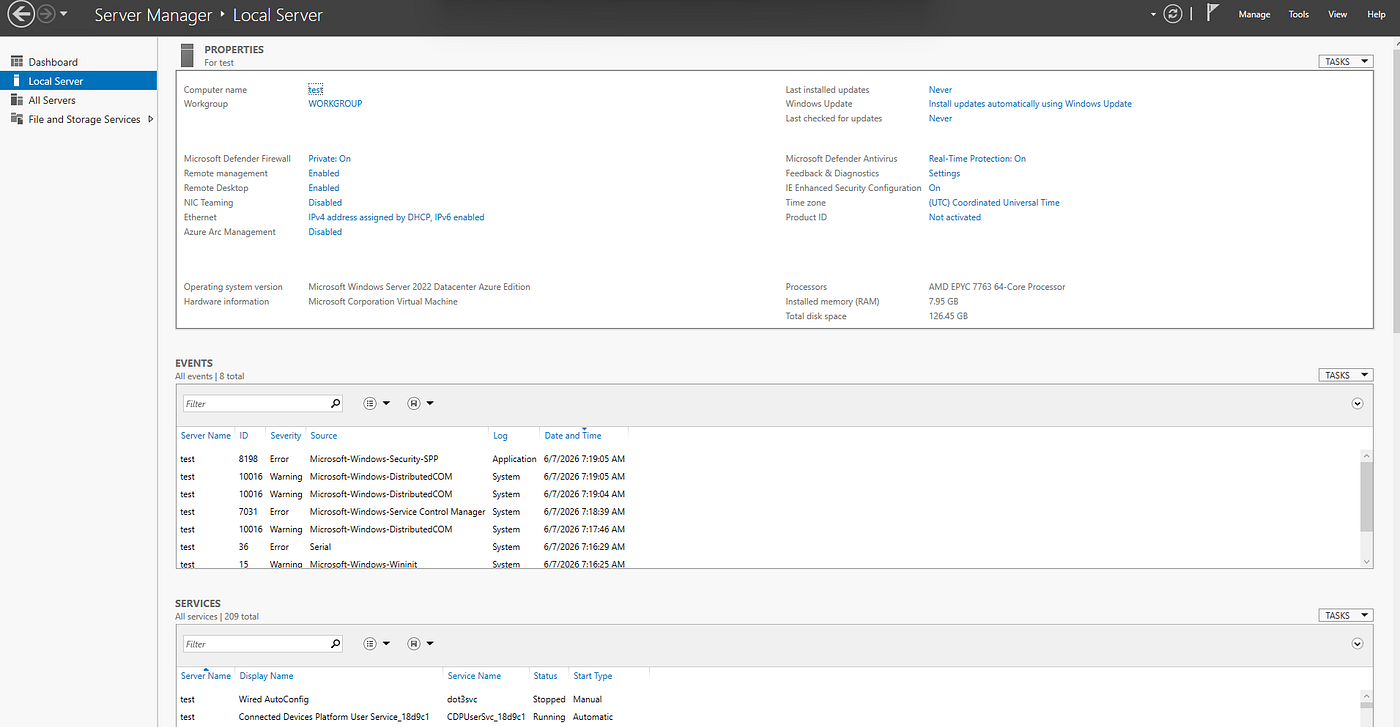
This blog is a continuation of the AD hardening blog I posted previously. The issue with the previous AD lab was that I was unable to enumerate or do anything from Kali, so I decided to rebuild the domain from scratch on an Azure VM. Since anonymous logons are not enabled by default (although I have seen customers enable them for legacy reasons), I enabled them and disabled the “Do not allow anonymous enumeration of SAM accounts” policy.
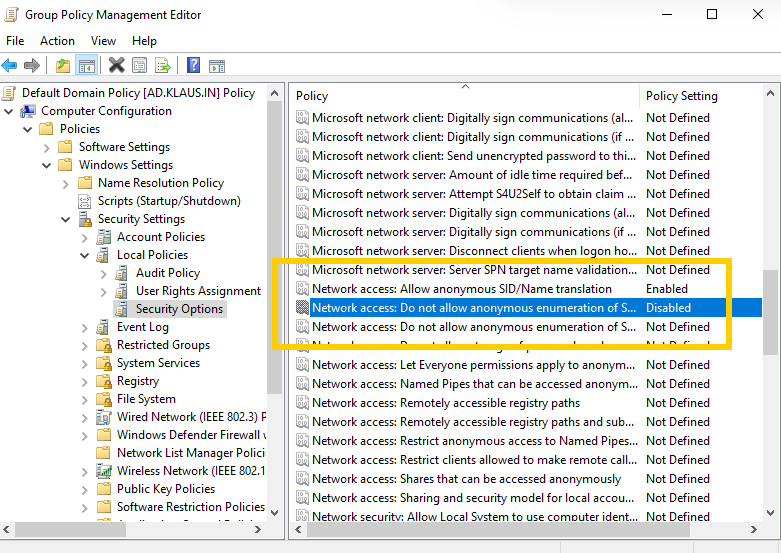
I also created an SQL Service SPN to perform Kerberoasting. For your information, I configured most of these settings myself, but during the attack phase, the main goal was to perform a major attack such as DPAPI key extraction, credential dumping, or a DCSync attack. Whatever the attacker (Abishek) does is his approach to the assessment, but my goal was to learn how to configure these features and understand how they work internally. I was honestly tired of recommending security best practices to customers without understanding how these technologies worked in the first place.
Next was configuring SMB network shares. I created a VHDX, named it StoragePool, and shared a folder from the E: drive.

After that, I configured permissions by granting Full Control to the Administrators group and a few users under the SQL Admins group. I also modified the NTFS permissions accordingly.


Once again, all of these configurations are intentionally vulnerable and are meant purely for learning purposes. Similar misconfigurations do exist in real environments, either because administrators accidentally configure them incorrectly or because organizations still rely on legacy applications that require these settings.
Next was WebDAV. Since I had already installed IIS during the Domain Controller promotion, I had access to IIS Manager, where features such as WebDAV Authoring Rules and Authentication are available.
WebDAV (Web Distributed Authoring and Versioning) is an HTTP extension that allows remote clients to create, upload, modify, move, and delete files or directories on a web server using HTTP methods such as PUT, DELETE, MOVE, COPY, and PROPFIND. A common use case is a web developer remotely editing and publishing website files on an IIS server directly from their workstation over HTTPS without using RDP or FTP.

WebDAV enabled

Basic Authentication
To intentionally misconfigure it, I enabled Anonymous Authentication and configured the WebDAV Authoring Rules to allow All Users Read and Write permissions. I also modified the NTFS permissions so that the IIS anonymous user (IUSR) could write files to disk. Finally, I modified the IIS request filtering configuration to allow unlisted file extensions.

enabled by default
Since IIS already contains handler mappings for executable ASP.NET extensions such as .aspx, uploading one of these files allows the ASP.NET handler to compile it, after which the IIS worker process (w3wp.exe) executes the code when the page is requested. This combination of misconfigurations can allow an attacker to upload and execute arbitrary server-side code.

IIS website
Next came SQL Server. I configured it using SQL Server Management Studio (SSMS), configured SQL Server to run under the SQL Service account, and enabled xp_cmdshell, which allows SQL Server to execute operating system commands directly on the host. Additionally, the SQL Server service account had the SeImpersonatePrivilege, which is commonly present on service accounts and is frequently abused for privilege escalation.
Microsoft still keeps features such as SMBv1, WebDAV, and xp_cmdshell because many organizations continue to rely on legacy systems and applications. Imagine a bank running a 15-year-old application that only works with SMBv1. Removing the feature overnight would break business-critical applications, so Microsoft keeps these features for backward compatibility while recommending that organizations disable them whenever they are no longer required.
By default, the sa account exists as a member of the SQL Server sysadmin role. During several investigations, I have seen attackers abuse the sa account whenever weak credentials or default passwords were left unchanged.

privileges
Once authenticated as sa, attackers can enable features such as xp_cmdshell, allowing commands to execute under the context of the SQL Server service account, which can lead to further privilege escalation depending on how the service is configured.

sa account

Mixed auth

xp_cmdshell

commands being run uing SQL

staging
I would like to add one more concept here. In Windows environments, attackers can perform several credential-related attacks, but DCSync, credential dumping, and DPAPI Backup Key extraction are among the most common.
DCSync abuses Active Directory replication. An attacker with replication permissions (such as Replicating Directory Changes) can impersonate a Domain Controller and request replication data, allowing them to obtain NTLM password hashes for all domain users. To remediate a DCSync compromise, Microsoft recommends resetting the KRBTGT account password twice after allowing enough time for replication.
Credential dumping is different. If an attacker compromises a workstation or server, they can dump credentials from the LSASS process. If a privileged user previously logged into that machine, their credentials or password hashes may still be present in memory.
Finally, DPAPI (Data Protection API) protects secrets such as browser passwords, Wi-Fi credentials, and certificates. In an Active Directory environment, there is also a DPAPI Backup Key, which acts like a master key that can decrypt any user’s DPAPI-protected secrets in the domain. If this key is compromised, simply resetting passwords is not enough. Since the backup key cannot be rotated, the long-term recommendation is to treat the entire domain as compromised and plan for a forest recovery or migration.
To make the lab more realistic, I used a vulnerable Active Directory PowerShell script that creates multiple users and intentionally misconfigures ACLs and delegation settings.

nmap scan
Imagine this as a penetration test. I provided Abishek with a normal domain user account, and he started by performing reconnaissance, identifying the exposed services, and enumerating users. After some time, he authenticated using evil-winrm.

evil winrm
The user account had remote management permissions but was not a Domain Admin. However, it did have several ACL misconfigurations with extended rights over a few other users. He then explained his attack path step by step.

ffuf usage
After user enumeration, he used BloodHound to map and understand the relationships within the domain.

BloodHound revealed a delegation misconfiguration where the account Saul (the account I provided for testing) was an SQL administrator but had no privileges beyond SQL Server itself. However, the SQL Admins group was nested within another privileged group that had permissions such as WriteDACL, GenericWrite, and AllExtendedRights over other Active Directory objects.

From there, he identified that the user Jacqueline had Replicating Directory Changes permissions. He reset the account’s password, authenticated as Jacqueline, performed a DCSync attack, and successfully extracted the Domain Administrator (Klaus) credentials.


password was reset

password changed for domain admin

DCSync
Interestingly, none of the WebDAV or SQL Server misconfigurations I had spent time configuring were actually used during the attack. Everything ultimately came down to a single ACL misconfiguration that had been unintentionally introduced by the vulnerable PowerShell script.

webshell possibility from webdav
From this lab, I learned how WebDAV is configured, how SQL Server services are configured, how SMB shares and NTFS permissions work together, and also realized that I still have a lot to learn about PowerShell. We also noticed that our understanding of Initial Access and Defense Evasion techniques needs much more improvement.
One funny bonus from all of this was receiving an OpenAI policy warning for cyber abuse because I was using ChatGPT and Gemini extensively to understand how these configurations and attacks actually work under the hood.

// Recommendations:
1. WebDAV & Perimeter Defense
- Disable Anonymous File Writes: Turn off Anonymous Authentication on directories where files can be modified. Force Windows Authentication (Kerberos/NTLM).
- Block Dangerous HTTP Verbs: Use IIS Request Filtering to explicitly block high-risk verbs like
PUT,DELETE, andMOVEat the network edge. - Enforce Strict Extension Whitelisting: Set
<fileExtensions allowUnlisted="false" />in your configuration to automatically block execution extensions like.aspx. - Disable WebDAV if not required. If needed, require authentication and restrict Write permissions.
2. SQL Server Hardening
- Disable
xp_cmdshell: Keep this feature turned off unless legacy applications strictly require it. - Secure the
saAccount: Enforce a highly complex password for the system administrator account, or flip the database configuration to Windows Authentication Only mode. - Remove High Privileges: Strip unnecessary rights like
SeImpersonatePrivilegefrom service accounts to prevent local privilege escalation.
3. Active Directory & ACL Management
- Eliminate Broken Group Nesting: Never nest application or database service groups (like SQL Admins) inside high-privilege containers like the local Administrators group.
- Audit and Remediate Hidden ACLs: Regularly run BloodHound to locate and delete dangerous object permissions like
WriteDACLandGenericWritetied to low-privileged accounts. Basically you need to conduct regular pentests. - Restrict Replication Rights (DCSync): Limit directory replication privileges strictly to legitimate Domain Controllers. Alert on Security Event ID 4662 if an unexpected account requests replication GUIDs.
- Follow the principle of least privilege for Active Directory groups, ACLs, and delegated permissions.
Next, I’m thinking about configuring a Linux server on Google Cloud and connecting it to this Domain Controller in Azure through a VPN. I haven’t finalized the approach yet, but if I end up building something interesting, I’ll definitely write another blog about it.
Thank you for reading!
메타데이터
- post_id
- afe9f7b96a7d
- slug
- hello-everyone-afe9f7b96a7d
- url
- https://medium.com/@hariharanss/hello-everyone-afe9f7b96a7d
- canonical_url
- https://medium.com/@hariharanss/hello-everyone-afe9f7b96a7d
- author_url
- https://medium.com/@hariharanss
- status
- ok
- fetched_at
- 2026-07-15 16:48:10