Univah at SIGGRAPH 2025/2026 — The New Real-Time Motion Graphics Software Challenging MASH and…
Introducing ReligionVFX™ — A clean, real-time procedural system built to replace node-heavy VFX workflows.
Univah at SIGGRAPH 2025/2026 — The New Real-Time Motion Graphics Software Challenging MASH and MoGraph
Introducing rReligionVFX™ — A clean, real-time procedural system built to replace node-heavy VFX workflows.
[embed]
Univah at SIGGRAPH — preview of rReligionVFX™
We’re not officially on the SIGGRAPH 2025 exhibitor list — but that hasn’t stopped Univah Pro from showing up.
In an age dominated by AI tools and automation shortcuts, we’ve taken a bold step in the opposite direction: we built a modern DCC tool from scratch — handcrafted for real-time performance, artist-first design, and clean procedural workflows.
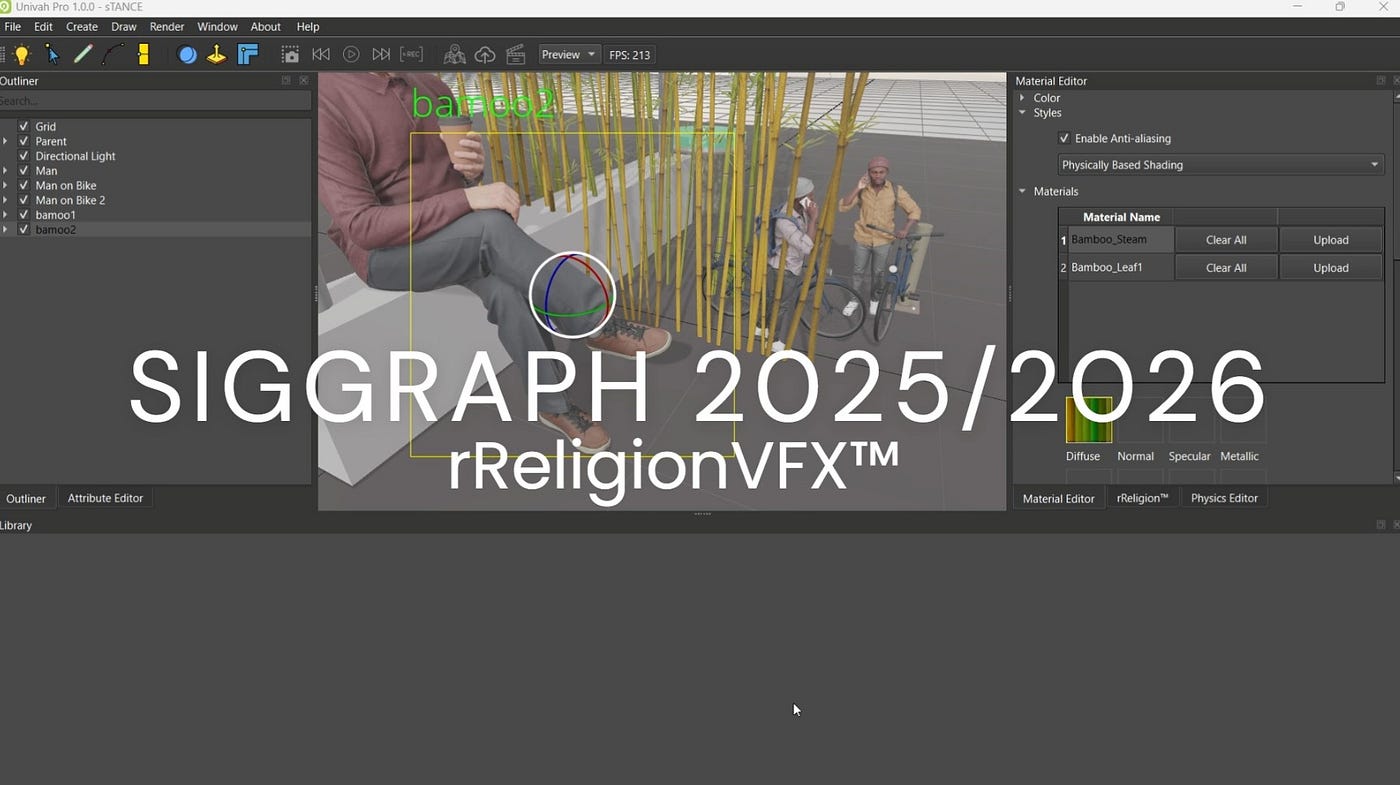
Univah Pro 1.0.0
This article introduces ReligionVFX™, our in-house motion graphics system inside Univah Pro — designed to rival MoGraph and MASH NETWORK, but without the node trees, complex curve editors, long offline render times and steep learning curves. If you’re a 3D artist or motion designer who wants power without unnecessary difficulty, this is for you.

Maya Mash Network
rReligionVFX vs The Maya Mash Network
If you do a quick YouTube search to learn about MASH, you’ll find plenty of videos like the screenshot above — impressive but dated. Maya is powerful, no doubt. And the MASH Network was a gift to procedural animation — no one’s denying that. But here’s the reality: You can work with primitives, sure… but you can’t light your scenes in real-time and see the results instantly. You’re stuck clicking “Arnold,” then waiting for a grainy preview to slowly clean up — just to see what your lights are doing.
Want to visualize something like leaves procedurally growing across a wall? In Maya, that means:
- Add your wall
- Add your lights
- Use MASH to distribute But the whole time… you’re working with gray objects and no visual feedback. You’re designing in the dark, then hitting render and hoping for the best.
Wouldn’t it be better if you could see film-grade, production-quality visuals instantly — while doing your motion graphics work? That’s exactly what Univah Pro delivers.

MoGraph Cinema4D Renders
What About MoGraph — The Alpha & Omega of Motion Graphics
You’re not wrong, dear friend — MoGraph was extraordinary. When it arrived in the early 2000s, it revolutionized motion design for ad agencies, news broadcasters, shoe commercial designers, and CG artists across the world.
It made procedural motion graphics accessible. It was — and still is — the reason many artists chose Cinema 4D as their tool of choice.
But once again… the same story applies:
You’re still looking at gray boxes. You’re still working in an unlit, untextured world. You’re still waiting to render.

Screenshot of Cinema4D MoGraph
Whether you’re in Maya, Houdini, or Cinema 4D — the workflow hasn’t changed much:
- Build your setup
- Animate your clones
- Hope it looks good…
- Then hit “Render” and wait in Redshift
And isn’t it all about the render in the end? After all the time you spend building motion graphics inside Cinema 4D, you’re left hoping Redshift delivers what your imagination saw — but your viewport never showed you.
Univah Pro flips that experience. You work in the final look. Real-time lighting, shading, falloff, and animation — all visible as you build.
“You shouldn’t need to hit ‘Render’ just to see your own art.”

The Univah Film Engine — rReligionVFX
Conclusion — Univah Pro’s 10 Powerful Effectors for Motion Graphics
Legacy software often overwhelms users by throwing everything — including the kitchen sink and bathtub — at them all at once. New users can feel instantly lost the moment they launch the program, staring at cluttered interfaces and endless options. Psychologically, limiting choices actually speeds up decision-making: if I have to pick between two outfits, I decide quickly; place 33 outfits before me, and I’ll hesitate indefinitely.
This principle guided the design philosophy behind Univah Pro. While we could easily add hundreds of effectors, doing so would only bloat the software, clutter the interface, and intimidate new users — turning Univah Pro into exactly what we set out to avoid.
Instead, we’ve carefully curated just 10 of the most powerful and versatile effectors. These can be combined in countless ways to accomplish virtually any motion graphics task most users will need, keeping the software light, fast, and intuitive — empowering artists without overwhelming them.
We can’t wait for you to try Univah Pro! To contact us visit our website!
메타데이터
- post_id
- b011eefd0438
- slug
- univah-at-siggraph-2025-2026-the-new-real-time-motion-graphics-software-challenging-mash-and-b011eefd0438
- url
- https://medium.com/@smsoftware/univah-at-siggraph-2025-2026-the-new-real-time-motion-graphics-software-challenging-mash-and-b011eefd0438
- canonical_url
- https://medium.com/@smsoftware/univah-at-siggraph-2025-2026-the-new-real-time-motion-graphics-software-challenging-mash-and-b011eefd0438
- author_url
- https://medium.com/@smsoftware
- status
- ok
- fetched_at
- 2026-07-30 08:08:36