How to Generate High-Fashion Met Gala 2026 Looks Using ChatGPT
Every first Monday of May, the internet holds its breath. The Met Gala red carpet erupts in feathers, crystals, sculpted metal, and…
How to Generate High-Fashion Met Gala 2026 Looks Using ChatGPT
Every first Monday of May, the internet holds its breath. The Met Gala red carpet erupts in feathers, crystals, sculpted metal, and impossible silhouettes — and for a few hours, fashion becomes front-page news. But in 2026, something shifted. Scrolling through Instagram and TikTok, you’d notice that not every stunning couture portrait on your feed was actually shot on the steps of the Metropolitan Museum. Many of them were made at home, by regular people, using nothing more than a photo and a well-crafted prompt.
The 2026 Met Gala theme — “Costume Art,” with a dress code of “Fashion Is Art” — turned out to be the perfect creative sandbox for AI. From giant bubble dresses and futuristic metallic gowns to dramatic feather capes and crystal-covered silhouettes, people used AI prompts to create high-fashion edits that looked straight out of a celebrity red carpet appearance. Some results were genuinely hard to distinguish from the real thing.
If you haven’t tried it yet, this guide will walk you through everything — not just the mechanics, but the actual craft of prompting well, so your image looks editorial rather than obviously artificial.
Why This Trend Is Different From Other AI Photo Fads
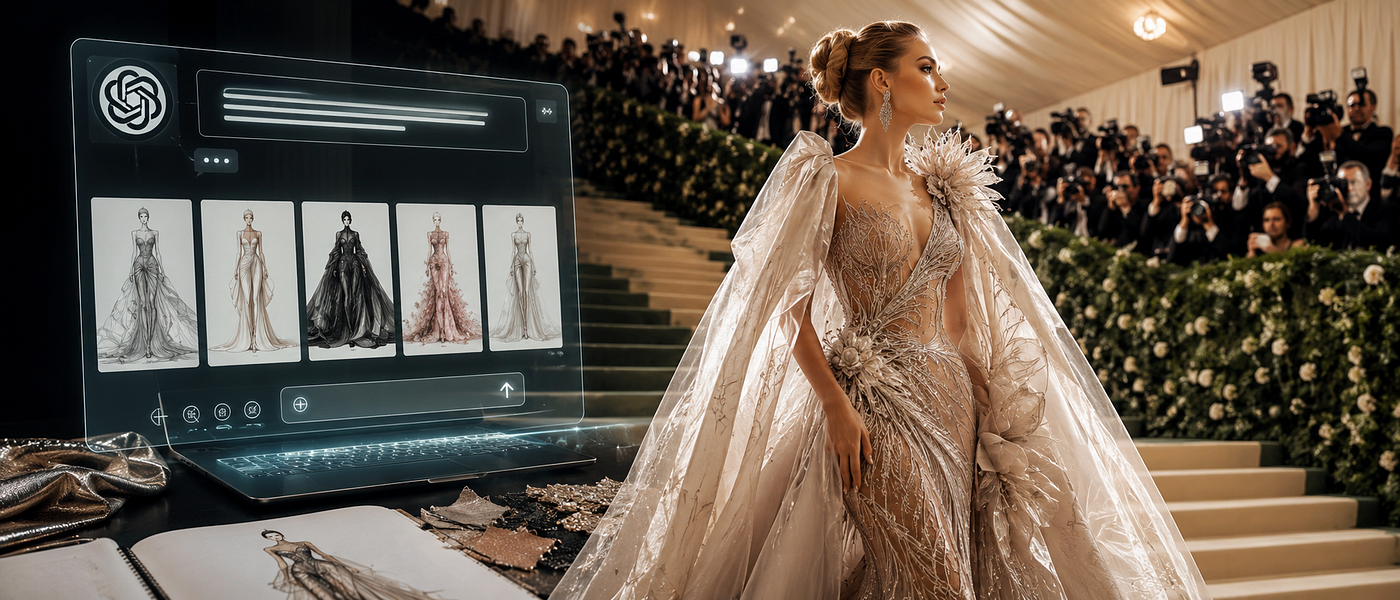
The viral ChatGPT Met Gala prompts trend has completely changed the way people create AI fashion content online. With just a single photo and the right prompt, anyone can generate stunning red carpet portraits that look straight out of a Vogue editorial or celebrity fashion campaign.
What makes it genuinely interesting is the creative latitude. You are not simply slapping a filter on a selfie. You are acting as a fashion designer, art director, and photographer — all at once — describing an entire visual world for the AI to build around your face. ChatGPT’s image generation, powered by GPT-4o, understands fashion language — couture, editorial, cinematic, paparazzi, red carpet — and handles complex scene descriptions including museum interiors, evening lighting, and crowd backgrounds. The tool rewards people who treat prompting like writing a creative brief.
Step 1 — Start With the Right Photo
This is the single most important variable and the most commonly overlooked one. Choose a clear solo image with good lighting. The clearer your face, the better the result. A portrait-style shot where your face fills most of the frame works far better than a group photo or a distant full-body image. Good natural light (near a window, outdoors in shade) produces sharper facial details that the AI can work with more accurately.
Avoid selfies taken at extreme angles, heavily filtered photos, or images where sunglasses or hair obscure your face. The AI needs your actual features as a reference — the more faithful the input, the more recognizable you’ll be in the output.
Step 2 — Build Your Prompt in Layers, Not All at Once
Most beginners write a single vague sentence: “Make me look like I’m at the Met Gala.” The result is a generic, impersonal image that could belong to anyone.
The better approach is to build your prompt in deliberate layers. Think of it as briefing a couture designer, a lighting director, and a Vogue photographer simultaneously. Here is a practical framework:
Layer 1 — Identity Lock. Before you describe a single sequin, tell the AI to protect your face. To prevent ChatGPT from changing your facial features, use explicit instructions like “do not alter facial structure,” “preserve original features,” and “do not change face,” — often in all caps — alongside your image upload. Phrases that consistently work include: “Keep the face identical to the reference image,” “Preserve original facial landmarks and bone structure exactly,” and “DO NOT alter my eye shape, nose, or jawline.” Write this first, before anything else in your prompt.
Layer 2 — The Outfit. Include a detailed breakdown of the clothing: fabric, silhouette, colors, structure, and special design elements. Be specific. “A red dress” gives you nothing. “A deep crimson sculptural gown with a corseted bodice, hand-stitched floral appliqué in ivory and gold, a dramatic asymmetric train, and sheer organza sleeves” gives the AI something real to build. Name the fabrics (silk, tulle, velvet, organza, mesh), describe the silhouette (mermaid, A-line, column, sculptural), and mention structural details (boning, cutouts, layering).
Layer 3 — Accessories. Add statement accessories like jewelry, shoes, headpieces, or props that enhance the look. These details elevate an image from costume to couture. Think chandelier earrings, a sculptural headpiece, opera gloves, a jeweled clutch, or dramatic platform shoes. The Met Gala is not the place for minimalism — go further than you think is necessary.
Layer 4 — Lighting and Atmosphere. This is what separates a viral image from a forgettable one. Specify the mood: “paparazzi flash photography with soft fill light,” “warm golden hour with dramatic shadows,” or “cool editorial blue-white studio lighting.” Add the background: “iconic Metropolitan Museum steps at dusk,” “grand museum atrium with chandeliers,” or “red carpet with press barriers and camera flashes.” Including scene elements like soft and golden lighting, visible paparazzi flashbulbs, high-end fashion photography style, and a Vogue-style portrait aesthetic pushes the result toward cinematic quality.
Layer 5 — Realism Anchors. End your prompt with technical cues that tell the AI you want a photograph, not digital art. Terms like “ultra-realistic 4K,” “cinematic fashion photography,” “genuine press photograph aesthetic,” “naturally photographed, not overly edited,” and “realistic skin texture and fabric draping” all help ground the output in the real world.
Practical Prompt Templates You Can Use Right Now
Here are several tested prompts covering different styles. Upload your photo alongside any of these:
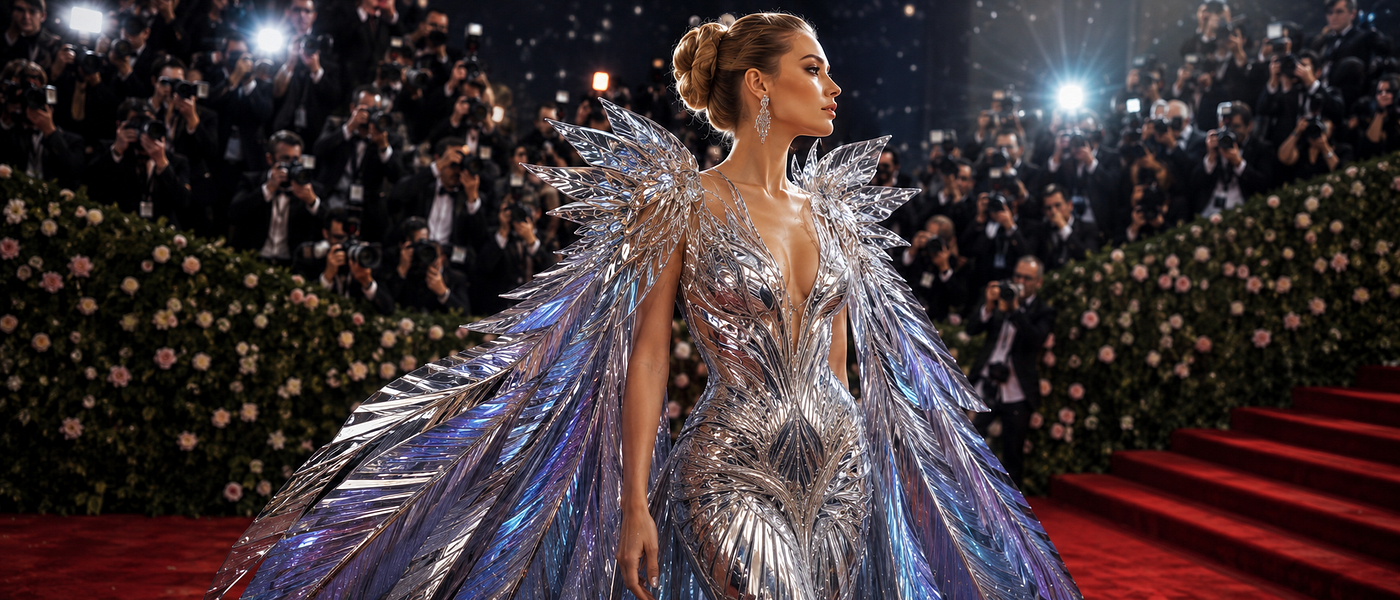
For the Futuristic Look: “Keep my face, skin tone, and identity completely unchanged. Dress me in a silver futuristic sculpted gown with metallic wings and reflective textures. Red carpet background with flashing cameras. Luxury fashion editorial style, dramatic lighting, ultra-detailed makeup. High-fashion Vogue-inspired aesthetic. Ultra-realistic 4K.”
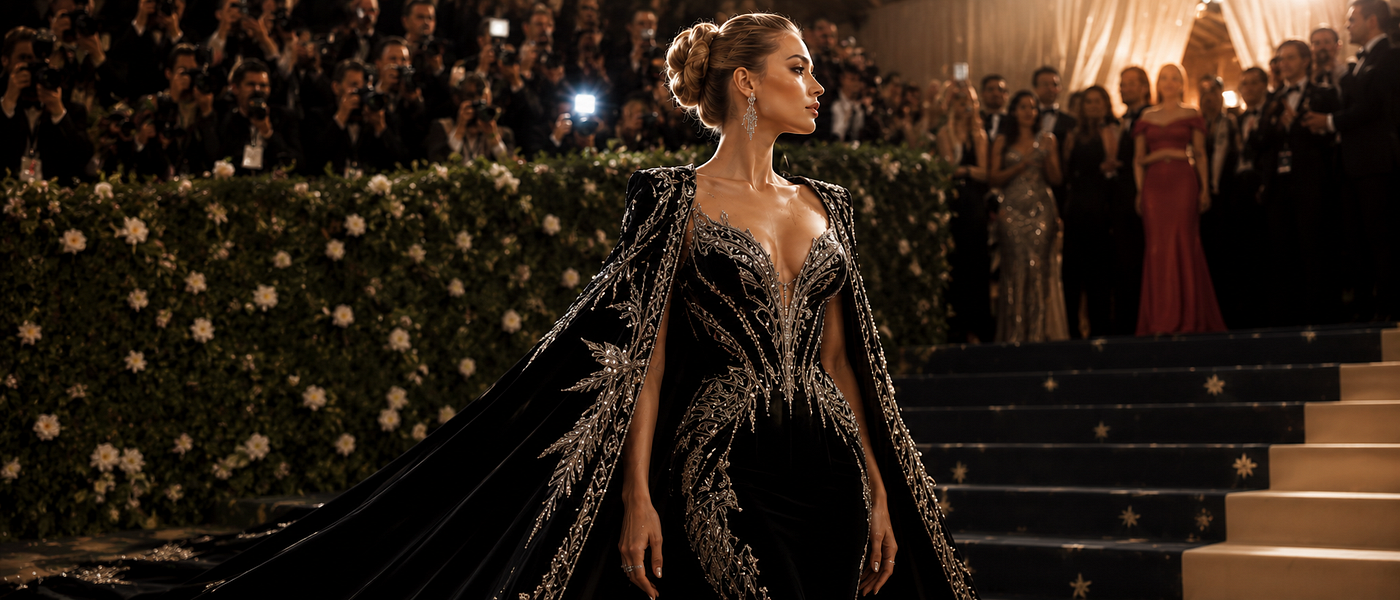
For the Classic Couture Look: “Turn this person into a Met Gala attendee wearing a royal black velvet gown with diamond embroidery and a long flowing cape. Keep the face identical. Warm spotlight lighting, luxury jewellery, cinematic shadows, elegant expression, realistic skin textures, fashion magazine look.”
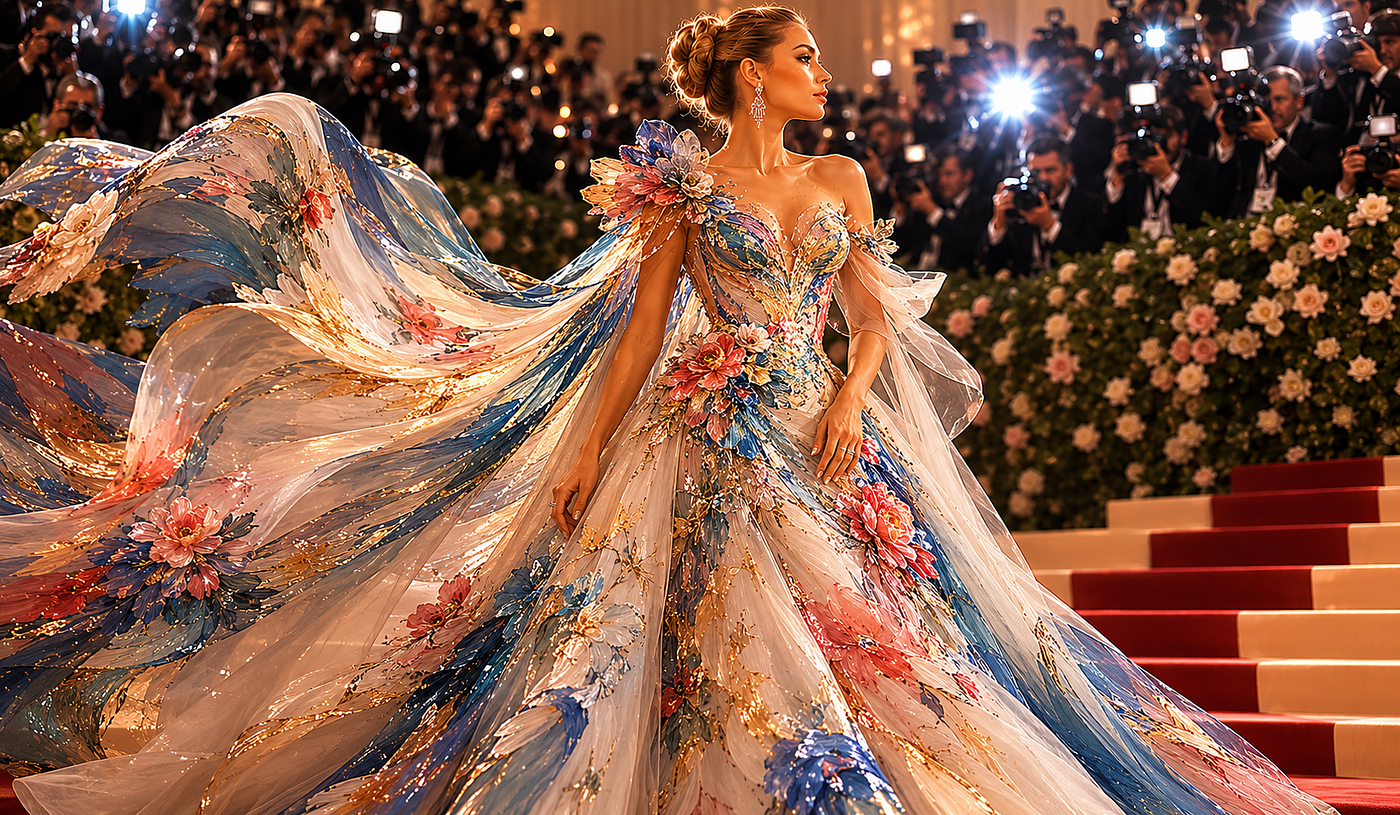
For the Art-Inspired Theme: “Create a 2026 Met Gala red carpet photo. The theme is ‘Fashion is Art.’ The outfit is a flowing ballgown that looks like a painted Impressionist masterpiece brought to life, with textures of silk and oil paint blended together. The person is posing dramatically. The lighting is soft and golden hour, paparazzi flashbulbs are visible. High-end, detailed fashion photography, Vogue-style portrait.”
For a Fully Personalised Look: “Create a cinematic, ultra-realistic portrait of me walking through the Met Gala 2026 red carpet hall under the theme ‘Fashion is Art.’ Preserve my exact facial features, skin tone, hairstyle, and overall identity with high accuracy. Dress me in a breathtaking couture outfit that blends high fashion with artistic expression — elegant, sophisticated, avant-garde, and worthy of the Met Gala. The design should feel original, luxurious, and editorial-level, incorporating sculptural details, rich textures, and artistic elements inspired by fine art and surreal fashion. The image should feel authentic and naturally photographed, not overly edited or AI-generated.”
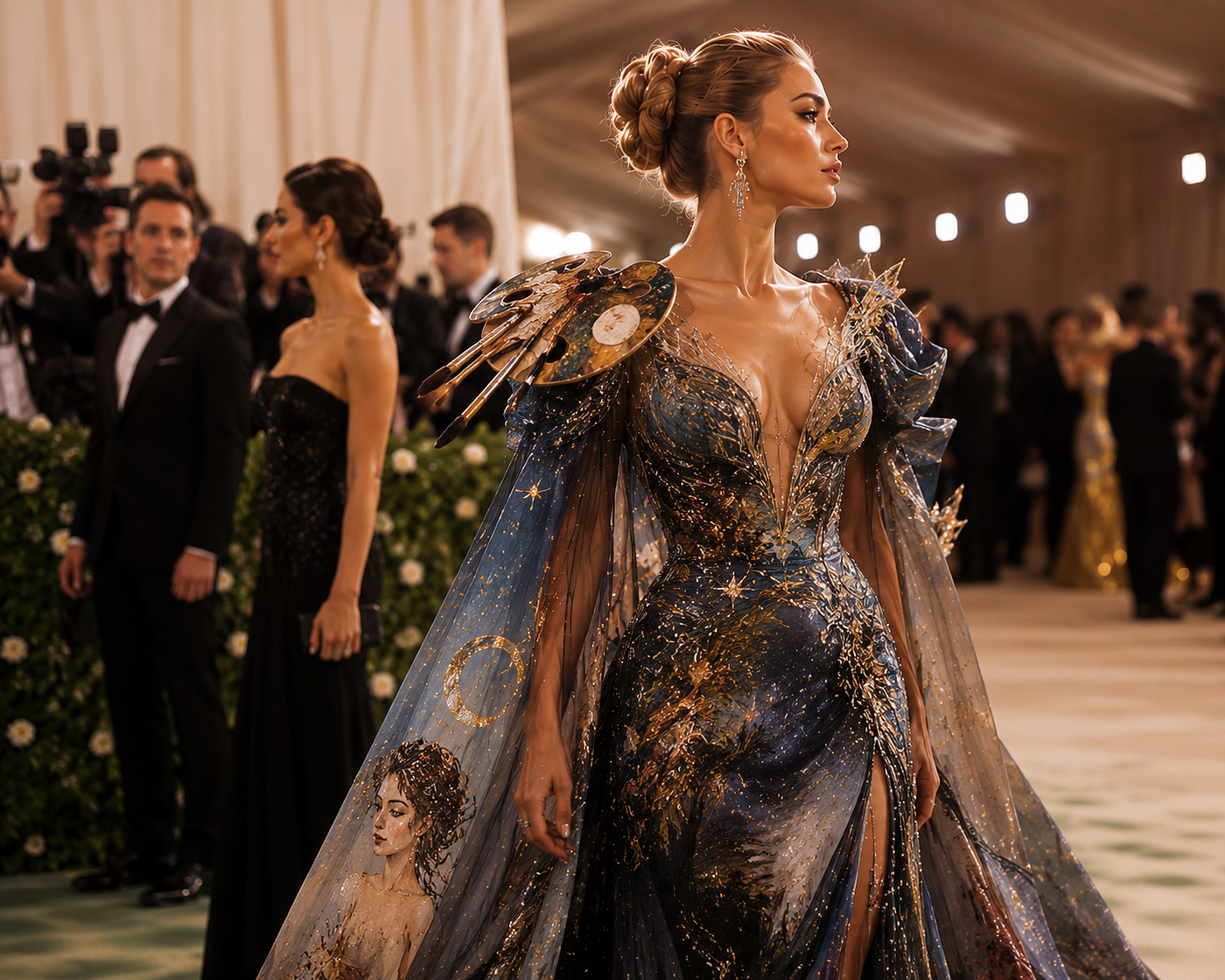
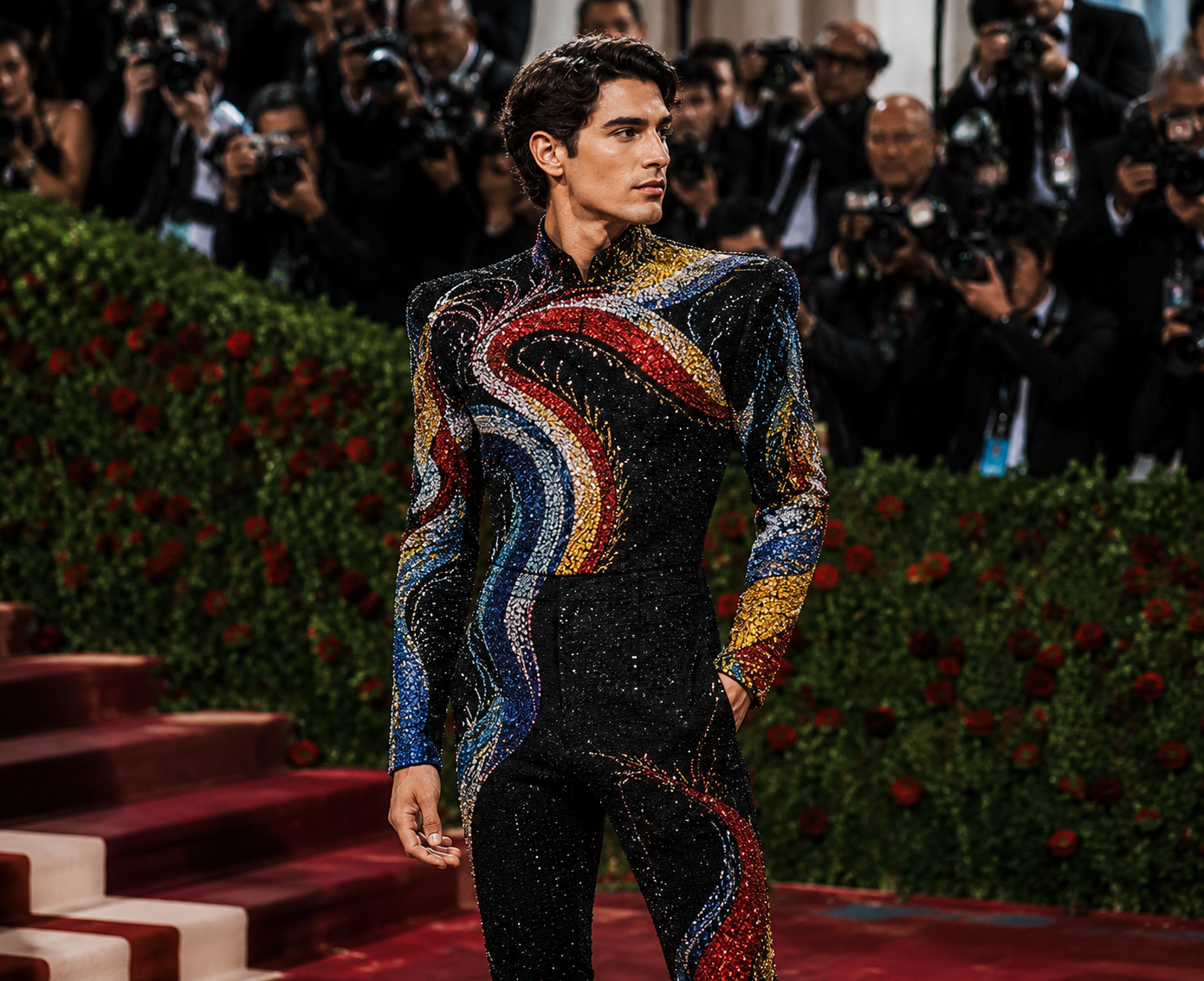
For the Menswear Look: “Ultra realistic high-fashion gala menswear look, fitted black couture jumpsuit covered in dense micro sequin embroidery and glossy beadwork, abstract artistic pattern design in bold crimson red, mustard yellow, royal blue and ivory white flowing across the outfit in wave shapes, structured shoulders, long fitted sleeves, sculpted tailored silhouette, cinematic flash photography, luxury red carpet atmosphere, ultra-detailed embroidery texture, editorial fashion photography, confident runway pose.”
When the First Result Disappoints — How to Iterate
If you’re not obsessed with the first result, don’t stop there. AI image generation is iterative by nature. Here are the most effective ways to refine:
If the face changed: Immediately follow up with: “In the last image, you altered my facial features. Please regenerate using only the reference photo, with absolutely no changes to my face, bone structure, or skin tone. Only the outfit and background should differ.”
If the outfit looks cheap: Add more specific fabric vocabulary. Replace “shiny fabric” with “hand-beaded silk organza with sculptural wire boning” and your results will improve dramatically.
If the lighting looks flat: Request specifically: “Relight this with dramatic paparazzi flash from the front-left, with soft fill shadows on the right, and warm ambient glow from chandeliers above.”
If it looks too digital: Add the phrase “press photograph taken on a 35mm lens, naturally photographed, no AI-art aesthetic, real fabric behavior including creasing and draping” to pull the result back toward realism.
A Few Honest Caveats
This trend is joyful and creative, but worth approaching with clear eyes. AI image tools can still alter facial features despite explicit instructions — the more unusual your features or the busier your original photo, the more the AI may drift. ChatGPT’s image generation prioritizes creativity over precision, and when you upload a photo and request changes, the AI might reinterpret facial details to fit its generated style, leading to altered features like eye shape, jawline, or even skin tone.
Also worth remembering: the images you generate are for creative fun and social sharing, not misrepresentation. Being transparent about AI-generated content when you post it is simply good practice.
메타데이터
- post_id
- b0ca1154ebc1
- slug
- how-to-generate-high-fashion-met-gala-2026-looks-using-chatgpt-b0ca1154ebc1
- url
- https://medium.com/@ahirlog/how-to-generate-high-fashion-met-gala-2026-looks-using-chatgpt-b0ca1154ebc1
- canonical_url
- https://medium.com/@ahirlog/how-to-generate-high-fashion-met-gala-2026-looks-using-chatgpt-b0ca1154ebc1
- author_url
- https://medium.com/@ahirlog
- status
- ok
- fetched_at
- 2026-06-12 18:14:10