When Your .NET AI Agent Starts Failing, Build This Instead
Building Multi-Agent Systems with .NET 10
When Your .NET AI Agent Starts Failing, Build This Instead
*Building Multi-Agent Systems with .NET 10*

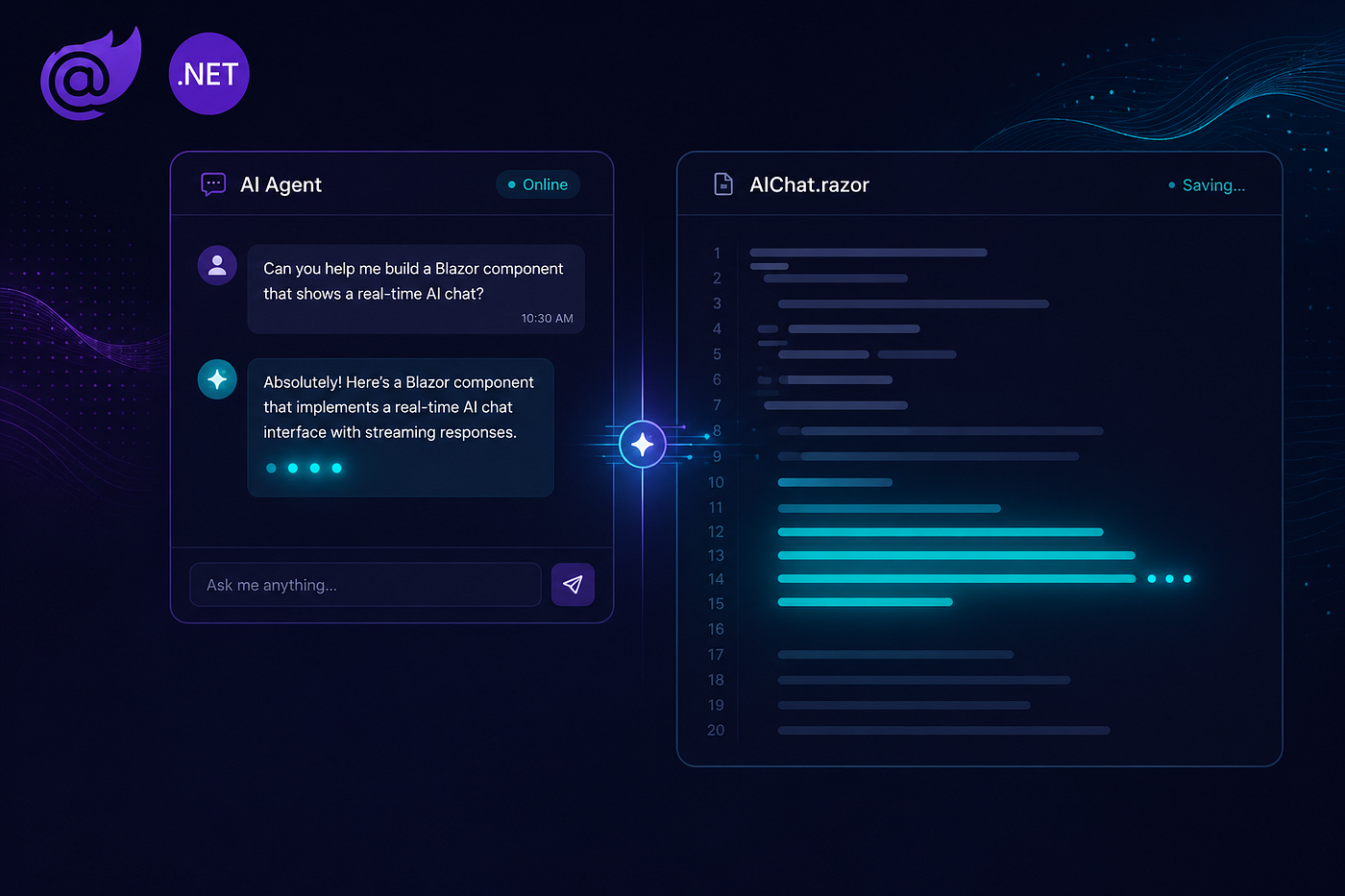
You built a .NET AI agent. It connects to your MCP server, calls your tools, returns intelligent answers. The demo went well. Then someone asks:
“Find an open IT Specialist position, write a job description for it, then check if it passes OPM compliance.”
Here is what a single general-purpose agent does with that:
You: Find an open IT Specialist position, write a job description for it,
     then check if it passes OPM compliance.
Agent: [calls GetOpenPositions finds position ID 3, GS-12]
Agent: [calls WriteJobDescription with positionId=3]
Agent: Draft complete. ## Qualifications Required
One year of specialized experience in a related field...Agent: [calls RunFullComplianceCheck with positionId=3]
Agent: QualificationsGradeReference: WARNING
The qualifications text does not reference the advertised grade GS-12.Three problems in one conversation. The qualifications text the agent just generated is the exact text that fails the compliance rule it then runs. It did not route the failure back to the writer to fix. The draft was never saved — close this session and it disappears.
This is not a bug in your code. This is the structural limit of a single general-purpose agent. A single agent cannot balance specialized instruction sets, manage competing priorities, and persist state across distinct workflows.
Two Things Are Working Against You
Tool overload. Your agent has twelve tools — position search, job description writer, compliance checker, org lookup. On every turn, the LLM scans all twelve, ranks them by relevance to the query, and picks the right one. When tools overlap — GetPositionById and GetOpenPositions both relate to positions — the model hedges. Research consistently shows LLM accuracy degrades above 8–10 tools. With twelve, you are starting from a position of handicap before the user types a single character.
Prompt dilution. Your system prompt says “you are a helpful federal HR assistant who can search positions, write job descriptions, check OPM compliance, and summarize organizations.” That is four jobs in one prompt. A job description writer needs specific instructions: second-person voice, grade-level experience equivalency, duty bullets in active voice. A compliance checker needs different instructions: Pass/Fail per rule, OPM standard references, specific correction suggestions. You cannot fit both instruction sets in one prompt without watering both down. The result is a system prompt so generic it could describe any assistant.
The failure log above is not bad luck. It is the predictable output of asking one agent to be too many things at once. Your architecture is paying the price for generality.
The Fix Is a Different Architecture
Give each concern its own agent: a focused system prompt, a small tool subset. A job description writer with five tools and a prompt written specifically for federal HR style. A compliance checker with seven tools and a prompt about OPM standards. Neither agent knows about the other concerns. Neither carries the other tool list.
Add a lightweight router — an LLM call with no tools at all — that reads each user message and outputs a single label: job_description, compliance, position_search. The router picks the specialist. The specialist handles the turn. This separation of concerns is the entire pattern.
Four patterns cover every multi-agent scenario you will encounter in production:
- Selector — routes each query to one specialist; best for discrete, categorised requests
- Pipe — chains agents sequentially, each stage output feeding the next; best for ordered workflows where one step depends on the previous result
- Group Chat — runs agents in parallel, a moderator synthesizes their perspectives; best for multi-perspective review
- Evaluator-Optimizer — a critic scores output and loops until a quality threshold is met; best for generation tasks where consistency matters
All four run on a single IChatClient abstraction. No framework lock-in.
The Same Request, Rebuilt
Here is the identical three-part request handled by a multi-agent system:
You: Find an open IT Specialist position, write a job description for it,
     then check if it passes OPM compliance.
[Router job_description]JobDescription specialist:
[calls GetPositionById full data: GS-12, series 2210, DHS]
[calls WriteJobDescription draft with grade-specific qualifications]
[calls SaveJobAnnouncement ID: 5, Status: Draft]
Draft saved. Announcement ID: 5.[Router compliance]OPMCompliance specialist:
[calls RunFullComplianceCheck with positionId=3]
Overall: PASS
QualificationsGradeReference: PASS text references GS-12
[calls UpdateAnnouncementStatus ID: 5, Status: CompliancePassed]The draft references the correct grade because the JobDescription specialist had access to the full position data and a prompt written for federal HR writing. The compliance check passes because the writer got it right. The draft persists because SaveJobAnnouncement is in the specialist tool set and is always called. That is the power of specialization: each agent does one thing and does it well.
The orchestrator loop that made this happen is three lines:
var intent = await router.ClassifyAsync(input, ct);
var agent  = SelectAgent(intent);
var reply  = await agent.HandleAsync(input, ct);
Same two MCP servers. Same Ollama model running locally. Different architecture. The router is stateless, the agents are focused, and the result is reliable enough for production workflows.
If any of that failure log looked familiar, this series is for you.
Part 1 — The .NET Agent Framework: IChatClient and MCP Clients covers the IChatClient abstraction and MCP tool setup that make running five specialist agents practical without duplicating infrastructure. It is the foundation the other nine parts build on.
The full source — both MCP servers, all four orchestrators — is on GitHub: DotnetMultiAgentsTutorial.
메타데이터
- post_id
- b0d731d579db
- slug
- when-your-net-ai-agent-starts-failing-build-this-instead-b0d731d579db
- url
- https://medium.com/scrum-and-coke/when-your-net-ai-agent-starts-failing-build-this-instead-b0d731d579db
- canonical_url
- https://medium.com/scrum-and-coke/when-your-net-ai-agent-starts-failing-build-this-instead-b0d731d579db
- author_url
- https://medium.com/@fuji-nguyen
- status
- ok
- fetched_at
- 2026-07-09 05:26:43