How Wi-Fi Routers Work With Cable Internet
How Wi-Fi Routers Work With Cable Internet
A Simple Guide to How Wi-Fi Routers Connect and Power Your Cable Internet

I still remember the first time I upgraded my cable internet plan. Faster speeds, higher monthly bill… and yet my Wi-Fi felt the same. That’s when I realized something important: cable internet and Wi-Fi routers are two different things, and understanding how they work together makes everything easier.
If terms like modem, router, cable internet, and Wi-Fi speeds feel confusing, don’t worry. I’ll explain this the same way I wish someone had explained it to me, no tech overload, no fancy words, just real-life understanding.
Cable Internet Starts With One Job: Bringing the Internet Into Your Home
Let’s start from the beginning.
Cable internet comes into your house through the same coaxial cable used for cable TV. That connection brings raw internet data from your internet provider (like Xfinity, Spectrum, or Cox) straight into your home.
But here’s the key thing most people miss:
That internet signal cannot be used directly by your devices.
Your phone, laptop, and smart TV don’t understand that signal on their own. Something needs to translate it first.
That “something” is the cable modem.
What a Cable Modem Actually Does
Think of the cable modem as a translator.
It takes the internet signal coming from your cable provider and converts it into a digital signal that your home network can use. That’s it. That’s its entire job.
A modem:
- Connects to your internet provider
- Converts the signal
- Passes the internet to one device
Important detail: A modem alone does NOT create Wi-Fi.
If you plug a modem directly into a laptop using Ethernet, you’ll get internet, but only on that one device.
That’s where the router comes in.
The Router’s Job: Sharing and Managing Your Internet
Once the modem has translated the internet signal, it sends it to your Wi-Fi router.
The router does three very important things:
- Shares the internet with multiple devices
- Creates a Wi-Fi network your devices can connect to
- Manages traffic so everything doesn’t slow down at once
In simple terms:
- The modem brings internet in
- The router spreads it around
Without a router, you’d need a cable plugged into every device, and no one wants that.
Why Your Router Affects Speed (Even With Fast Cable Internet)
This part surprised me when I first learned it.
Your cable internet speed might be 500 Mbps or even 1 Gbps, but your router can still slow everything down.
Here’s why:
1. Routers Have Speed Limits
Older routers weren’t designed for modern cable speeds. If your router can only handle 300–400 Mbps, it becomes a bottleneck.
2. Wi-Fi Is Different From Wired Internet
Wi-Fi speed is always lower than Ethernet speed. Walls, distance, interference, and other devices all affect it.
3. Multiple Devices Share the Same Bandwidth
Streaming TVs, phones, laptops, and cameras all pull from the same internet pipe. A good router manages this traffic better.
That’s why upgrading your router can sometimes feel like upgrading your internet plan — even when you didn’t change the plan at all.
Modem + Router vs Modem-Router Combo (Gateway)
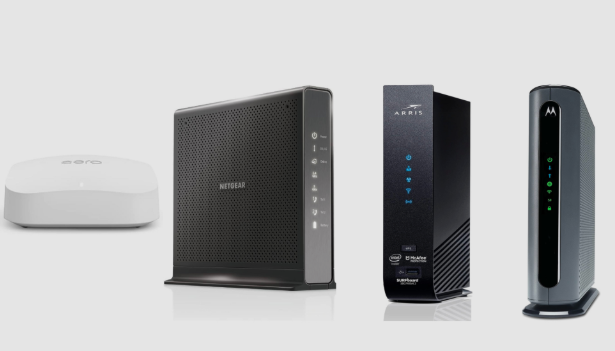
If you’ve ever rented equipment from your internet provider, you’ve probably used a gateway.
A gateway is simply:
A modem and router combined into one device
This setup is convenient, but it has trade-offs.
Gateway Pros:
- Easy setup
- Fewer devices
- Provider support
Gateway Cons:
- Weaker Wi-Fi
- Limited control
- Monthly rental fees
- Harder to upgrade later
In my experience, people who switch to a separate modem and router usually notice:
- Better Wi-Fi coverage
- More stable speeds
- Fewer dropouts
That’s why many power users avoid gateways altogether.
How the Router Sends Internet to Your Devices
Once your router has internet from the modem, it sends data to devices in two ways:
1. Wired (Ethernet)
- Fastest
- Most stable
- Best for gaming, work PCs, and streaming boxes
2. Wireless (Wi-Fi)
- Convenient
- Slightly slower
- Affected by distance and interference
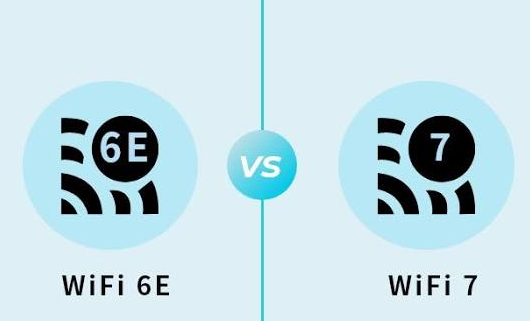
Modern routers use technologies like Wi-Fi 6 to handle many devices at once more efficiently. This matters a lot in homes filled with smart devices.
Why Wi-Fi Feels Slow Even When Internet Isn’t
This is one of the most common frustrations I hear.
Your cable internet may be perfectly fine — but Wi-Fi can struggle due to:
- Thick walls
- Long distance from the router
- Neighbor Wi-Fi interference
- Too many devices on one band
- Poor router placement
That’s why two people on the same internet plan can have completely different experiences.
Good router placement and a capable router make a huge difference.
What Happens When You Upgrade Your Cable Internet Plan
Here’s something many people overlook.
When you upgrade your internet plan:
- Your modem must support the new speed
- Your router must also handle the higher bandwidth
If either one is outdated, you won’t see the full benefit.
I’ve seen plenty of cases where someone pays for Gigabit internet but still uses an old router, and wonders why speeds never improve.
Do You Need a Special Router for Cable Internet?
This question comes up a lot.
The simple answer is: No, but you need the right specs.
For cable internet, your router should ideally have:
- A gigabit or multi-gig WAN port
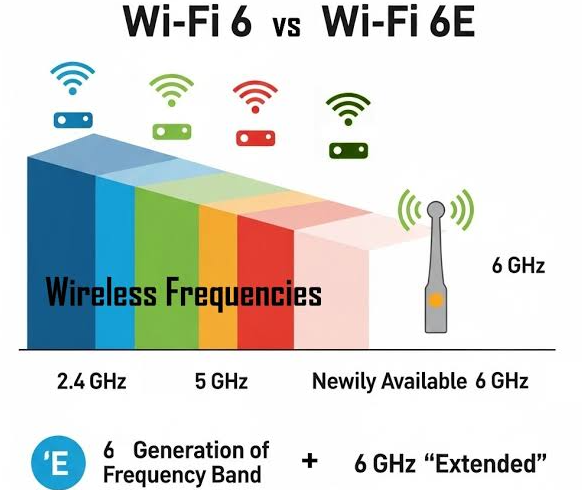
- Modern Wi-Fi standards (Wi-Fi 6 or newer)
- Enough processing power for multiple devices
You don’t need anything “branded” for cable, but compatibility and performance matter.
The Simple Takeaway (If You Remember Nothing Else)
Here’s the easiest way to think about it:
- Cable internet = internet coming into your house
- Modem = translator
- Router = traffic manager + Wi-Fi creator
If your internet feels slow, unstable, or frustrating, the problem is often not your internet provider, it’s how your modem and router work together.
Once I understood that, troubleshooting my home network became much easier, and way less stressful.
메타데이터
- post_id
- b0e9d7eba8d7
- slug
- how-wi-fi-routers-work-with-cable-internet-b0e9d7eba8d7
- url
- https://medium.com/@mukhaledumer/how-wi-fi-routers-work-with-cable-internet-b0e9d7eba8d7
- canonical_url
- https://medium.com/@mukhaledumer/how-wi-fi-routers-work-with-cable-internet-b0e9d7eba8d7
- author_url
- https://medium.com/@mukhaledumer
- status
- ok
- fetched_at
- 2026-07-21 06:32:45