Exercise 3 — Remove a Role Assignment
Learn how to remove admin role assignments in Microsoft Entra ID to maintain least privilege and secure role-based access.
Exercise 3 — Remove a Role Assignment

Learn how to remove admin role assignments in Microsoft Entra ID to maintain least privilege and secure role-based access.
Hey folks, welcome back! 👋
In the previous exercise, we assigned the Application Administrator role to a user and verified their permissions by creating an app registration. If you haven’t checked it out yet, you can read it here:
👉 Exercise 2 — Assign the Application Administrator Role and Create an App
Continuing with Lab 01 — Manage User Roles from the Microsoft Identity and Access Administrator (SC-300) series, we’ve already learned how to assign roles in Microsoft Entra ID.
Now, it’s time to take the next step — removing a role assignment.
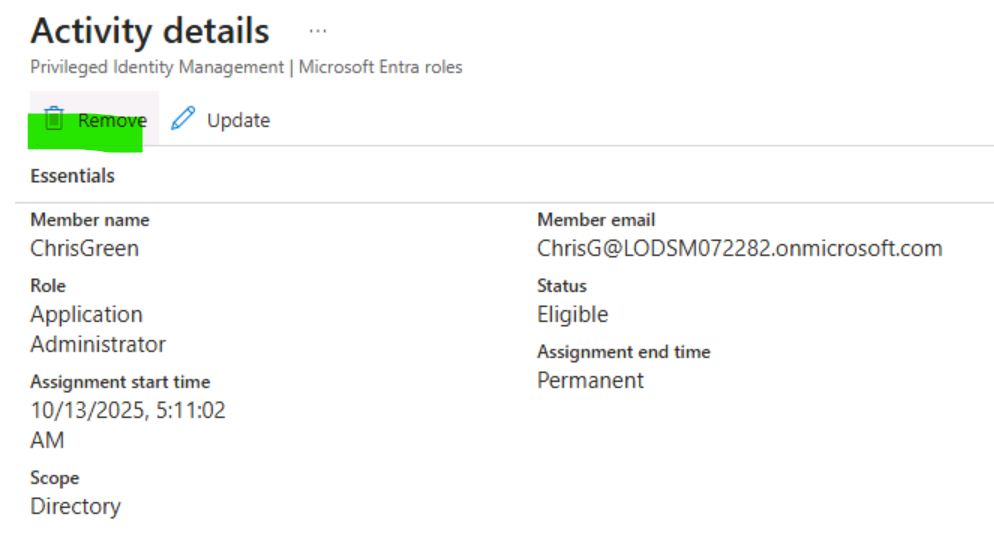
🧩 Task 1 — Remove the Application Administrator Role from Chris Green
This task will use an alternative method to remove the assigned role; it will use the Roles and administrators option in Microsoft Entra ID
✅ Objective:
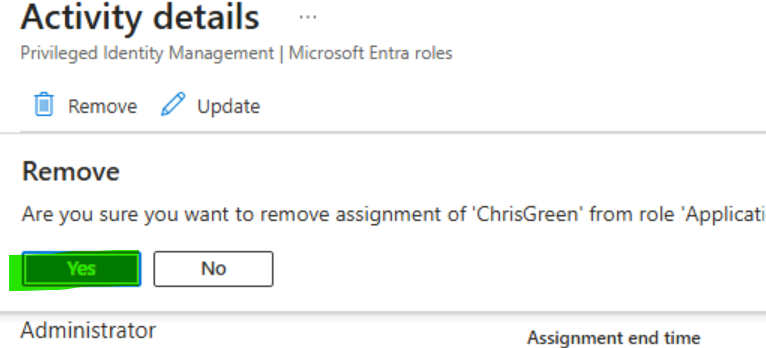
Remove the Application Administrator role from Chris Green using Microsoft Entra ID.
🧭 Steps Overview:
- If you are not already logged in as your Global Admin, launch the Microsoft Entra admin center and log in now.
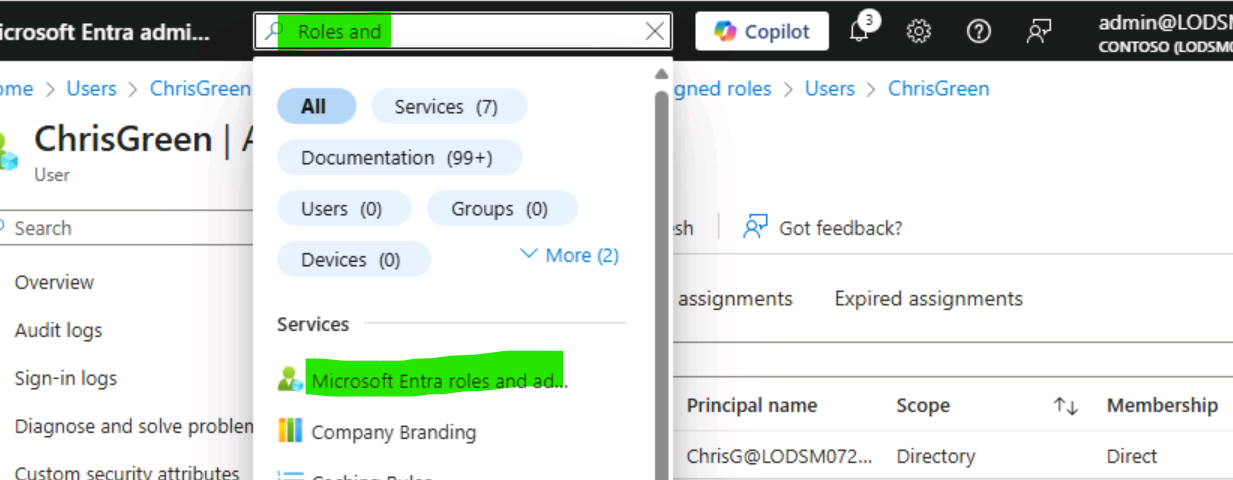
- In the search box, type Roles and then launch Microsoft Entra ID roles and administration.
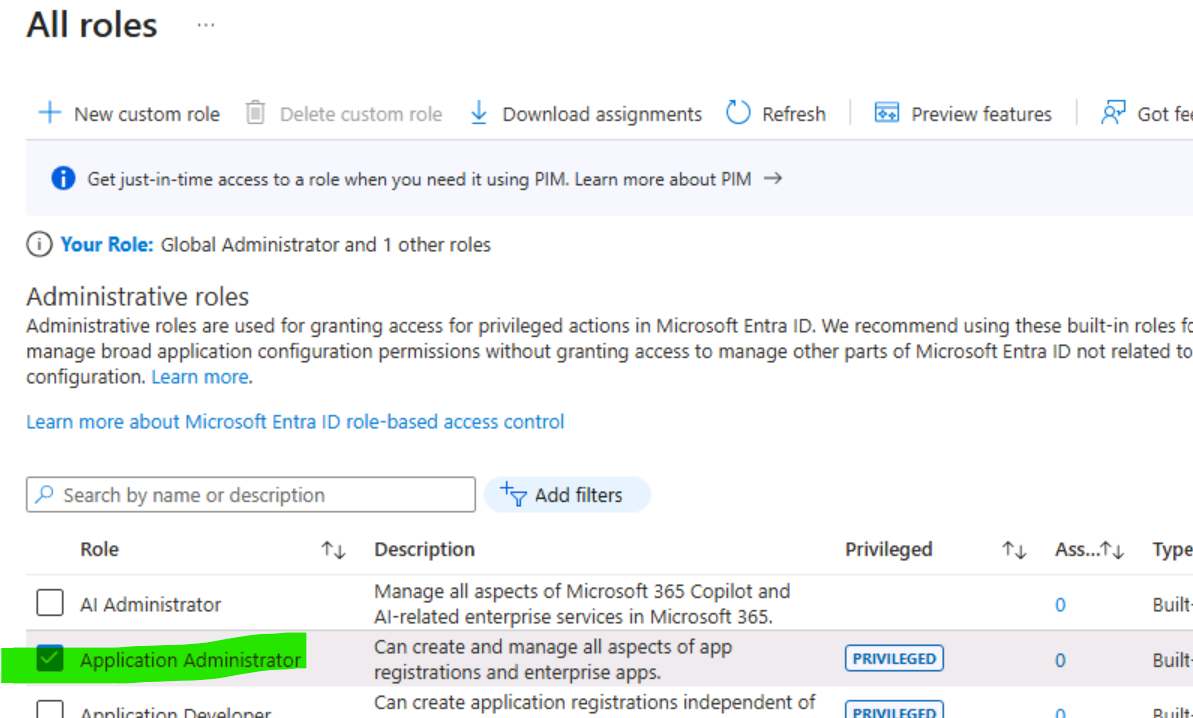
- In all roles of Roles and administrators, select the Application administrator role from the list.
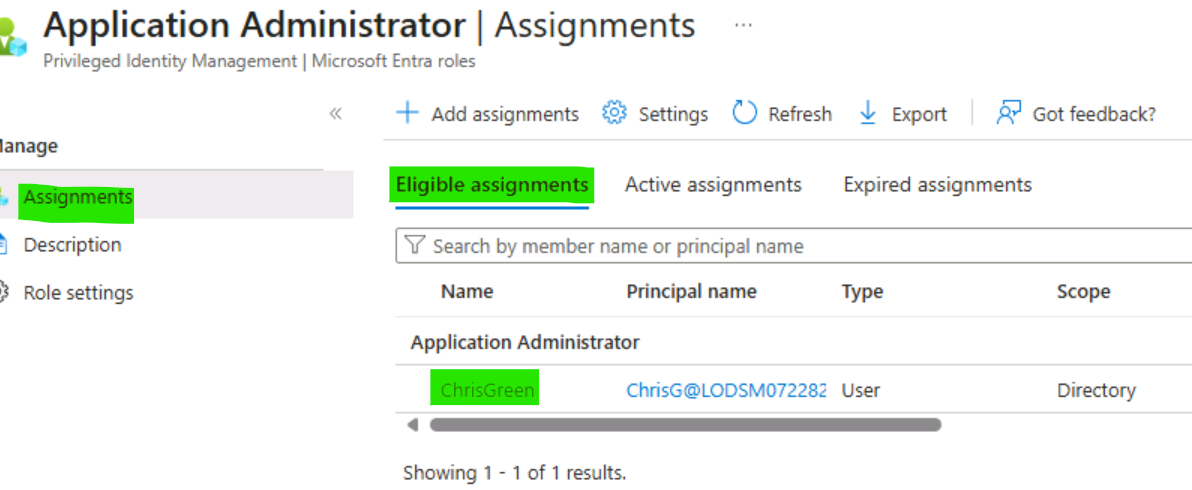
- On the Application administrator | Assignments page, you should see Chris Green’s name listed.
- Put a check in the box next to Chris Green.
- Select X Remove assignments from the options at the top of the dialog.
- Answer Yes when the confirmation box opens.
- Close the screen.


Summary
This exercise gave me hands-on experience in removing an assigned admin role using the Roles and Administrators option in Microsoft Entra ID. It clearly showed how easily an administrator can revoke elevated permissions when a user no longer needs them — a critical practice for maintaining least privilege access in any organization.
Thanks for reading! Stay tuned as I continue sharing my Azure Identity and Access Administrator hands-on lab series. Follow and share to support practical IAM learning content. 🔐🚀
메타데이터
- post_id
- b2114a4fbd2d
- slug
- exercise-3-remove-a-role-assignment-b2114a4fbd2d
- url
- https://medium.com/@azhariqbal682/exercise-3-remove-a-role-assignment-b2114a4fbd2d
- canonical_url
- https://medium.com/@azhariqbal682/exercise-3-remove-a-role-assignment-b2114a4fbd2d
- author_url
- https://medium.com/@azhariqbal682
- status
- ok
- fetched_at
- 2026-06-22 05:41:33