Why You Need Python Virtual Environments
And How Not to Break Your System
Why You Need Python Virtual Environments
And How Not to Break Your System
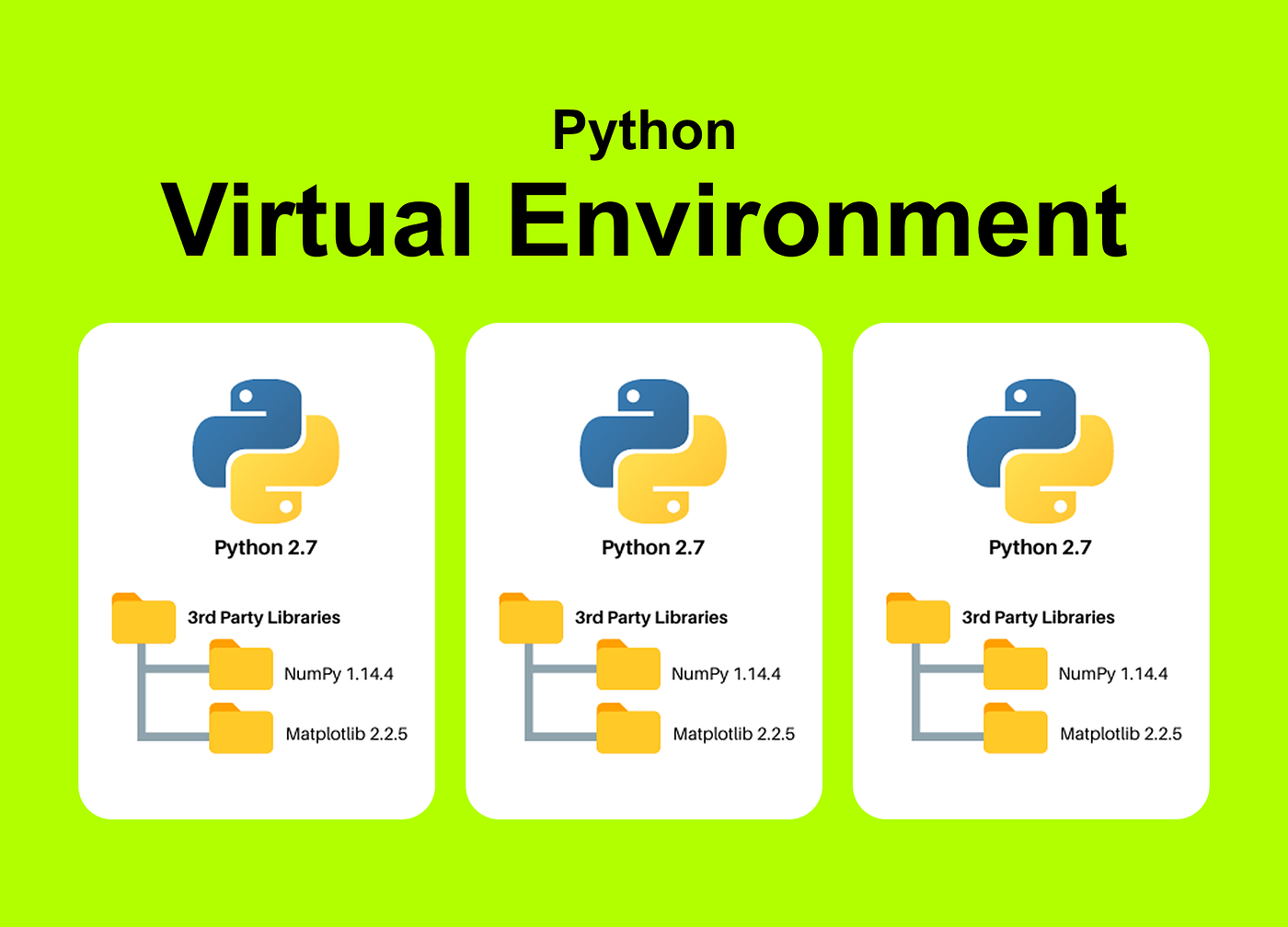
I remember the early days before every other person was an “AI Engineer.” I was just a guy with a laptop, a dream, and a global Python installation that was essentially a ticking time bomb.
I’d install a library for a computer vision project, which would upgrade a dependency, which would then proceed to nuking my web scraper from three months ago. It was a cycle of “it worked yesterday” and “why is pip screaming at me?" I didn’t understand what a "virtual environment" was; I thought it sounded like some Matrix-level over-engineering.
I was wrong. It’s actually the only thing keeping your sanity intact when you’re building more than one project. If you’re tired of dependency hell, this is the “in-the-trenches” guide I wish I had when I started.
The Bottom Line (TL;DR)
- The Problem: Installing every Python library globally is like putting every ingredient for five different recipes into one giant bowl. Eventually, the salt for your steak ruins your cake.
- The Solution:
**venv**. It creates an isolated "folder" for each project. - The Core Workflow:
python -m venv .venv(Create it)source .venv/bin/activate(Use it)pip install -r requirements.txt(Fill it)
- The Golden Rule: Never, ever install things globally. Use a virtual environment for every single project. No exceptions.
What is a Python Virtual Environment anyway?
Think of a virtual environment as a shipping container.
On your computer, you have a “Global Python.” If you install OpenCV version 4.5 there, every script on your computer uses 4.5. But then you download an old repo that only works with OpenCV 3.4. If you upgrade or downgrade globally, something else breaks.
A virtual environment is a self-contained directory that contains its own copy of the Python binary and its own independent set of installed packages. It’s a sandbox. What happens in the sandbox stays in the sandbox.
How do I create a Python venv?
You don’t need to install fancy third-party tools to start. Python comes with a built-in module called venv. Here is how you actually use it in a real-world workflow.
1. Navigate to your project folder
Open your terminal (or CMD) and cd into your project.
cd my-awesome-startup-idea2. Create the environment
Run this command. Note: I usually name my environment folder .venv so it stays hidden in my file explorer
python -m venv .venv**python**: Runs the Python interpreter.**-m venv**: Tells Python to run the built-in "venv" module.**.venv**: The name of the folder where all your libraries will live.
3. Activate the environment
This is the step everyone forgets. Creating it isn’t enough; you have to tell your terminal to use it.
On Mac/Linux:
source .venv/bin/activate
On Windows:
.venv\Scripts\activate
Once activated, you’ll usually see (.venv) appear in parentheses at the start of your command prompt. That’s your green light.
Why is venv better than global installs?
Aside from the “not breaking things” factor, there are three pragmatic reasons:
- Cleaner Deployments: When I’m moving my code from my laptop to an AWS EC2 instance, I don’t want to guess which of the 400 libraries on my laptop are actually needed.
- Reproducibility: You can run
pip freeze > requirements.txt. This creates a list of exactly what you used. When a co-founder or an intern joins the project, they just runpip install -r requirements.txtand they have the exact same setup. - Permissions: Installing things globally often requires
sudoor admin rights. Virtual environments don't. They live in your user folder, so you can tinker without the OS breathing down your neck.
Common “Gotchas” (The stuff that tripped me up)
The .gitignore Disaster
The first time I used a venv, I committed the entire .venv folder to GitHub. Don't do this. The .venv folder can be hundreds of megabytes and it's specific to your operating system. You don't share the folder; you share the requirements.txt file.
Fix: Add
.venv/to your.gitignoreimmediately.
“I installed it, but Python can’t find it!”
This usually happens because you installed a library before activating the venv, or your VS Code/PyCharm is still pointing to the Global Python.
Fix: In VS Code, hit
Cmd+Shift+P(orCtrl+Shift+P), search for "Python: Select Interpreter," and make sure you pick the one inside your.venvfolder.
The “Deactivate” move
When you’re done working and want to go back to your normal terminal life, just type:
deactivateIt’s that simple.
Is venv enough? (Venv vs Conda vs Docker)
People will tell you to use Conda or Docker. Here’s my hot take as a founder who needs to move fast:
- Use
venv: For 90% of web apps, simple AI scripts, and automation. It’s lightweight and "just works." - Use Conda: If you’re doing heavy data science or need specific versions of non-Python libraries (like C++ dependencies). It’s powerful but can be a bit of a resource hog.
- Use Docker: When you’re ready to scale and want to ensure the environment is identical even at the Operating System level. It’s overkill for a “Day 1” project, but essential for production.
Final Thoughts
Setting up a venv takes exactly 10 seconds, but it saves you about 10 hours of debugging "ModuleNotFoundError" or version conflicts later on. If you’re building a startup, you don't have time to fight your own tools.
Treat your global Python like a museum — look, don’t touch. Build everything in its own little sandbox.
What’s next? Go check your current project. If you don’t see a .venv folder, create one now and move your dependencies over. Your future self will thank you at 2 AM.
메타데이터
- post_id
- b2153d9c65fb
- slug
- why-you-need-python-virtual-environments-b2153d9c65fb
- url
- https://medium.com/@agneya/why-you-need-python-virtual-environments-b2153d9c65fb
- canonical_url
- https://medium.com/@agneya/why-you-need-python-virtual-environments-b2153d9c65fb
- author_url
- https://medium.com/@agneya
- status
- ok
- fetched_at
- 2026-06-10 21:21:38






