That WhatsApp Thread Is 3 Days Long. Here’s How to Read It in 15 Seconds
You’ve been offline for a few days. The group has 847 unread messages. Here’s exactly what to do.
That WhatsApp Thread Is 3 Days Long. Here’s How to Read It in 15 Seconds
You’ve been offline for a few days. The group has 847 unread messages. Here’s exactly what to do.
You know the specific dread I’m talking about.
You come back from a long weekend. You’ve been travelling and mostly offline. You open WhatsApp and look at the notification badge on a group you’re in — 847 messages. Or maybe it’s 1,200. Maybe it’s a group that’s been running for three days while you were at a wedding or a conference or just having a weekend where you decided not to look at your phone.
The message count alone is enough to close the app and decide to deal with it later. Except “later” becomes tomorrow, and by tomorrow the thread is four days long, and now even the idea of scrolling back to find out what you missed feels like a project.
Here’s what most people do in this situation: they either scroll frantically and hope they catch the important stuff, or they send a message into the group asking “anything important happen while I was away?” — which is its own kind of embarrassing, and which usually produces unhelpfully vague replies.
Here’s what actually works. And yes, it genuinely takes about 15 seconds of your active effort.
Why Long Threads Are a Specific Kind of Problem
A 3-day WhatsApp thread isn’t just a long message — it’s a different type of communication artifact entirely. It has narrative structure, running context, decisions that were made and then revised, conversations that started as one thing and became something else, inside references that only make sense if you read linearly from the beginning.
Reading a long thread manually isn’t like reading a long email. An email is one person communicating a defined thing. A 3-day group thread is dozens of people, in real time, across multiple overlapping conversations, with no editorial structure, no signal-to-noise filtering, and no hierarchy of importance.
Manual reading of a thread this size takes somewhere between 20 and 60 minutes depending on the group and how fast you read. And crucially, it doesn’t get proportionally more accurate as you put in more time. The longer a thread is, the more likely you are to zone out halfway through, miss a buried update, misread context, or simply run out of patience before you hit the messages that actually matter.
The cognitive cost of reading a long thread manually is not linear. It compounds. And at three or four days of accumulated messages, it’s essentially insurmountable for most people who have anything else to do with their day.
The 15-Second Method
Here’s the process. Five steps. Under 15 seconds of active effort (plus about 60 to 90 seconds of waiting while the AI reads the thread for you).
Step 1: Open WhatsApp Web on your desktop Chrome browser.
This workflow requires a desktop or laptop with Chrome. Go to web.whatsapp.com and log in via QR code if needed.
Step 2: Open the GistGem panel.
GistGem is a free Chrome extension that runs inside WhatsApp Web. Once installed, the panel appears automatically on the right side of your WhatsApp Web interface. If you haven’t installed it yet, add it from the Chrome Web Store — takes 90 seconds.
Step 3: Click + and select the group with the long thread.
The + button in the GistGem panel opens the group selector. Click the group with the 3-day backlog. Set the date range to cover the full period you were offline — three days, four days, however long it’s been.
Step 4: Click Run.
GistGem reads through the entire thread — all of it, every message — and processes it locally in your browser. Nothing is sent to an external server. Your messages stay on your device.
Step 5: Read the summary.
When it’s done (30 to 90 seconds depending on message volume), click Summary on that group. You’ll see a structured overview of the thread: what was discussed, what was decided, any action items or deadlines mentioned, and anything that requires your specific attention. The three-day backlog that would have taken 40 minutes to excavate becomes a 45-second read.
That’s it. That’s the method.
What the Summary Actually Looks Like
People are sometimes skeptical that an AI summary of a multi-day thread can be genuinely useful rather than vague. In practice, it’s more specific than most people expect.
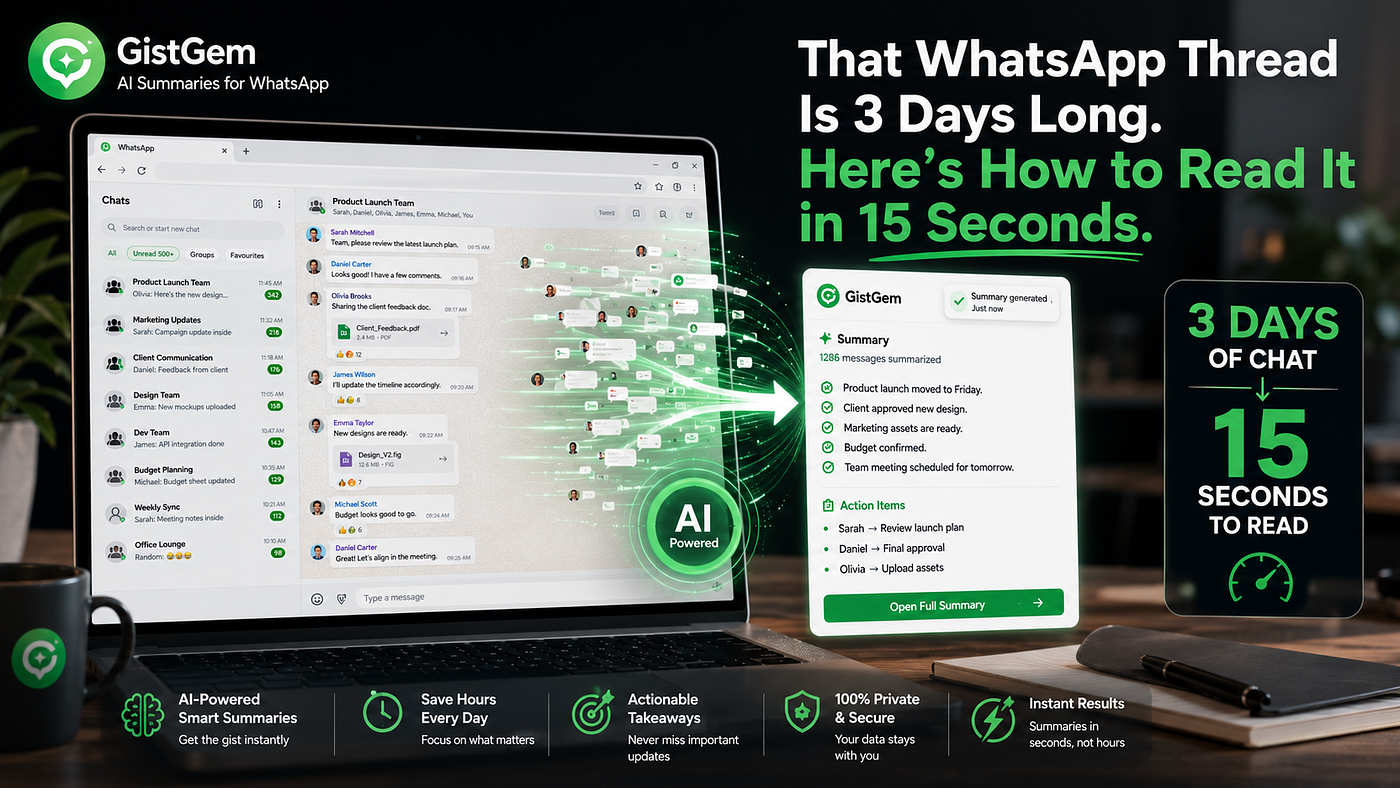
For a work group that’s been active for three days, a typical GistGem summary might read: Project deadline confirmed for Friday. Client requested two design revisions — sent to [person] on Tuesday. Budget for Q3 campaign approved at the Tuesday meeting. Delivery of samples rescheduled from Wednesday to Thursday — [person] to confirm receipt. Open question: catering for the Friday wrap event still unresolved.
That’s a summary of three days of activity in five sentences. You know what was decided, what’s pending, what action items exist, and where the open questions are. You didn’t read the 600 messages it took to produce that information. You don’t need to.
If you need more detail on any specific point — the exact budget figure, the full context of the design revisions — you use the Q&A feature. Type a plain-language question: “What was the budget approved for the Q3 campaign?” and get a direct answer drawn from the actual message content. No scrolling, no searching, no reading back through the thread to find the relevant exchange.
The Specific Frustration This Solves
There are a few particular situations where a long unread thread causes disproportionate stress. The method above handles all of them.
Coming back from holiday. You’ve been away for a week. Multiple groups have hundreds of unread messages. The thought of reading back through all of them is genuinely exhausting. With GistGem, you select all your groups simultaneously, set the date range to the full period you were away, run the summaries, and you’re fully caught up across every group within about 10 minutes. A task that previously took an hour — or got quietly indefinitely postponed — becomes manageable on the same day you return.
Missing a meeting or call. Someone shared updates in the group while you were in a meeting or unavailable. By the time you see the thread it’s been buried under subsequent conversation. The summary pulls out the relevant updates regardless of where they appear in the thread.
The group you’ve been muting. Most people have at least one group they’ve muted because the activity was too high to keep up with — but where occasional important things are shared. The long thread problem is endemic to muted groups. With summaries, you can check in on a muted group every few days and get a complete picture of what happened in 60 seconds, without unmuting it or changing your notification settings.
The late joiner. You’ve been added to a group midway through a project or discussion. There’s a long history you weren’t part of. Instead of reading back through weeks of messages to understand the context, you run a summary covering the relevant period and get up to speed immediately.
Why This Works Better Than Asking “What Did I Miss?”
The instinct to send “anything important happen while I was away?” into the group is understandable. It’s social, it’s direct, and it doesn’t require any effort beyond typing.
The problem is the quality of the responses. Group members who reply are doing their own filtering — based on what they thought was important, what they remember, and how much effort they’re willing to put into the reply. You get a partial picture at best, biased toward whatever the most active members thought was notable.
You also create a visible signal that you weren’t reading, which in professional contexts can be awkward.
An AI summary reads everything and reports back without filtering through subjective judgments about what matters. It doesn’t miss the thing that happened on Tuesday because it was slightly less dramatic than the thing that happened on Wednesday. It catches everything in the thread and presents the full picture — exactly the way a WhatsApp group chat should be summarized, without any reading required on your part.
The Bigger Pattern
The long-thread problem is an acute version of a chronic one. Most WhatsApp group users are behind on their reading most of the time, by hours if not days, and the backlog is quietly generating low-level cognitive load throughout the day.
The 15-second method for a 3-day thread works for the acute case. But the same approach — AI summaries replacing manual scrolling — works just as well for daily catch-up when you’ve only been away from your phone for a few hours. The mental load that comes from WhatsApp information overload doesn’t just appear when you’ve been away for days. It accumulates quietly every day, in every hour you’re not monitoring your groups. The summary method resolves it at whatever scale it occurs.
For the specific case of high-stakes groups — communities and organized groups where decisions get made and context shifts rapidly over time — having a tool that can instantly reconstruct what happened over any arbitrary time period is genuinely useful in a way that goes beyond just catching up. It means you can re-enter a conversation with full context, contribute meaningfully, and avoid the embarrassment of asking about something that was already resolved three days ago.
Setting Up GistGem
If you want to use the method described above:
- Install GistGem from the Chrome Web Store — free, no credit card required
- Open web.whatsapp.com in Chrome
- GistGem panel appears on the right — click Sign Up
- Enter name, email, phone number → verify with the 6-digit OTP sent to your email
- Click + → select the group with the long thread → set date range → click Run
- Stay on the tab while it processes (30–90 seconds)
- Click Summary to read the AI-generated overview
- Use Q&A to ask specific questions about anything in the thread
Everything runs locally. No exports, no uploads, no data leaving your device.
The free plan gives you 50 summaries per month — more than enough to handle any backlog situation plus a daily catch-up routine.
The Last Time You’ll Dread a Long Thread
The 847-message group isn’t going to terrify you once you have a reliable system for it.
That’s the actual outcome here — not just time saved on any one catch-up session, but a permanent reduction in the anxiety that comes from knowing a long unread thread is sitting there waiting. When you know you can get a complete, accurate summary of any thread in under 2 minutes, the number next to the group notification stops being threatening. It’s just a number.
The thread is 3 days long. It doesn’t matter. You’ll have read it — in the meaningful sense of knowing exactly what happened — in the time it takes to make a coffee.
메타데이터
- post_id
- b283f4d8dee8
- slug
- that-whatsapp-thread-is-3-days-long-heres-how-to-read-it-in-15-seconds-b283f4d8dee8
- url
- https://medium.com/@gistgem/that-whatsapp-thread-is-3-days-long-heres-how-to-read-it-in-15-seconds-b283f4d8dee8
- canonical_url
- https://medium.com/@gistgem/that-whatsapp-thread-is-3-days-long-heres-how-to-read-it-in-15-seconds-b283f4d8dee8
- author_url
- https://medium.com/@gistgem
- status
- ok
- fetched_at
- 2026-06-13 16:00:06