What’s Actually Costing You in Apache Airflow®?
A common pattern in data engineering is that the data grows with time and so does the pipelines resulting in growing bills. In today’s time…
What’s Actually Costing You in Apache Airflow®?
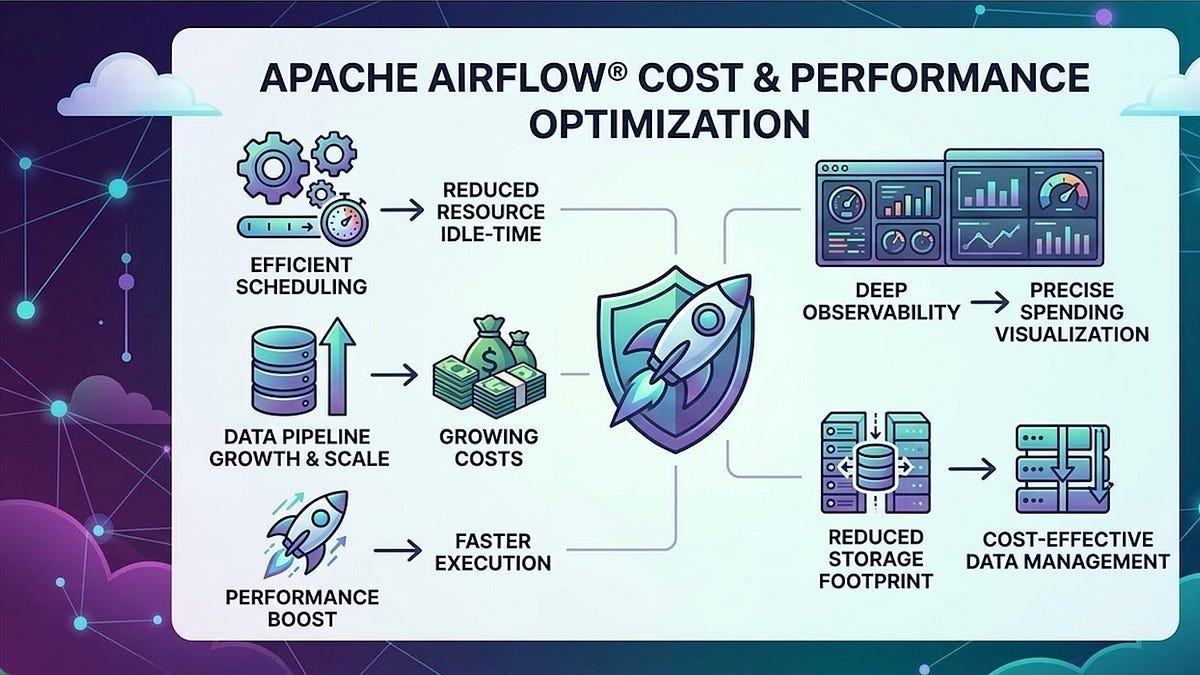
source: Generated using Gemini
A common pattern in data engineering is that the data grows with time and so does the pipelines resulting in growing bills. In today’s time a data pipeline can be generated in minutes or even less than that, but what it takes to promote it from a working pipeline to a great pipeline is answered by the question- “How efficient is this pipeline and how much are we spending on this?”. That boils down the ask to two words — Performance and Cost efficiency.
Apache Airflow® 3 has changed the game by introducing the changes across scheduling, execution, storage and observability. It helps us write the pipelines that are fast and inexpensive. Although Airflow introduced lot of wonderful features I’ll try to keep the scope of this article to answer the questions along cost efficiency and performance.
Before we understand how to save the cost, we need to see where the pipelines bleed cost in the first place. It could be,
- Idle workers that hold the slot while waiting for external APIs, sensors or upstream data.
- Non ideal way of full scans across non-columnar format of data that is not partitioned.
- Deduplication across entire set say 100M rows when the new rows are just 5–10K.
- Accidental backfill runs running backfill runs even when not intended.
- Tasks that hang and run indefinitely waiting for DAG completion. This was an issue that was fixed as part of 2.6.0 version but before that this used to be the case.
- One-size-fits-all compute that spins up isolated pods even for lightweight tasks.
Avoid idle workers
Asset based scheduling:
While these issues will not disrupt pipeline runs, addressing them could significantly reduce unnecessary costs..
Let’s consider an example from the sensors used for home automation. Would it make sense if your coffee maker burns energy as it checks every 30 seconds if you have woken up? or would you rather wire it up in such a way that waking up produces and event that triggers the coffee maker to run instead?
Now the rest of the time, unless there is this event, the coffee machine sits idle, consuming no energy reducing your electricity bills.
That’s exactly what asset based scheduling feels for a data pipeline. The dataset is called as an asset here — which on update or create, the task produces an asset event using outlets=[asset] declaration and the dag consumes the schedule=[asset] demonstrating a producer-consumer fashion.
# Old pattern — burns a worker slot the entire time
from airflow.providers.standard.sensors.filesystem import FileSensor

wait_for_file = FileSensor(
    task_id="wait_for_file",
    filepath="/data/input/{{ ds }}.csv",
    poke_interval=30,   # checks every 30 seconds
    timeout=3600,       # holds the slot for up to 1 hour
)
This looks harmless in a small scale set up. Imagine hundreds of these sensors that occupy 100 worker slots and the cluster goes helpless despite having enough compute capacity and cannot run anything even though technically the cluster is idle.
Asset based scheduling changes this completely.
from airflow.sdk import DAG, Asset, task
from datetime import datetime

# Defining the asset
raw_orders = Asset(”s3://datalake/raw/orders/”)

# Upstream DAG: declares it produces the asset
with DAG("ingest_orders", schedule="@hourly") as ingest_dag:
    @task(outlets=[raw_orders])
    def load_orders():
        # Load data from source to S3

# Downstream DAG: triggered automatically when the asset is updated
with DAG(”transform_orders”, schedule=[raw_orders]) as transform_dag:
    @task
    def transform():
        ...
The above examples shows how the upstream task success schedules the downstream dag run. If the upstream task fails, the asset doesn’t get marked as updated and hence doesn’t trigger the downstream tasks resulting in major reduction of time and money spent purely on waiting.
Deferrable Operators
We come across some genuine cases where the wait for an external condition is non-negotiable. For example, data query that takes some time to execute, API call to return or a file to appear, deferrable operators remove the obligation on the worker to wait.
wait_deferred = S3KeySensor(
    task_id=”wait_s3_deferred”,
    bucket_name=”my-bucket”,
    bucket_key=”data/{{ ds }}/file.parquet”,
    deferrable=True,        # offloads to the triggerer process
    poke_interval=60,       # triggerer checks, not worker
)
The above task shows how the deferrable operator, removes the task from the worker pool and something called triggerer handles all these waits concurrently. Once the condition for waiting is met, the task is handed back to the worker. So that the worker nodes can be utilized for other tasks instead them pretending to be very busy doing nothing. Because the triggerer takes care of hundreds to thousands of deferred tasks, the worker pool stays available for actual compute.
Be smarter about partitioning and deduplication
Incremental de-duplication
Running deduplication across entire table could be one of the unnecessary things to do. It not only wastes time and money but doesn’t improve anything. If your table has 500M rows and you added 10K rows today, you should be deduplicating 10K rows and not 500M. Deduplication followed by merge should be looked at as 2 halves of the ingestion. However implementing naive merge strategies would still cost you unless the target is physically organized so that the engine can find matching keys without reading everything. Different deduplication and merging strategies would be discussed as part of my upcoming article on substack.( Trust me this is not a self promotion move 😉)
In simple words, track a watermark, load just the new data and deduplicate within the batch and then merge.
You can easily achieve this using Airflow by creating 3 tasks like :
- get watermark
- load and deduplicate
- update water mark to current date — make sure you do this step only on successful run and not as a default.
with the schedule set to daily.
Smart Partitioning and Parquet
Columnar formats and partition pruning are most impactful storage optimizations in a modern data lakehouse. This means the queries would read only the required amount of data rather than a full scan.

Image generated using Claude Sonnet 4.6
Now the reads for the downstream tasks get easier to filter by date as the engine reads the data only from matching partition folders. Although one thing to remember is to avoid high cardinality columns as keys.
from airflow.sdk import DAG, task
import pyarrow as pa
import pyarrow.parquet as pq
import pandas as pd
from datetime import datetime

with DAG(”write_partitioned_parquet”, schedule=”@daily”) as dag:

    @task
    def write_partitioned(logical_date=None):
        df = pd.DataFrame({
            “order_id”: [...],
            “customer_id”: [...],
            “amount”: [...],
            “created_at”: [...],
            “year”: logical_date.year,
            “month”: logical_date.month,
            “day”: logical_date.day,
        })

        table = pa.Table.from_pandas(df)

        # s3://datalake/orders/year=2025/month=06/day=01/data.parquet
        pq.write_to_dataset(
            table,
            root_path=”s3://datalake/orders/”,
            partition_cols=[”year”, “month”, “day”],
            compression=”snappy”,       # fast decompression, good ratio
            use_dictionary=True,        # further compress repeated values
        )
Asset Partitioning
Smart partition is about how the data is partition and asset partitioning is about triggering the work for the partition that changed.
With the asset scheduling , the downstream DAGs get triggered whenever there is a change in the asset , no matter how much of the data in the asset changed. If orders asset is partitioned by day and only yesterday's partition changed, you wouldn't want to reprocess all your history. Earlier we used to create separate asset per partition by encoding partition in the URI or threading the date through XComs and logical_date.
Airflow 3.2 made this native with asset partitions. An event can now carry a partition key and a downstream DAG can be triggered for just that partition. The producer attaches the key using CronPartitionTimetable, Airflow UI/API or PartitionedAssetTimetable and the key propagates to the downstream run, where you use it to read and write only the relevant slice. You can modify the grain of the partition key by providing a partition_key_mapper to the PartitionedAssetTimetable instance.
Image Generated using claude sonnet 4.6
This is effectively the modern replacement for leaning on logical_date to figure out which partition to process, as the partition becomes a property of the data and flows through the scheduling layer, instead of being recomputed inside every task.
Right-size your workers
Right sizing every task
Airflow provides Multiple Executors which thus lets you choose a suitable executor for your task. As in, light weight tasks can be assigned to LocalExecutor, isolated tasks can use Kubernetes executor and medium tasks can be taken care of by the CeleryExecutor. This way your heavy ML training tasks doesn’t need to share resources with the light weight tasks or just a small task doesn’t need to bear the cost of spinning up a whole KubernetesExecutor just for isolation. Any task without an explicit executor= argument uses the first executor in the list as the default.
You would need to define the executor list as follows in airflow.cfg:
[core]
executor = CeleryExecutor,KubernetesExecutor,LocalExecutor
This could help you cut some costs where you don’t need to spin up pods unnecessarily.
Within an executor, you can route the tasks to specific queues (eg:by setting queue=”high_memory”) and run dedicated worker pools that subscribe to it. This way you control where the heavy tasks can go and which queue would the lighter tasks take based on the configurations of CPU, memory etc.
Managed platforms like Astro wrap this in a worker queues feature, so you configure pool sizes in the UI itself. With the KubernetesExecutor, the equivalent control is per-task pod sizing via executor_config, so each task gets exactly the CPU/memory it needs and nothing more.
Spot Instances for Airflow workers
Spot instances (AWS), Preemptible VMs (GCP), and Spot VMs (Azure) provide cloud capacity as good as standard instances but often upto 90% off. The trade of here is that the provider can claim the cloud capacity back anytime with notice of approximately 2 minutes to cater to their on-demand customers. This makes it ideal for the tasks that are fault-tolerant workloads. Airflow’s architecture makes it even more easier as the tasks are atomic and failed tasks are retried automatically and a task failure doesn’t mean a dag failure. However for critical tasks that cannot really tolerate interruptions, it is better to use multiple executors to route those tasks to on-demand instances while the rest of the atomic and idempotent tasks run on spot instances.
Optimize your scheduling
Scheduling Flexibility:
This is the best in my opinion. I mean, if you know your data freshness matters only during the specific times, then letting the pipelines run everyday, every hour makes no sense. One of the blogs on Fivetran talks about how Billie.io cut down their costs using Fivetran+ Airflow where they scheduled the pipelines smartly to cut the costs significantly. They mention how they used to run their data pipelines with the schedule set to every 5 minutes, which they changed to a frequency of running the same pipelines once in 2 hours during the non-business hours and were able to cut costs by 20%.
It’s important to know your environment, your data , your organizational needs to decide when to run which pipelines and what suits it the best. It could be simply moving out from scheduling strategy to setting up sensors , or asking yourself when does the data freshness matter? Who are the end users of this data? Does the pipeline need to run on weekends/non business hours? These things can significantly bring down your costs and improve productivity.
Deadline alerts
Once you know your pipelines, you can identify the dags that are critical, very critical or not so critical. Based on the nature of the dags , if you are looking for the ability to say that “This dag needs to finish by so and so time, if that’s not the case, let me know” — That’s Deadline alerts for you! Although this is an experimental feature in Airflow 3 and can get deprecated, changed or removed anyday
import os
from datetime import timedelta
from airflow.sdk import DAG, task, DeadlineAlert, DeadlineReference, AsyncCallback
from airflow.providers.slack.notifications.slack_webhook import SlackWebhookNotifier

with DAG(
    “critical_etl”,
    schedule=”@hourly”,
    deadline=DeadlineAlert(
        # When the clock starts: queued time, logical date, or a fixed datetime
        reference=DeadlineReference.DAGRUN_QUEUED_AT,
        # How long after the reference before the alert fires
        interval=timedelta(hours=2),
        # What runs when the deadline is missed
        callback=AsyncCallback(
            SlackWebhookNotifier,
            kwargs={
                “slack_webhook_conn_id”: “slack_default”,
                “text”: “Deadline exceeded for {{ dag_run.dag_id }} — investigate if stuck”,
            },
        ),
    ),
) as dag:

    @task
    def extract(): ...

    @task
    def transform(): ...

    @task
    def load(): ...

    extract() >> transform() >> load()
In the above example, Airflow scheduler checks if the dag run has passed the reference + interval deadline without completing it. If that’s the case, the callback is run almost immediately irrespective of the DAG being in queued/stuck or finished state. You can also choose DeadlineReference.DAGRUN_LOGICAL_DATE (closest to old SLA semantics) or DeadlineReference.FIXED_DATETIME(…) , attach multiple deadlines by passing a list, and use SyncCallback instead of AsyncCallback when you need the callback to run synchronously. This easily prevents the bills arising due to stuck dags that nobody noticed.
Note:The Deadline alerts would alert you but might not stop the dag run. So if you want to fail the dag fast once the deadline has been hit, make sure you add the steps to fail it accordingly in the Deadline alert callback.
DB/Metadata retention
The Airflow metadata database is the scheduler’s brain. As it grows, scheduler loop performance degrades, queries slow down, and you end up paying for a larger database instance than you need. Airflow 3.2 now reasons in terms of the most recent DAG runs rather than the most recent task executions. For a DAG with 50 tasks, the older task-execution-based accounting meant a retention figure of “100” only covered a couple of full runs; the DAG-run-based model is both more intuitive and keeps far fewer rows for high-task DAGs.
The supported way to actually purge old metadata in Airflow 3 is the built-in airflow db clean CLI command, which removes records older than a given timestamp across the heavy tables (dag_run, task_instance, log, xcom, and others). This can also be scheduled at a set cadence using a maintenance dag.
Finally, the choice of platform itself is a cost lever: managed Airflow offerings (Astronomer’s Astro, AWS MWAA, Google Cloud Composer) can reduce total cost of ownership by handling scaling, upgrades, and infrastructure management for you — though whether they’re cheaper than self-hosting depends on your team’s size and how much engineering time you’d otherwise spend operating Airflow yourself.
No single optimization delivers all of this. The compounding effect of applying asset scheduling, incremental processing, partitioned storage, right-sized executors, and schedule flexibility is what can significantly reduce your cost.
References: https://airflow.apache.org/docs https://www.astronomer.io/docs/learn/airflow-partitioned-runs
Originally published at https://insidedataengineering.substack.com.
메타데이터
- post_id
- b2e8ded3b5fb
- slug
- whats-actually-costing-you-in-apache-airflow-b2e8ded3b5fb
- url
- https://medium.com/@shrihegde/whats-actually-costing-you-in-apache-airflow-b2e8ded3b5fb
- canonical_url
- https://medium.com/@shrihegde/whats-actually-costing-you-in-apache-airflow-b2e8ded3b5fb
- author_url
- https://medium.com/@shrihegde
- status
- ok
- fetched_at
- 2026-06-20 20:29:01




