Pandas Essentials: Key Commands for Turning Data into Insight
Pandas Essentials: Key Commands for Turning Data into Insight
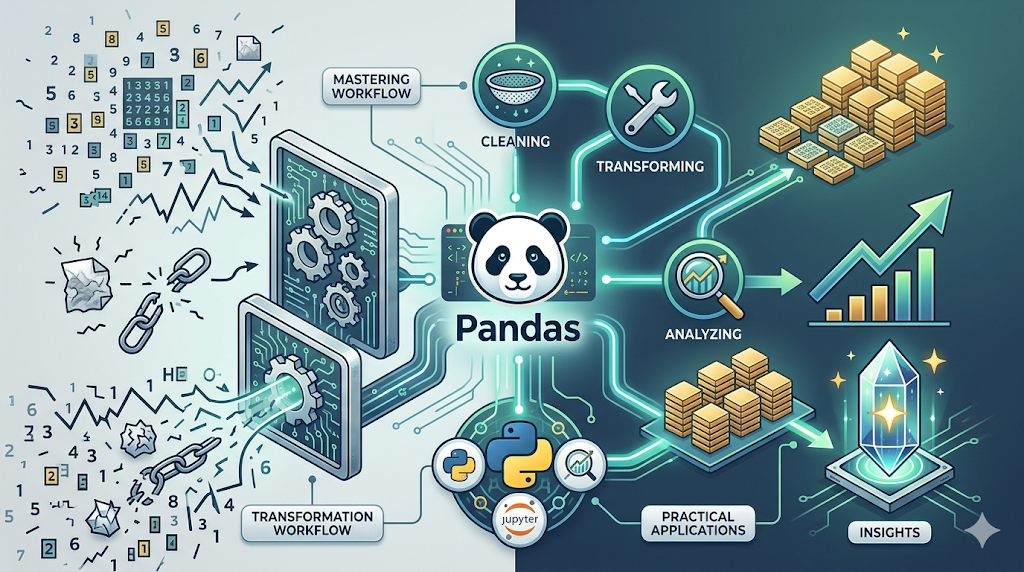
In the fields of data analysis and machine learning, working with data efficiently is not optional. It is a core requirement. Among all Python tools, Pandas stands as the backbone of data manipulation, enabling professionals to clean, transform, and analyze data at scale.
Understanding Pandas is not about memorizing functions. It is about building a workflow that turns raw, messy data into meaningful insights. This guide covers the essential operations every data practitioner should master, along with practical examples and context for real-world usage.
1. Importing and Exporting Data
Every data workflow starts with loading data from external sources and saving results.
Key functions
read_csv()— Load CSV filesread_excel()— Load Excel filesto_csv()— Save data to CSV
Example
import pandas as pd
# Load data
df = pd.read_csv("data.csv")
# Save processed data
df.to_csv("cleaned_data.csv", index=False)
Why it matters
Most real-world data lives outside code:
- CSV exports
- Excel reports
- Logs and datasets
Efficient data loading is the first step toward analysis.
2. Data Cleaning: Handling Real-World Messiness
Real datasets are rarely clean. Missing values, duplicates, and inconsistencies are the norm.
Key functions
dropna()— Remove missing valuesfillna()— Replace missing valuesdrop_duplicates()— Remove duplicate rows
Example
# Remove rows with missing values
df = df.dropna()
# Fill missing values with mean
df["age"] = df["age"].fillna(df["age"].mean())
# Remove duplicates
df = df.drop_duplicates()
Why it matters
Poor data quality leads to misleading results. Cleaning is often the most time-consuming but critical step in any data project.
3. Data Transformation and Reshaping
Raw data is not always structured in a way that supports analysis. Reshaping makes it usable.
Key functions
pivot()— Convert rows into columnsmelt()— Convert columns into rowsconcat()— Combine multiple datasets
Example
# Pivot table
pivot_df = df.pivot(index="date", columns="product", values="sales")
# Melt (reverse pivot)
melted_df = pd.melt(df, id_vars=["date"])
# Concatenate datasets
combined_df = pd.concat([df1, df2])
Why it matters
Different analyses require different data shapes. Restructuring data enables:
- Better visualization
- Easier aggregation
- Cleaner modeling pipelines
4. Extracting Statistical Insights
Once data is clean and structured, analysis begins.
Key functions
describe()— Summary statisticsmean()— Average valuecorr()— Correlation between variablesgroupby()— Aggregate by categories
Example
# Summary statistics
df.describe()
# Average value
df["sales"].mean()
# Correlation
df.corr()
# Group by category
df.groupby("region")["sales"].sum()
Why it matters
These operations transform raw numbers into:
- Trends
- Patterns
- Relationships
This is where data becomes insight.
5. A Real-World Workflow Example
A typical data pipeline using Pandas might look like this:
import pandas as pd
# Step 1: Load data
df = pd.read_csv("sales.csv")
# Step 2: Clean data
df = df.dropna()
df = df.drop_duplicates()
# Step 3: Transform
df["date"] = pd.to_datetime(df["date"])
# Step 4: Analyze
report = df.groupby("product")["revenue"].sum()
# Step 5: Save results
report.to_csv("report.csv")
This simple pipeline reflects a real production workflow: load → clean → transform → analyze → export
6. Common Mistakes to Avoid
1. Skipping data cleaning
Leads to incorrect conclusions.
2. Overusing loops instead of vectorized operations
Pandas is optimized for vectorized computation. Avoid unnecessary loops.
3. Ignoring data types
Incorrect types (e.g., strings instead of dates) can break analysis.
7. Best Practices for Mastery
- Work with real datasets, not toy examples
- Focus on solving problems, not memorizing functions
- Build small projects (e.g., sales analysis, user behavior tracking)
- Combine Pandas with visualization libraries for deeper insights
Final Insight: Practice Over Memorization
Memorizing functions does not lead to mastery.
Real understanding comes from:
- Cleaning messy datasets
- Debugging unexpected results
- Iterating on real problems
Pandas is not just a library. It is a way of thinking about data. Once mastered, it significantly increases productivity and enables faster, more reliable decision-making in any data-driven field.
메타데이터
- post_id
- b315f4739705
- slug
- pandas-essentials-key-commands-for-turning-data-into-insight-b315f4739705
- url
- https://medium.com/techsync/pandas-essentials-key-commands-for-turning-data-into-insight-b315f4739705
- canonical_url
- https://medium.com/techsync/pandas-essentials-key-commands-for-turning-data-into-insight-b315f4739705
- author_url
- https://medium.com/@eng.fadishaar
- status
- ok
- fetched_at
- 2026-06-10 13:10:15