I Thought Stashing Was Fine, Then I Tried This
Not long ago, I realised that I was often doing something dumb.
I Thought Stashing Was Fine, Then I Tried This
Not long ago, I realised that I was often doing something dumb.
I’d be in the middle of working on a feature, halfway through a refactor (files open everywhere), fully immersed in the context of the code. Then, I’d get a Slack notification.
“Could you please take a quick look at something on another branch?”
I thought “No problem! I’ll just stash it.”
So I stashed my changes, switched branches, made the change, then checked out the branch I had been working on, and popped the stash. But I felt completely disoriented.
While the files looked familiar, I couldn’t remember why I changed that line or what I was going to do next. Reloading my mental context took longer to do than just doing the actual work.
By the time I realized what was going on, I had created a habit of stashing my changes after every time someone would ask me to take a look at their branch, at first it was just a way to keep the code base organized and keep myself from accidentally breaking someone else’s changes. But eventually, it became a default workflow of “Stash, Switch, Pop, Repeat.” My momentum was constantly being derailed.
Eventually, I asked myself the obvious question:
“Why am I pretending I can only work on one branch?”
Git can handle multiple branches, but the restriction was how I was using my working directory.
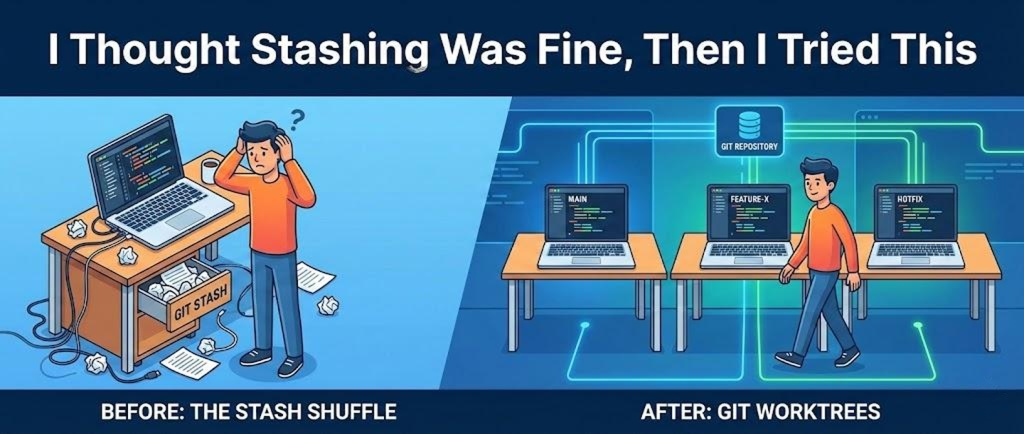
That’s when I came across the worktree feature of Git. What worktrees do is allow you to have multiple directories each using a different branch, which are all referenced by the same .git repository.
That is when I rediscovered git worktrees.
The idea is simple. Instead of constantly switching branches inside one directory, you can have multiple working directories, each checked out to a different branch, all backed by the same repository.
No stashing. No context loss. No juggling.
I set it up in under a minute.
From my main repo:
git worktree add ../feature-x feature-xThat command does a few things at once.
It creates a new folder next to your current repo, checks out the feature-x branch there, and links it to the same git history.
Now I literally have two folders:
one for main and one for feature-x
Both are live. Both are editable. Neither interferes with the other.
If I need to jump back to main for a quick fix, I don’t stash.
I don’t checkout.
I just switch folders.
My editor state stays intact. My brain stays intact.
Creating a worktree for a hotfix looks like this:
git worktree add ../hotfix-urgent hotfix-urgentDone. New directory, new branch, clean slate.
When I am finished and want to clean up:
git worktree remove ../hotfix-urgentThat is it. No leftover mess.
The biggest difference is not technical, it is mental.
Each branch gets its own space.
Each task gets its own context.
There is no “hold on, what was I doing before I stashed this?” moment.
It feels very similar to having multiple terminals or multiple editor windows, except this time git is fully aware of what is happening.
Of course, this is not something you need for every workflow.
If you are making tiny changes, stashing is fine.
But if you frequently bounce between long running features, reviews, hotfixes, or experiments, worktrees feel like the way git always wanted to be used.
Once I switched, I stopped treating context switching as a necessary evil.
I stopped fearing interruptions.
And I definitely stopped abusing git stash.
메타데이터
- post_id
- b44f19f00a86
- slug
- i-thought-stashing-was-fine-then-i-tried-this-b44f19f00a86
- url
- https://medium.com/@omtita.codes/i-thought-stashing-was-fine-then-i-tried-this-b44f19f00a86
- canonical_url
- https://medium.com/@omtita.codes/i-thought-stashing-was-fine-then-i-tried-this-b44f19f00a86
- author_url
- https://medium.com/@omtita.codes
- status
- ok
- fetched_at
- 2026-07-14 03:02:02


