Your Team Is Secretly Using AI. That Might Be the Problem.
When everyone uses private prompts and hidden shortcuts, small teams do not scale. They fracture. Here is how to map your team’s hidden AI…
Your Team Is Secretly Using AI. That Might Be the Problem.
When everyone uses private prompts and hidden shortcuts, small teams do not scale. They fracture. Here is how to map your team’s hidden AI layer.
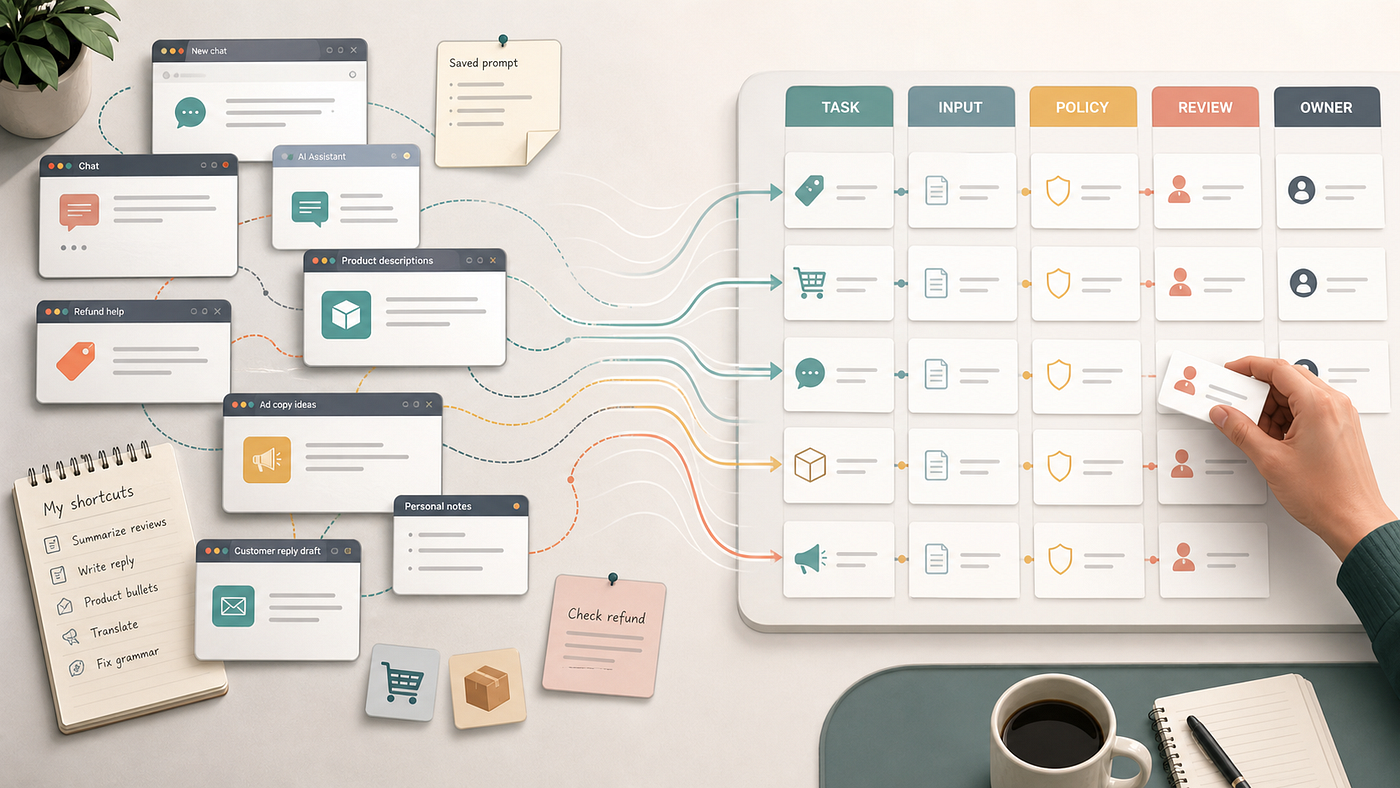
Private AI shortcuts create speed. Shared workflows create consistency.
In many small e-commerce teams, AI adoption does not begin with a strategy meeting. It begins quietly, one browser tab at a time.
The founder reviews the team’s output and feels a surge of relief. The marketing manager is creating ad copy variations faster than ever. The operations lead is summarizing inventory issues in minutes. The customer support inbox is moving quicker than it used to.
On the surface, the team is scaling beautifully.
But look closer and a different reality appears: three people, thirty browser tabs, private AI conversations, hidden prompt files, personal shortcuts, and no shared record of how the work is actually being done.
This is the rise of the shadow workflow.
And it is the reason your team may not be scaling at all.
The Illusion of Individual Speed
A shadow workflow is a private, repeatable AI process that exists entirely outside a team’s shared operating system. It is born out of good intentions. In a small team, everyone wears five hats. When a tool offers a way to drop one of those hats, even slightly, an operator will take it.
They write a prompt, tweak it over a week, find a rhythm that works for them, and keep that tab pinned. To the individual, it feels like a superpower. They are faster, less fatigued, and more productive.
But private speed is not the same as team capability.
When AI processes are locked in personal browser tabs, they become invisible. Because they are invisible, they cannot be inspected, repeated, audited, or handed off. The moment that team member takes a vacation, shifts focus, or leaves the company, the capability vanishes with them. The business hasn’t actually built an asset; it has merely rented a temporary efficiency from an employee’s private workflow.
The Locked Inbox: A Story of Fragile Systems
To understand how this plays out in the real world, consider the support lead at a growing boutique brand. Let’s call him Alex.
Alex manages a heavy flow of customer complaints, refund requests, and shipping delays. To stay sane, Alex built a private, long-running ChatGPT thread. Over months, he trained this thread with custom instructions. He pasted in old refund policies, notes on the brand’s preferred friendly-but-firm voice, examples of excellent past replies, and rules about when to escalate an issue to the carrier.
For Alex, the workflow is brilliant. A customer writes in angry about a delayed package, Alex drops the email into his thread, hits enter, and gets a beautifully drafted reply that matches the brand’s style. He reviews it, clicks send, and moves on. His response times are excellent.
Then, Alex goes on a well-deserved two-week vacation.
The responsibility of the support inbox falls to a junior team member, or perhaps to the founder. Suddenly, the system breaks. The person covering the inbox doesn’t have access to Alex’s ChatGPT account. They do not know:
- What exact context was fed into the prompt to generate those replies.
- Which specific version of the shipping and refund policy the AI was referencing.
- Which customer examples shaped the tone.
- The explicit rules for when the AI should draft a message versus when a human must step in and make a hard call.
Worse, three weeks ago, the company updated its return window from 30 days to 14 days. But Alex’s private thread — which has been open for four months — still holds the old policy guidelines in its context window. It continues to generate polite, authoritative, and completely incorrect promises of refunds to customers who are outside the new window.
The issue here is not that the AI’s writing is bad. The issue is that the logic governing the customer experience is locked inside a single person’s browser session. The workflow has no audit trail, no shared standard, and no easy handoff.
It is not an operational system. It is a single point of failure.
The Real Risks of the Hidden Layer
When a small team operates on shadow workflows, it introduces quiet, systemic risks that compound over time:
- Policy Drift: As company guidelines, product details, or compliance requirements change, private AI threads do not update automatically. Outdated assumptions remain baked into the prompts, leading to quiet errors that go unnoticed until a customer complains.
- Institutional Knowledge Loss: When an operator leaves, their prompts, templates, and contextual knowledge leave with them. The team has to reinvent the wheel, starting the trial-and-error process of AI training all over again.
- No Audit Trail: If a customer receives an inappropriate response, or if a piece of marketing copy contains inaccurate claims, it is impossible to trace why the error occurred. Was it a hallucination, a bad prompt, or an outdated source document? Without visibility, you cannot diagnose the system.
- Data and Privacy Exposure: Without shared guidelines, team members may upload sensitive customer records, financial spreadsheets, or proprietary partner agreements into public AI models, unaware of the security implications.
You cannot scale what you cannot see. The solution to these risks is not to ban AI or introduce heavy corporate bureaucracy. Lean teams survive on speed, and policy manuals that nobody reads will only slow them down.
The solution is visibility.
The System: The AI Use Map
To build a repeatable operations engine, you must bring the hidden AI layer into the light. You do this by creating a simple, shared document called an AI Use Map.
It is not a complex piece of software. It is a shared table — in Notion, Google Sheets, or Airtable — that serves as the source of truth for how your team works with AI. For every task where AI is used, the team documents:
- Task Name: The specific operational task (e.g., Drafting Shipping Delay Responses).
- Operator: The team member responsible for the task.
- Tool Used: The specific model or software (e.g., ChatGPT, Claude, or another approved AI assistant).
- Required Inputs: The raw data needed (e.g., Customer email + Shopify tracking status).
- The Prompt/Workflow: The exact prompt text or system instructions used.
- Reference Materials: Links to the active policies, brand guides, or templates the AI must use.
- Output Format: The expected structure of the result.
- Risk Level: Low, Medium, or High (based on customer visibility and financial impact).
- Review Checkpoint: The exact point where a human must review, edit, or approve the output.
- Final Owner: The person accountable for the final output.
- Last Updated: The date the prompt or policy reference was last checked.
Example AI Use Map entry:
Task name: Drafting shipping delay responses Operator: Support lead Tool used: ChatGPT, Claude, or another approved AI assistant Required inputs: Customer email, order status, shipping update, current support policy Prompt or workflow: Link to saved team prompt Reference materials: Return policy, shipping policy, brand tone notes Output format: Draft reply for human review Risk level: Medium Review checkpoint: Before sending to customer Final owner: Support lead or assigned inbox owner Last updated: Date the workflow was last reviewed
By documenting this, the private shortcut becomes a shared asset. If Alex goes on leave, anyone on the team can open the AI Use Map, copy the standardized prompt, link it to the latest return policy, and handle the inbox with the exact same quality and tone. The workflow has been institutionalized.
From Private Shortcuts to Shared Workflows
AI adoption does not become real when everyone on your team opens an AI tool. It becomes real when the team can see the work, share the process, manage the risks, and improve the system together.
Until your prompts and workflows are documented, visible, and collaborative, you do not have an AI-powered business. You have a fragile collection of individual habits.
Start by asking your team a simple, non-judgmental question: “What browser tabs do you keep pinned to get your daily work done?”
Map the answers. Document the steps. Turn the private shortcuts into team assets. That is how you build a business that actually scales.
At Pro Prompt Flow, we believe practical AI adoption starts when small teams stop treating AI as private shortcuts and start turning them into shared workflows.
메타데이터
- post_id
- b47e4f768d7b
- slug
- your-team-is-secretly-using-ai-that-might-be-the-problem-b47e4f768d7b
- url
- https://medium.com/@propromptflow/your-team-is-secretly-using-ai-that-might-be-the-problem-b47e4f768d7b
- canonical_url
- https://medium.com/@propromptflow/your-team-is-secretly-using-ai-that-might-be-the-problem-b47e4f768d7b
- author_url
- https://medium.com/@propromptflow
- status
- ok
- fetched_at
- 2026-06-22 12:55:45