Squid Game - Blue Team Labs Online (Walkthrough)
Today, I solved the Squid Game challenge on Blue Team Labs Online. Umm, making this write-up to help anyone facing challenges with it.
Squid Game - Blue Team Labs Online (Walkthrough)
Today, I solved the Squid Game challenge on Blue Team Labs Online. Umm, making this write-up to help anyone facing challenges with it.
1. What is the phone number on the invitation card in Squid Game?
To answer this question, it would have been much easier if I had previously watched squid game lol. Since I had not, I simply researched online for the same question, navigated to the image field and saw the invitation card with the phone number.
Answer: 86504006

2. Can you extract something from the invitation card file? What is the name of the file?
Looking at how the question was posed suggested an image or file had been embedded in the invitation card file. If you are wondering where from the Invitation Card.jpg, it was extracted from the given challenge zip file.
I run binwalk and file on the Invitation Card.jpg file but both showed that the file was on image. Hmm, or perhaps the embedded file is also an imaage?
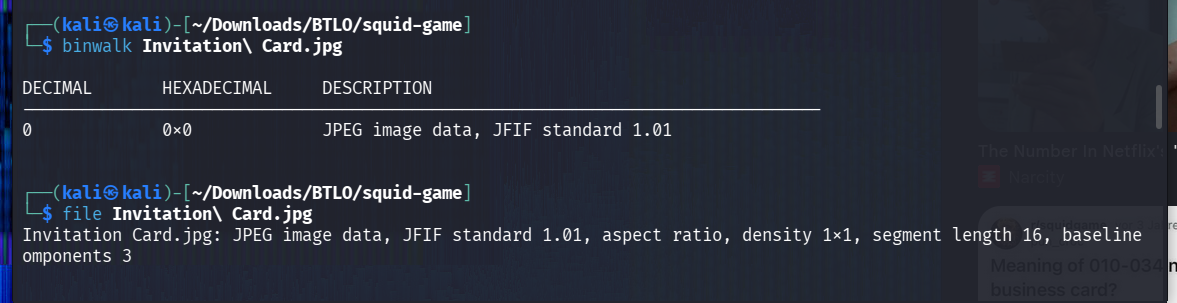
In terms of extracting data from files, the first tool that comes in mind is steghide. Hence I run the command as seen below to extract the hidden data within it. A password was requested.

Having no idea what the password might be, stegseek popped up in mind. I call it the ‘hydra’ for files lol. So yeah, I tried to bruteforce the password for the extraction of the embedded file within the invitation card. I used both rockyou and common.txt file but did not work.
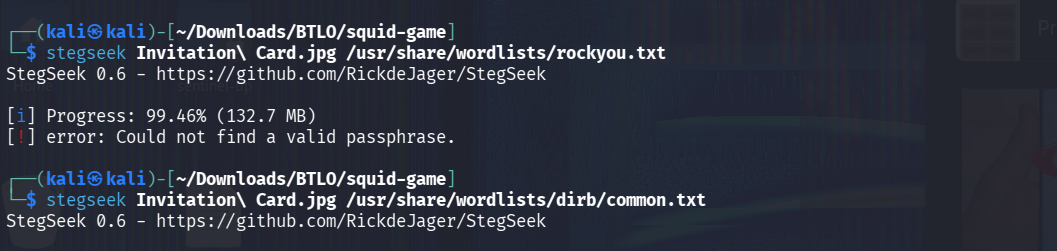
In CTFs, sometimes the answer for the previous question may be the clue for the next one. Hence, I tried with the answer I got from the first question, thus 86504006 and it worked.
Answer: Dalgona.png
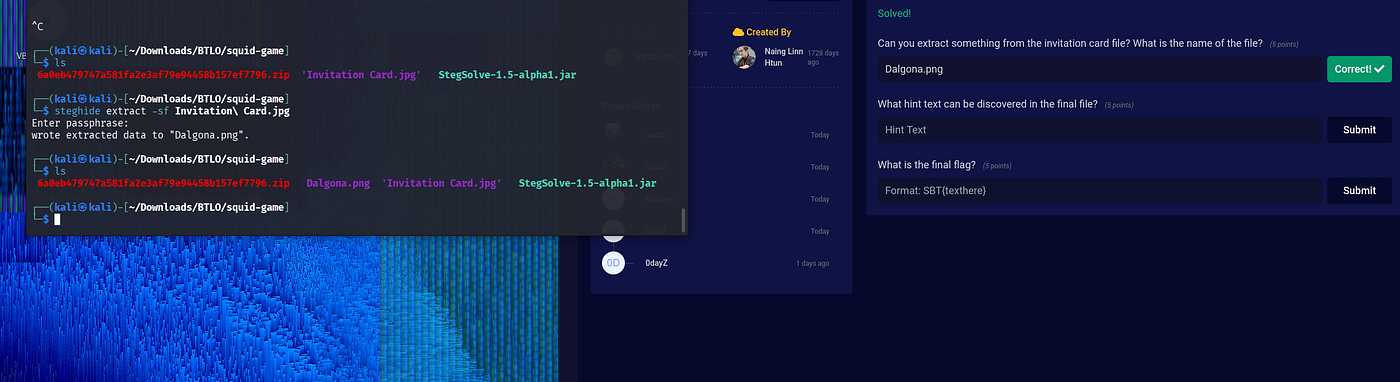
3. What hint text can be discovered in the final file?
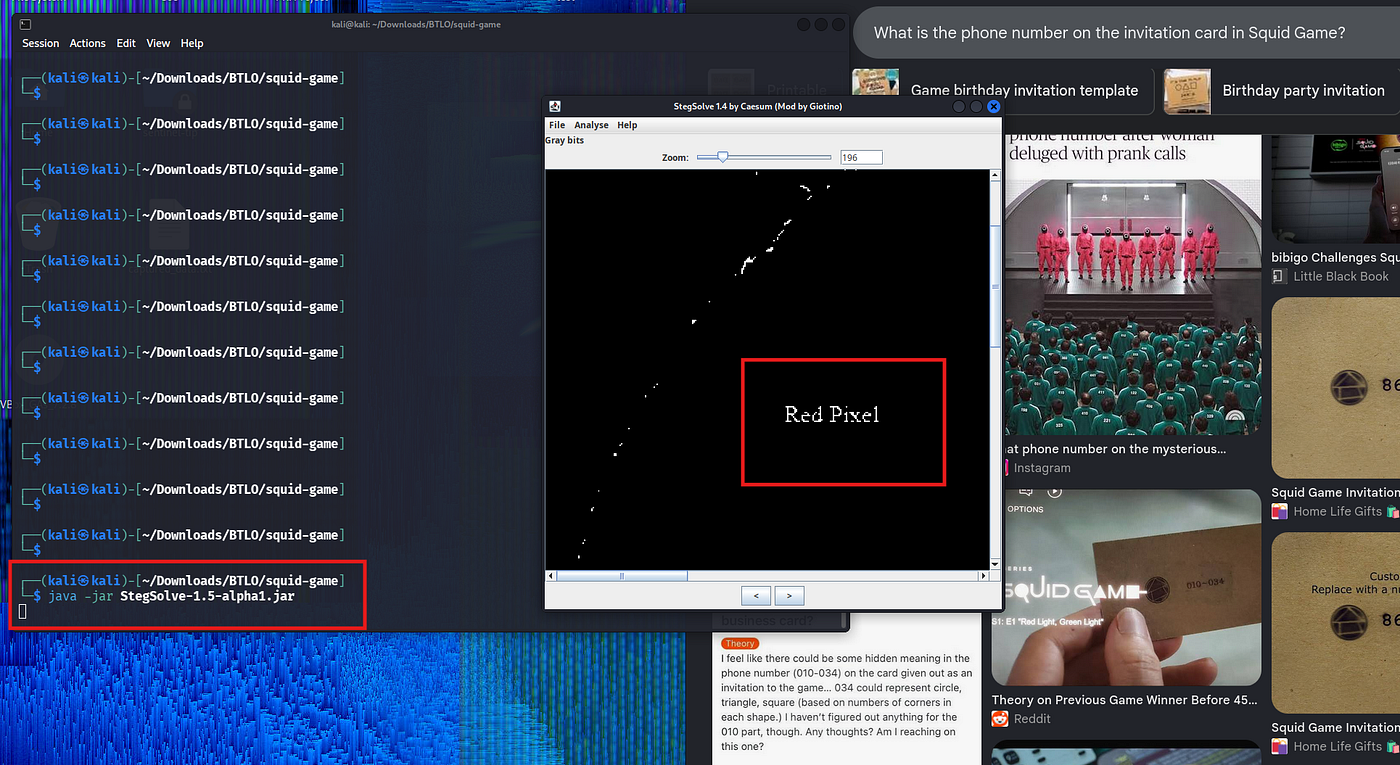
I used file, xxd, steghide and all gave me no substantial results. Looking at the tools needed for this challenge, I chanced on stegsolve.jar. Hence, I visited the project’s github and downloaded the jar file. After, I placed it into the same folder as the challenge files and I run
java -jar StegSolve-1.5*which opened the stegsolve GUI interface where I selected to open the Dalgona.png to investigate it. After a ccouple of forwards and zooming in, I found the hidden text.
Answer: Red Pixel
4. What is the final flag?
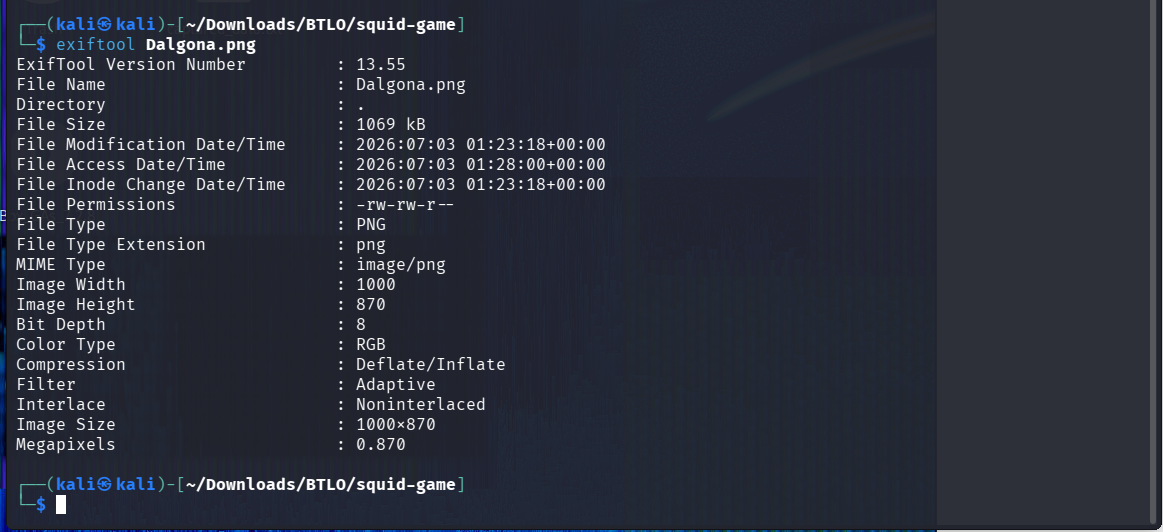
Still with the clue from the previous question’s answer, “Red Pixel” I imagined pixels of an image. I run exiftool on Dalgona.jpg and realized the colour type was RGB. It started to make sense.
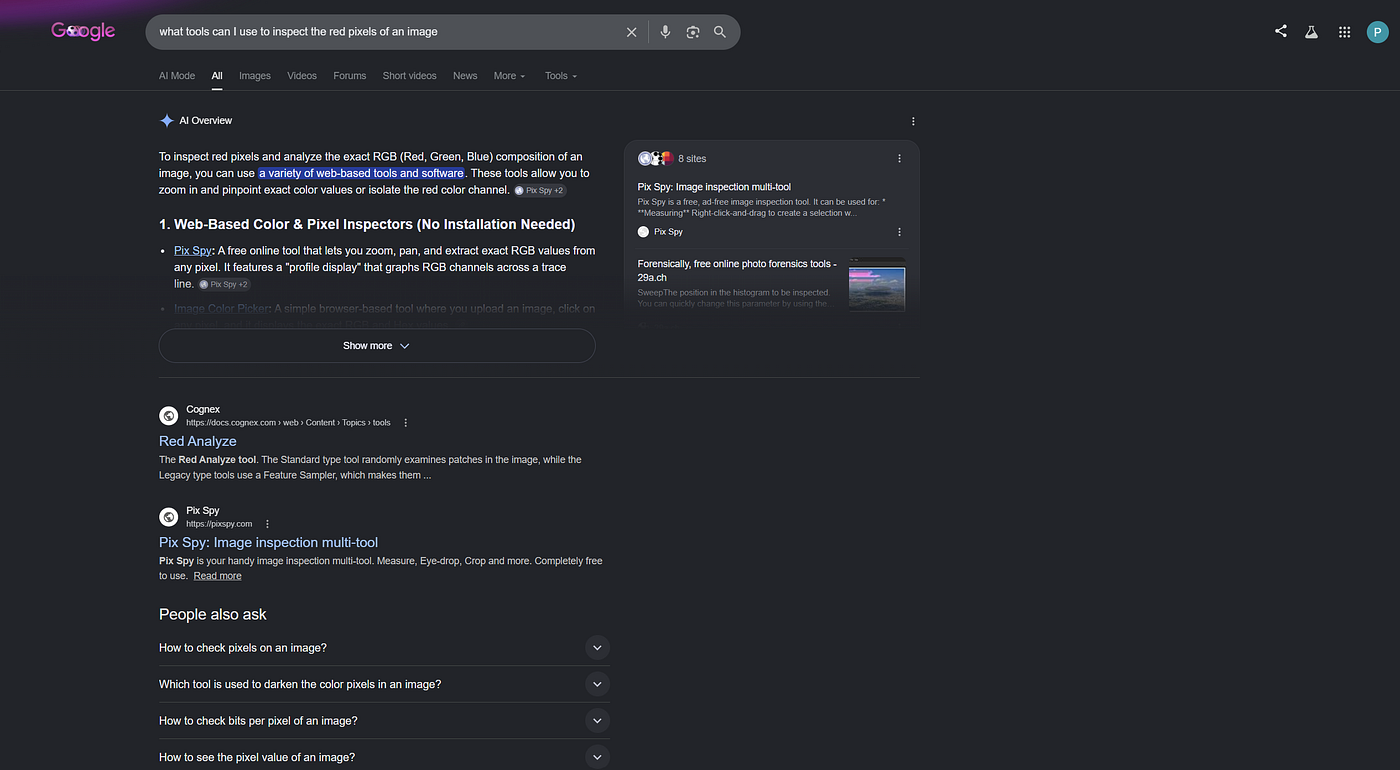
Hence I simply researched on what tools can I use to inspect the red pixels of an image. From the first results, I proceeded with **PixSpy**.
In PisSpy, I changed the formatter to add a custom one of $r since that is the only clue I have now.. the red pixel.
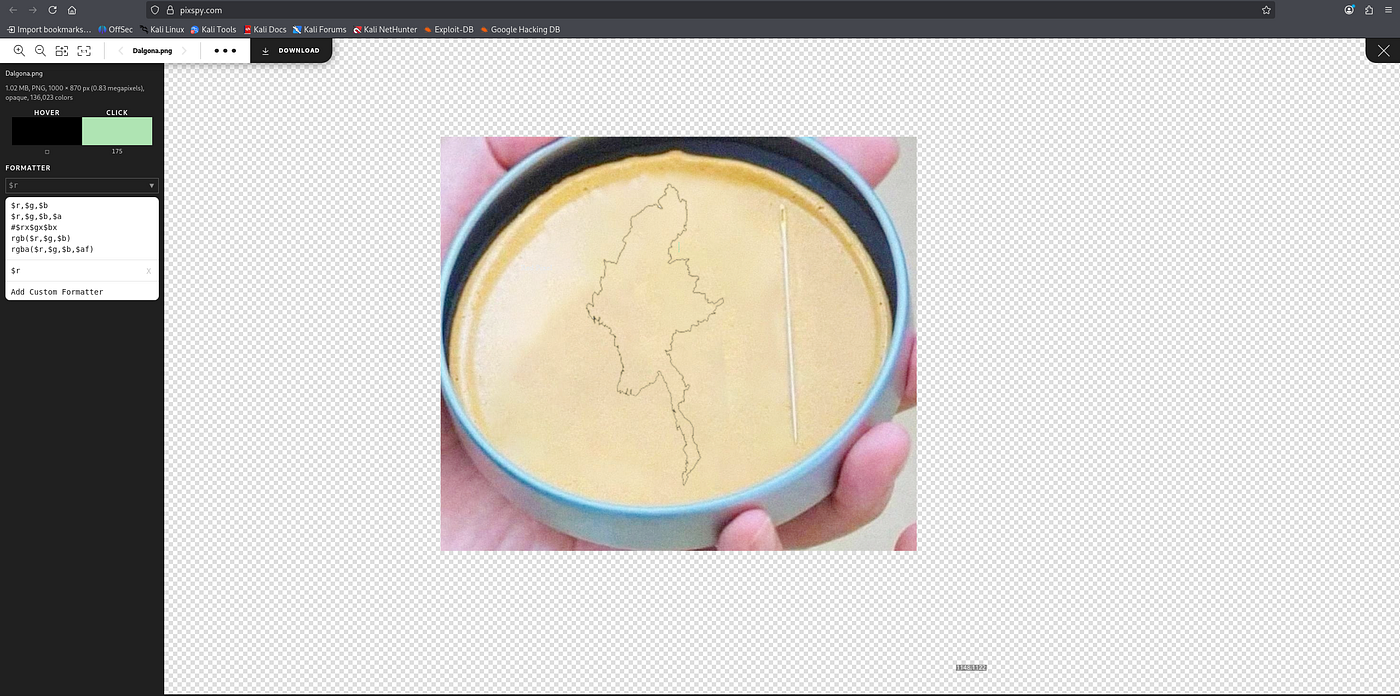
I then zoomed into the yellow surface and looked for any pixel that didn’t match the yellow background (a deliberately placed pixel would stand out as a rather than blending into the photo’s natural noise).
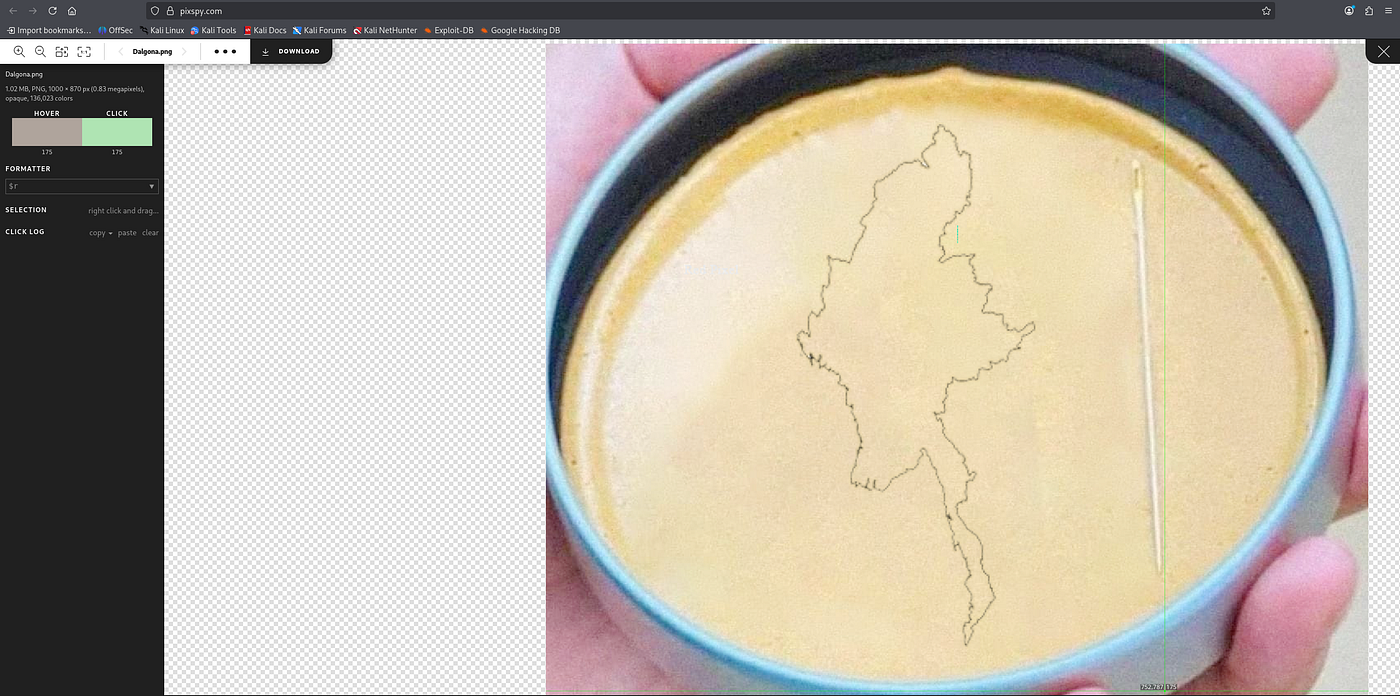
This showed single-pixel-wide straight blue line in the middle of the yellow area (clearly not part of the original photograph, since nothing else in the image has a perfectly straight, solid-colored edge like that). I have added a red box around it in case you couldn’t see.
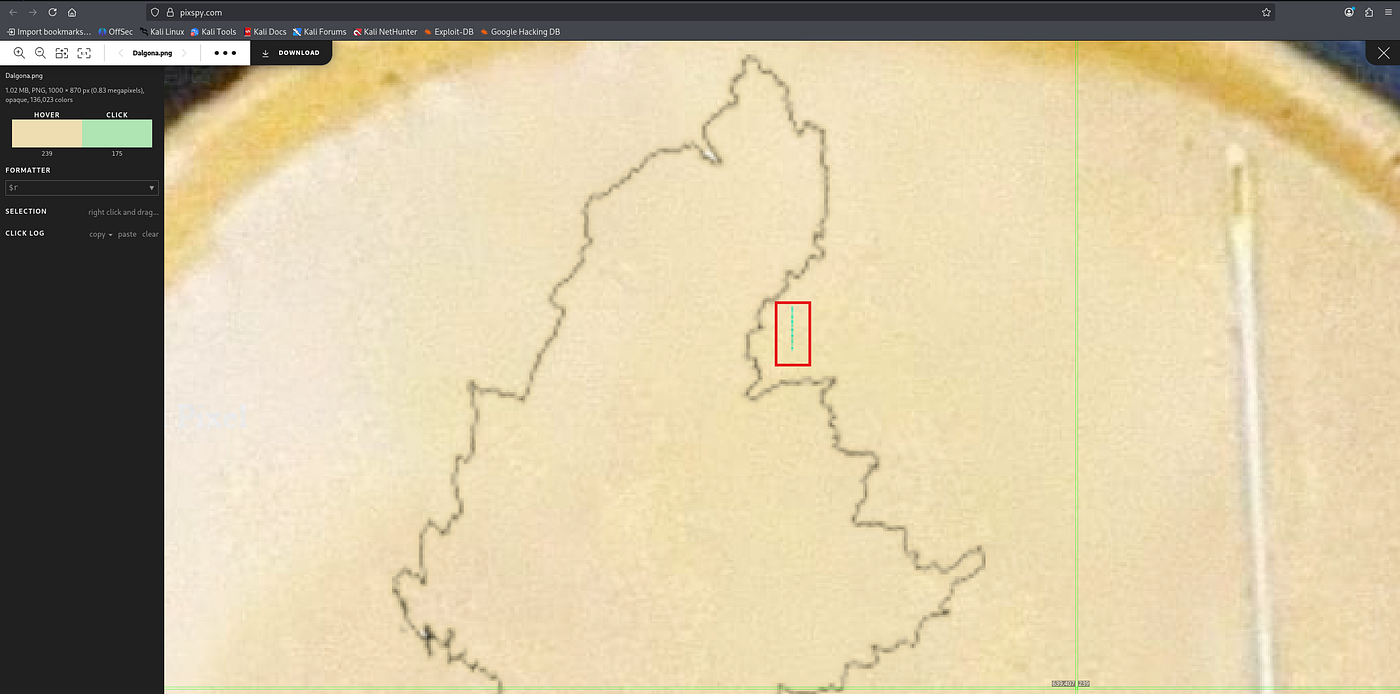
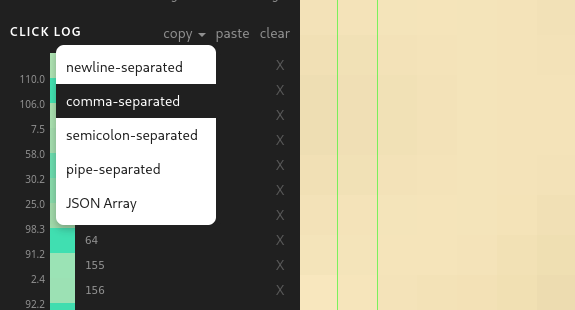
I clicked down the line from top to bottom, one pixel at a time, logging each click. Every click records to the Click Log panel, which preserves order.. this is important since the sequence determines character order in the final string.
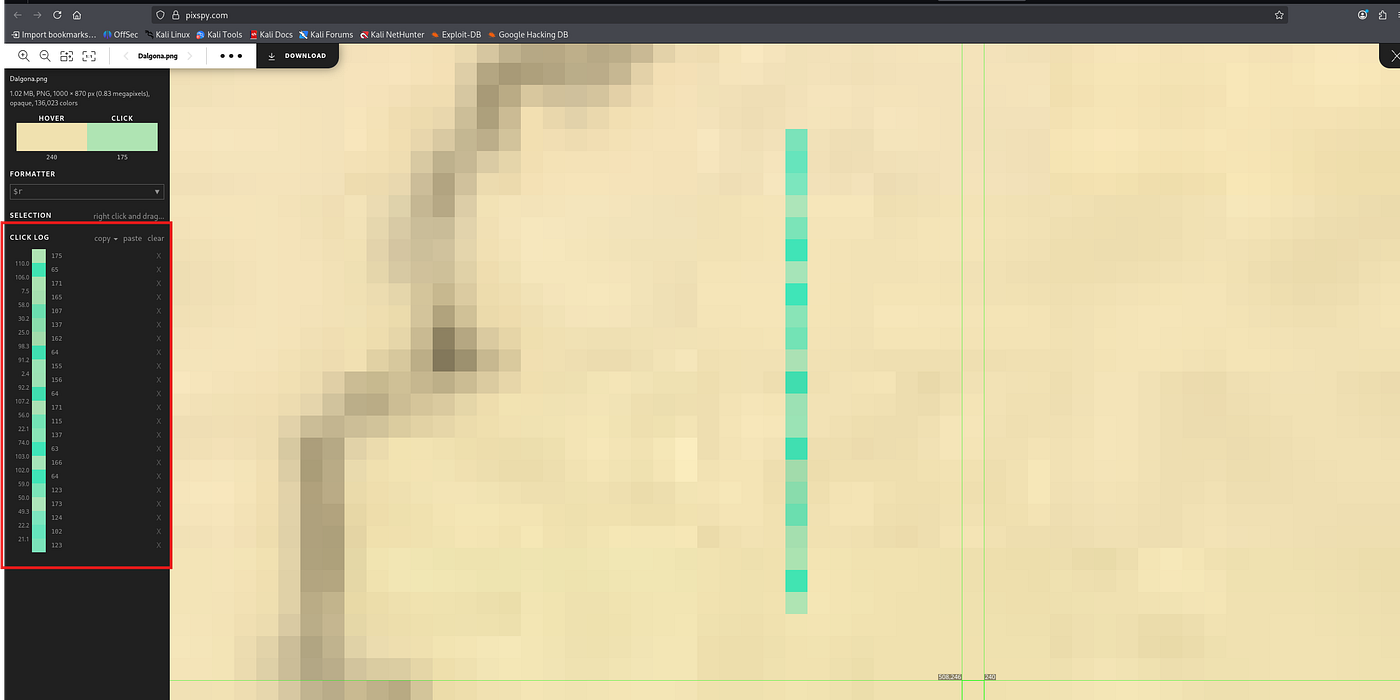
Copied the full list of red-channel values out as a comma-separated sequence:
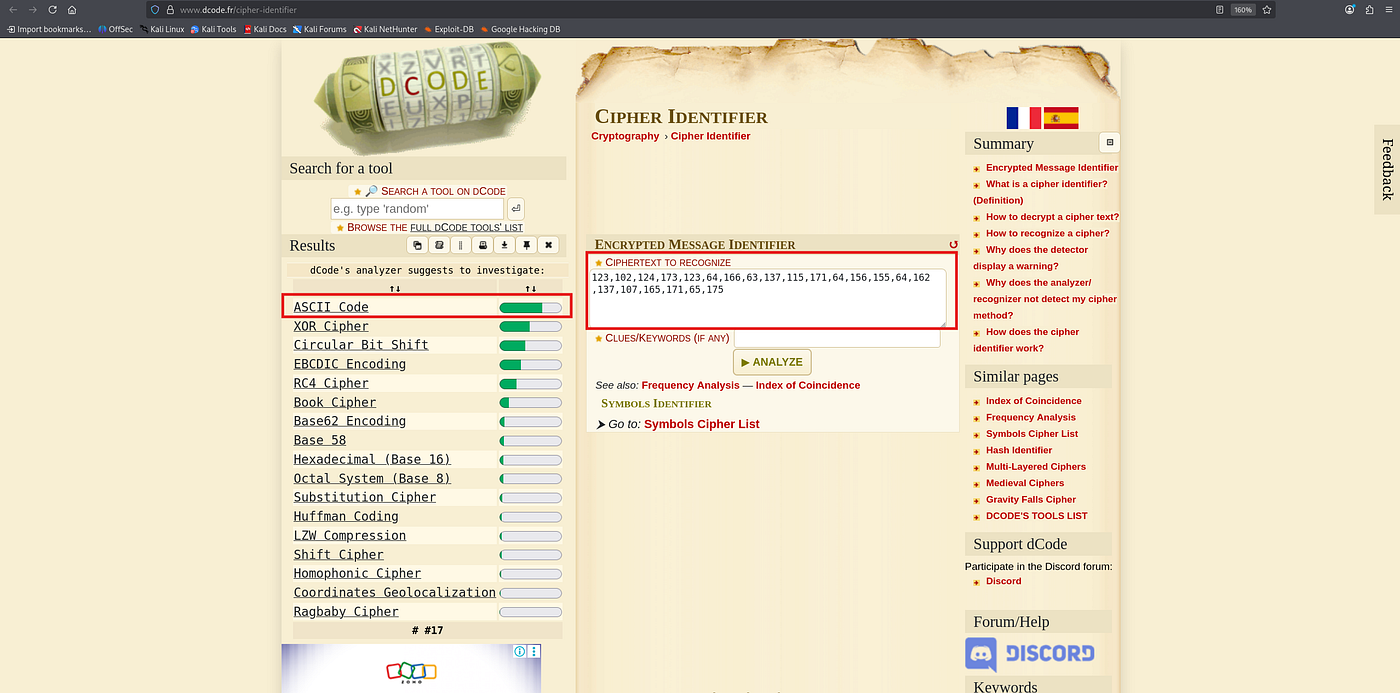
Pasted the numeric sequence into dCode’s Cipher Identifier, which flagged ASCII (decimal) as the most probable encoding.
For a moment I felt like I was finally getting there lol. Ran the numeric sequence through **dCode’s ASCII converter** to decode the decimal values directly to text.
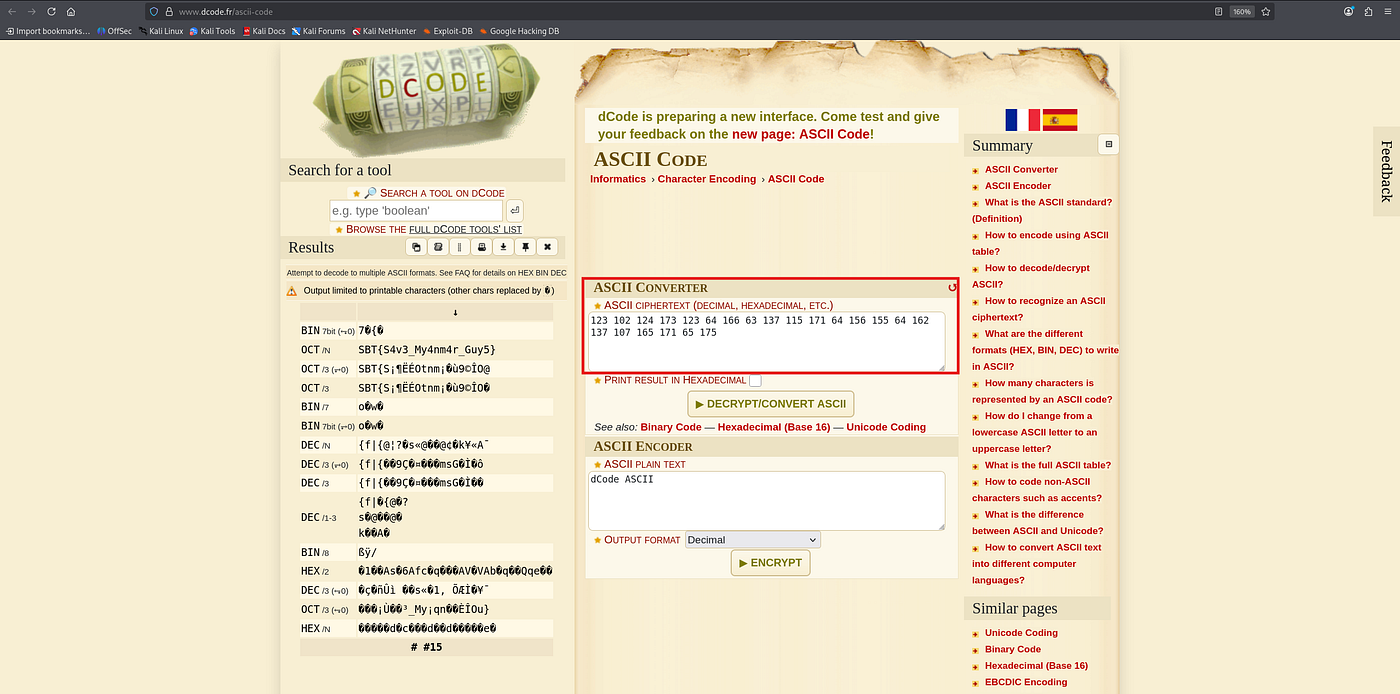
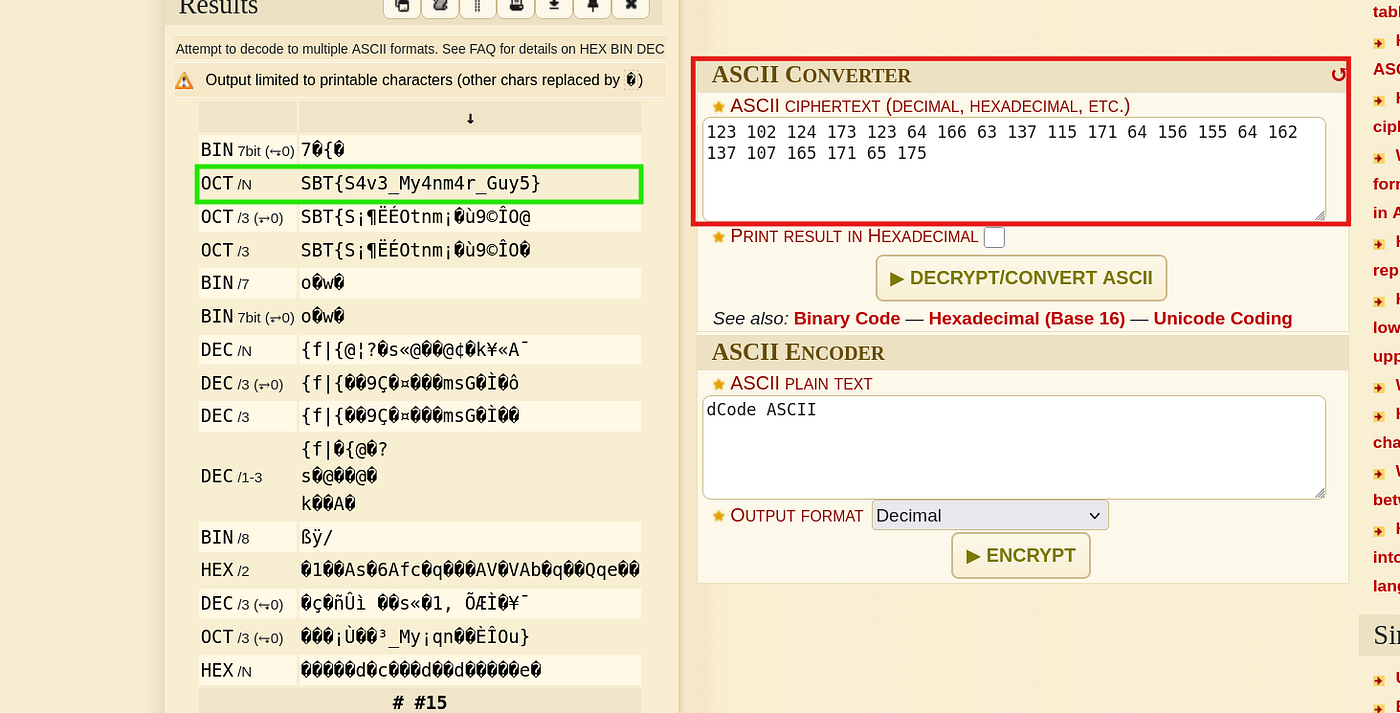
And there the flag was…
Answer: SBT{S4v3_My4nm4r_Guy5}
Takeaway
If I had something to say about this challenge, I’d speciifically address the last question. “Sometimes manual analysis is needed” No automated stego tool would have caught that. I tried many of them, used AI.. in fact AI even generated python scripts with the intension of finding the flad hidden in thhe red pixels but all was a waste. The only way to find it was visual inspection, using a site that could inspect the pixels and looking for a break in the natural pattern of the photo rather than a statistical anomaly across the whole image. This was a reminder that some challenges don’t always follow the standard toolkit playbook.
Peace.

메타데이터
- post_id
- b4a07804dbbb
- slug
- squid-game-blue-team-labs-online-walkthrough-b4a07804dbbb
- url
- https://medium.com/@princelassey/squid-game-blue-team-labs-online-walkthrough-b4a07804dbbb
- canonical_url
- https://medium.com/@princelassey/squid-game-blue-team-labs-online-walkthrough-b4a07804dbbb
- author_url
- https://medium.com/@princelassey
- status
- ok
- fetched_at
- 2026-07-17 14:52:18