Importing JSON File into EXCEL
Importing JSON File into EXCEL
Importing JSON File into EXCEL

Importing JSON File into EXCEL
Here is the quickest method to open a JSON file in Excel for analysis.
I illustrated this using excel 365. it equally applies to older versions of excel as well.
- Select Data > Get Data > From File > From JSON.
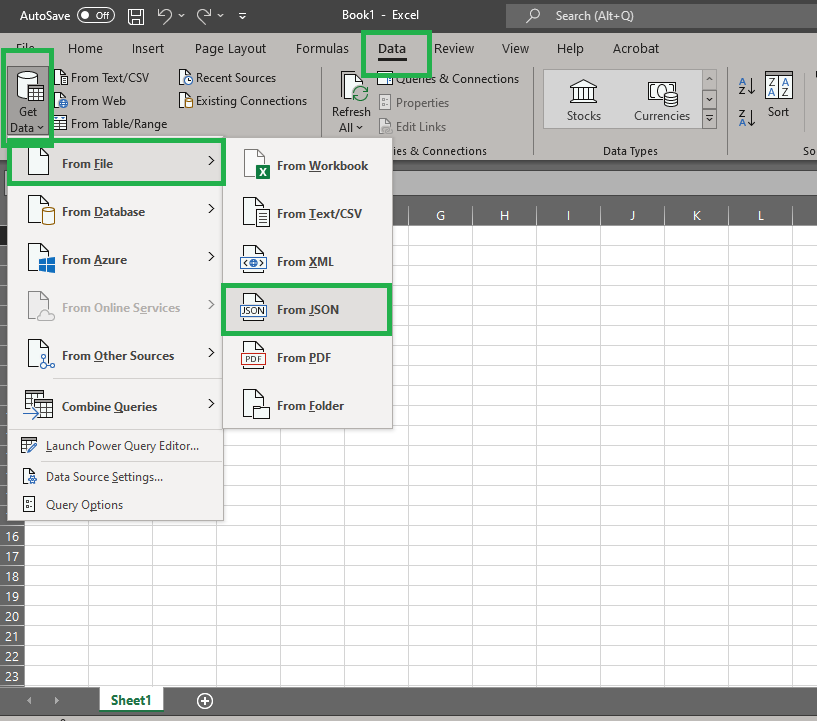
- select the JSON file, then ‘Import’.
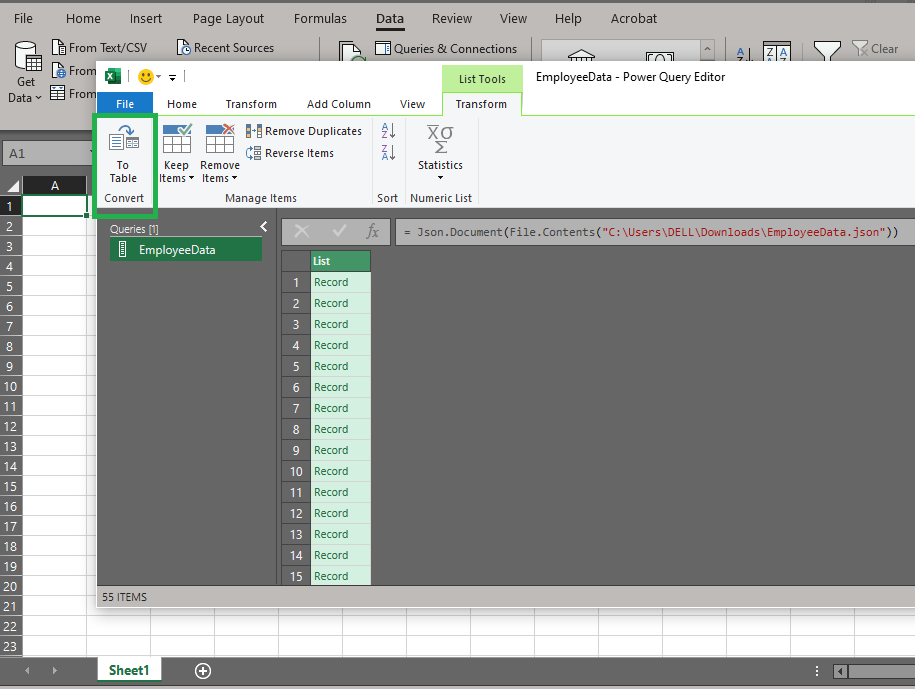
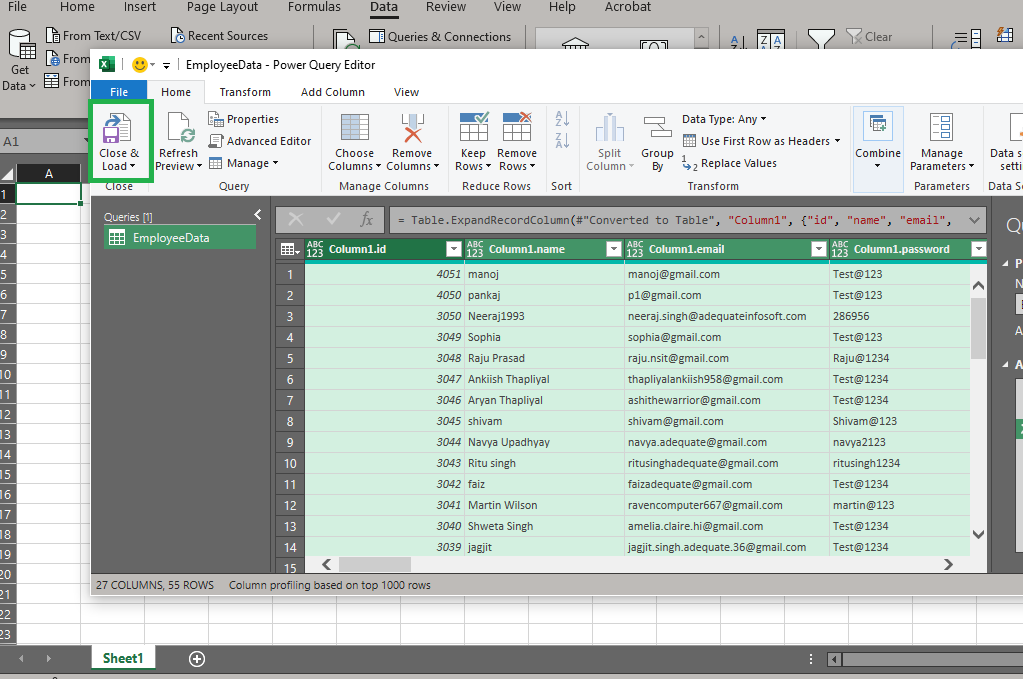
- As the power query form opens, click on ‘To Table’
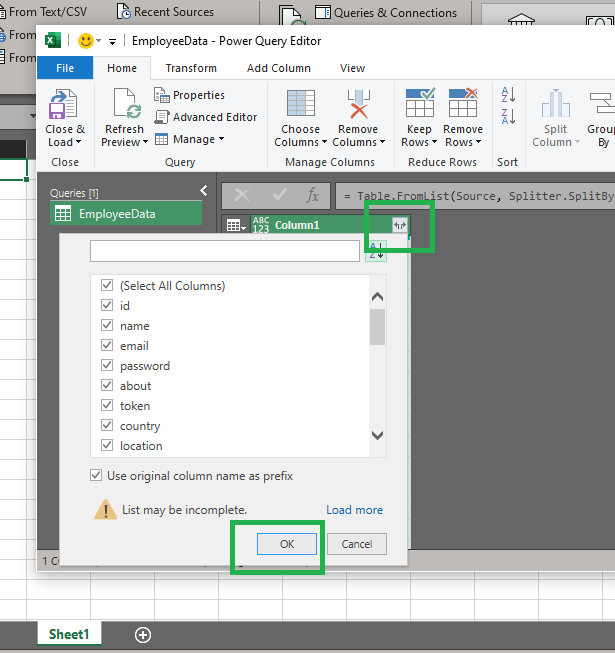
- On the next page, ‘click’ the expand button to view and select from the available headers.
- Then Ok to view the table.
- Finally, ‘Load & Close’. This opens the content in excel as a formatted table.
메타데이터
- post_id
- b4cec8cd3f97
- slug
- importing-json-file-into-excel-b4cec8cd3f97
- url
- https://medium.com/@ukchike/importing-json-file-into-excel-b4cec8cd3f97
- canonical_url
- https://medium.com/@ukchike/importing-json-file-into-excel-b4cec8cd3f97
- author_url
- https://medium.com/@ukchike
- status
- ok
- fetched_at
- 2026-06-16 19:09:56