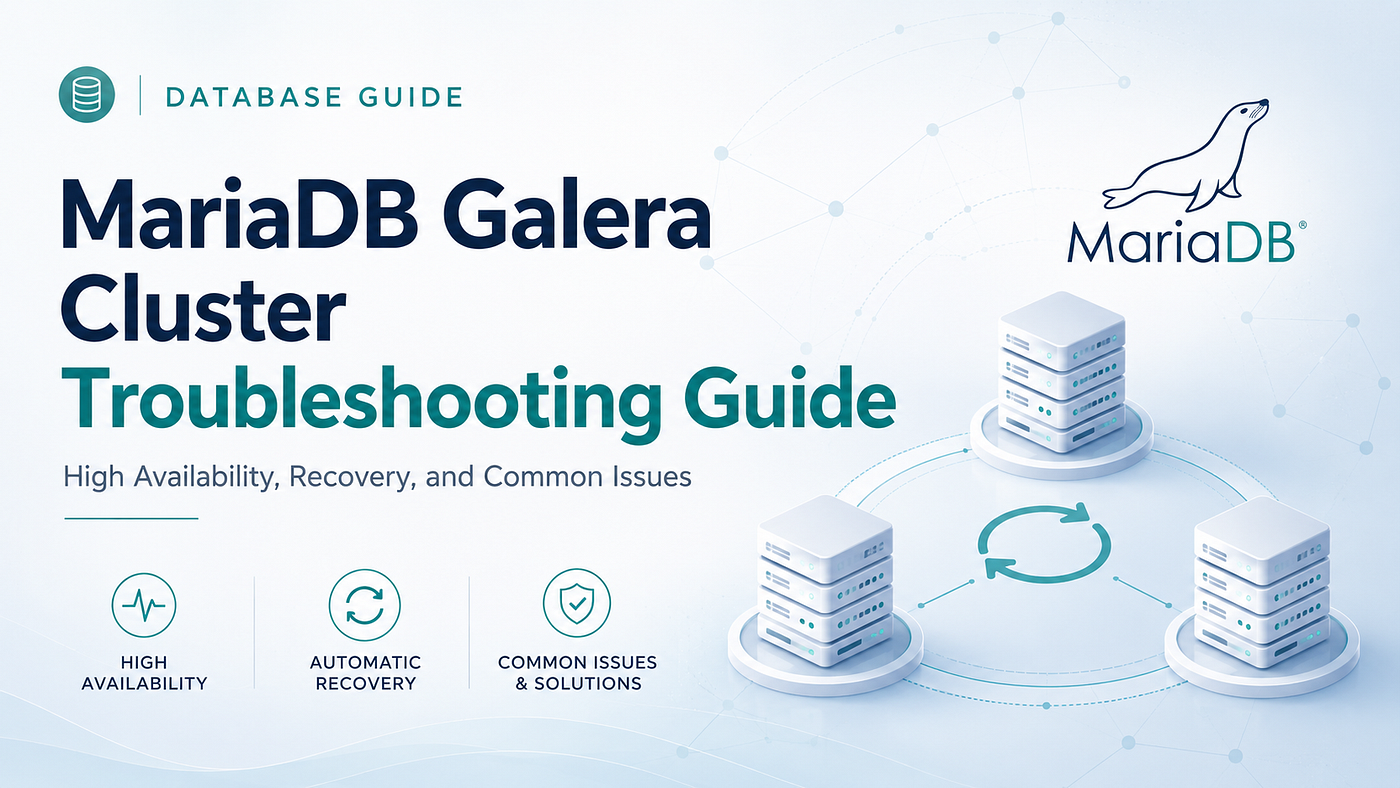
MariaDB Galera Cluster Troubleshooting Guide for High Availability Environments
High availability has become a core requirement for modern database systems.
MariaDB Galera Cluster Troubleshooting Guide for High Availability Environments
High availability has become a core requirement for modern database systems.
For telecom platforms, banking applications, financial systems, ecommerce platforms, and other enterprise workloads, even a few minutes of database downtime can affect customer transactions, service agreements, business revenue, and brand trust.
MariaDB Galera Cluster is designed for environments where database availability and consistency are critical.
It provides synchronous replication across multiple MariaDB nodes. Each participating node maintains a consistent copy of the data and can serve database traffic.
However, setting up a cluster is only the beginning.
Real production environments experience network interruptions, state transfer failures, transaction conflicts, slow nodes, certification errors, flow control issues, and recovery challenges.
Understanding these situations and knowing how to interpret Galera logs is essential for maintaining a stable cluster.
This guide explains how MariaDB Galera Cluster works, how to check cluster health, and how to troubleshoot some of the most common problems seen in production environments.
Understanding MariaDB Galera Cluster
MariaDB Galera Cluster is a synchronous replication solution that allows multiple MariaDB nodes to participate in the same cluster.
Unlike a traditional primary and replica model, Galera allows database nodes to handle both reads and writes.
The cluster uses Write Set Replication, commonly known as wsrep.
When a transaction is created on one node, information about the transaction is shared with the cluster. Galera performs certification to determine whether the transaction conflicts with another transaction.
When certification succeeds, the transaction is applied across the cluster.
A simplified flow looks like this:
Write transaction on Node 1
        |
Transaction shared with cluster
        |
Node 2 and Node 3 participate in certification
        |
Transaction is committed across the cluster
This architecture allows Galera to maintain strong consistency between cluster members.
Why Organizations Use Galera Cluster
Galera offers several benefits for applications that require database availability.
Consistent data across nodes
Transactions are coordinated through the cluster, reducing the replication delay commonly associated with asynchronous replication.
Database node redundancy
When one node fails, the remaining healthy cluster members can continue operating as long as quorum is maintained.
Read scalability
Read traffic can be distributed across suitable nodes through a database proxy or application routing layer.
Flexible write architecture
Multiple nodes can accept writes, although many production architectures still control write routing to reduce transaction conflicts.
Faster node recovery with IST
When a node reconnects within the available transaction history window, Incremental State Transfer can synchronize only the missing transactions.
Check Galera Cluster Status
The following command displays Galera related status variables.
SHOW STATUS LIKE 'wsrep_%';There are many wsrep variables, but a few are particularly important during troubleshooting.
wsrep_local_state_comment
This shows the current state of a node.
Common values include:
Synced
Joining
Donor
Donor Desynced
Joined
A node serving normal application traffic should generally reach the Synced state.
wsrep_cluster_status
This shows whether the node belongs to the primary cluster component.
A healthy cluster normally reports:
Primarywsrep_cluster_size
This shows the number of members currently participating in the cluster.
For a healthy three node deployment, the expected value is:
3Galera Cluster Architecture
A MariaDB Galera environment contains several important components.
MariaDB nodes
Each node runs MariaDB with Galera support enabled.
wsrep API
The wsrep interface connects the MariaDB server layer with the Galera replication provider.
Galera Provider
The Galera provider library manages communication between nodes and performs transaction certification.
The provider is commonly referenced through a configuration similar to:
wsrep_provider=/usr/lib64/galera/libgalera_smm.soCluster configuration
A typical configuration may look like this:
[mysqld]binlog_format=ROW
default_storage_engine=InnoDB
wsrep_on=ON
wsrep_provider=/usr/lib64/galera/libgalera_smm.so
wsrep_cluster_name="mariadb_cluster"
wsrep_cluster_address="gcomm://node1,node2,node3"
wsrep_node_address="10.0.0.1"
wsrep_node_name="node1"
wsrep_sst_method=rsync
wsrep_sst_auth="sst_user:sst_pass"The important point is that the cluster name and cluster connection settings must be consistent across participating nodes.
Node specific values such as the node address and node name should reflect the server being configured.
How to Check Cluster Health
Use the following command to check important cluster values.
SHOW STATUS LIKE 'wsrep_cluster%';For a healthy three node cluster, the output should include values such as:
wsrep_cluster_status = Primary
wsrep_cluster_size = 3
wsrep_local_state_comment = Synced
A node that joins successfully may generate logs such as:
Nov 19 10:43:12 node2 mysqld[2865]: WSREP: Member 1.2 (node2) synced with group.
Nov 19 10:43:12 node2 mysqld[2865]: WSREP: Synchronized with group, ready for connections.
These messages indicate that synchronization has completed and the node is ready to serve database connections.
Common Galera Startup and Node Join Problems
One of the first areas where administrators encounter issues is during startup or when adding a node to an existing cluster.
Several different problems can prevent a node from joining correctly.
Case 1: A Node Cannot Join the Cluster
A node may remain in a Joining state or report that it belongs to a non primary component.
You may see logs such as:
WSREP: Failed to open TCP connection to peer node1:4567
WSREP: Member 0.0 (node2) requested state transfer from '*any*'; failed
These messages usually indicate that the node cannot communicate with other cluster members or cannot complete the required state transfer.
What should you check?
First, verify network connectivity between all participating nodes.
Galera commonly requires access to the following ports:
4567 for cluster replication traffic
4568 for Incremental State Transfer
4444 for State Snapshot Transfer
Confirm that firewalls and security groups allow communication between the cluster members.
Also review:
The value of wsrep_cluster_address
Node IP addresses
DNS resolution when hostnames are used
SST authentication details
Network routing between servers
A single incorrect address or blocked port can prevent a node from joining.
Case 2: State Snapshot Transfer Failure
When a joining node does not have enough transaction history to recover through IST, it may require a complete State Snapshot Transfer.
An SST failure may generate logs such as:
WSREP: SST failed: exit code 32
WSREP: State transfer required but no donor available
This can happen when:
No eligible donor is available
The donor does not have enough disk space
SST authentication is incorrect
Permissions are missing
The transfer process fails
The network connection is interrupted
Check donor resources
The donor node must have enough capacity to complete the transfer.
Check:
Disk availability
CPU utilization
Memory usage
Network throughput
Database workload
Verify SST user privileges
The SST account must have the required privileges.
For example:
GRANT RELOAD, LOCK TABLES, PROCESS, SUPER ON *.* TO 'sst_user'@'%' IDENTIFIED BY 'sst_pass';The user configuration should be consistent with the credentials specified in the MariaDB configuration.
Case 3: Cluster Bootstrap Problems
When all nodes are stopped, the cluster needs a valid node to bootstrap the primary component.
A bootstrap issue may generate an error such as:
WSREP: Failed to determine cluster address from configurationThe first valid node can be bootstrapped using:
galera_new_clusterAfter the cluster has been initialized successfully, start the remaining nodes normally.
systemctl start mariadbThe cluster should only be bootstrapped from the correct recovery node.
Bootstrapping the wrong node can create serious consistency risks, especially after a full cluster outage.
Always review the recovery state before deciding which node should form the new primary component.
Replication and Synchronization Problems
Synchronous replication does not mean that every server always processes transactions at exactly the same speed.
A slow server can fall behind in applying transactions and create pressure across the cluster.
This is where flow control becomes important.
Understanding Galera Flow Control
You may see logs such as:
WSREP: Flow control paused, waiting for a slow node.
WSREP: Paused writes for 1.2s due to high send queue.
This usually means that one of the cluster nodes is struggling to process replicated transactions quickly enough.
Galera uses flow control to prevent a slow node from falling too far behind.
When this happens, transaction processing across the cluster can slow down.
What should you investigate?
Check the affected node for:
High CPU usage
Slow disk performance
Storage latency
Memory pressure
Network latency
Large transactions
Long running queries
Uneven hardware resources
The slowest node can influence the performance of the wider cluster.
Monitor Flow Control Activity
Use the following query:
SHOW STATUS LIKE 'wsrep_flow_control%';Track flow control activity over time rather than relying on a single reading.
Regular or sustained flow control activity usually indicates an underlying infrastructure or workload problem that should be investigated.
Certification Failures
One of the realities of a cluster that allows writes on multiple nodes is that two transactions may attempt to modify conflicting records.
When this happens, Galera certification can reject one of the transactions.
Example logs include:
WSREP: Transaction failed due to certification error
WSREP: Aborting transaction (conflict detected)
Another possible message is:
WSREP: transaction cannot be certified
WSREP: Transaction failed due to write set conflict
What causes this?
Imagine two application requests writing to the same row through different database nodes at nearly the same time.
Both transactions may appear valid locally.
During cluster certification, Galera detects the conflict and rejects one of them.
How should applications handle this?
Consider the following practices:
Add transaction retry logic
Keep transactions short
Reduce simultaneous updates to the same records
Use a controlled write routing strategy where appropriate
Maintain proper primary keys and unique constraints
Avoid unnecessary transaction contention
Applications using Galera should be designed to handle transaction retries correctly.
Frequent SST Instead of IST
A returning node can recover in two main ways.
Incremental State Transfer
IST sends only the transactions the node missed.
This is generally faster and creates less load on the donor.
State Snapshot Transfer
SST sends a full copy of the required database state.
This takes longer and can place additional load on the donor server.
A common log message is:
WSREP: IST not possible, falling back to SSTThis often means that the missing transactions are no longer available in the Galera cache.
One approach is to increase the GCache allocation.
For example:
wsrep_provider_options="gcache.size=2G"The correct size depends on:
Write volume
Expected downtime
Transaction rate
Disk availability
Recovery objectives
A larger GCache can increase the chance of IST recovery when a node returns after a temporary outage.
Network Problems in Galera Cluster
Galera depends heavily on reliable communication between nodes.
Network instability can result in cluster membership changes, failed state transfers, increased latency, and quorum problems.
Split Brain and Quorum Problems
A partitioned network may produce logs such as:
WSREP: Quorum not reached for primary component
WSREP: Cluster size (1) < quorum (2)
This indicates that a node or group of nodes does not have enough cluster members to form a primary component.
Galera uses quorum to protect database consistency.
In a three node cluster, a partition containing two nodes can retain quorum. The isolated single node cannot safely continue as an independent writable cluster.
This is why odd numbers of voting members are commonly used.
Typical deployments may use:
3 nodes
5 nodes
7 nodes
The correct topology depends on availability requirements, network architecture, workload, and infrastructure design.
Packet Loss and Communication Errors
A communication failure may produce a log such as:
WSREP: communication failure detected, closing groupInvestigate:
Packet loss
Firewall behaviour
Network Address Translation
Security group changes
Routing problems
Network interface errors
Switch issues
Virtual network instability
Latency spikes
Galera clusters should be deployed across reliable network paths with predictable latency.
Transaction Conflicts and Deadlocks
Transaction conflicts are different from traditional InnoDB locking problems, although both can occur in the same environment.
A Galera conflict may produce:
WSREP: transaction cannot be certified
WSREP: Transaction failed due to write set conflict
A deadlock related event may show:
InnoDB: Deadlock found when trying to get lock
WSREP: Transaction rolled back due to certification failure
How to reduce conflicts
Where the application architecture allows it:
Route writes consistently
Keep database transactions short
Avoid simultaneous modifications to the same records
Reduce transaction hot spots
Use application retry logic
Review query patterns that repeatedly target the same rows
Use optimistic concurrency patterns where suitable
The goal is not to eliminate every possible conflict.
The goal is to design the application so that expected conflicts can be handled safely.
Performance Problems and Load Distribution
A Galera cluster can be technically healthy while still performing poorly.
When one node becomes slow, the entire cluster may feel the impact.
For example:
WSREP: Flow control active for 2000msThis indicates that flow control has been active for a measurable period.
Performance troubleshooting should examine the complete cluster rather than looking only at the node serving application traffic.
Load Balancing Recommendations
A database proxy can help manage traffic across Galera nodes.
Common options include:
MariaDB MaxScale
ProxySQL
A proxy layer can:
Distribute read traffic
Route write traffic consistently
Monitor node health
Remove unhealthy nodes from traffic
Manage database connections
Reduce application awareness of individual nodes
A practical architecture often distributes reads while keeping write routing controlled.
Although Galera supports writes on multiple nodes, unrestricted concurrent writes can increase certification conflicts.
Avoid Overloading an SST Donor
During State Snapshot Transfer, the donor node may perform significant disk, network, and database work.
Avoid sending unnecessary application traffic to a heavily loaded donor during recovery.
Database proxies can help remove or reduce traffic to nodes participating in state transfer.
Performance Tuning Parameters
Depending on durability requirements and architecture, administrators may evaluate settings such as:
innodb_flush_log_at_trx_commit=2
sync_binlog=0
wsrep_slave_threads=8
These settings should not be copied blindly.
They affect durability, replication apply performance, and transaction behaviour.
Test them against the actual workload and recovery requirements before applying them to production systems.
Node Failure and Recovery
A properly configured Galera cluster can continue operating when a node fails, provided quorum remains available.
A node failure may produce logs such as:
WSREP: Member node3 left the cluster (TCP connection lost)
WSREP: Primary component reorganized: 2 nodes left
In a healthy three node cluster, the remaining two nodes can continue operating.
When the failed node returns, the recovery method depends on how much transaction history is missing.
Recovery through IST
When the required transaction history is still available in GCache, the node can recover through Incremental State Transfer.
Example:
WSREP: Starting IST from node1
WSREP: IST received 2500 transactions
Recovery through SST
When the node is too far behind, a complete state transfer may be required.
Example:
WSREP: Donor: node1, SST method: rsync
WSREP: SST complete, node joined cluster
IST is generally preferable because it transfers less data and usually completes faster.
Maintaining appropriate GCache capacity improves the likelihood of IST recovery after temporary outages.
Security and Configuration Problems
Not every cluster issue comes from replication.
Configuration mistakes can also prevent stable operation.
Some common mistakes include:
Using unsupported storage engines for replicated tables
Missing primary keys
Incorrect node addresses
Mismatched cluster names
Incorrect SST credentials
Different cluster settings across nodes
Firewall restrictions
Incorrect provider paths
Importance of InnoDB and Primary Keys
Galera is designed around transactional workloads using InnoDB.
Tables participating in replication should use appropriate primary keys.
A missing primary key can create inefficient replication behaviour and operational problems.
Database schema reviews should be part of Galera deployment planning.
Secure Configuration Example
A configuration may include settings such as:
[mysqld]wsrep_provider_options="cert.log_conflicts=ON"
wsrep_sst_auth="sst_user:sst_pass"
bind-address=0.0.0.0Sensitive credentials should be managed carefully according to the security practices of the environment.
Also control network access so that Galera ports are not unnecessarily exposed.
SST Authentication Failure
An authentication failure may produce logs such as:
WSREP: Access denied for user 'sst_user'@'10.0.0.2'
WSREP: SST failed, donor refused connection
Check:
Whether the SST user exists
Password consistency
Host access rules
Privileges
Configuration values
Donor connectivity
The account used for state transfer should be configured correctly across all relevant nodes.
A Practical Galera Troubleshooting Workflow
Troubleshooting becomes easier when the investigation follows a repeatable process.
Step 1: Check cluster membership
SHOW STATUS LIKE 'wsrep_cluster_size';Confirm that the number matches the expected cluster topology.
Step 2: Check cluster component status
SHOW STATUS LIKE 'wsrep_cluster_status';The expected healthy state is usually:
PrimaryStep 3: Check local node state
SHOW STATUS LIKE 'wsrep_local_state_comment';A normal serving node should generally reach the Synced state.
Step 4: Review flow control
SHOW STATUS LIKE 'wsrep_flow_control%';Persistent flow control usually indicates a slow node or infrastructure bottleneck.
Step 5: Review MariaDB logs
Search for patterns related to:
SST
IST
Certification
Quorum
Communication failure
Access denied
Donor selection
Flow control
State changes
Logs often reveal whether the issue is related to networking, authentication, recovery, performance, or transaction conflicts.
Step 6: Compare node resources
Review every node for differences in:
CPU utilization
Memory availability
Disk latency
Storage capacity
Network performance
Database configuration
Query workload
A cluster can only perform as well as its slowest important dependency.
Final Thoughts
MariaDB Galera Cluster can provide strong availability, consistency, and fault tolerance for demanding database workloads.
But reliable operation requires more than enabling synchronous replication.
Database teams need to understand cluster membership, quorum, transaction certification, State Snapshot Transfer, Incremental State Transfer, GCache behaviour, flow control, application retry patterns, and node recovery.
Logs are one of the most important tools in this process.
Messages related to wsrep state changes, state transfer, certification errors, network failures, and flow control provide valuable clues about what is happening inside the cluster.
A well designed Galera environment should include:
Reliable network communication
Appropriate quorum design
Consistent configuration
Proper state transfer credentials
Sufficient GCache capacity
Continuous monitoring
Balanced hardware resources
Application retry logic
Controlled traffic routing
Regular recovery testing
With the right architecture and operational practices, Galera can keep database services available even when individual nodes experience failures.
Mydbops helps businesses design, deploy, troubleshoot, monitor, secure, and optimize MariaDB environments for business critical workloads.
From MariaDB Galera Cluster setup and performance troubleshooting to Remote DBA support, database monitoring, security reviews, and 24/7 operational assistance, our database specialists help keep complex environments reliable and efficient.
Visit the Mydbops website to explore our MariaDB services and database management solutions.
Contact Us to discuss MariaDB Galera Cluster setup, troubleshooting, performance optimization, monitoring, security, or ongoing database support.
메타데이터
- post_id
- b54ffbcd3cdd
- slug
- mariadb-galera-cluster-troubleshooting-guide-for-high-availability-environments-b54ffbcd3cdd
- url
- https://medium.com/@mydbopsdatabasemanagement/mariadb-galera-cluster-troubleshooting-guide-for-high-availability-environments-b54ffbcd3cdd
- canonical_url
- https://medium.com/@mydbopsdatabasemanagement/mariadb-galera-cluster-troubleshooting-guide-for-high-availability-environments-b54ffbcd3cdd
- author_url
- https://medium.com/@mydbopsdatabasemanagement
- status
- ok
- fetched_at
- 2026-07-28 13:28:24