Creating Bullet-time
So, I was messing around a little bit in the FS Melee Combat module, and one of the things that I felt was missing was the strategic…
Creating Bullet-time
So, I was messing around a little bit in the FS Melee Combat module, and one of the things that I felt was missing was the strategic slowing of time as hits were landed that gives you a second to decide where to attack next. I had previously watched some videos about how to set up bullet-time, but had never really gotten around to implementing it for a game, so I figured there was no time like the present.
Twisting Time
The short answer is, Time.timeScale.
The scale at which time passes.
This can be used for slow motion effects or to speed up your application. When timeScale is 1.0, time passes as fast as real time. When timeScale is 0.5 time passes 2x slower than realtime.
When timeScale is set to zero your application acts as if paused if all your functions are frame rate independent. Negative values are ignored.
You might remember that we used that for a pause function when a settings menu was up a few articles ago. Here, we’re going to set it up with a non-zero value for the slowdown. Here’s our TimeManager class.
public class TimeManager : MonoBehaviour
{
    [SerializeField] static float _slowdownFactor = 0.2f;
    [SerializeField] static float _slowdownDuration = 2f;
    [SerializeField] static float _transitionTime = 0.5f;

    private static float _timeToEndSlowdown = 0f;

    public static void SlowDown()
    {
        DOTween.To(x => Time.timeScale = x, Time.timeScale, _slowdownFactor, _transitionTime);
        _timeToEndSlowdown = Time.time + _slowdownDuration;
    }

    private void Update()
    {
        if (Time.time >= _timeToEndSlowdown)
        {
            EndSlowdown();
        }
    }

    private void EndSlowdown()
    {
        DOTween.To(x => Time.timeScale = x, Time.timeScale, 1f, _transitionTime);
    }
Basically, when SlowDown is called, it tweens our timeScale (using DOTween) toward our designated slowdown amount, and after the amount of time has passed (currently, additional slowdowns will increase that time), it will tween us back. I’ve created a simple version involving being able to press a key to do the slowdown. Here’s how it looks.
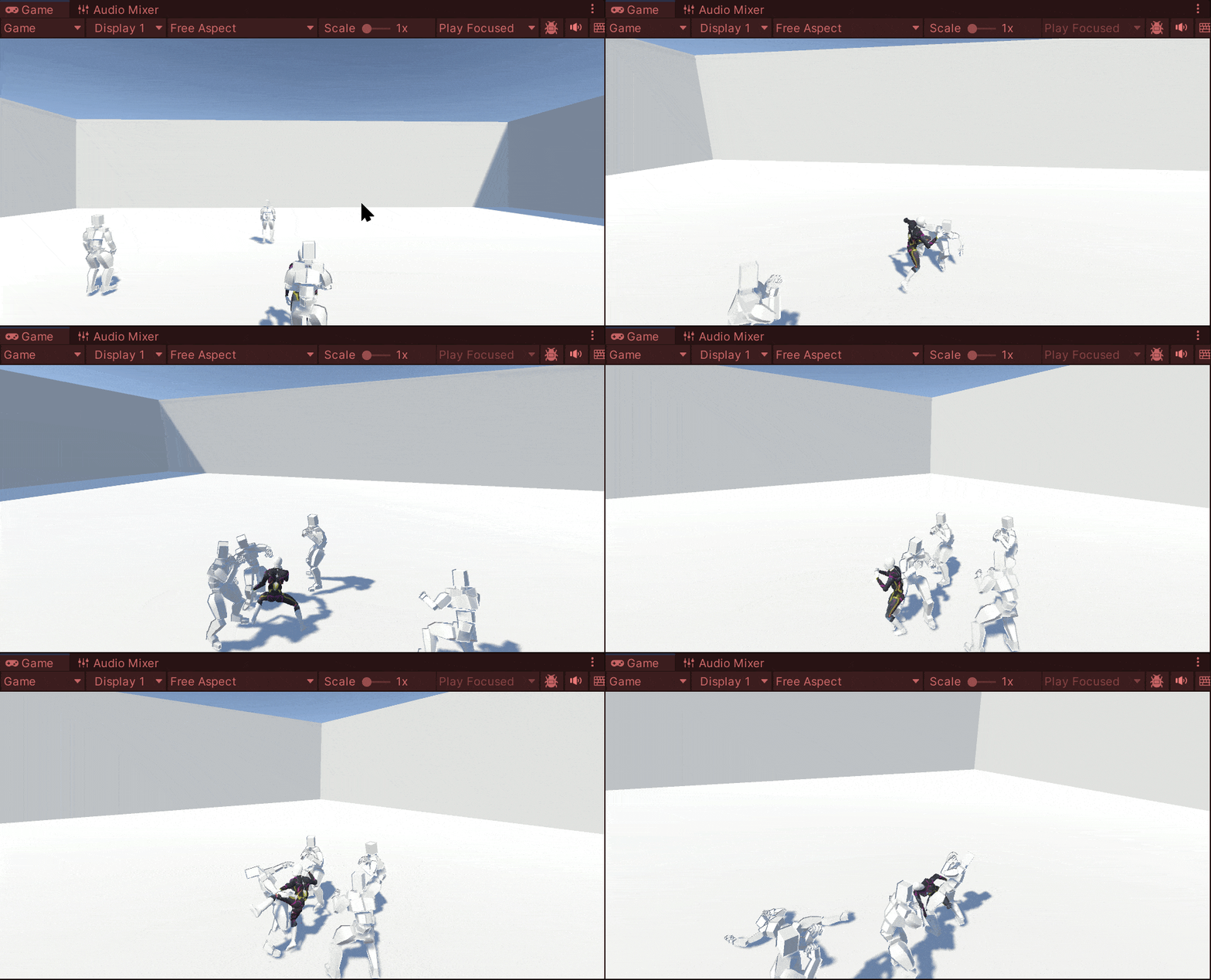
Not bad, but I need to make it dependent on landing a hit, and probably a much shorter amount of time. We’ll shorten it to half a second, and plug it into the TakeHit function of MeleeFighter for an unblocked blow.
if (!willBeBlocked)
{
    TimeManager.SlowDown();

    // ....
}
That’s… actually pretty cool.
메타데이터
- post_id
- b58edbd2a7e9
- slug
- creating-bullet-time-b58edbd2a7e9
- url
- https://medium.com/@sean.duggan/creating-bullet-time-b58edbd2a7e9
- canonical_url
- https://medium.com/@sean.duggan/creating-bullet-time-b58edbd2a7e9
- author_url
- https://medium.com/@sean.duggan
- status
- ok
- fetched_at
- 2026-08-08 19:13:33