Account Privacy Best Practices Every Internet User Should Follow
In today’s digital world, personal information is constantly shared across websites, social media platforms, mobile apps, and online…
Account Privacy Best Practices Every Internet User Should Follow
In today’s digital world, personal information is constantly shared across websites, social media platforms, mobile apps, and online services. From email addresses and passwords to browsing habits and social connections, every online action contributes to your digital identity. Following proper account privacy practices helps protect your data, prevent unauthorized access, and maintain better control over your online presence.
With increasing concerns about data breaches, phishing attacks, and identity theft, internet users must understand how to secure their accounts and manage privacy settings effectively. Simple steps like using strong passwords, controlling app permissions, and reviewing privacy options can make a significant difference in online safety.
Understand Your Account Privacy Settings
One of the most important privacy practices is regularly reviewing your account settings. Many platforms provide options to control who can view your information, contact you, or access your activity.
Social media accounts, email services, and online platforms often update their privacy features. Checking these settings regularly ensures that your personal information is shared only according to your preferences.
Review options related to:
- Profile visibility
- Location sharing
- Activity status
- Data collection permissions
- Connected applications
Understanding these controls gives you greater authority over your digital footprint.
Create Strong and Unique Passwords
Passwords are the first line of defense for any online account. Using simple or repeated passwords increases the risk of account compromise.
A strong password should include:
- A combination of uppercase and lowercase letters
- Numbers and special characters
- Unique combinations for different accounts
Avoid using personal details such as birthdays, names, or common phrases. A password manager can also help create and store secure passwords without the need to remember each one.
Enable Two-Factor Authentication
Two-factor authentication (2FA) provides an additional security layer beyond passwords. When enabled, users must verify their identity through a second method, such as an authentication app, security code, or email confirmation.
Even if someone obtains your password, 2FA can prevent unauthorized login attempts. It is one of the easiest and most effective ways to improve account security.
Be Careful With Third-Party Apps
Many websites and applications request access to your accounts for additional features. While some services are trustworthy, unnecessary permissions can create privacy risks.
Regularly check connected apps and remove access from services you no longer use. Avoid providing login information to unknown websites or tools that promise unrealistic features.
Limit the Personal Information You Share
Sharing too much information online can make you vulnerable to cyber threats. Details such as your location, workplace, phone number, or personal routines can be misused by attackers.
Before posting anything publicly, consider whether the information is necessary to share. Maintaining a limited digital footprint reduces privacy risks.
Protect Your Social Media Accounts
Social media platforms contain a large amount of personal information, making them common targets for privacy concerns.
Users should:
- Adjust profile visibility settings
- Manage followers and connections
- Control who can tag or mention them
- Avoid accepting unknown requests
- Review old posts regularly
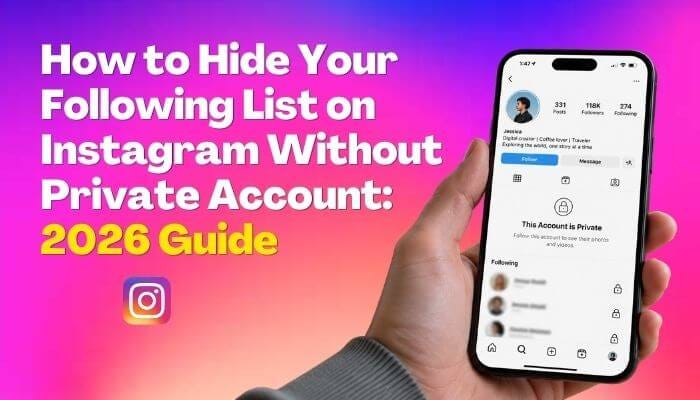
For example, many Instagram users search for How to Hide Your Following List on Instagram Without Private Account because they want more control over their social connections. While Instagram does not currently provide a direct option to completely hide a following list on public accounts, users can improve privacy by removing unwanted followers, blocking specific users, and adjusting account settings.
Avoid Suspicious Links and Phishing Attempts
Cybercriminals often use fake emails, messages, and websites to steal account information. These attacks may appear legitimate but are designed to collect passwords or personal details.
Always verify links before clicking and avoid entering login information on unfamiliar websites. Keeping software and security tools updated also helps protect against threats.
Regularly Monitor Your Online Accounts
Privacy protection requires continuous attention. Review account activity, login history, and security alerts regularly.
If you notice unfamiliar devices, suspicious messages, or unexpected changes, take immediate action by changing passwords and reviewing security settings.
Conclusion
Account privacy is an essential part of staying safe in the digital age. By following best practices such as using strong passwords, enabling two-factor authentication, managing privacy settings, limiting personal information sharing, and monitoring account activity, internet users can significantly improve their online protection. Building good privacy habits today helps create a safer and more secure digital experience for the future.
메타데이터
- post_id
- b6084fb35f64
- slug
- account-privacy-best-practices-every-internet-user-should-follow-b6084fb35f64
- url
- https://medium.com/@hanifatycoonshaik/account-privacy-best-practices-every-internet-user-should-follow-b6084fb35f64
- canonical_url
- https://medium.com/@hanifatycoonshaik/account-privacy-best-practices-every-internet-user-should-follow-b6084fb35f64
- author_url
- https://medium.com/@hanifatycoonshaik
- status
- ok
- fetched_at
- 2026-09-20 13:39:03