The Complete Guide to MDM-Powered Kiosk Management: Features, Benefits & Best Practices
Organizations rely heavily on mobile devices, tablets, and dedicated kiosks to deliver services, streamline operations, and improve…
The Complete Guide to MDM-Powered Kiosk Management: Features, Benefits & Best Practices
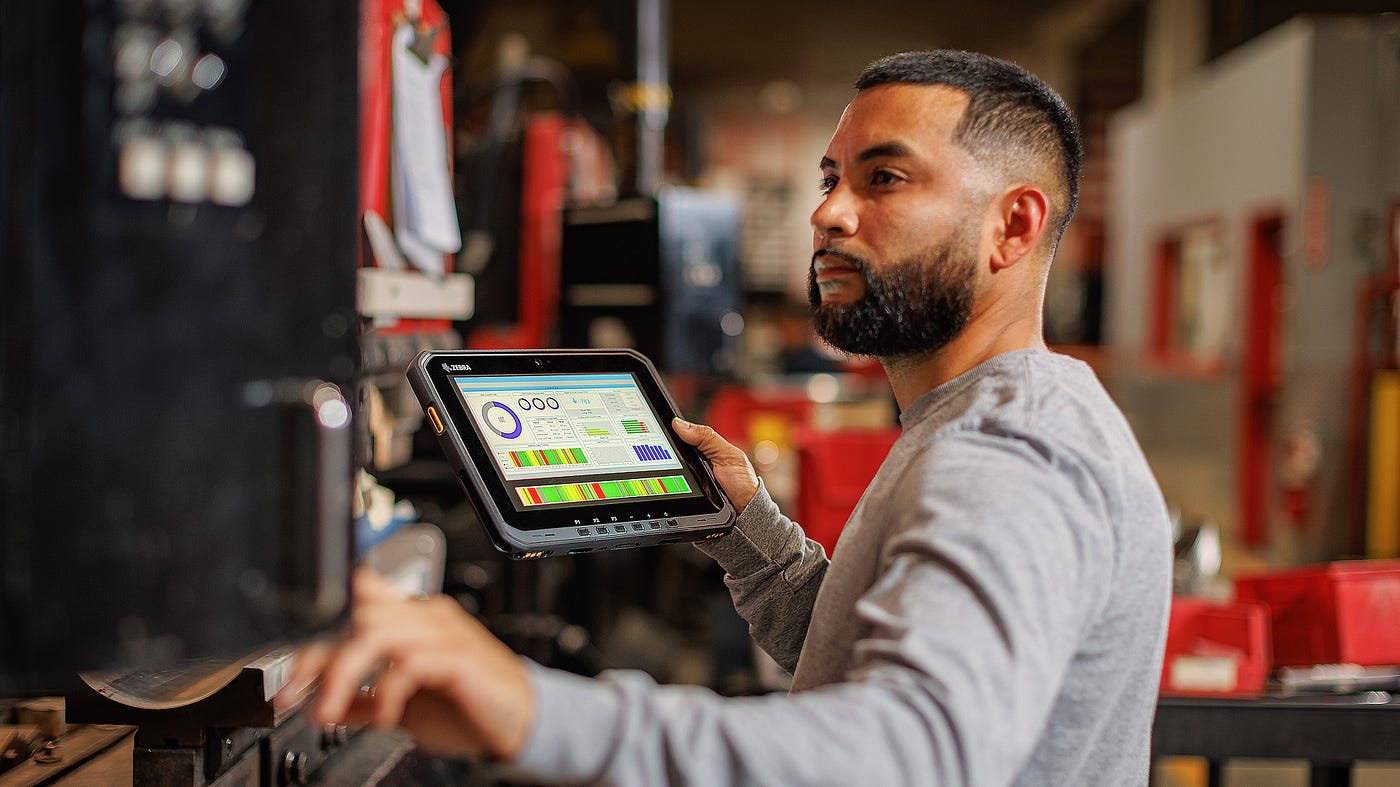
Photo by Brett Wharton on Unsplash
Organizations rely heavily on mobile devices, tablets, and dedicated kiosks to deliver services, streamline operations, and improve customer experiences. From retail stores and restaurants to healthcare facilities and educational institutions, kiosk devices have become an essential part of everyday operations.
However, managing dozens or even thousands of kiosk devices can quickly become challenging without the right tools. This is where an **MDM solution** plays a critical role. By combining Mobile Device Management with kiosk technology, businesses can securely deploy, monitor, and control devices from a centralized dashboard.
This guide explores everything you need to know about MDM-powered kiosk management, including its features, benefits, use cases, and best practices.
What Is MDM-Powered Kiosk Management?
MDM-powered **kiosk management** refers to the use of a Mobile Device Management platform to configure, secure, monitor, and manage devices operating in kiosk mode.
Kiosk mode restricts a device to a specific application, set of applications, or predefined functions. This prevents users from accessing unauthorized content, changing settings, or installing applications.
With an MDM solution, IT administrators can remotely manage kiosk devices without physically interacting with them, making large-scale deployments significantly easier.
Understanding Kiosk Modes
Single-App Kiosk Mode
A device is locked to one specific application. Users cannot exit the app or access other device functions.
Common use cases include:
- Self-service ordering kiosks
- Visitor registration systems
- Digital check-in terminals
- Payment stations
Multi-App Kiosk Mode
Users can access only approved applications while all other apps remain restricted.
Common use cases include:
- Field service teams
- Warehouse operations
- Delivery personnel
- Educational devices
Key Features of MDM-Powered Kiosk Management
1. Remote Device Configuration
Administrators can remotely configure devices before deployment. This includes:
- Wi-Fi settings
- Security policies
- App installation
- User permissions
- Device restrictions
Remote provisioning significantly reduces deployment time and manual effort.
2. Device Lockdown and Restrictions
One of the most important aspects of kiosk management is device lockdown.
Organizations can:
- Disable system settings
- Block unauthorized websites
- Restrict app downloads
- Prevent factory resets
- Disable hardware buttons
These controls ensure devices remain dedicated to their intended purpose.
3. Application Management
Modern MDM solutions allow businesses to:
- Install apps remotely
- Remove unauthorized applications
- Push updates automatically
- Control app permissions
- Monitor application performance
This keeps kiosk devices secure and up to date.
4. Remote Monitoring
Administrators gain complete visibility into device activity.
Key monitoring capabilities include:
- Device health status
- Battery information
- Connectivity monitoring
- Storage utilization
- Compliance tracking
This helps IT teams identify and resolve issues before they impact operations.
5. Website Whitelisting and Blacklisting
Many organizations use kiosk devices for web-based applications.
MDM platforms can:
- Allow access only to approved websites
- Block inappropriate content
- Restrict internet browsing
- Enforce web security policies
This reduces security risks and distractions.
6. Remote Troubleshooting
Instead of traveling to device locations, administrators can remotely:
- View device screens
- Troubleshoot issues
- Apply policy changes
- Restart devices
- Push updates
Remote support minimizes downtime and improves operational efficiency.
Benefits of MDM-Powered Kiosk Management
Enhanced Security
Security remains one of the biggest reasons businesses adopt kiosk management.
An MDM solution helps:
- Prevent unauthorized access
- Enforce compliance policies
- Protect sensitive data
- Reduce malware risks
- Control user behavior
This is particularly important in healthcare, finance, and retail environments.
Improved Productivity
When users only have access to necessary tools, productivity naturally increases.
Employees spend less time navigating devices and more time completing tasks.
Simplified Large-Scale Deployments
Deploying hundreds of devices manually can be time-consuming and expensive.
MDM-powered kiosk management allows organizations to:
- Configure devices centrally
- Apply policies in bulk
- Update devices remotely
- Scale operations efficiently
Reduced IT Costs
Remote management significantly decreases the need for on-site support.
Organizations can manage geographically distributed devices from a single dashboard, reducing maintenance costs and administrative overhead.
Consistent User Experience
Every kiosk device can be configured with identical settings and policies.
This ensures a consistent experience for customers, employees, and visitors regardless of device location.
Common Use Cases for Kiosk Management
Retail
Retail businesses use kiosk devices for:
- Self-checkout systems
- Product catalogs
- Customer feedback stations
- Price-checking terminals
Healthcare
Healthcare providers deploy kiosk devices for:
- Patient registration
- Appointment scheduling
- Digital forms
- Information displays
Education
Educational institutions use kiosk devices for:
- Student check-ins
- Learning stations
- Digital libraries
- Examination environments
Logistics and Warehousing
Warehouse teams rely on kiosk-enabled devices for:
- Inventory management
- Barcode scanning
- Shipment tracking
- Order fulfillment
Hospitality
Hotels and restaurants use kiosk systems for:
- Self-service ordering
- Guest registration
- Digital menus
- Feedback collection
Android and iPad Kiosk Management
Android Kiosk Mode
Android devices are among the most popular kiosk deployments because of their flexibility and affordability.
Using an MDM solution, organizations can:
- Enable Android kiosk mode remotely
- Configure device restrictions
- Control applications
- Monitor device health
iPad Kiosk Mode
Businesses increasingly use iPads for customer-facing operations.
With **iPad kiosk mode**, organizations can:
- Lock devices to a single application
- Restrict user actions
- Deploy devices remotely
- Maintain consistent configurations
Both Android and iPad platforms benefit significantly from centralized MDM management.
Best Practices for Successful Kiosk Management
Define Clear Objectives
Before deployment, identify:
- Intended use cases
- Security requirements
- User access levels
- Application needs
- Clear goals simplify implementation.
Implement Strong Security Policies
Apply:
- Password requirements
- Device encryption
- Application restrictions
- Website filtering
- Compliance monitoring
Security should be built into every stage of deployment.
Monitor Devices Continuously
Regular monitoring helps identify:
- Performance issues
- Security risks
- Connectivity problems
- Compliance violations
Proactive monitoring prevents costly disruptions.
Keep Software Updated
Ensure applications and operating systems remain updated to protect against vulnerabilities and improve performance.
Choose a Scalable MDM Solution
As organizations grow, device fleets expand.
Select an MDM platform capable of managing:
- Android devices
- iPads
- Macs
- Windows endpoints
- Dedicated kiosk devices
A scalable solution supports long-term growth.
Choosing the Right MDM Solution for Kiosk Management
When evaluating an MDM platform, consider the following features:
- Advanced kiosk management capabilities
- Remote device monitoring
- Application management
- Website filtering
- Remote troubleshooting
- Multi-platform support
- Security policy enforcement
- Scalability
Solutions such as **EasyControl UDM** help organizations manage kiosk deployments through centralized administration, remote device management, application control, and enterprise-grade security features.
Conclusion
Kiosk devices have become indispensable across industries, but managing them effectively requires more than basic device controls. An MDM-powered kiosk management strategy enables businesses to secure devices, streamline operations, reduce IT workloads, and deliver a consistent user experience.
Whether you’re deploying Android tablets, iPads, digital signage systems, or customer-facing kiosks, the right MDM solution provides the visibility, control, and security needed to manage devices at scale. By following best practices and investing in a capable management platform, organizations can maximize the value of their kiosk deployments while minimizing operational complexity.
메타데이터
- post_id
- b60c2d659eee
- slug
- the-complete-guide-to-mdm-powered-kiosk-management-features-benefits-best-practices-b60c2d659eee
- url
- https://medium.com/@lishen1301/the-complete-guide-to-mdm-powered-kiosk-management-features-benefits-best-practices-b60c2d659eee
- canonical_url
- https://medium.com/@lishen1301/the-complete-guide-to-mdm-powered-kiosk-management-features-benefits-best-practices-b60c2d659eee
- author_url
- https://medium.com/@lishen1301
- status
- ok
- fetched_at
- 2026-07-10 18:03:05