How to See and Download SoundCloud Wrapped 2025
Every year, music streaming platforms release a personalized year-end summary for their users. SoundCloud Wrapped 2025, gives you a…
How to See and Download SoundCloud Wrapped 2025
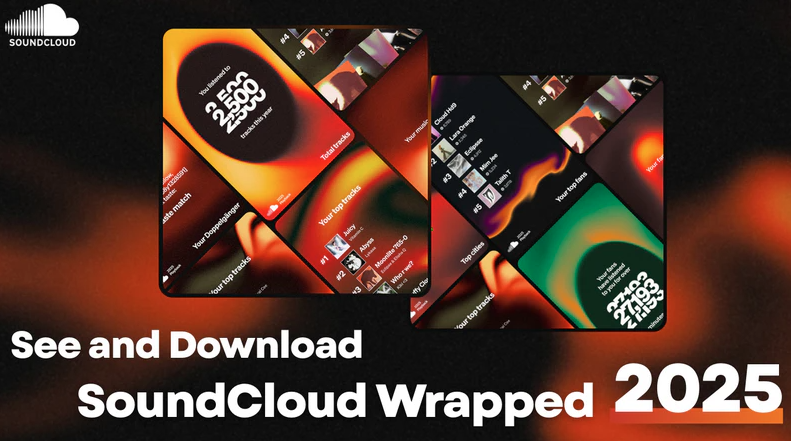
Every year, music streaming platforms release a personalized year-end summary for their users. SoundCloud Wrapped 2025, gives you a detailed look at your listening habits over the past year, including your most-played tracks, favorite artists, top genres, and total listening time.
If you’re curious about how to see your SoundCloud Wrapped 2025 and want to keep track of your favorite songs from this year forever, this article will guide you step by step.
1. What is SoundCloud Wrapped 2025?
SoundCloud Wrapped is the platform’s way of summarizing your year in music. It provides insights such as:
- Your top tracks and artists
- Most listened genres
- Total listening hours
- Personalized playlists like “Your Top Tracks 2025.”
It’s a fun way to reflect on your music tastes and discover patterns in your listening habits.
2. How to View Your SoundCloud Wrapped 2025
To view your Wrapped 2025:
1.Make sure you’re signed in to your SoundCloud account.
2.Open the SoundCloud app on mobile or visit the desktop website.
3.Look for the “Your 2025 Playback” card or banner on the home screen.
If you don’t see it yet, search for “Playback 2025”.
3. How to Keep Your Wrapped Playlist Forever
SoundCloud Wrapped comes with a dedicated playlist of your top songs. But you can only download the playlists for offline listening within the SoundCloud app. If you want to keep your SoundCloud Wrapped Playlists forever on your local computer, you need to use a professional SoundCloud downloader. We recommend Sidify SoundCloud downloader.
Step-by-step download your wrapped playlists with Sidify:
Step 1: Install Sidify Music Converter
Download and install the version compatible with your operating system (Windows or Mac).
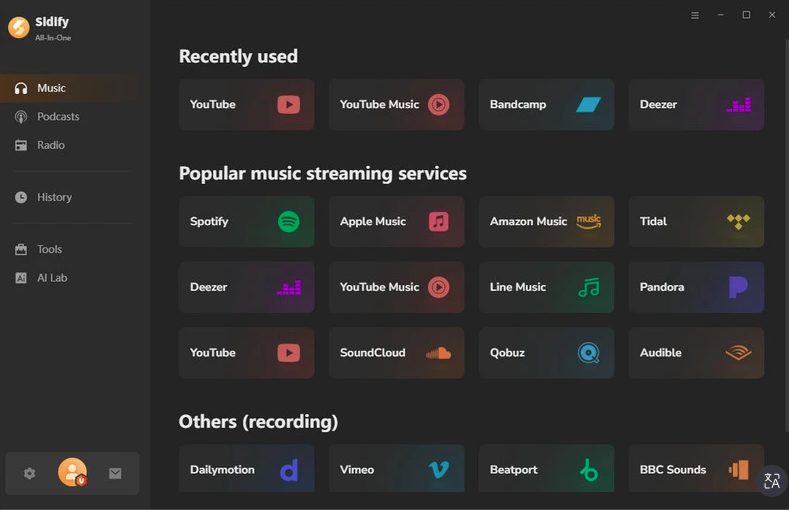
Step 2: Open Sidify and Sign in
Launch Sidify Music Converter. Log in to your SoundCloud account within Sidify, so it can access your playlists.
Step 3: Find and Add Your Wrapped 2025 Playlist to Sidify
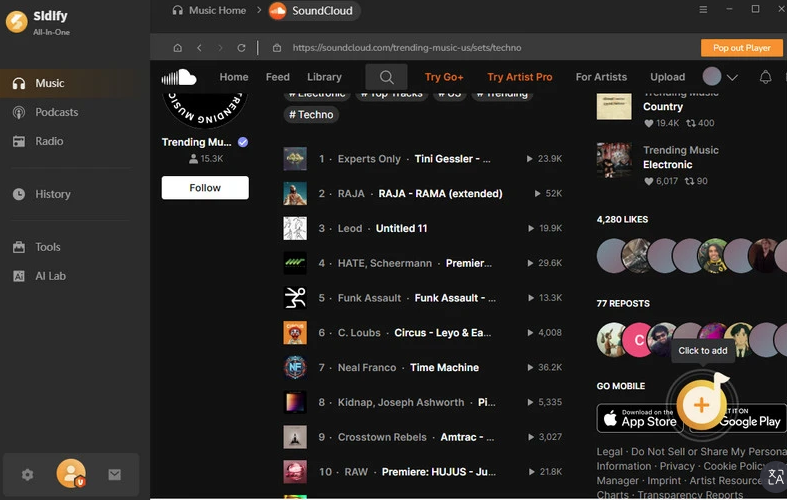
Go to Your SoundCloud Wrapped 2025 playlist in your SoundCloud account. Click “+” button to add SoundCloud Wrapped playlist into Sidify. Sidify will load all songs in the playlist.
Step 4: Choose Output Format and Settings
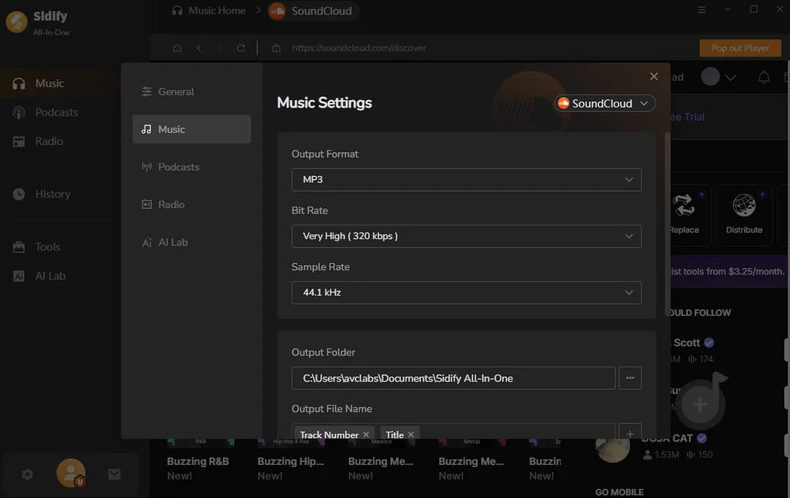
Select an audio format: MP3, AAC, WAV, or FLAC.
Optionally adjust bitrate, sample rate, and output folder.
For most users, MP3 320 kbps is recommended for high-quality playback.
Step 5: Start Converting
Click Convert. Sidify will download and convert all songs from your Wrapped playlist to the selected format.
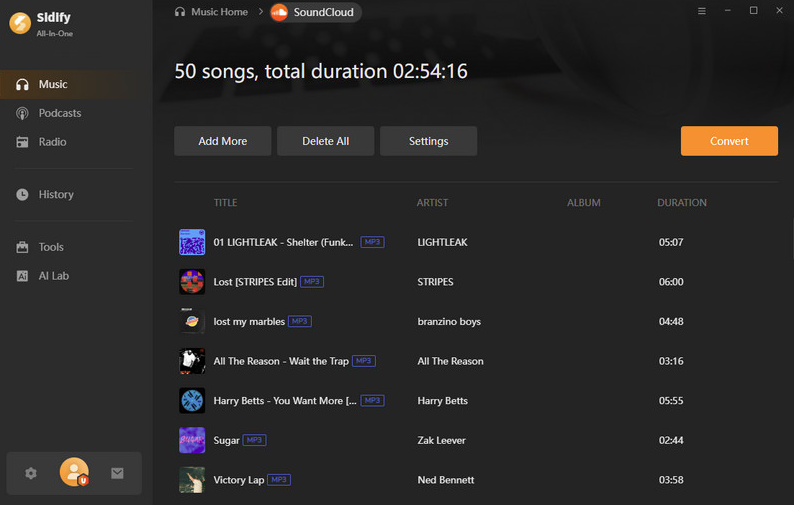
Step 6: Locate and Enjoy Your Tracks
Once conversion is complete, open the output folder.
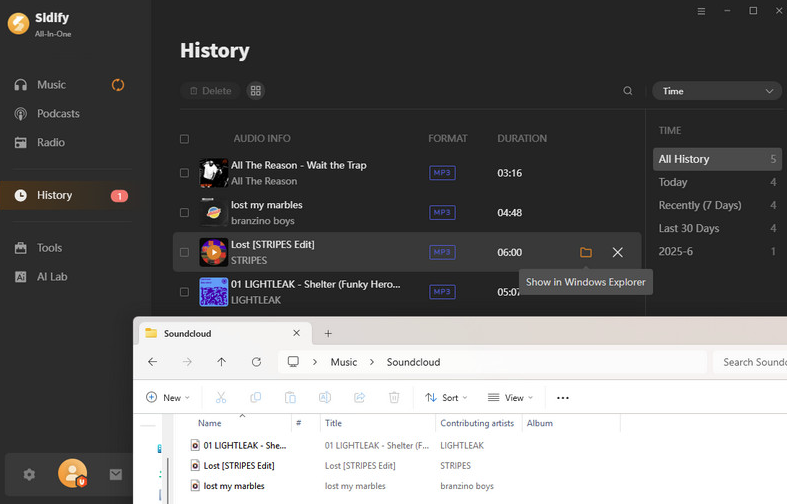
You can now play your SoundCloud Wrapped tracks on any device or import them into your music library.
Conclusion
SoundCloud Wrapped 2025 is a fun and insightful way to see your music habits over the past year. By following the steps above, you can easily view your personalized Wrapped stats and keep your top songs in your library for future listening.
메타데이터
- post_id
- b6cb331df6a1
- slug
- how-to-see-and-download-soundcloud-wrapped-2025-b6cb331df6a1
- url
- https://medium.com/@chern63/how-to-see-and-download-soundcloud-wrapped-2025-b6cb331df6a1
- canonical_url
- https://medium.com/@chern63/how-to-see-and-download-soundcloud-wrapped-2025-b6cb331df6a1
- author_url
- https://medium.com/@chern63
- status
- ok
- fetched_at
- 2026-06-17 08:20:12



