The Surprisingly Hard Problem of Finding the Perfect Arrow (and How to Fix It)
If you’ve ever worked on a design, presentation, or UI mockup, you’ve probably run into a strangely annoying problem:
The Surprisingly Hard Problem of Finding the Perfect Arrow (and How to Fix It)
If you’ve ever worked on a design, presentation, or UI mockup, you’ve probably run into a strangely annoying problem:
You need a simple arrow.
Not just any arrow — the right one. The exact thickness, curvature, direction, and color. Something that fits your design perfectly.
And yet, finding it is often harder than it should be.
Why something so simple becomes a problem
At first glance, an arrow seems like one of the most basic design elements possible. But once you start searching, things get complicated quickly.
Icon libraries give you thousands of arrows — but almost none of them are exactly what you need.
- This one is too thick
- That one has the wrong angle
- Another has the right shape but the wrong style
- And most of them don’t match your color scheme
You end up doing what designers always end up doing: choosing the “closest option” and adjusting your design around it.
It feels like overkill for something as simple as a line with a point on the end.
The real issue: arrows aren’t actually simple
The problem is that arrows are deceptively flexible. Small changes in parameters completely change how they feel visually:
- A slightly thicker stroke makes it look more aggressive
- A curved path changes its tone from technical to playful
- Arrowhead shape affects clarity and directionality
- Color can shift attention and hierarchy in your layout
Because of this, pre-made icon sets will never fully cover every possible combination.
You’re always compromising.
A better way: generate exactly what you need
Instead of searching endlessly for a “close enough” arrow, there’s a much more efficient approach: generate it yourself.
There is a free tool that does exactly this:
👉 https://c-basso.github.io/arrow-maker/
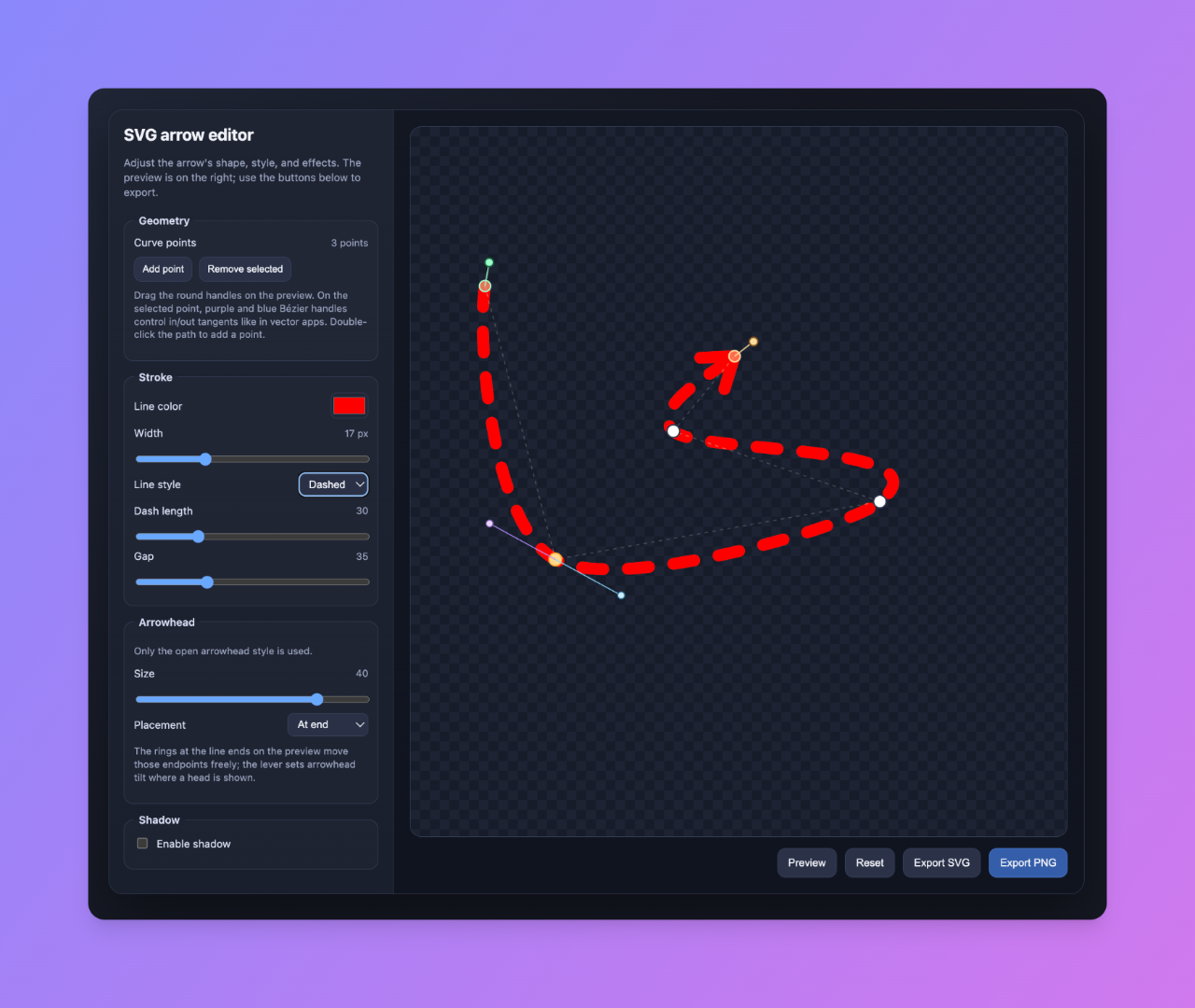
With this tool, you can create fully custom arrows directly in your browser. You can control:
- Shape and curvature
- Direction and orientation
- Stroke thickness
- Arrowhead style
- Color
And once you’re done, you can export a clean SVG that drops straight into your design or codebase.
No editing. No compromises. No endless searching.
Why this is actually a big deal
It might seem like a small improvement — just arrows, after all.
But in practice, it changes the workflow:
Instead of adapting your design to fit available assets, you generate assets that fit your design.
That removes a surprising amount of friction:
- No more digging through icon libraries
- No more manual SVG tweaking
- No more “almost right” compromises
- No more wasting time on tiny visual details
Final thoughts
Design is often slowed down not by big problems, but by small, repetitive ones — like finding the right arrow.
Tools like Arrow Maker quietly remove that friction and give you back control over even the simplest visual elements.
And sometimes, that’s exactly what makes the biggest difference.
메타데이터
- post_id
- b71f17fa85ef
- slug
- the-surprisingly-hard-problem-of-finding-the-perfect-arrow-and-how-to-fix-it-b71f17fa85ef
- url
- https://medium.com/@ivakhvu1/the-surprisingly-hard-problem-of-finding-the-perfect-arrow-and-how-to-fix-it-b71f17fa85ef
- canonical_url
- https://medium.com/@ivakhvu1/the-surprisingly-hard-problem-of-finding-the-perfect-arrow-and-how-to-fix-it-b71f17fa85ef
- author_url
- https://medium.com/@ivakhvu1
- status
- ok
- fetched_at
- 2026-06-13 00:08:42