Octopi Launcher — A Review of Year 2025
25 Dec 2025 marks two years since version 0.1 of Octopi Launcher, which was launched as a closed beta to a small group of testers. Fast…
Octopi Launcher — A Review of Year 2025
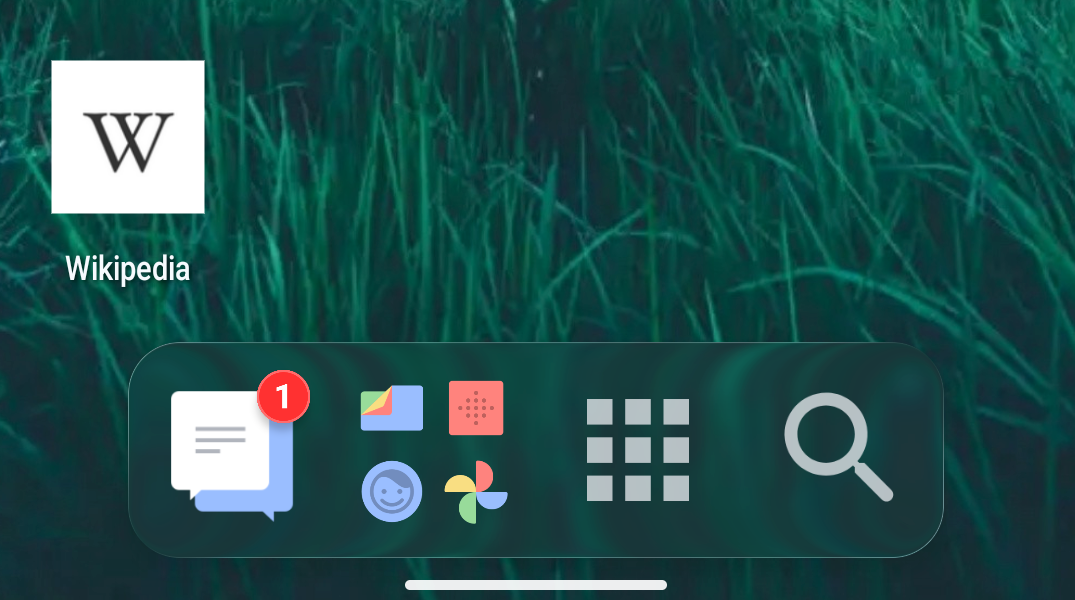
Redesigned dock featuring notification badges, folders, and launcher actions
25 Dec 2025 marks two years since version 0.1 of Octopi Launcher, which was launched as a closed beta to a small group of testers. Fast forward 1.5 years later to May 2025, the first publicly available version (version 1.122) was published.
Plenty of stuff has been ongoing in year 2025, and as the year winds down and we welcome 2026, here’s a look back at the developments in Octopi Launcher in the past year:
Dock
[embed]
- Redesigned the dock from the ground up, enabling features such as multiple pages, folder support, swipe down gestures for dock icons, and expandable dock
Home Screen
[embed]Various widget background effects
The home screen is an important piece of the launcher experience, and Octopi Launcher brought a few familiar features, as well as unique ones such as floating widgets, glass effects, and auto-scrolling widget stacks.
- Scroll home screen pages in a loop
- Editing and rearrangement of home pages, including selecting one as default
- Pin a widget to make it float across home screen pages
- Apply glass effects to widget stacks (Pro) and widgets
- Scroll widgets in a stack vertically and in a loop
- Adjust corners of widgets
- Choose a different font for Octopi Launcher
- Lock your home screen to prevent accidental changes
- Control the maximum number of icons shown in a home screen folder
- Assign apps and actions to home screen gestures, and home screen folders
- Folders display the total count of notifications for apps within them
- Hide status and navigation bars
- Enable labels in folders only while keeping your home screen clean
Drawer
The drawer will be the center of attention sometime in 2026, while 2025 brought some enhancements including poweful tags and nested folders.
- Swipe horizontally in the drawer to switch between tags
- Smarter and faster search results
- Choose location of A-Z bar and search button
- Create a folder within a folder in the app drawer
- Set custom icons for drawer folder
- Add drop shadows to drawer icons (Pro)
And more…
Performance is equally important, and optimisations have been made in key areas including the drawer, home screen, and start up speed.
- Lots of speed improvements
- Added translations thanks to a group of helpful volunteers
- Added in app-purchases (promotion is still ongoing)
Thanks for making it all the way to the last part of this article. If you haven’t, give Octopi Launcher a try, and join the discussions over at r/OctopiLauncher
Wishing everyone a great year 2026!
메타데이터
- post_id
- b7e9b9dc1b69
- slug
- octopi-launcher-a-review-of-year-2025-b7e9b9dc1b69
- url
- https://medium.com/@octopiappfactory/octopi-launcher-a-review-of-year-2025-b7e9b9dc1b69
- canonical_url
- https://medium.com/@octopiappfactory/octopi-launcher-a-review-of-year-2025-b7e9b9dc1b69
- author_url
- https://medium.com/@octopiappfactory
- status
- ok
- fetched_at
- 2026-08-15 09:20:00