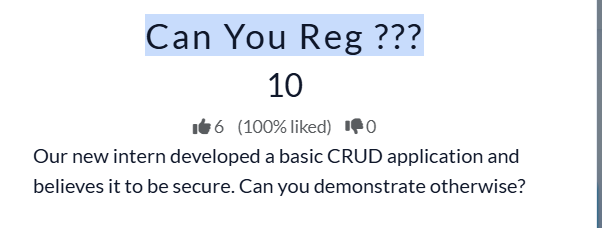
CU CTF- Ping Writeup
Challenge Name: Ping
CU CTF- Ping Writeup
Challenge Name: Ping
Difficulty: Easy
Type: WEB
Event: CU CTF
Hosted by: Fixed Solutions
Target: https://fx-cu-web-ping.chals.io/
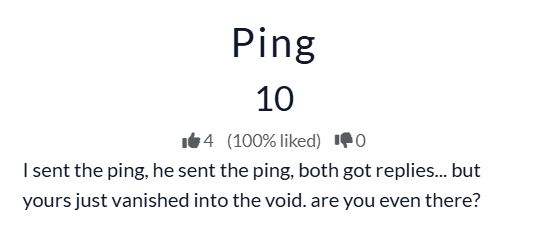
The challenge starts with a web-based ping utility that takes IP as input and ping it four times
Behind the scenes, the functionality looked something like this:
ping -c 4 <inputted ip>

# Step 1 — Trying Command Injection
- Since the tool uses ping command, the first idea was obvious:
“What if we append another command and read the flag?”
We will try the classics first:
- Lets test
8.8.8.8; ls
Nah ❌

- what about
8.8.8.8&&ls

- Still nothing useful.
At that moment I remember the challenge description
- I started thinking there was probably some kind of filtering involved.

Step 2 — Looking for Allowed Commands
Since the goal was to read flag.txt, I started trying different file-reading commands one by one.
- The first obvious choice:
- cat
- payload
8.8.8.8&&cat flag.txt - hmmm some thing different, but not what am looking for

- Then I tried other common reading utilities: more/less/head


- Still no luck.
Step 3 — Discovery That Changed the Game
At that point I was honestly losing hope a little bit.
Then I found an article on GeeksforGeeks talking about the nl command in Linux. nl command in linux
For anyone who never used it before, nl prints file contents with line numbers.
- Basically… a fancy
cat.*

Step 4 — Success
Now lets try the command we found
payload: 8.8.8.8; nl flag.txt
found it !!!!
The flag appears, beautifully numbered line by line, like a humble gift from the void😁.

Conclusion
This challenge was a classic example of command injection with weak command filtering. The application attempted to secure the system using a whitelist/blacklist approach, but overlooked alternative commands that achieve the same functionality.
Key Takeaways
- Blocking
catdoes not magically stop file reading. - Linux has tenth of different ways to do the same thing.
- If user input reaches the shell, attackers will eventually find a way around filters.
- Whitelisting commands is good… but proper input sanitization and avoiding shell execution entirely is much better.
Thank You for Reading
If you made it this far, thank you for reading my write-ups ❤️
I really enjoyed solving these challenges, getting stuck for questionable amounts of time, trying random payloads at 3 AM, and learning new things during the process. Some challenges were straightforward, others made me question my life decisions for a few minutes 😂… but that is basically the CTF experience.
I hope these write-ups helped you learn something new, understand the challenges better, or at least gave you a few ideas for your own approach.
메타데이터
- post_id
- b810ba08946f
- slug
- cu-ctf-ping-writeup-b810ba08946f
- url
- https://medium.com/@khaled.emam.official/cu-ctf-ping-writeup-b810ba08946f
- canonical_url
- https://medium.com/@khaled.emam.official/cu-ctf-ping-writeup-b810ba08946f
- author_url
- https://medium.com/@khaled.emam.official
- status
- ok
- fetched_at
- 2026-06-27 08:54:08