How to stalk your crush without getting noticed (Reversing Instagram’s Web API)
Visualizing Instagram stories anonymously using Instagram Web API
How to stalk your crush without getting noticed (Reversing Instagram’s Web API)
Introduction
First of all: No, I didn’t actually stalk anyone. It’s just a clickbait title. But while exploring how Instagram’s Web app loads stories, I discovered a way to view them anonymously.
While browsing Instagram’s web application, I noticed that when viewing a story, the stories of the next two users were shown in a smaller size.
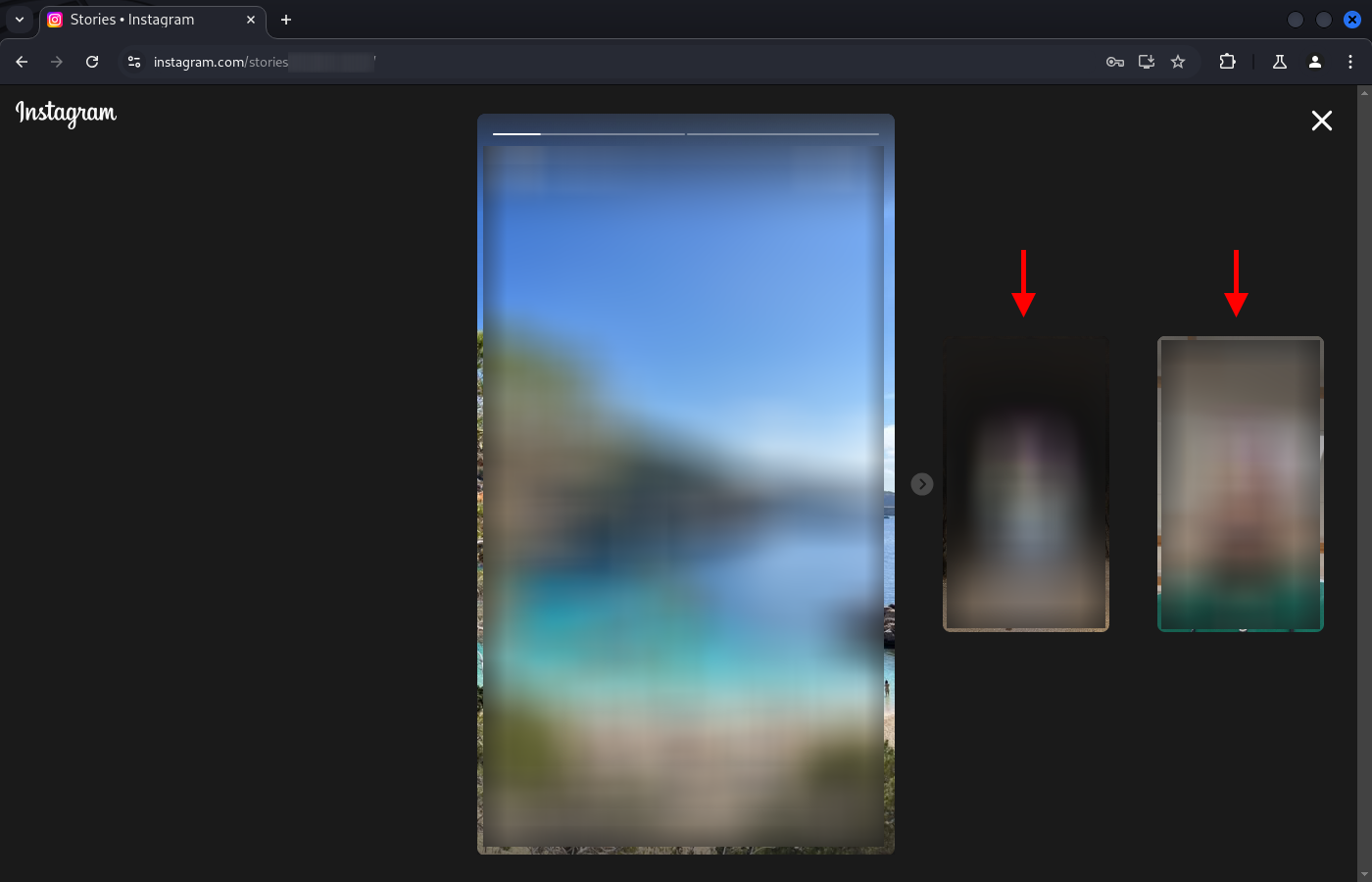
Viewing stories in the Instagram web application
Therefore, the images from the stories of those three users were already locally available on my computer (client), and only the first user should be notified that I viewed their story. So, by “sacrificing” the view of one user’s story, I should be able to view another’s.
The final result turned out much better than expected, as I discovered a way to view the stories of anyone I follow — or anyone with a public account — anonymously, without “sacrificing” a view of another user’s story.
Before discovering the final solution, the following questions came to mind: How is the order of stories determined? Can I alter that order in such a way that I can choose which story to sacrifice and which one to view anonymously?
To have a working framework, I defined my goal: I want to make a Python script that logs in using my username and password. After logging in, it should display the available stories. Finally, I want to choose which stories to watch, and which user to “sacrifice”. I wasn’t sure if this last part was possible, as I didn’t know if it was feasible to alter the story order. In the worst-case scenario, I’d be able to view one user’s story anonymously by necessarily sacrificing the one before.
Authentication
ChatGPT gave me the login code right away. In short, it uses the endpoint https://www.instagram.com/accounts/login/. It makes a POST request, sending the username and encrypted password using the Session class from the requests library. I also made the script save the cookies to a .json file, so it can restore the session if one already exists. This way, you don't need to log in every time the script runs.
# File path to save cookies
COOKIES_FILE = "instagram_cookies.json"

# Simulate a desktop browser
headers = {
    "User-Agent": "Mozilla/5.0 (Windows NT 10.0; Win64; x64) AppleWebKit/537.36 (KHTML, like Gecko) Chrome/91.0.4472.124 Safari/537.36"
}

# Instagram login URL
login_url = "https://www.instagram.com/accounts/login/ajax/"

# Create a session
session = requests.Session()

# Try to load cookies into the session
if os.path.exists(COOKIES_FILE):
    with open(COOKIES_FILE, "r") as file:
        cookies = json.load(file)
        session.cookies.update(cookies)
        print("\033[92mSession loaded.\033[0m")
else:
    # Ask for user credentials
    username = input("Enter your username: ")
    password = input("Enter your password: ")

    # Get CSRF token
    response = session.get("https://www.instagram.com/accounts/login/", headers=headers)
    csrf_token = response.cookies["csrftoken"]

    # Data for the POST request
    data = {
        "username": username,
        "enc_password": f"#PWD_INSTAGRAM_BROWSER:0:0:{password}",
        "queryParams": "{}",
        "optIntoOneTap": "false",
        "csrfmiddlewaretoken": csrf_token,
    }

    # Make the POST request
    response = session.post(login_url, headers=headers, data=data)

    # Check if login was successful
    if not response.json().get("authenticated"):
        print("\033[91mError: Incorrect credentials or authentication failed.\033[0m")
        exit()
    print("\033[92mLogin successful.\033[0m")

    # Save cookies
    with open(COOKIES_FILE, "w") as file:
        cookies = session.cookies.get_dict()
        json.dump(cookies, file)
        print("Cookies saved.")
Login using Python program
Obtaining the list of available stories
The next step was to get the list of available stories.
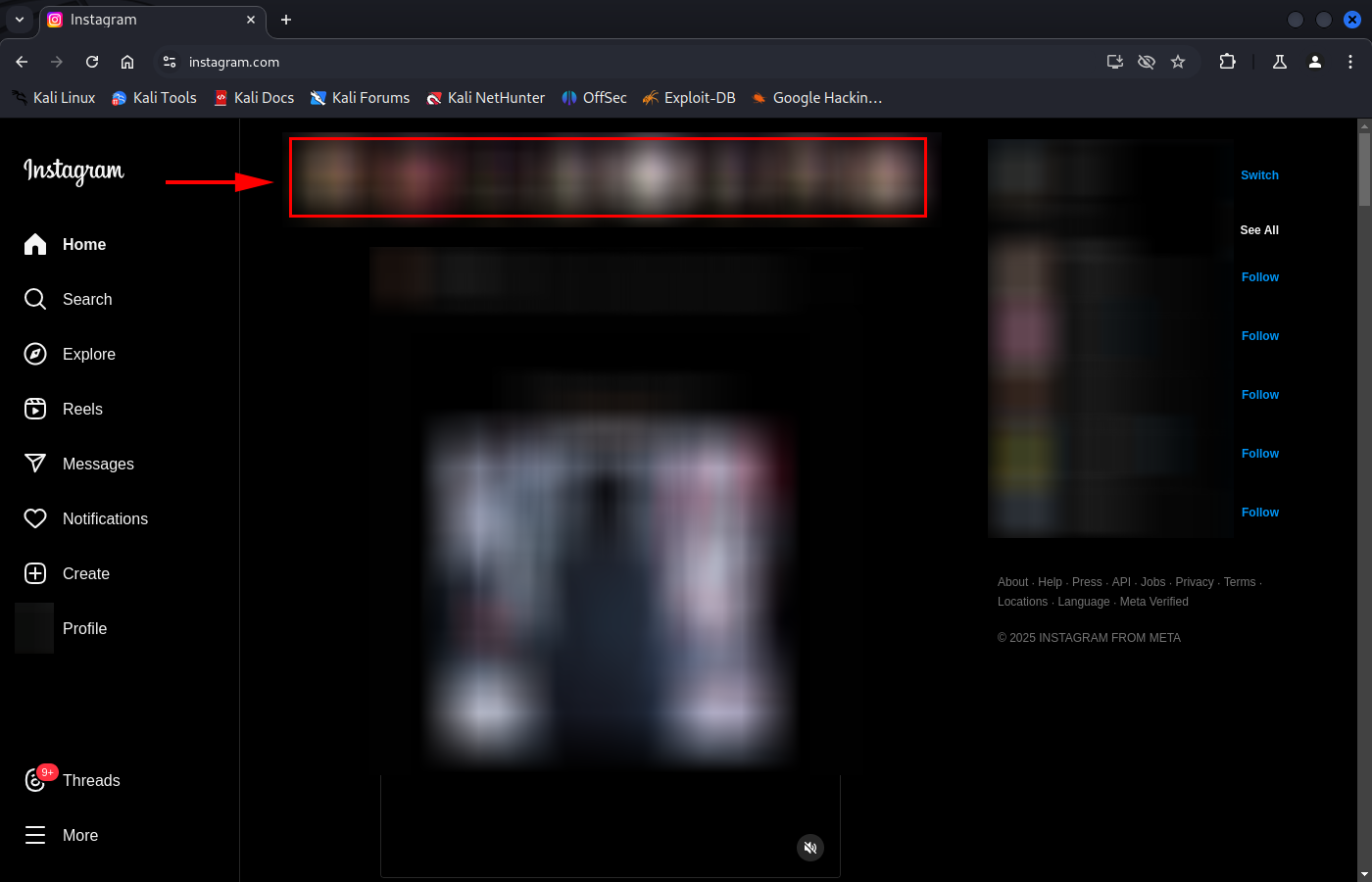
Available stories
From here, I had to start analyzing HTTP traffic. In some cases, I used Chrome Developer Tools to save the generated traffic in .har files, and a small Python program to search through the responses. In other cases, I used the Pro version of HTTP Toolkit (anyway, you could do everything for free with the first method). I’ll illustrate both in this article.
The DIY method: Open Chrome, click the Chrome Menu (the three dots) > More Tools > Developer Tools. Then, select the Network tab. Start navigating and all generated HTTP traffic will be displayed. You can view requests, responses, headers, filter by type…
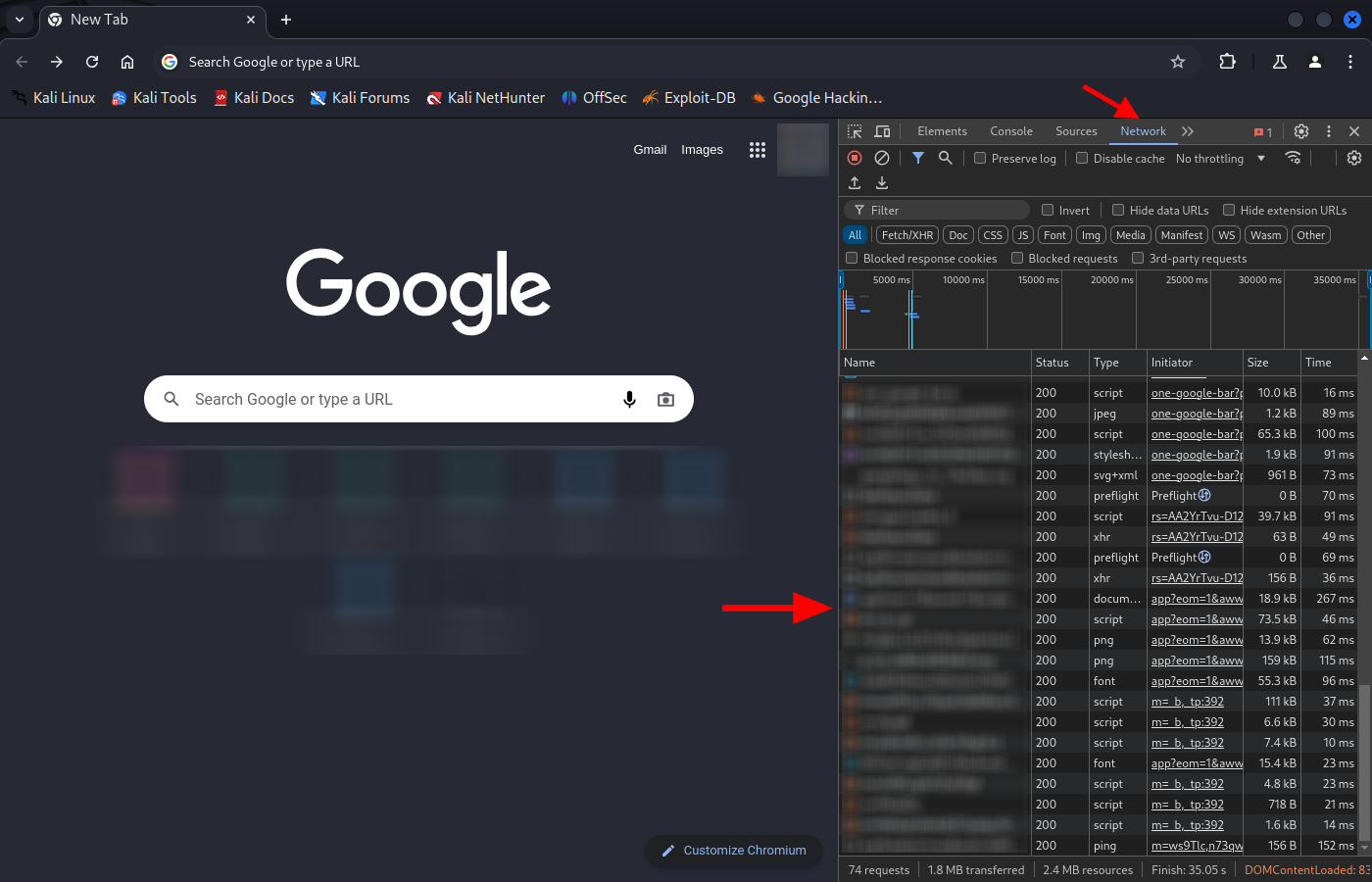
Google Chrome Network tab
Once you’ve browsed and interacted with the relevant website, right-click the list of requests and select “Save all as HAR with content”. In my case, the needed interaction is logging into Instagram and getting the list of available stories.
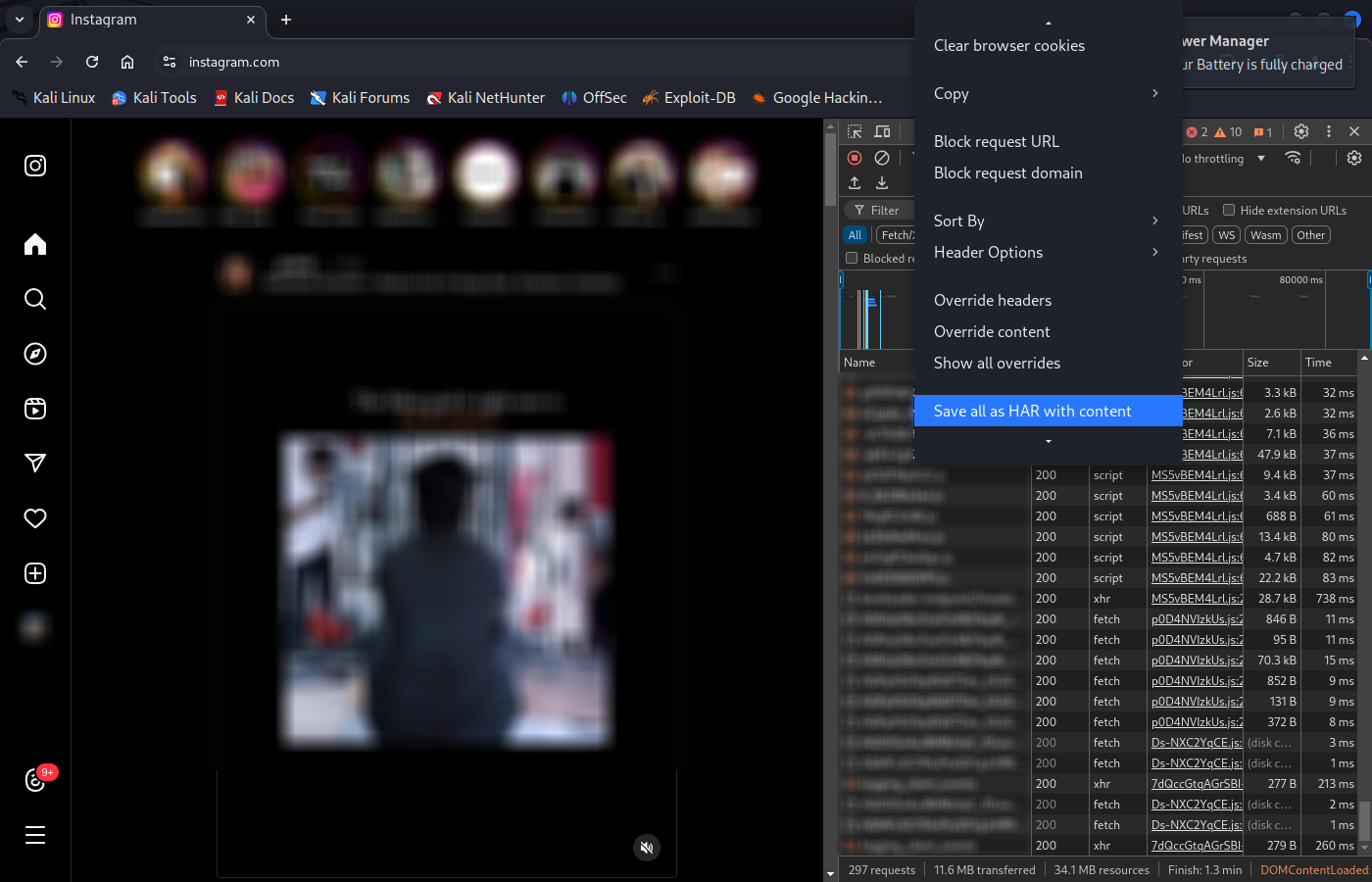
Saving requests as HAR in Google Chrome
Now the goal is to figure out which request returns the list of stories, what data is sent, and how the obtained data is structured. After understanding it, replicate the request using Python and display it to the user.
Let’s use a fictional user @user1234 as an example. I see that the story of @user1234 is available, so I will search for responses containing “user1234”.
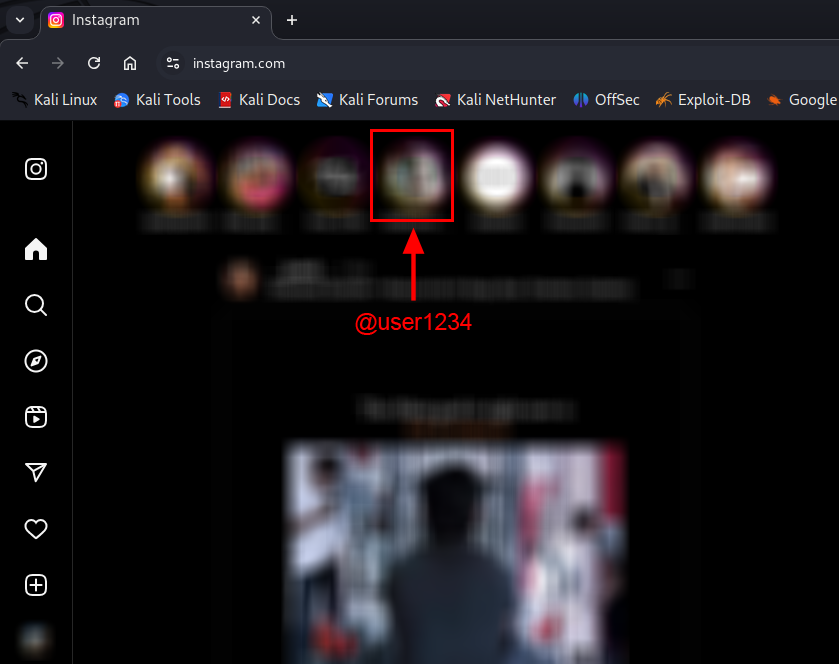
user1234’s story is available

Requests whose response contains “user1234”
The requests to [https://www.instagram.com/](https://www.instagram.com/) and [https://www.instagram.com/ajax/bulk-route-definitions/](https://www.instagram.com/ajax/bulk-route-definitions/) returned information related to the list of available stories. From Chrome Developer Tools, we can copy the full response from [https://www.instagram.com/](https://www.instagram.com/) and investigate how the data is structured. The list of available stories comes in JSON format, embedded inside a<script> tag. I used https://jsonpathfinder.com/ to visualize the data in a more organized way. The array of stories can be found at the JSON path:
x.require[0][3][0].__bbox.require[0][3][1].__bbox.result.data.xdt_api__v1__feed__reels_tray.tray . Each user is located under the path .tray[i].user.username, and their ID — which will be important later — is found at .tray[i].user.pk.
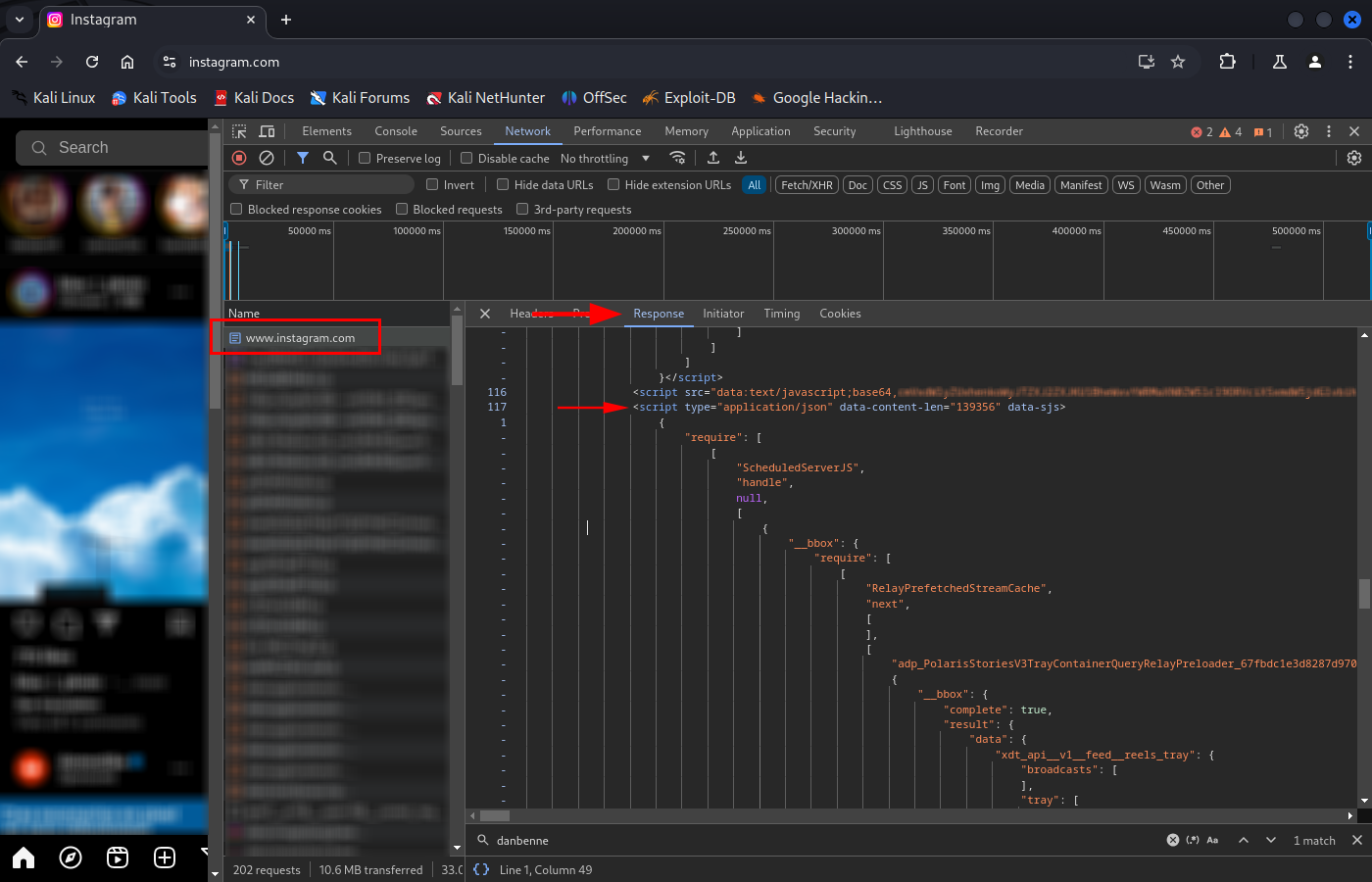
Response from www.instagram.com
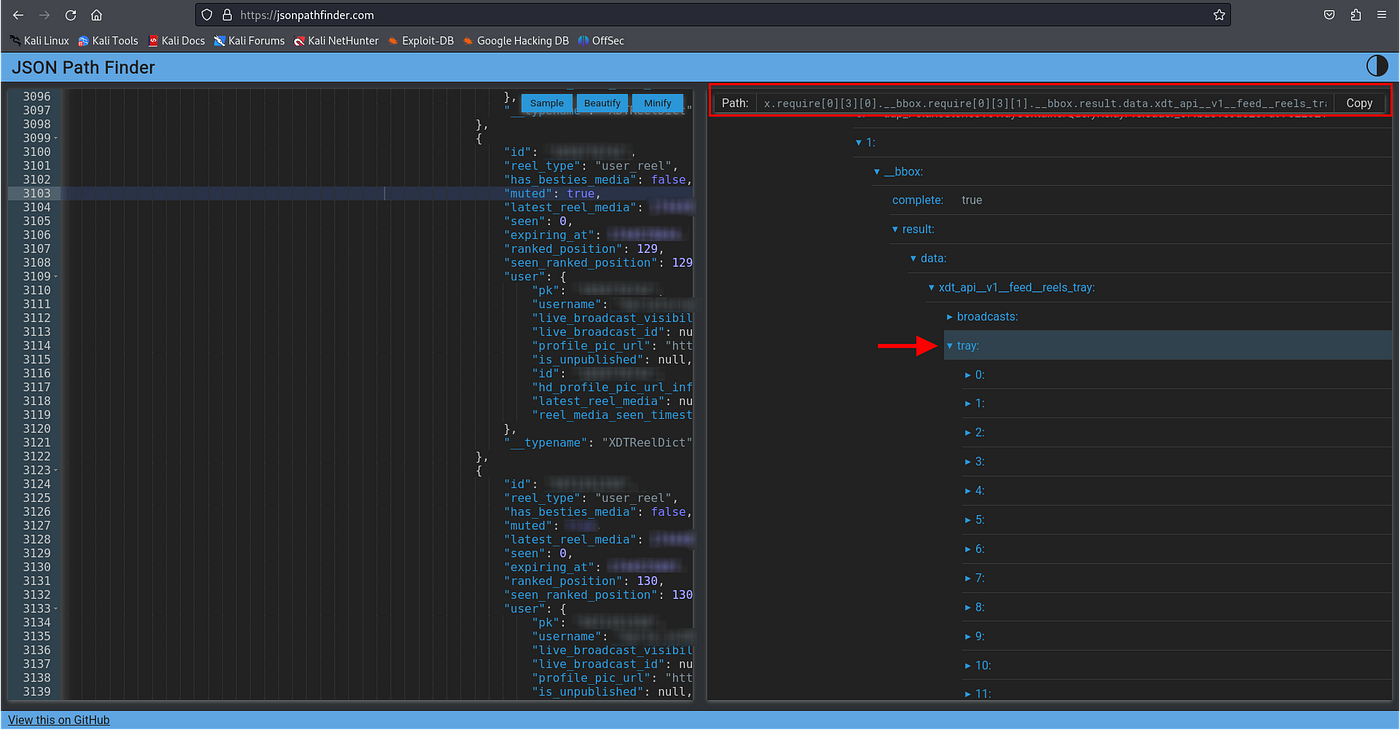
JSON Path to the list of stories
Now that we know the endpoint and how the data is structured, the only thing left to replicate the request in Python is figuring out which headers/data to send. I like to copy the request as curl and experiment a bit, removing headers until you find a minimal or sufficient set to replicate the request.
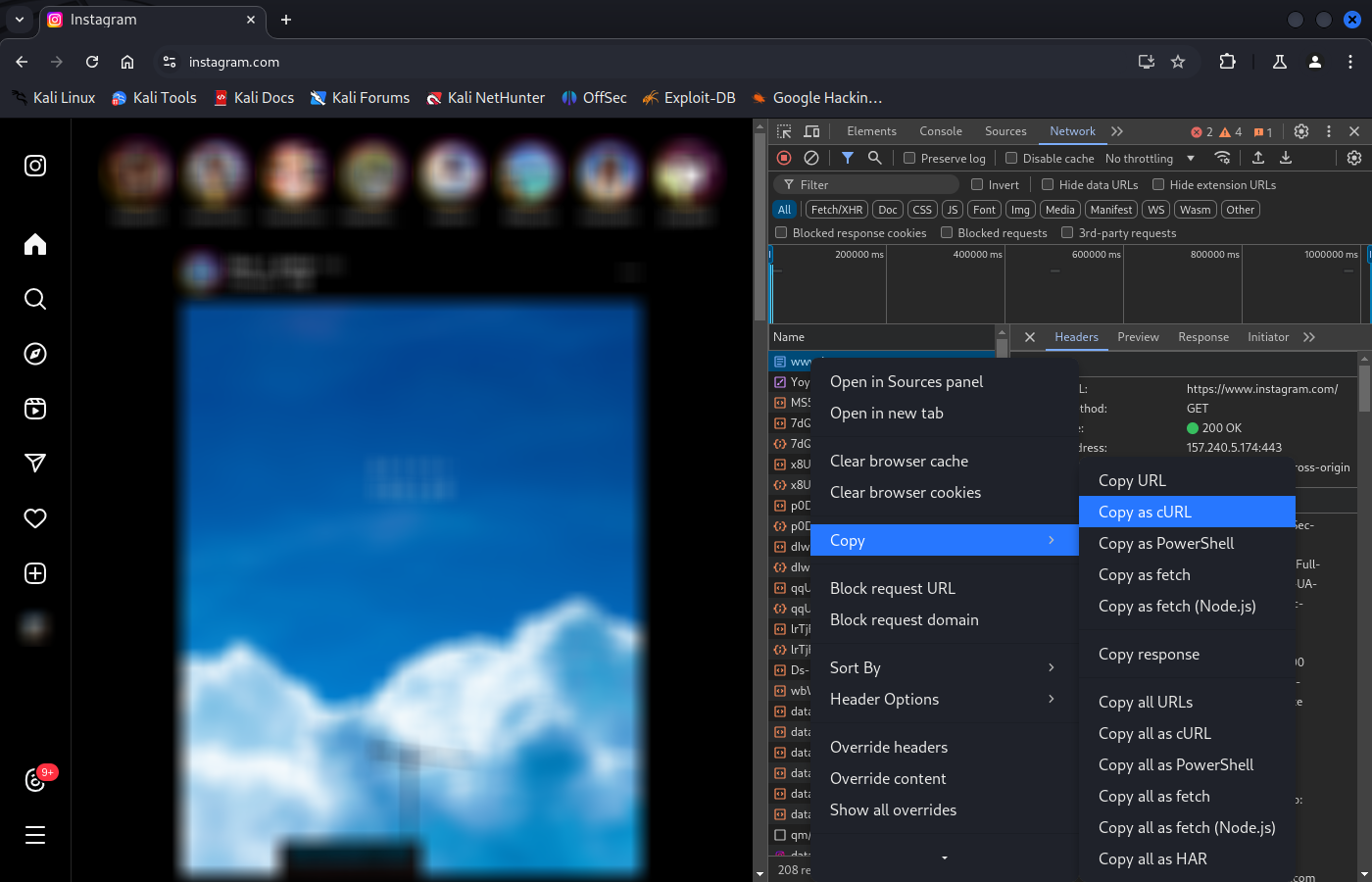
Copy request as curl in Google Chrome
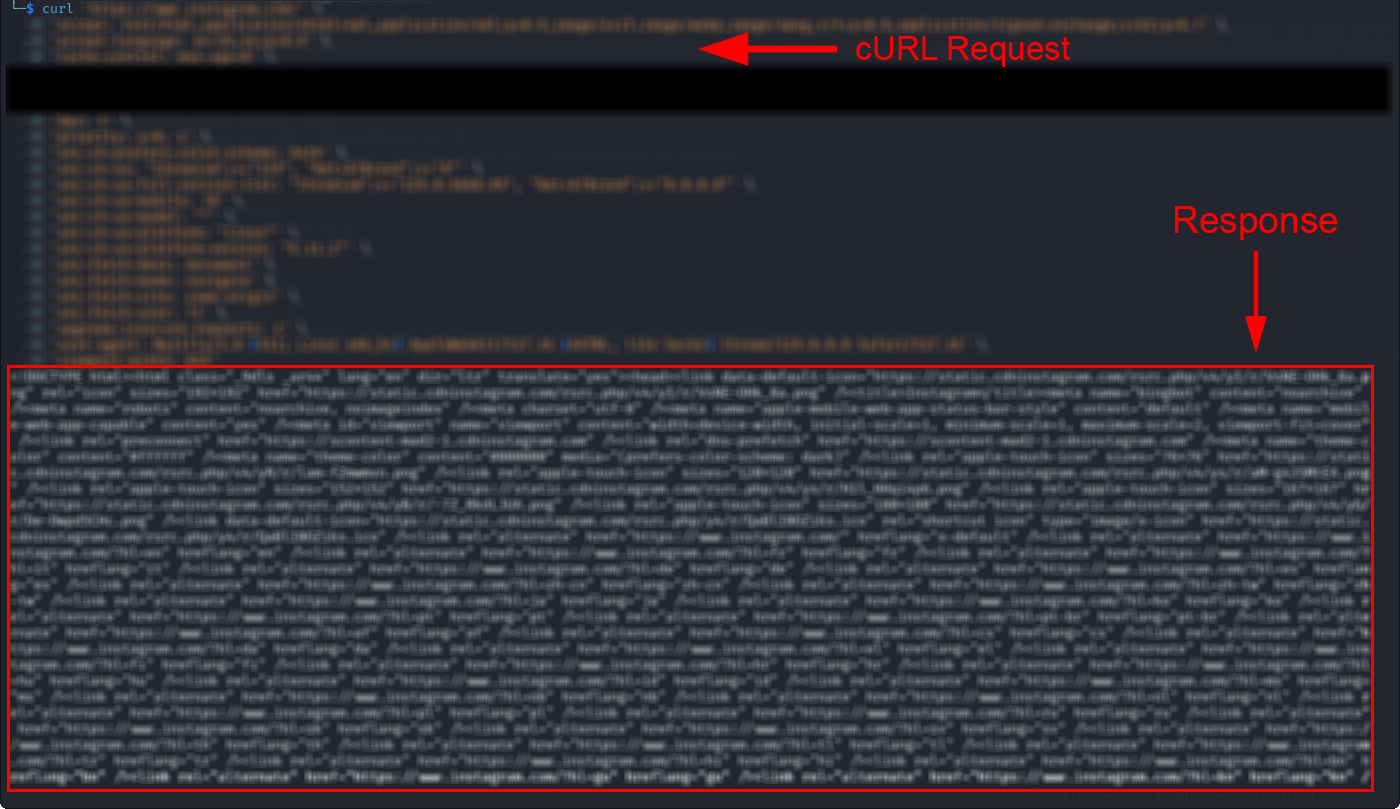
Request to www.instagram.com using curl
Using the Session object we created earlier, replicate the request in Python and print the information to the screen. I also saved the pair (username, id) for later use.
# Request URL
url = "https://www.instagram.com/"

# Request headers (similar to curl)
headers = {
    "accept": "text/html,application/xhtml+xml,application/xml;q=0.9,image/avif,image/webp,image/apng,*/*;q=0.8,application/signed-exchange;v=b3;q=0.7",
    "accept-language": "en-US,en;q=0.9",
    "cache-control": "max-age=0",
    "dpr": "1",
    "priority": "u=0, i",
    "sec-ch-prefers-color-scheme": "XXXXX", # Use the data from the curl you copied earlier
    "sec-ch-ua": 'XXXXX', # Use the data from the curl you copied earlier
    "sec-ch-ua-full-version-list": 'XXXXX', # Use the data from the curl you copied earlier
    "sec-ch-ua-mobile": "?0",
    "sec-ch-ua-model": '""',
    "sec-ch-ua-platform": 'XXXXX', # Use the data from the curl you copied earlier
    "sec-ch-ua-platform-version": 'XXXXX', # Use the data from the curl you copied earlier
    "sec-fetch-dest": "document",
    "sec-fetch-mode": "navigate",
    "sec-fetch-site": "same-origin",
    "sec-fetch-user": "?1",
    "upgrade-insecure-requests": "1",
    "user-agent": "XXXXX", # Use the data from the curl you copied earlier
    "viewport-width": "XXXXX", # Use the data from the curl you copied earlier
}

# Make the GET request
try:
    response = session.get(url, headers=headers)
    response.raise_for_status()  # Raise an exception if the request fails

    # Print the response
    print("\033[94mResponse from instagram.com obtained.\033[0m")

    # Regex pattern to find JSON data
    pattern = r'{"id":"\d+","reel_type":"user_reel".*?"__typename":"XDTReelDict"}'

    # Find all matches in the text
    matches = re.findall(pattern, response.text)

    # List to store JSON objects
    json_objects = []

    # Dictionary to store usernames and their PKs
    users_dict = {}

    # Convert each match to a JSON object
    for match in matches:
        try:
            json_object = json.loads(match)
            json_objects.append(json_object)
        except json.JSONDecodeError as e:
            print(f"Error decoding JSON: {e}")

    # Print found JSON objects
    print("JSON objects found:")
    for obj in json_objects:
        seen = obj.get("seen", 0)  # Assume unseen if not present
        latest_reel_media = obj.get("latest_reel_media", 0)  # Assume no stories if not present

        if seen == 0 or latest_reel_media != seen:  # If nothing has been seen or there are unseen stories
            print(f'\033[92m{obj["user"]["username"]} {"(muted)" if obj.get("muted") else ""}\033[0m')
        else:
            print(obj["user"]["username"])

        # Store in the dictionary
        if obj["user"]["username"] and obj["user"]["pk"]:  # Only save if both values exist
            users_dict[obj["user"]["username"]] = obj["user"]["pk"]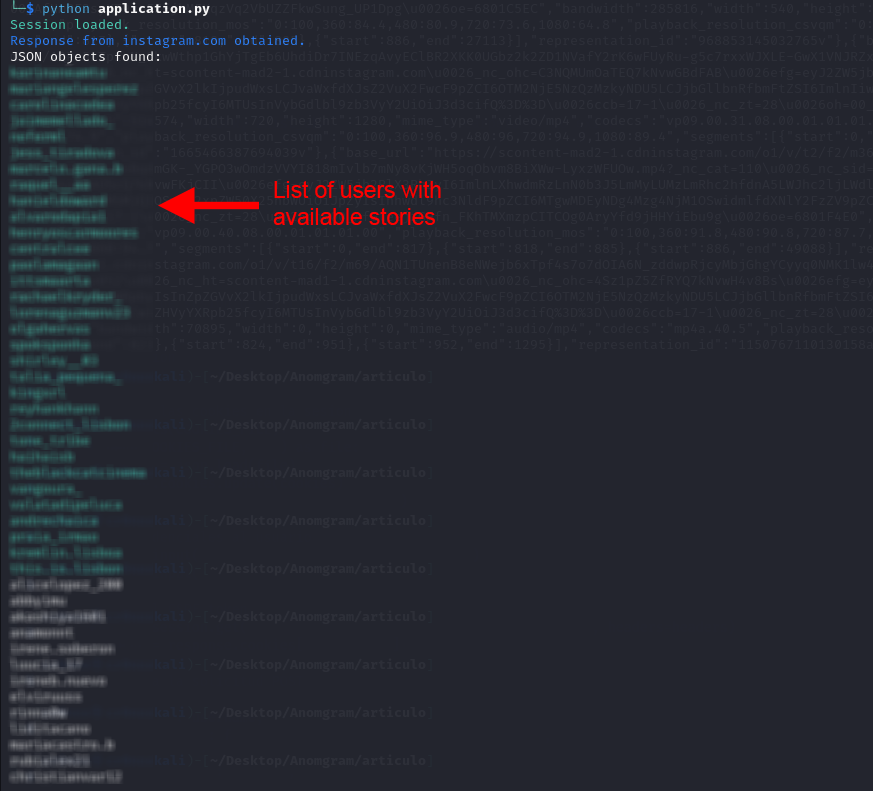
Python program obtaining the list of users with available stories
Downloading stories
Time to get into the real stuff. Following the same procedure, we need to identify the requests related to obtaining the actual stories (video, image). For privacy reasons, I’ll use alternative usernames and user ids.
From now on, I’ll use HTTP Toolkit and capture the HTTP traffic generated by a Chromium browser.
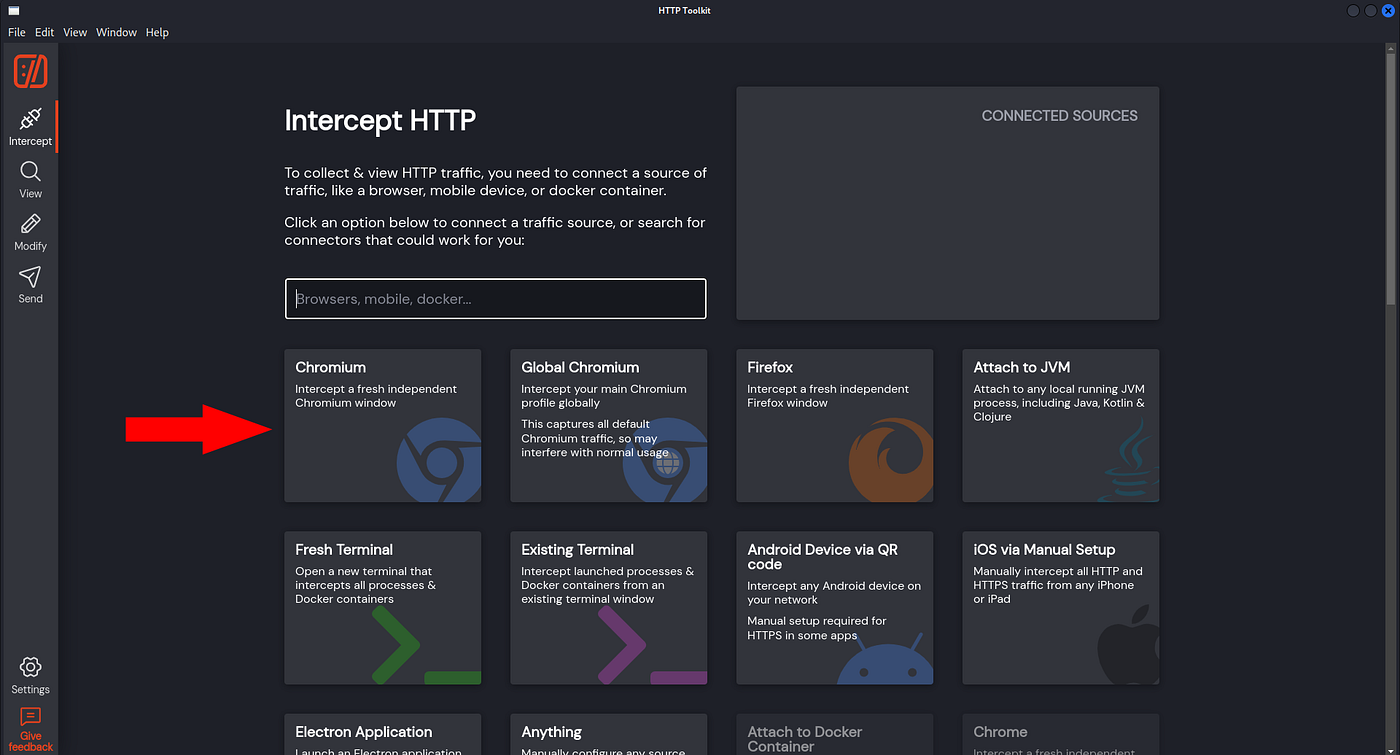
Intercept HTTP traffic from a Chromium browser
The key interaction now is to click on a user’s story and have their story (and the next two) shown. We’ll look for responses containing the user id (pk) of the user we clicked on.
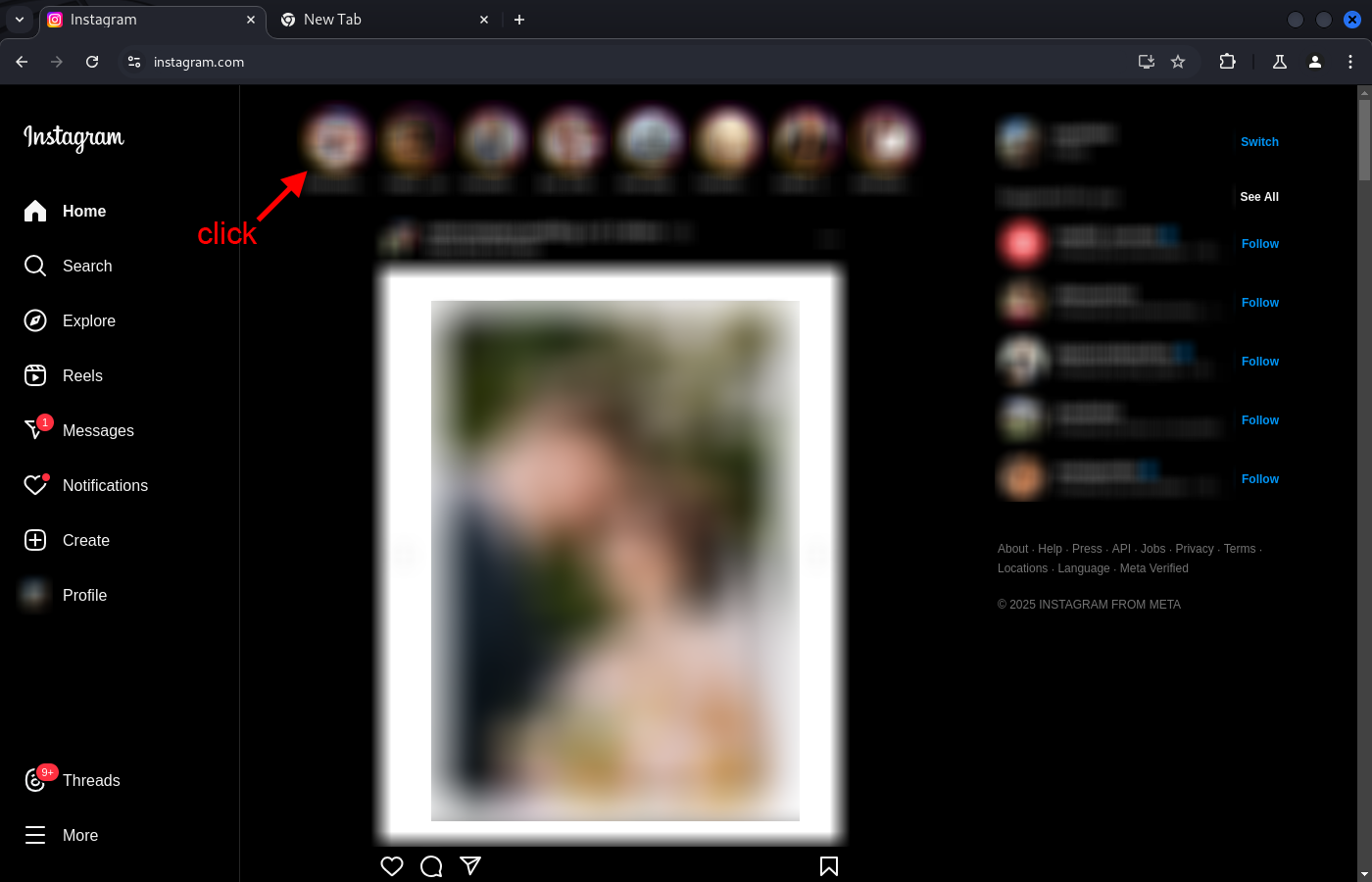
Click in a story while capturing the traffic with HTTP Toolkit
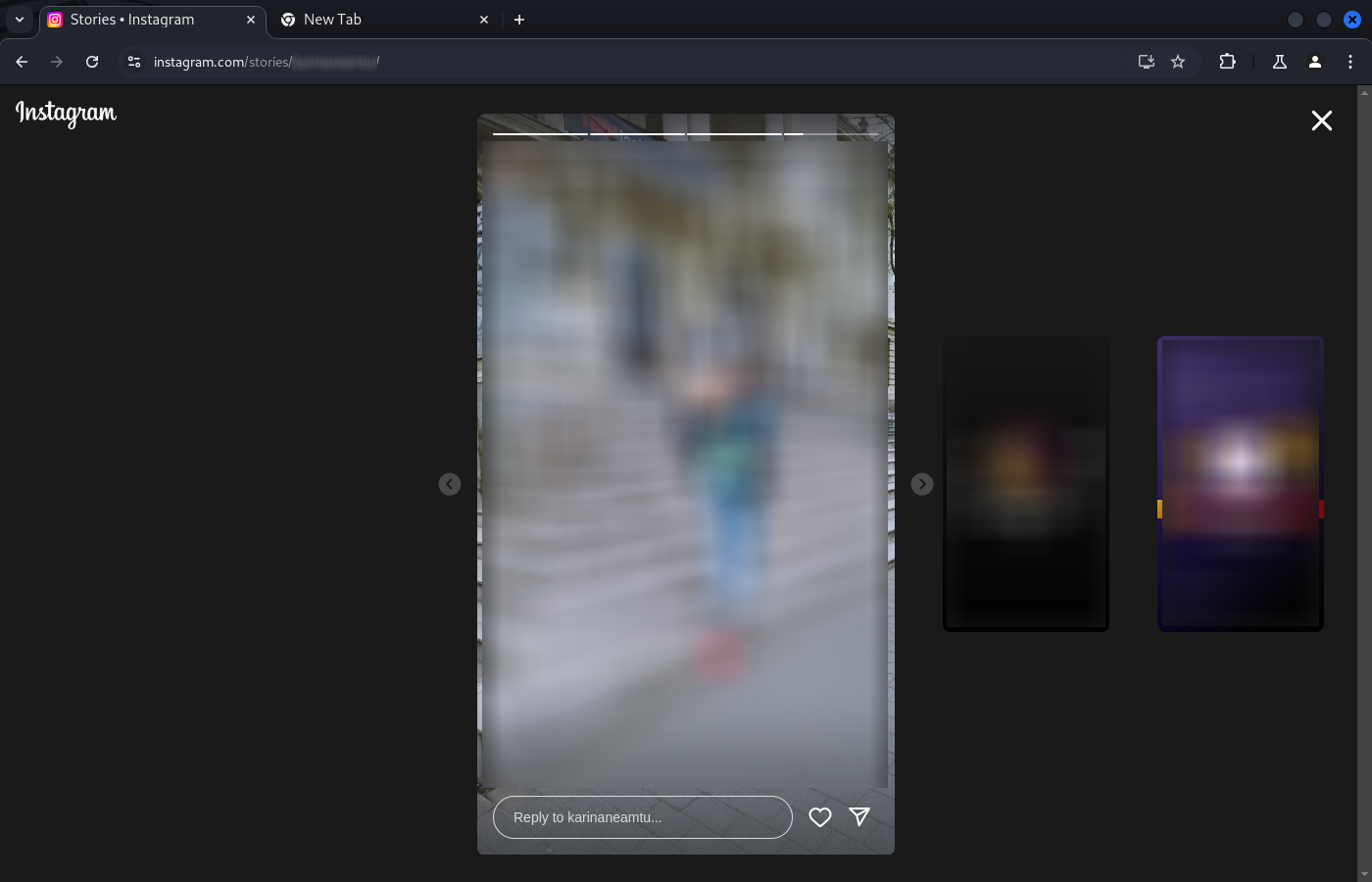
Viewing the stories while capturing the traffic with HTTP Toolkit
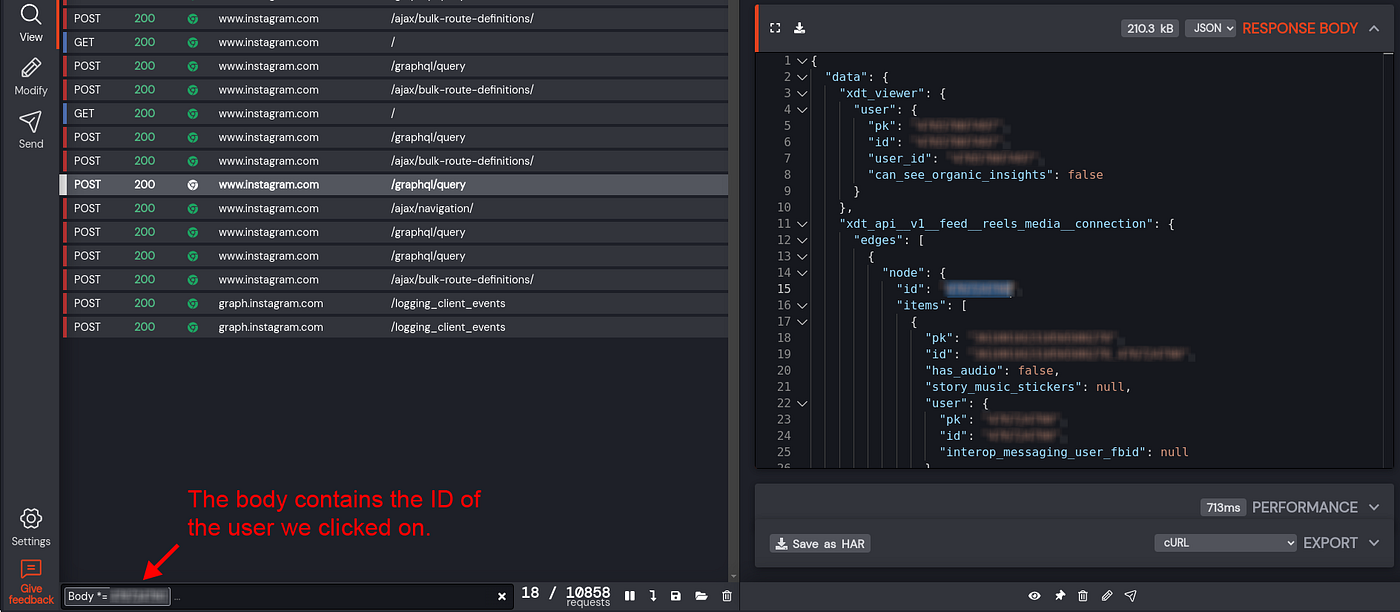
Filtering the requests containing the ID of the user we clicked on
Observing the filtered requests, we identify https://www.instagram.com/graphql/query, which contains the links to story images.
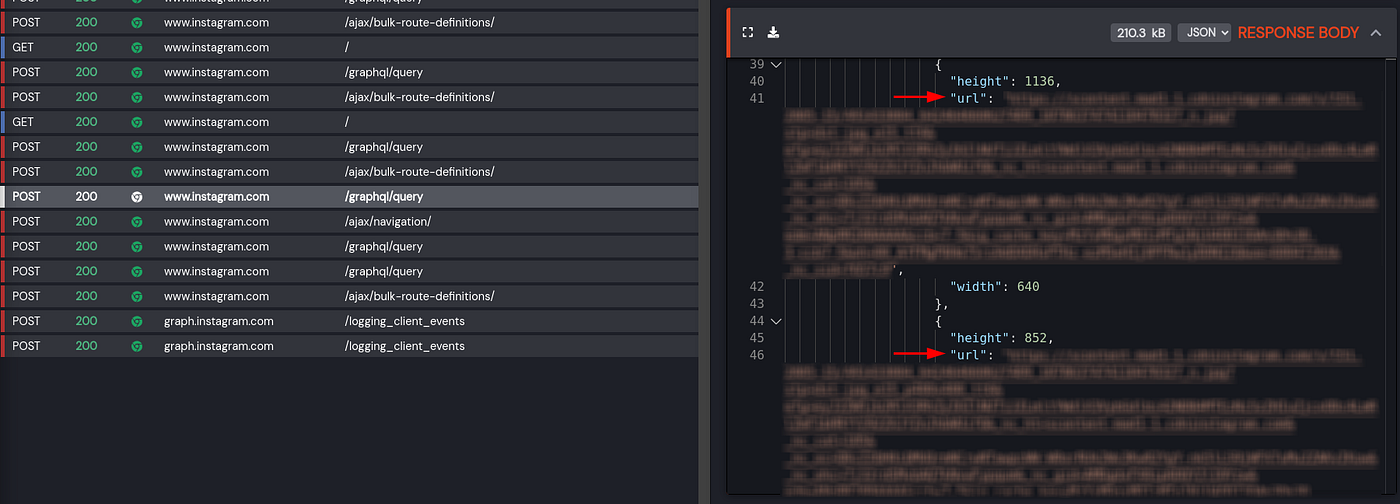
Request containing the link to the stories images
The response is a JSON. Upon analyzing it, we see that under the path data.xdt_api__v1__feed__reels_media__connection.edges there’s an array of users. For each user, the path .edges[i].node.items, contains all their stories available during the 24-hour window. This is better than expected, as we thought we’d only get the latest story—the one visible on screen. Each story comes in different resolutions. If it’s an image, we can find a link to it under:
x.data.xdt_api__v1__feed__reels_media__connection.edges[i].node.items[j].image_versions2.candidates[0].url
If it’s a video, under:
x.data.xdt_api__v1__feed__reels_media__connection.edges[i].node.items[j].video_versions[0].url
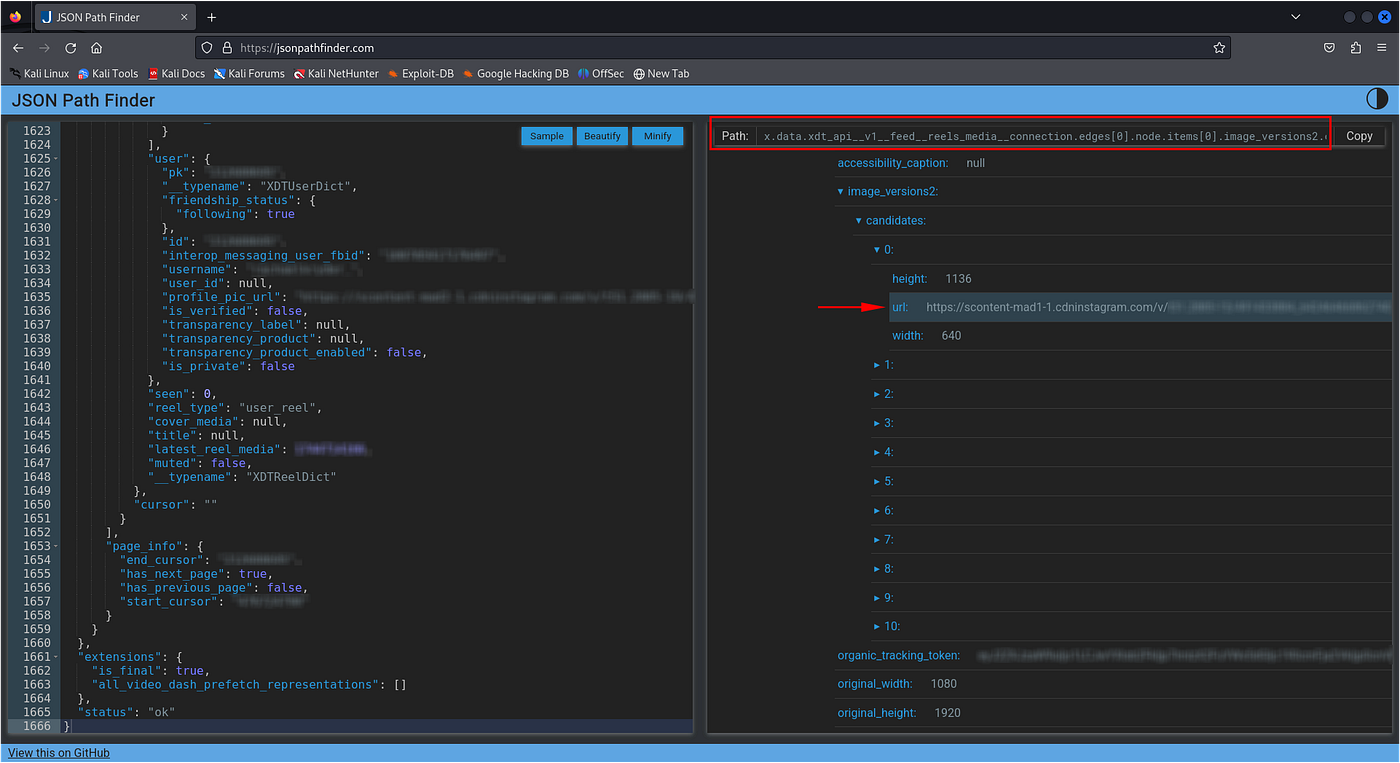
JSON path to the story image URL
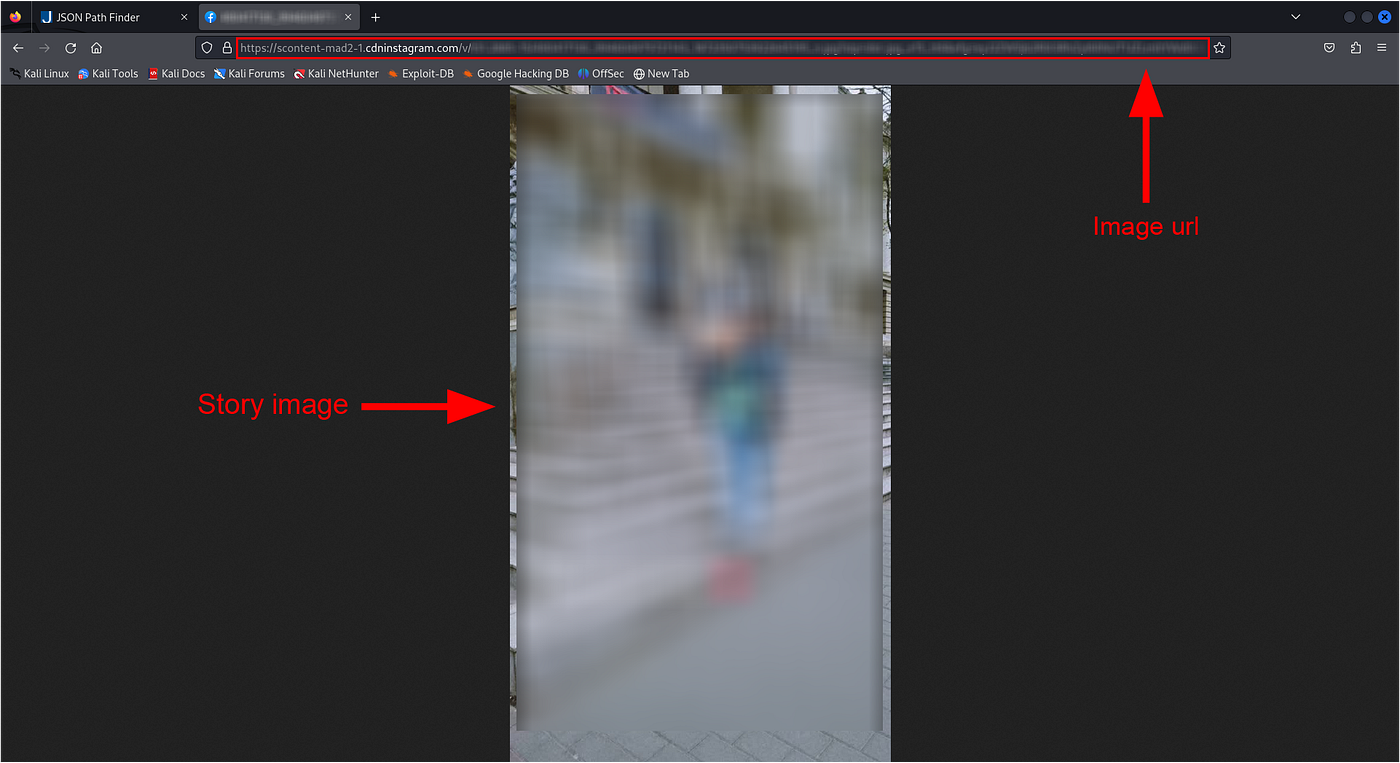
Story image
In the analyzed traffic, we received stories from 3 users. Can we get more by changing some request parameter? Can we modify the order? Let’s analyze the request made to [https://www.instagram.com/graphql/query](https://www.instagram.com/graphql/query.).
Again, I copied it as curl and looked at the data being sent (--data).
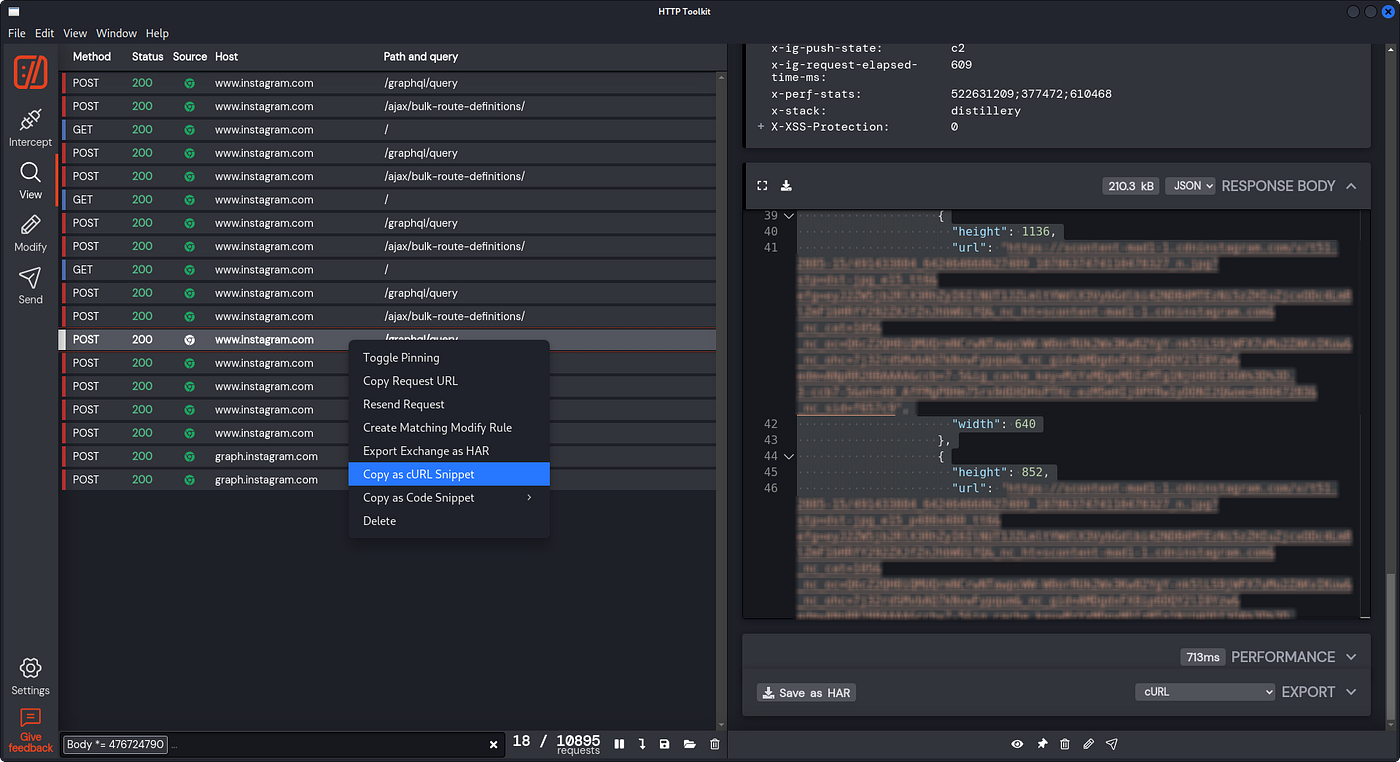
Copy the request to https://www.instagram.com/graphql/query as curl snippet
The following parameters in the request body stand out (user IDs were altered to preserve privacy):
-- data 'variables={
  "initial_reel_id": "476724091",
  "reel_ids": [
    "476724091", "697693840", "212688195", "210916440", "54160481891", "71720677714", "490137746", "243662479", "471331249", "3270472261", "2375158641", "20103316977", "271968239", "433079986", "1910619582", "968217124", "492065341", "59662517963", "10715439770", "280801195", "608999126", "467128930", "64250269389", "7454885194", "491565869", "2922176466", "48747838758", "500822821", "57531413470", "50432193730", "7141513835"
  ],
  "first": 3,
  "last": 2
}'
Comparing these values with the user IDs (pk) of users with available stories, we see that initial_reel_id is the ID of the user whose story we’re currently viewing (the one we clicked on). The reel_ids list contains the IDs of users with available stories (probably as many as fit on the screen). The first and last parameters control the number of users for which story data is requested. This two parameters are not critical for the goal, so I didn’t go deeper. I invite anyone curious to investigate further.
After playing around with the values of initial_reel_id, reel_ids, first and last, I tried getting the stories of a single user by sending:
variables={
  "initial_reel_id": USER_ID,
  "reel_ids": [
    USER_ID
  ],
  "first": 3,
  "last": 2
}
With these values, I got the stories from just that user. And here’s the best part: I tried this on one of my personal accounts and… my view didn’t show up in the list of people who had seen the story! Therefore, this is a way to ANONYMOUSLY view another user’s story (as long as you follow them or their account is public).
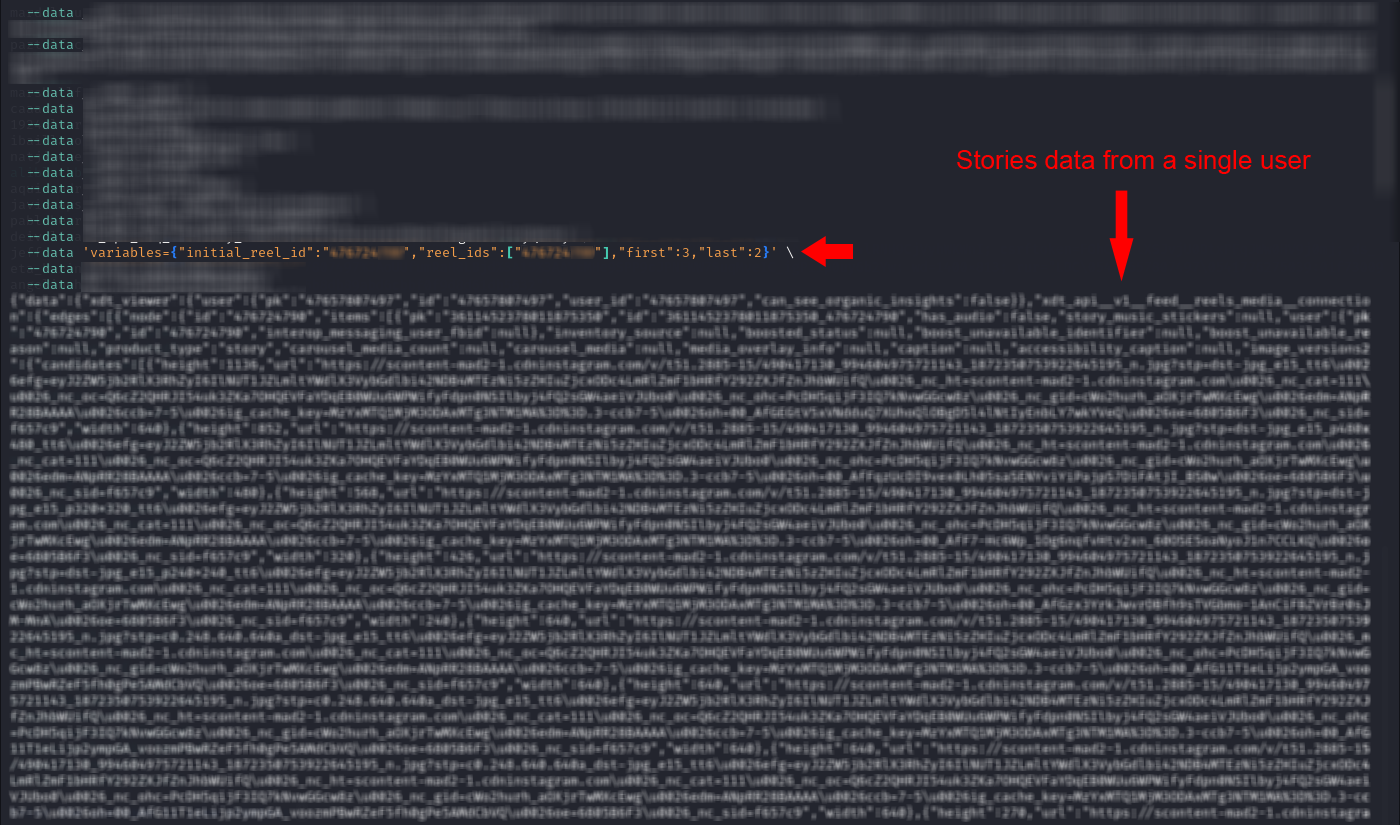
Getting stories data from a single user using curl
After understanding how the requests worked, I translated that logic into my Python script by trimming down the headers and other data sent to https://www.instagram.com/graphql/query, and crafting the request with the correct values for the target user. I added an input prompt for the victim’s username, retrieved their ID (pk) from a prebuilt dictionary, and inserted it into the initial_reel_id and reel_ids fields.
    # 🔹 ASK USER TO SELECT A STORY TO VIEW (until valid)
    while True:
        target_username = input("\n\033[94mEnter the username to view stories: \033[0m")
        found = any(obj["user"]["username"].lower() == target_username.lower() for obj in json_objects)

        if found:
            print(f"\033[92mStories available for {target_username}\033[0m")

            # Get the PK of the selected user
            user_pk = users_dict.get(target_username)

            if user_pk:
                # GraphQL endpoint URL
                graphql_url = "https://www.instagram.com/graphql/query"

                # Data for the POST request
                post_data = {
                    "__d": "www",
                    "__user": "0",
                    "__a": "1",
                    "__req": "XXXXX", # Use the data from the curl you copied earlier
                    "__hs": "XXXXX", # Use the data from the curl you copied earlier
                    "dpr": "1",
                    "__ccg": "EXCELLENT",
                    "fb_api_caller_class": "XXXXX", # Use the data from the curl you copied earlier
                    "fb_api_req_friendly_name": "XXXXX", # Use the data from the curl you copied earlier
                    "variables": json.dumps({
                        "initial_reel_id": str(user_pk),
                        "reel_ids": [str(user_pk)],
                        "first": 3,
                        "last": 2
                    }),
                    "server_timestamps": "true",
                    "doc_id": "XXXXX" # Use the data from the curl you copied earlier
                }

                # Make the POST request
                try:
                    response = session.post(graphql_url, headers=headers, data=post_data)
                    response.raise_for_status()

                    # Parse the JSON response
                    json_response = response.json()
In the JSON response, media file links can be found at the following paths:
x.data.xdt_api__v1__feed__reels_media__connection.edges[i].node.items[j].image_versions2.candidates[0].url
or, if it's a video:
x.data.xdt_api__v1__feed__reels_media__connection.edges[i].node.items[j].video_versions[0].url.
These files are then downloaded and saved into a folder.
# Parse the JSON response
json_response = response.json()
edges = json_response.get("data", {}).get("xdt_api__v1__feed__reels_media__connection", {}).get("edges", [])

if not edges:
    print("\033[91mNo stories available.\033[0m")
else:
    for edge in edges:
        node = edge.get("node", {})
        items = node.get("items", [])

        for i, item in enumerate(items):
            video_versions = item.get("video_versions")

            if video_versions:
                file_url = video_versions[0]["url"]
                file_ext = "mp4"
            else:
                file_url = item["image_versions2"]["candidates"][0]["url"]
                file_ext = "jpg"

            file_name = f"{target_username}_{i}.{file_ext}"
            file_path = os.path.join(RESULTS_FOLDER, file_name)

            file_response = session.get(file_url, stream=True)
            file_response.raise_for_status()

            with open(file_path, "wb") as file:
                for chunk in file_response.iter_content(1024):
                    file.write(chunk)

            print(f"\033[92mFile saved: {file_path}\033[0m")
Here’s a full demonstration of the Python program from start to finish.
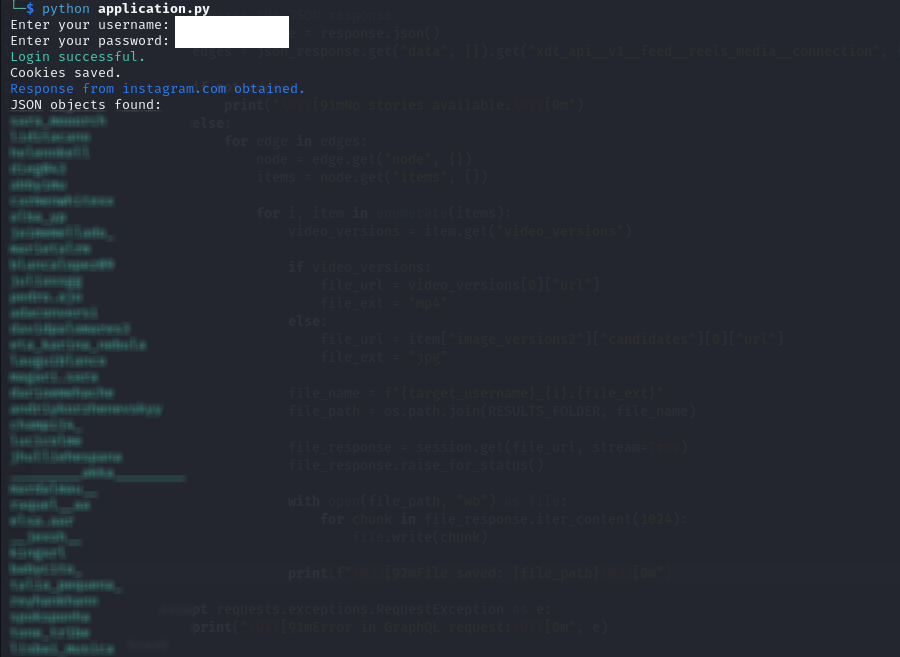
Python program output 1
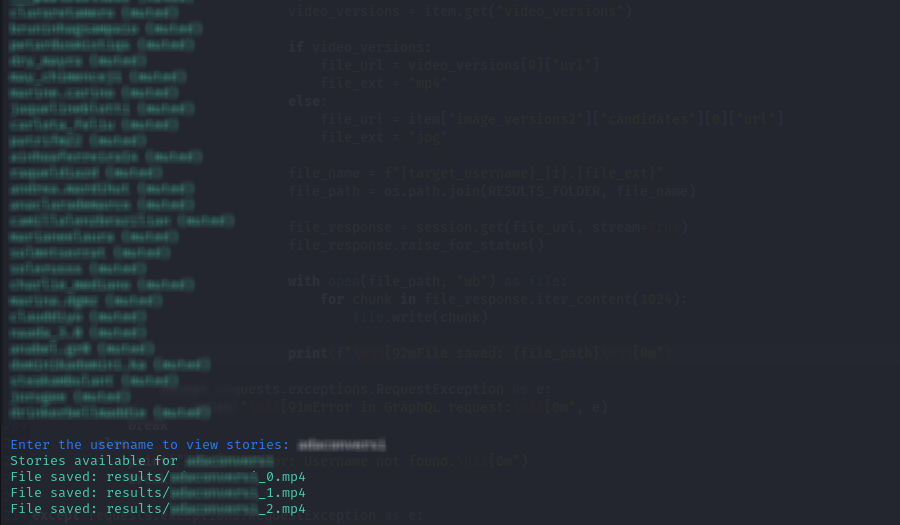
Python program output 2
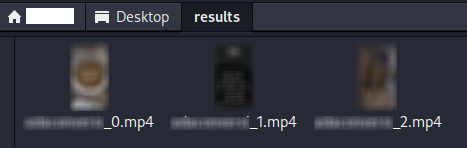
Python program output 3
Wrapping Up
In summary, by using the endpoint https://www.instagram.com/graphql/query and the appropriate values for initial_reel_id and reel_ids, a user can anonymously view stories from the users they follow, as well as from public accounts.
To conclude, I should mention that I’ve reported this privacy vulnerability to Meta. Therefore, the steps outlined in this article — including the use of this endpoint — may no longer be reproducible.
메타데이터
- post_id
- b8da3e8b4fbb
- slug
- how-to-stalk-your-crush-without-getting-noticed-reversing-instagrams-web-api-b8da3e8b4fbb
- url
- https://medium.com/@cr0nos/how-to-stalk-your-crush-without-getting-noticed-reversing-instagrams-web-api-b8da3e8b4fbb
- canonical_url
- https://medium.com/@cr0nos/how-to-stalk-your-crush-without-getting-noticed-reversing-instagrams-web-api-b8da3e8b4fbb
- author_url
- https://medium.com/@cr0nos
- status
- ok
- fetched_at
- 2026-07-18 08:08:13