Can Flutter Replace Unity? Experimenting with 2D Game Development
Flutter has taken the world of app development by storm. Known for its cross-platform capabilities and smooth UI performance, it’s quickly…
Can Flutter Replace Unity? Experimenting with 2D Game Development
Flutter has taken the world of app development by storm. Known for its cross-platform capabilities and smooth UI performance, it’s quickly become a favorite among mobile developers. But as it matures and extends beyond mobile apps into desktop, web, and even embedded systems, an intriguing question is emerging in developer communities: Can Flutter be used for game development? More specifically, can it replace Unity for 2D games?
This question might seem ambitious. Unity has been a staple in the game dev world for years. It’s trusted, powerful, and packed with features tailored specifically for building games. But the Flutter ecosystem is evolving fast, and with packages like Flame, developers are beginning to push the boundaries of what Flutter can do.

Not a member? Click here to read free — and if you enjoy it, consider subscribing🔔 or ☕ buying me a coffee to support my writing!
I decided to dive into this question head-on. I took on a weekend challenge: Build a playable 2D game using Flutter, and compare the experience to what it’s like building something similar in Unity.
This article isn’t just about code — it’s about experience, perspective, and whether Flutter can really hold its own in the game dev arena.
Why Even Consider Flutter for Game Development?
Before diving into the technical side, it’s worth exploring why someone might even think about using Flutter for games in the first place.
- One codebase, multiple platforms: Flutter lets you deploy to Android, iOS, web, desktop, and embedded. For indie devs and small teams, this is a big win.
- Fast iteration and hot reload: You can make changes and instantly see results — huge for creativity and productivity.
- Modern UI framework: Building polished, visually rich UIs is one of Flutter’s strengths.
- Growing ecosystem: With tools like Flame, Bonfire, and Rive, there’s increasing support for animation and game dev workflows.
But those upsides come with some questions. Can it handle performance at scale? Can it match Unity’s deep toolset? Let’s find out.
Meet Flame: Flutter’s Game Engine
If Flutter is your brush, Flame is the canvas for game development.
Flame is a minimalist 2D game engine built specifically for Flutter. It gives you control over the game loop, rendering, input handling, and basic physics. While it’s not nearly as feature-rich as Unity, it’s surprisingly capable for simpler 2D games like platformers, puzzles, or top-down RPGs.
Core Flame Features:
- Sprite rendering and animation
- Collision detection
- Game loop management
- Audio support
- Joystick and gesture input
- Integration with Forge2D for physics
Think of it as a lightweight, Flutter-friendly framework that gives you just enough to build and ship real games — without the heavy tooling of Unity.
Building a Simple Game in Flutter
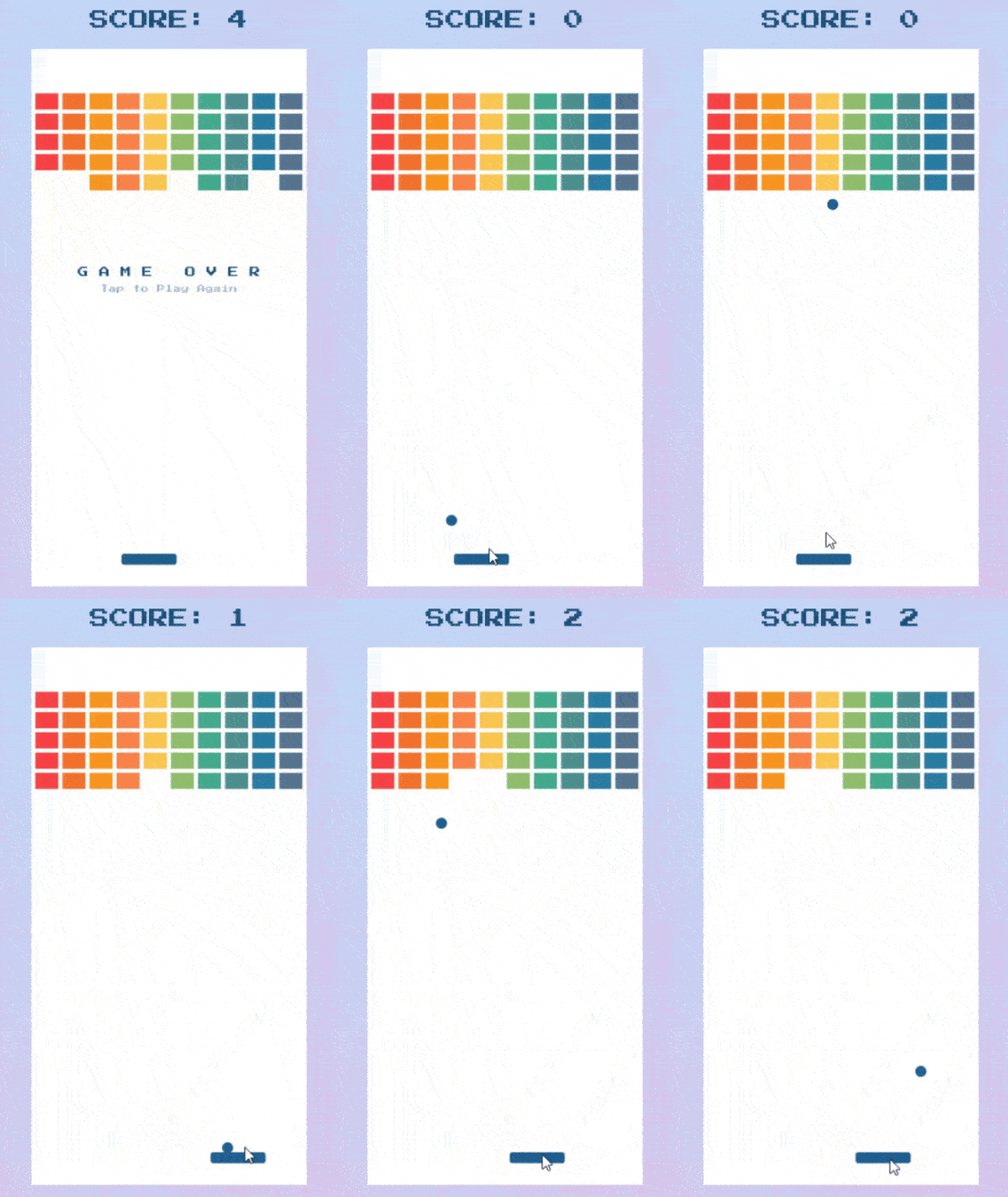
For this experiment, I built a basic 2D space shooter. A player-controlled spaceship moves along the bottom of the screen, shooting at falling asteroids.
Here’s what I used:
- Flutter 3.32
- Flame 1.x
- Forge2D for basic physics
- Rive for vector animations
The game loop in Flame looks something like this:
class SpaceGame extends FlameGame with HasCollidables {
  late Player player;

@override
  Future<void> onLoad() async {
    player = Player();
    add(player);
    spawnAsteroids();
  }
  void spawnAsteroids() {
    Timer.periodic(Duration(seconds: 2), (_) {
      add(Asteroid());
    });
  }
}
Each entity — like the player, asteroids, or bullets — is its own Component. This is very different from Unity’s GameObject system, but still intuitive if you’re used to object-oriented programming.
Comparing the Experience: Flutter vs Unity
Now comes the real question. How did it feel to build a game in Flutter compared to Unity?
1. Ease of Learning
If you already know Flutter, using Flame feels natural. You’re working in Dart, using familiar patterns, and not learning a new IDE or language. Unity, on the other hand, requires you to learn C#, understand its component system, and get comfortable with the Unity Editor.
Winner: Flutter (for Flutter devs)
2. Tooling and Editor Support
Unity’s editor is a game-changer — literally. You can design scenes visually, drag-and-drop assets, tweak physics properties, and debug in real-time. Flutter offers none of this. Everything is code-driven. This slows down game iteration and makes large scenes harder to manage.
Winner: Unity
3. Performance
For basic 2D games, Flutter performs surprisingly well — especially on mobile. But once you start adding particle effects, physics, or large sprite sheets, Unity’s performance is better and more optimized for gaming workloads.
Winner: Unity
4. Cross-Platform Support
Both Flutter and Unity support mobile, desktop, and web. But Unity often requires tweaking builds for each platform. With Flutter, the experience is smoother — especially for mobile. If you’re targeting web and mobile at once, Flutter might have the edge.
Winner: Flutter (narrowly)
5. Development Speed
Thanks to Flutter’s hot reload, I was able to iterate very quickly on gameplay and UI. No waiting for builds or compiling. Unity has improved here, but Flutter still feels snappier in this regard.
Winner: Flutter
Where Flutter Works Best in Game Development
Based on my experience, here’s where Flutter shines:
- Mini-games inside apps: For example, gamifying a fitness or learning app.
- Casual or hyper-casual games: Think Flappy Bird, puzzles, or clickers.
- UI-heavy games: Card games, trivia, or board game-style interfaces.
- Game prototyping: Build concepts fast before scaling to a bigger engine.
But there are limitations too.
Where Flutter Falls Short (For Now)
Flutter isn’t built for:
- Complex 3D environments
- Shader-heavy effects or particle systems
- Console-level performance
- Advanced physics simulations
- Large teams needing visual scene editors and asset workflows
If your game needs these features, Unity (or Unreal) is the better choice today.
The Verdict: Can Flutter Replace Unity?
Not yet — and probably not entirely. Unity is still the gold standard for serious game development, especially when you need advanced features, complex scenes, or long-term scalability.
But Flutter offers something else: accessibility, speed, and simplicity.
For indie developers, hobbyists, or startups who want to build 2D games fast — especially games that need to integrate tightly with app-like interfaces — Flutter is a surprisingly strong option.
So while Flutter won’t replace Unity for all developers, it can replace Unity for some use cases.
And that’s a powerful shift worth paying attention to.
if you enjoy it, consider subscribing🔔 or ☕ buying me a coffee to support my writing!
메타데이터
- post_id
- b8e22a0791a9
- slug
- can-flutter-replace-unity-experimenting-with-2d-game-development-b8e22a0791a9
- url
- https://medium.com/easy-flutter/can-flutter-replace-unity-experimenting-with-2d-game-development-b8e22a0791a9
- canonical_url
- https://medium.com/easy-flutter/can-flutter-replace-unity-experimenting-with-2d-game-development-b8e22a0791a9
- author_url
- https://medium.com/@pragneshpalsana
- status
- ok
- fetched_at
- 2026-07-17 01:49:50