Apple Won't Let You Localize Your App Store Page in 3 Languages Spoken by Half a Billion People
Urdu. Bengali. Persian. Three languages, three of the largest user populations on earth, and zero support in App Store Connect. Here is the…
Apple Won't Let You Localize Your App Store Page in 3 Languages Spoken by Half a Billion People
Urdu. Bengali. Persian. Three languages, three of the largest user populations on earth, and zero support in App Store Connect. Here is the gap, the workaround, and the script I wrote to ship localized assets across 39 locales overnight.
The afternoon I lost trying to ship Urdu
I was preparing to submit a localization update for QuranWay, the iOS Quran app I've been building solo. Urdu was on my list. There are roughly 230 million Urdu speakers in the world. Pakistan alone is the fifth-largest country on earth by population. A Quran app that ships into the Urdu market without Urdu metadata is wasting most of the appearance it gets in App Store search results for that market.
I'd already translated my IAP strings, my onboarding copy, my settings labels. I'd even paid for native Urdu proofreading. I was ready to open App Store Connect, hit the locale dropdown, pick Urdu, and paste in the translated screenshots, the keywords, the promotional text, the description.
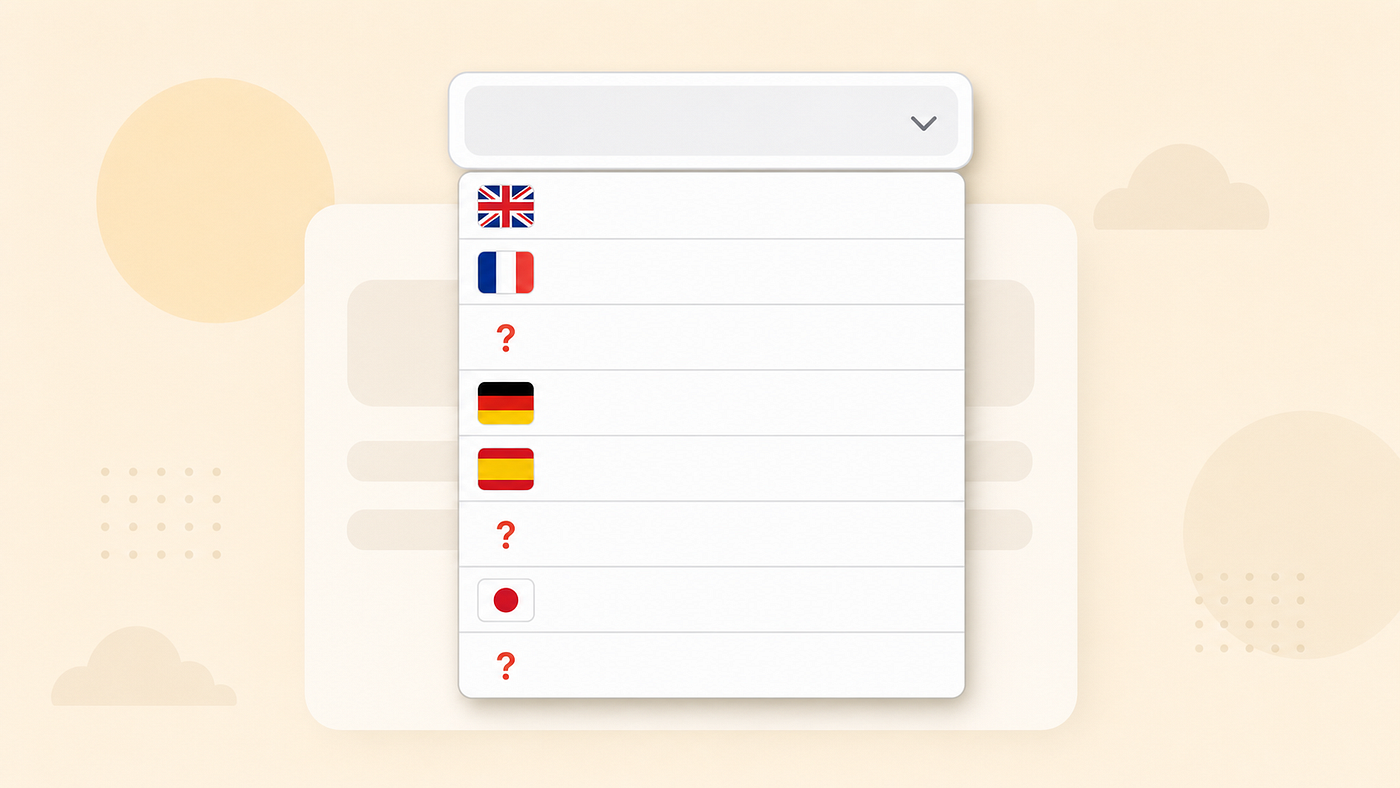
The dropdown did not have Urdu.
I scrolled. I refreshed. I cleared cache. I logged out and back in. I looked at Apple's documentation. I searched Stack Overflow and the Apple developer forums.
The dropdown does not have Urdu. It does not have Bengali. It does not have Persian. Three of the largest language populations on earth — together, somewhere around half a billion native speakers — are not supported as App Store metadata locales. You can ship the strings inside your app via Localizable.strings, but you cannot ship localized screenshots, localized keywords, localized descriptions, localized promotional text, or localized app titles for the App Store page itself.
This is a gap that affects every indie dev building for a global niche. It almost never gets talked about. Here is the full picture, the workaround, and what to do about it.
What App Store Connect actually supports
App Store Connect's localization system has roughly 39 locales as of mid-2026. The full list includes the obvious heavy-hitters (English variants, Spanish variants, French variants, German, Italian, Japanese, Korean, Mandarin Simplified and Traditional) and a reasonable selection of European, Asian, and Latin American locales beyond that.
It includes Arabic — which matters for the Gulf and the Maghreb. It includes Indonesian and Malay — which matters for Southeast Asia. It includes Turkish, Russian, Thai, Vietnamese, Hindi, Hungarian. It even includes Catalan as a regional locale of Spanish.
It does not include Urdu (Pakistan, parts of India). It does not include Bengali (Bangladesh, parts of India). It does not include Persian / Farsi (Iran, Afghanistan, Tajikistan). It does not include Punjabi or Tamil or Telugu, though those are at least sometimes covered indirectly via Hindi for Indian users.
Total population gap: roughly half a billion native speakers. That is roughly half of the population of Europe. It is the entirety of Pakistan, plus Bangladesh, plus Iran, plus large diaspora communities. For an app whose target audience overlaps with these regions — and "Quran app" overlaps with all three of these regions extremely heavily — the gap is the difference between "this app speaks to me" and "this app is in English in my store page, hope the inside is better."
The first time you discover this gap, it feels like a bug. It is not. It is a years-old, structural limitation of App Store Connect. Apple has never publicly explained why these locales are not supported. The community guesses are about translation review pipeline cost, fraud-detection thresholds in non-Latin scripts, and prioritization based on commercial app density per locale. None of that is confirmed.
What "localized inside the app" actually means
Here is the workaround in one sentence. You ship the App Store metadata in whatever supported locale your target user is most likely to have set as a fallback, and you ship the inside-the-app experience in their actual language via Localizable.strings.
For Urdu, that means setting up App Store Connect localization in English (or, for Pakistan and parts of India, in Hindi if it makes sense for your audience) and shipping the actual app strings — onboarding, UI, paywalls, IAP descriptions — in Urdu inside the app bundle. When a user with a Pakistani Apple ID searches the App Store, they see the English store page. When they install the app and open it, the entire interior is in Urdu.
Counterintuitively, this works better than you'd expect. The conversion impact is mixed, but the retention impact is positive: a user who downloads expecting an English app and discovers a fully Urdu-localized interior reads it as effort and respect. Especially in religious niches, that is a signal.
For Persian, the pragmatic fallback is shipping App Store metadata in Arabic (similar script, similar regional cluster) and inside-app strings in Persian. For Bengali, the pragmatic fallback is shipping App Store metadata in Hindi for Indian users and English-as-a-default elsewhere, with Bengali inside the app.
None of these workarounds are good. They are workarounds. The right answer is for Apple to add these locales to App Store Connect. Until that happens — and there is no indication it will happen soon — this is the only realistic path.
The script that shipped 390 localized App Store assets overnight
Even with the gap, I still needed to ship localized assets for the 39 locales Apple does support. For QuranWay's v1.5.5 release, that meant: localized screenshots, localized keywords, localized promotional text, and localized in-app purchase strings — across 39 supported locales. With 10 mockups per locale, that's 390 unique high-resolution screenshots, each one with the headline copy burned in at the right place, in the right script, with the right typography for the language.
That is the kind of work that traditionally takes a small marketing team or a four-figure agency invoice. As a solo dev, I had neither.
The pipeline I built runs overnight on my laptop. Rough structure:
- A Python script reads my source SwiftUI views in the iOS simulator and captures the empty mockup canvas at the App Store screenshot dimension (1320×2868 for iPhone 15 Pro Max).
- A localization script reads my source headline strings from a YAML file and runs them through gpt-image-2 to render the headline + callout overlays in the target locale's script with appropriate typography (right-to-left for Arabic, Devanagari for Hindi, Hangul for Korean, etc.).
- A compositing step burns the rendered overlays onto the mockup canvases at pre-positioned coordinates.
- An upload script pushes the resulting images to App Store Connect via the ASC API, slotting them into the correct locale's screenshot slots.
Total runtime: about six hours on my laptop, mostly waiting on image generation API rounds. Total cost: a few dollars of image generation tokens. Total agency-equivalent cost: somewhere in the four-figure range, and a turnaround of three weeks.
The relevant lesson is not "use gpt-image-2." It's that overnight generation of localized App Store assets is now part of the default indie iOS stack. If you're not running a pipeline like this, you are paying agency rates for a thing that has become a script.
The one bug I lost an evening to
The pipeline has a subtle failure mode that cost me an evening to track down. App Store Connect's image upload API has a "reserve slot" call that returns a slot ID, followed by a separate "upload bytes" call that pushes the file to the reserved slot. If you reserve the slot but never upload the bytes, ASC keeps the previously uploaded image in that slot. It does not flag the partial state.
What that meant in my pipeline: when the bytes-upload call silently failed (network blip, retry timeout, whatever), the old screenshot stayed in the slot. The script reported "uploaded N images." ASC reported the old image. The mismatch was invisible until I opened the App Store preview and noticed that some locales still had v1.4 screenshots after a v1.5.5 release.
The fix is to delete the existing slot before reserving the new one. Delete-first is uglier API hygiene but it removes the silent-fallback failure mode. If you're building an ASC upload pipeline, write the delete-first pattern from the start. You will save yourself an evening.
The broader pattern: platform gaps in international markets
The Urdu/Bengali/Persian gap is one example of a wider pattern. App Store Connect, Google Play Console, Stripe, Twilio, Vercel, every major SaaS platform has some set of countries or languages it under-serves. Those gaps are invisible from the US developer-blog ecosystem because those gaps almost never affect English-speaking, US-and-EU-targeting startups.
The gaps become loud the moment you build for a global niche. Religious apps. Language-learning apps. Diaspora-targeted services. Refugee-support tools. Localization-heavy education products. If you're in one of those niches, you will hit the gap. You will lose an afternoon figuring out it exists. You will then have to build a workaround that the platform docs do not describe.
The right mental model is to treat every platform's locale/country list as a finite-resource constraint, not an "of course this exists" assumption. Before you commit to a market, look at your platform's actual supported list for that market. If your market includes Bangladesh, look up whether your payment processor supports BDT settlement. If your market includes Iran, look up whether your platform sanctions block deployment. If your market includes Pakistan, look up whether your App Store metadata can be localized into Urdu — it cannot, and now you know to plan around it.
These details are not in any single article. You have to gather them by hitting the wall on each one. The hope is that this article saves you one of those walls.
Three takeaways for indie devs going global
Audit the locale gap before you ship. Pull up App Store Connect's locale list, pull up Google Play Console's, pull up your payment processor's currency list. Compare against the market you say you're targeting. Find every gap before you commit to copy or design.
Ship inside-the-app localization for the languages your store page can't speak. It works. Religious-niche users in Pakistan, Bangladesh, and Iran do convert and retain when they open an Urdu / Bengali / Persian app, even when they got there via an English App Store page. The interior matters more than the storefront for retention.
Build the asset pipeline before you need it. Overnight generation of localized screenshots is now table-stakes. If you're shipping into more than three or four locales and not running an automated pipeline, your localization throughput is the bottleneck of your business. Build the pipeline early.
If you want to see what an overnight-rendered localized App Store page looks like in 14 languages, QuranWay is on the App Store and the new screenshots should hit live this week with the v1.5.5 review.
Andy Garcia — solo dev building iOS apps and writing about it. The book covers a fuller version of the indie-international toolkit.
메타데이터
- post_id
- b9545556104d
- slug
- apple-wont-let-you-localize-your-app-store-page-in-3-languages-spoken-by-half-a-billion-people-b9545556104d
- url
- https://medium.com/@andy.a.g/apple-wont-let-you-localize-your-app-store-page-in-3-languages-spoken-by-half-a-billion-people-b9545556104d
- canonical_url
- https://medium.com/@andy.a.g/apple-wont-let-you-localize-your-app-store-page-in-3-languages-spoken-by-half-a-billion-people-b9545556104d
- author_url
- https://medium.com/@andy.a.g
- status
- ok
- fetched_at
- 2026-06-17 08:20:12