Wave After Wave: Creating an Enemy Swarm System in Unity
A wave system controls how enemies spawn in rounds, increasing difficulty over time. In this guide, we’ll set up a simple wave-based…
Wave After Wave: Creating an Enemy Swarm System in Unity
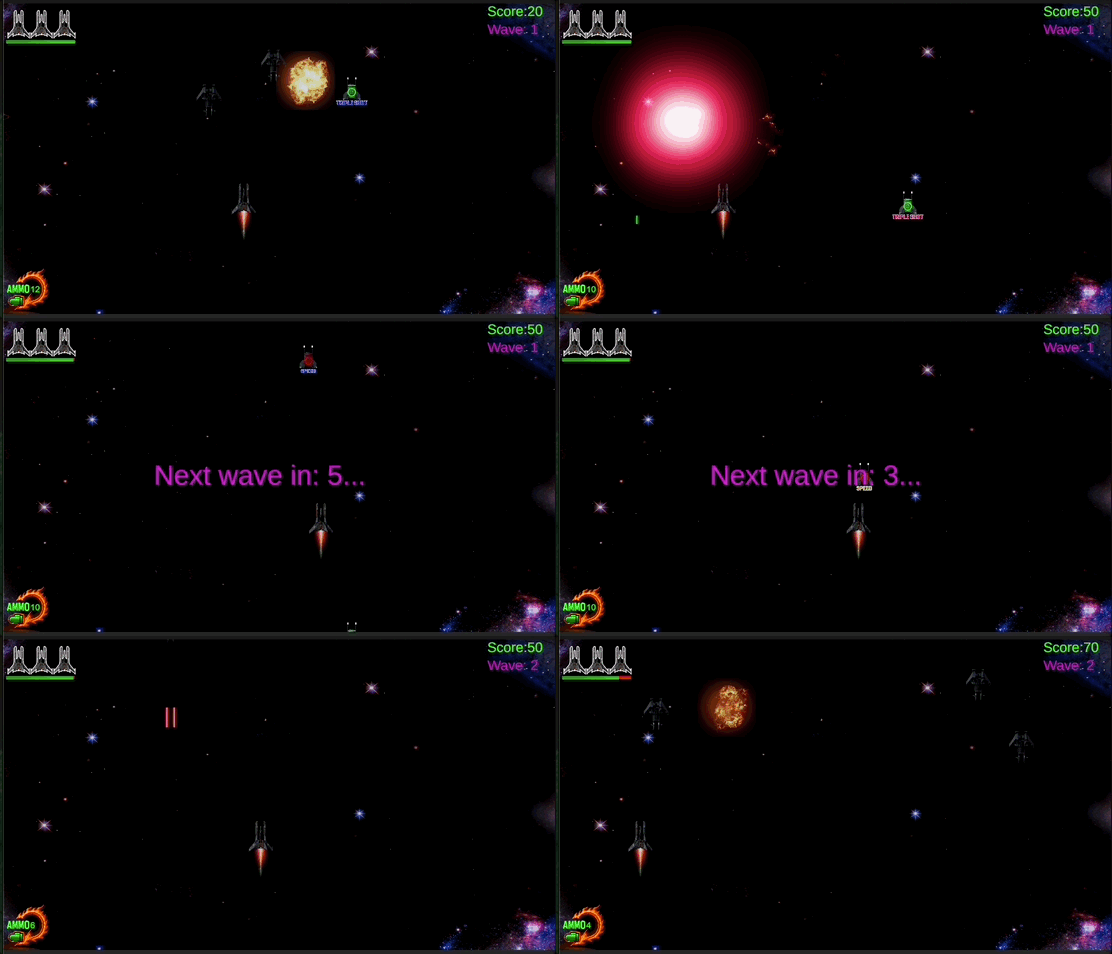
A wave system controls how enemies spawn in rounds, increasing difficulty over time. In this guide, we’ll set up a simple wave-based spawner in Unity with UI updates and countdowns between waves.
-We have to add two TextMeshPro — UI elements inside the Canvas:
1.-WaveCounterText
- Shows the current wave number
- Anchored to top right
- Font size around 36+
- Start with any text (e.g. “Wave: 1”)
2.-CountDownText
- Displays countdown between waves: “Next wave in: 5… 4…”
- Anchored to middle center
- Large font (e.g., 40–60)
- Leave blank initially
- You can also disable the object in the Inspector at the start

Now we go to the UIManager script.-
Add these variables.-

Then in the Inspector (Canvas selected):
- Drag WaveCounterText from Hierarchy to _waveCounterText
- Drag CountDownText to _countdownText

Then, we can add some methods.-

We’ll call these methods from SpawnManager to control the wave UI and also add some variables and a Coroutine that handles spawning enemies in waves,waits between spawns, and triggers countdowns between waves.-


메타데이터
- post_id
- b97830f9bd8f
- slug
- wave-after-wave-creating-an-enemy-swarm-system-in-unity-b97830f9bd8f
- url
- https://medium.com/@danielmarabotto/wave-after-wave-creating-an-enemy-swarm-system-in-unity-b97830f9bd8f
- canonical_url
- https://medium.com/@danielmarabotto/wave-after-wave-creating-an-enemy-swarm-system-in-unity-b97830f9bd8f
- author_url
- https://medium.com/@danielmarabotto
- status
- ok
- fetched_at
- 2026-07-17 23:16:01




