Tools — Pyenv — Simple Python Version Management
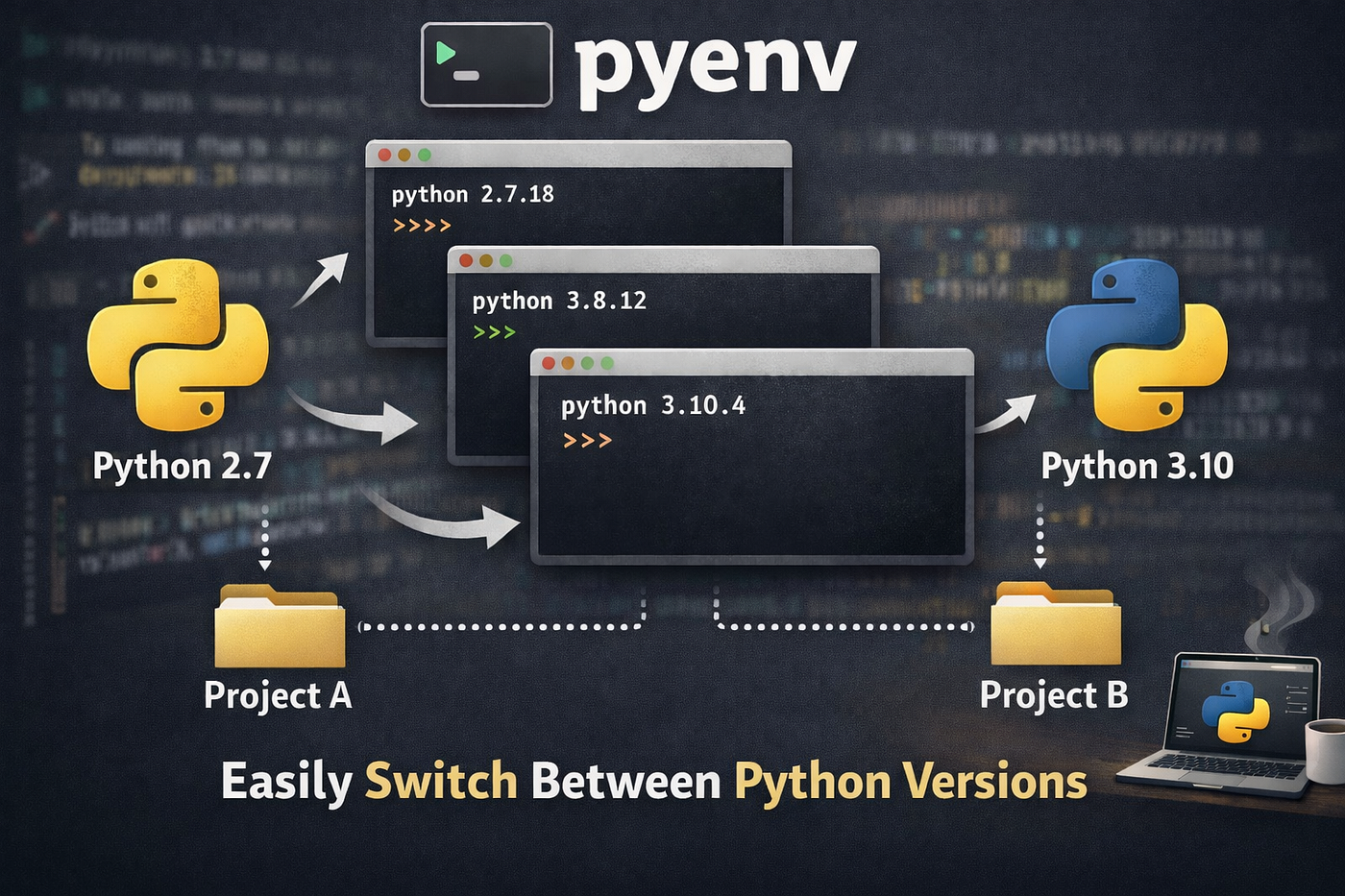
pyenv is a lightweight, open-source tool that lets you install, manage, and switch between multiple Python versions on the same machine
Tools — Pyenv — Simple Python Version Management
Introduction
pyenv is a lightweight, open-source tool that lets you install, manage, and switch between multiple Python versions on the same machine, without ever touching your system Python. Whether you’re maintaining a legacy application on an older interpreter or experimenting with the latest Python release, pyenv gives you complete control over which Python version runs where — globally, per project, or even per shell session.
Let’s try it!
Installation and setup
One line installation
curl -fsSL https://pyenv.run | bashThen few lines of setup
echo 'export PYENV_ROOT="$HOME/.pyenv"' >> ~/.bashrc
echo '[[ -d $PYENV_ROOT/bin ]] && export PATH="$PYENV_ROOT/bin:$PATH"' >> ~/.bashrc
echo 'eval "$(pyenv init - bash)"' >> ~/.bashrc

# Then, if you have .profile
echo 'export PYENV_ROOT="$HOME/.pyenv"' >> ~/.profile
echo '[[ -d $PYENV_ROOT/bin ]] && export PATH="$PYENV_ROOT/bin:$PATH"' >> ~/.profile
echo 'eval "$(pyenv init - bash)"' >> ~/.profile
See documentation for more details
pyenv compiles Python from source, so missing system dependencies can break the build — and even a clean compilation doesn’t always guarantee a stable interpreter at runtime.
To avoid weird behaviour, install dependencies.
sudo apt update; sudo apt install make build-essential libssl-dev zlib1g-dev \
libbz2-dev libreadline-dev libsqlite3-dev curl git \
libncursesw5-dev xz-utils tk-dev libxml2-dev libxmlsec1-dev libffi-dev liblzma-dev \
libzstd-dev
See documentation for more details
# For the PATH change to take effect
exec "$SHELL"
Pyenv is now ready to be used!
Usage
First we need to choose the global default python version and install it.
# Display all available versions
pyenv install -l

# Install python 3.13.3
pyenv install 3.13.3

# Set 3.13.3 as default version
pyenv global 3.13.3
Now let’s image that we need to work on a python 3.14.3 project.
# install python 3.14.3 version
pyenv install 3.14.3

# create project folder
mkdir python3.4-project
cd python3.4-project/

# set 3.14.3 as python version
pyenv local 3.14.3

# 3.14.3 version will be used in the folder (and inherited in subfolders)
N.B: venv usage is compatible with pyenv.
Hope you enjoyed!
To support my work, don’t forget to clap!
메타데이터
- post_id
- bb511c3c50c3
- slug
- tools-pyenv-simple-python-version-management-bb511c3c50c3
- url
- https://blog.stackademic.com/tools-pyenv-simple-python-version-management-bb511c3c50c3
- canonical_url
- https://blog.stackademic.com/tools-pyenv-simple-python-version-management-bb511c3c50c3
- author_url
- https://medium.com/@genesta.sebastien
- status
- ok
- fetched_at
- 2026-06-29 01:02:39