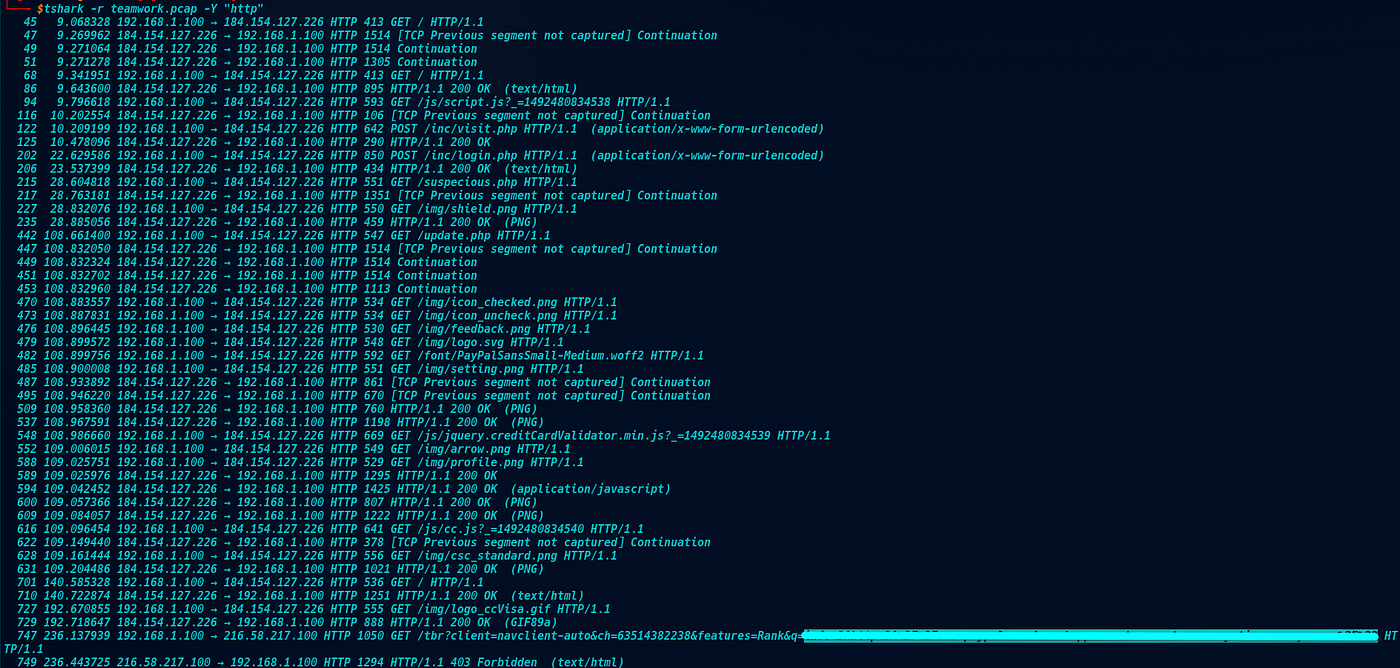
TShark Challenge II: Directory — Write-Up
Room: TryHackMe — TShark Challenge II
TShark Challenge II: Directory — Write-Up
Room: *TryHackMe — TShark Challenge II*
Scenario:
An alert has been triggered: “A user came across a poor file index, and their curiosity led to problems”.
The case was assigned to you. Inspect the provided directory-curiosity.pcap located in ~/Desktop/exercise-files and retrieve the artefacts to confirm that this alert is a true positive.
Your tools: TShark, VirusTotal.
Q-1: What is the name of the malicious/suspicious domain? (defanged)
A: We start by filtering all DNS traffic to get an overview of the domains resolved during the session:
tshark -r directory-curiosity.pcap -Y 'dns'
The output is short. Most queries resolve to known Microsoft and Bing infrastructure. One domain stands out immediately. It has no obvious association with any legitimate service, which makes it the primary candidate for investigation.
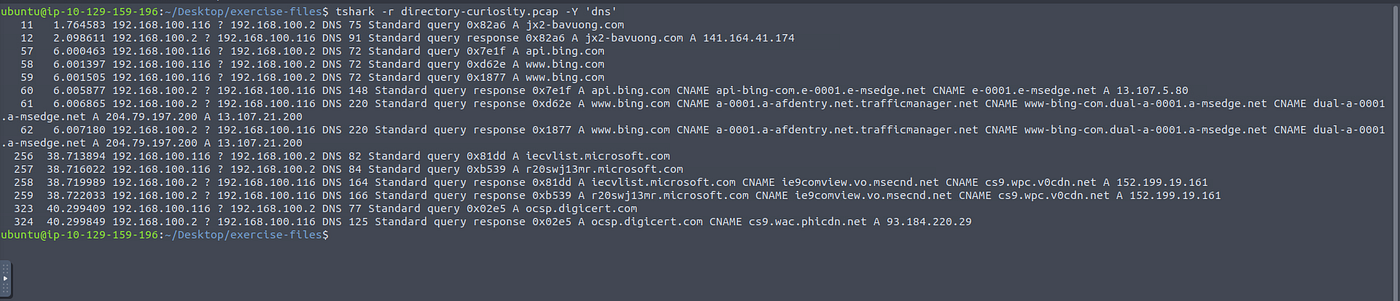
The domain name carries no branding, no recognisable pattern, only noise and gibberish. That’s often more suspicious than an obvious impersonation attempt.
Q-2: What is the total number of HTTP requests sent to the malicious domain?
A: Now we filter for all HTTP requests directed at our suspicious domain:
tshark -r directory-curiosity.pcap -Y 'http.request and http contains "jx2-bavuong.com"' | nl

The
nlflag numbers each line, making it trivial to get the count. The result is a mix of GET requests to paths like/vlauto.exe,/newbot/proxy,/newbot/blog, and several bot-related endpoints. The pattern is screaming: this isn't casual browsing.
Q-3: What is the IP address associated with the malicious domain? (defanged)
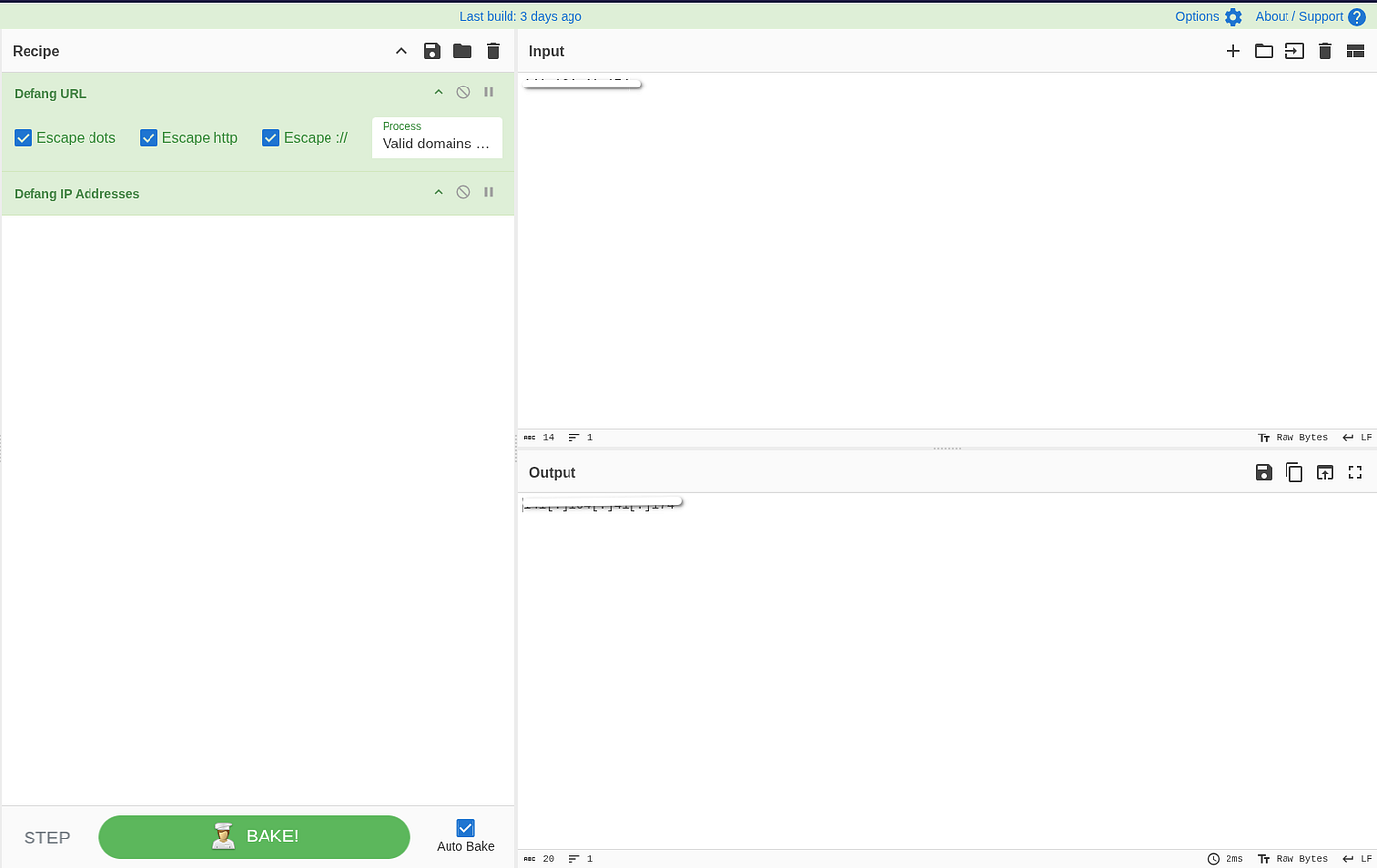
A: From Q-2 we already know the destination IP. All we need to do now is to defang it in CyberChef using the Defang IP Addresses recipe.
Q-4: What is the server info of the suspicious domain?
A: To read the HTTP response headers from the malicious server, we filter for traffic originating from the server’s IP:
tshark -r directory-curiosity.pcap -Y 'ip.src == 141.164.41.174 and http.server'

And then choose a packet for a detail watch.
tshark -r directory-curiosity.pcap -Y ‘frame.number == 41’ -Vand the answer will be write in front of you.

Or you can add
| grep -i serverto the command to cut out the unnecessary noise and get a clear result.
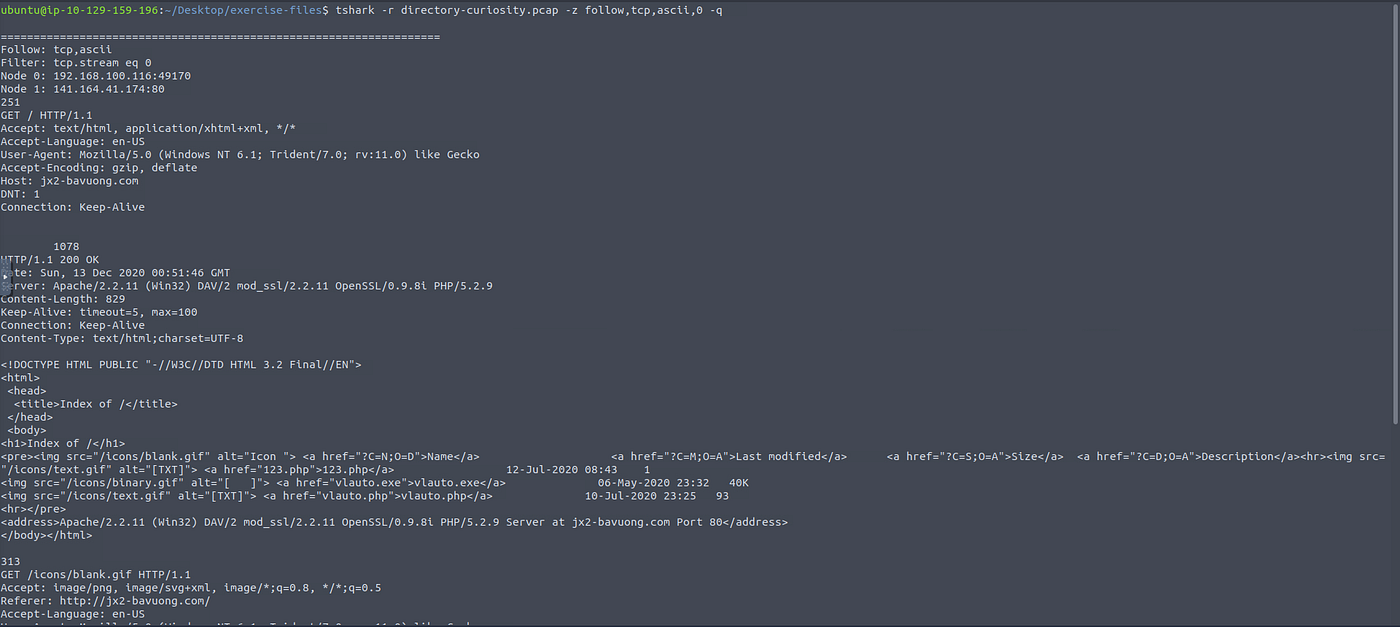
Q-5: Follow the “first TCP stream” in ASCII. What is the number of listed files?
A: To follow the first TCP stream, we need the following command:
tshark -r directory-curiosity.pcap -z follow,tcp,ascii,0 -q . The server returned an Apache directory listing for /. Look for the answer there.
Q-6: What is the filename of the first file? (defanged)
A: Looking at the output from the previous question, the answer is: uh-huh, not going to give it to you on the golden plate.I know you find it by yourself, it is easy. Don’t forget to defang it.
Q-7: Export all HTTP traffic objects. What is the name of the downloaded executable file? (defanged)
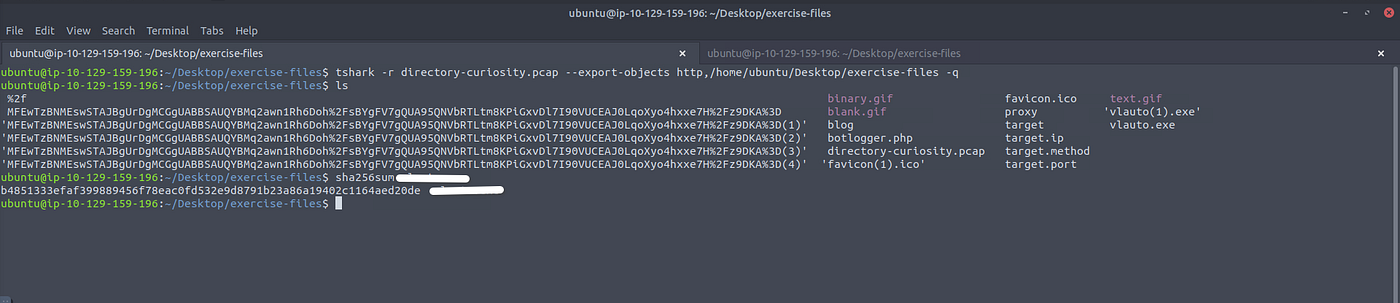
A: We export all HTTP objects from the PCAP: tshark -r directory-curiosity.pcap --export-objects http,/home/ubuntu/Desktop/exercise-files -q . Running ls in the output directory, we can see the extracted files.
Q-8: What is the SHA256 value of the malicious file?
A: We hash the extracted executable using sha256sum filename.
Q-9: Search the SHA256 value on VirusTotal. What is the “PEiD packer” value?
A: We take the hash to VirusTotal and open the Details tab. 62 out of 71 vendors flagged the file as malicious. Scrutinize.

Q-10: Search the SHA256 value on VirusTotal. What does the “Lastline Sandbox” flag this as?
A: Staying in VirusTotal, we switch to the Detection tab and scroll to the Dynamic Analysis Sandbox Detections section.
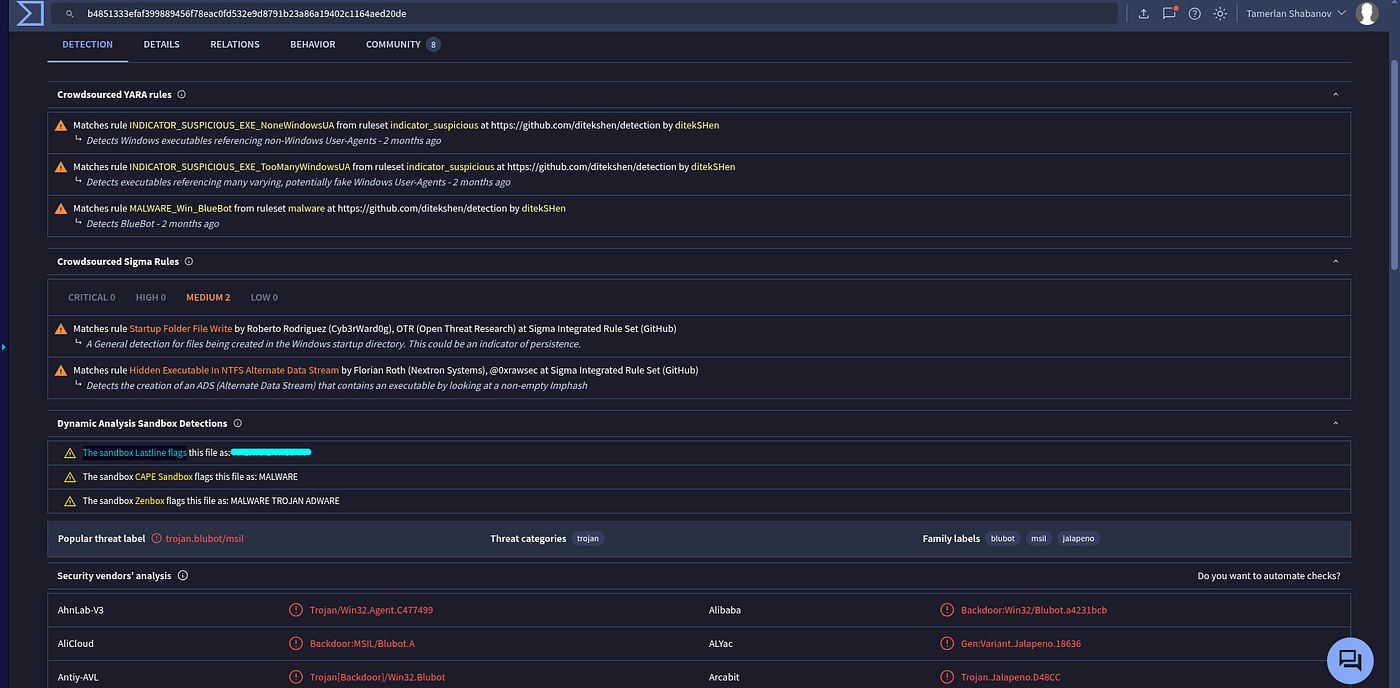
The YARA rules also match
MALWARE_Win_BlueBot, and the popular threat label confirms the family of this malware. The file was first seen in the wild on 2020-03-15 , meaning it's a known threat that had been circulating for quite some time now, before this capture.
Written by *Tamerlan Shabanov | SOC Analyst | [GitHub](https://github.com/VelvetB1te/)*
메타데이터
- post_id
- bb98bb24acd3
- slug
- tshark-challenge-ii-directory-write-up-bb98bb24acd3
- url
- https://medium.com/@tamerlan-shabanov/tshark-challenge-ii-directory-write-up-bb98bb24acd3
- canonical_url
- https://medium.com/@tamerlan-shabanov/tshark-challenge-ii-directory-write-up-bb98bb24acd3
- author_url
- https://medium.com/@tamerlan-shabanov
- status
- ok
- fetched_at
- 2026-07-15 02:50:08