Fixing Low Volume Issue with Creative Sound Blaster X G1 on PC
I found a solution to this problem from Reddit user romazhuzha’s post. I’d like to share this solution in a more understandable format.
Fixing Low Volume Issue with Creative Sound Blaster X G1 on PC
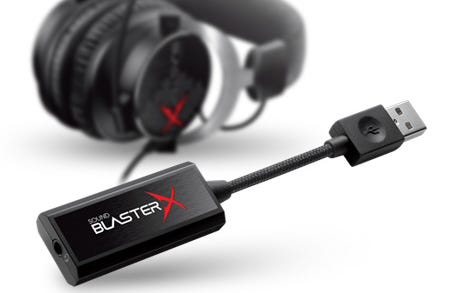
Creative Sound BlasterX G1 — Sound Card/DAC
I found a solution to this problem from Reddit user romazhuzha’s post. I’d like to share this solution in a more understandable format.
When using the Creative Sound BlasterX G1 connected to a PC, you may notice that the sound is extremely low, requiring you to set the OS volume very high or increase your speaker volume more than usual. Sometimes, if you’re using headphones that can’t be amplified, you might need to set the OS volume to 100%.
After researching, I discovered that this sound card uses a “Generic (PlayStation 4)” sound profile. The PS4 might drive sound louder than the sound card, so it doesn’t need to amplify the sound as much. However, when used on a PC, this profile produces a sound that’s too quiet.
Solution: Change the Sound Card Profile
To fix this issue, you need to change the sound card’s profile by uploading a new sound profile through the X-Plus Configurator (G1) software. Here’s how:
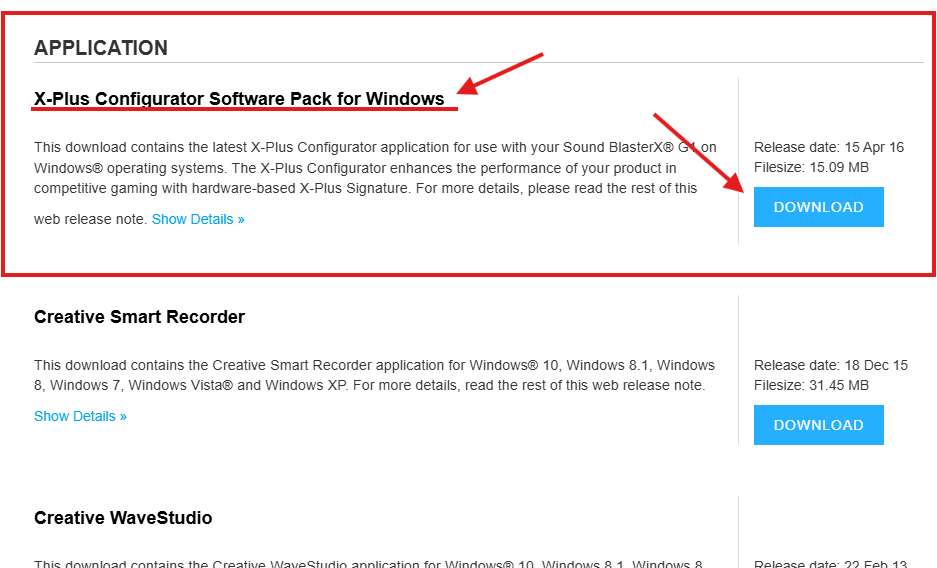
- Download the X-Plus Configurator (G1) software from Creative’s product support page: https://support.creative.com/Products/ProductDetails.aspx?catID=1&subCatID=1138&prodID=22772 (Or search via Google) Scroll down to the Driver and Application section and download “X-Plus Configurator Software Pack for Windows” under Applications. (You can also download additional drivers if needed.)
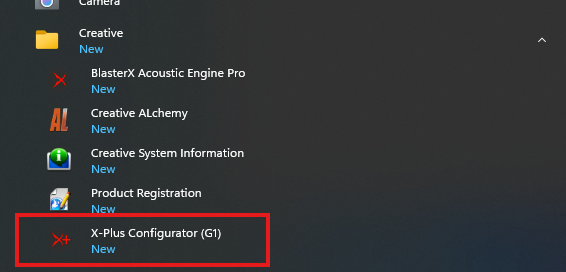
- Install the program and open X-Plus Configurator (G1).
- Select “Generic” profile and click the “Upload” button. Wait a moment.
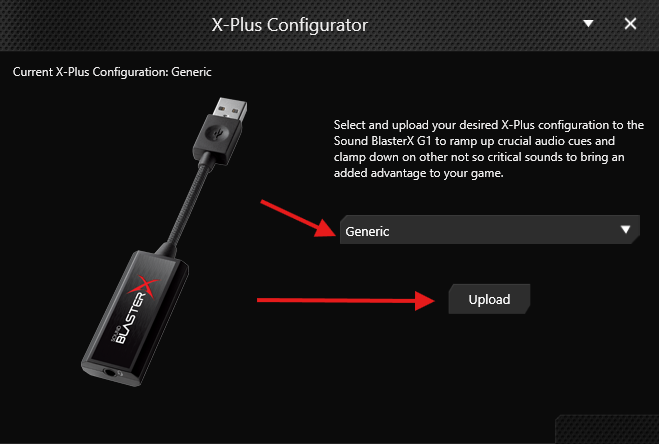
- When the upload is complete, click OK and the program will close. Disconnect and reconnect your Creative Sound Blaster X G1 USB, and lower the volume before testing, as it will be much louder than before.
I’ve tested this solution, and it successfully increased the volume to my desired level, saving me from having to purchase new equipment.
I hope this article is helpful to everyone. Thank you!
메타데이터
- post_id
- bb9c6f89c0b2
- slug
- fixing-low-volume-issue-with-creative-sound-blaster-x-g1-on-pc-bb9c6f89c0b2
- url
- https://medium.com/@priesdelly/fixing-low-volume-issue-with-creative-sound-blaster-x-g1-on-pc-bb9c6f89c0b2
- canonical_url
- https://medium.com/@priesdelly/fixing-low-volume-issue-with-creative-sound-blaster-x-g1-on-pc-bb9c6f89c0b2
- author_url
- https://medium.com/@priesdelly
- status
- ok
- fetched_at
- 2026-06-14 11:28:49