Building a Comma-Separated Decimal Input in Jetpack Compose
Handling numeric input in forms is common — but making it user-friendly is where things get interesting.
Building a Comma-Separated Decimal Input in Jetpack Compose
Handling numeric input in forms is common — but making it user-friendly is where things get interesting.
If you’ve ever typed a large number like: 10000000000
…it’s not very readable.
Now compare that with: 10,00,00,00,000
Much better, right? 👀
In this blog, we’ll build a Jetpack Compose VisualTransformation that:
- Formats numbers with commas (Indian format 🇮🇳)
- Supports decimals
- Maintains correct cursor position (the tricky part!)
The Problem
Jetpack Compose’s TextField doesn’t natively support:
- Live formatting (like commas while typing)
- Cursor stability after formatting
If you naïvely format the text:
- Cursor jumps randomly ❌
- Editing becomes frustrating ❌
The Approach
We’ll solve this using:
- VisualTransformation → for formatting UI text
- OffsetMapping → for cursor correctness
- Custom Formatter → for Indian comma style
Step 1: Visual Transformation
This is the core piece that transforms input text visually.

This:
- Takes raw input
- Formats it
- Returns transformed text with cursor mapping
Step 2: Decimal Formatter
We split the number into:
- Integer part → formatted with commas
- Fraction part → kept as-is

Why this matters:
- Prevents breaking decimal input like
1234.56 - Keeps typing smooth
Step 3: Offset Mapping (The Hard Part)
This ensures: 👉 Cursor doesn’t jump randomly when commas are added

Key Idea:
- Ignore commas while mapping
- Only count digits + decimal point
Step 4: Indian Number Formatting
We use Locale("en", "IN") for Indian grouping:

Step 5: String Extension
Handles edge cases like:
- Empty input
- Trailing decimal (
123.)

How to Use DecimalInputVisualTransformation
Here’s the exact usage inside a Jetpack Compose TextField:

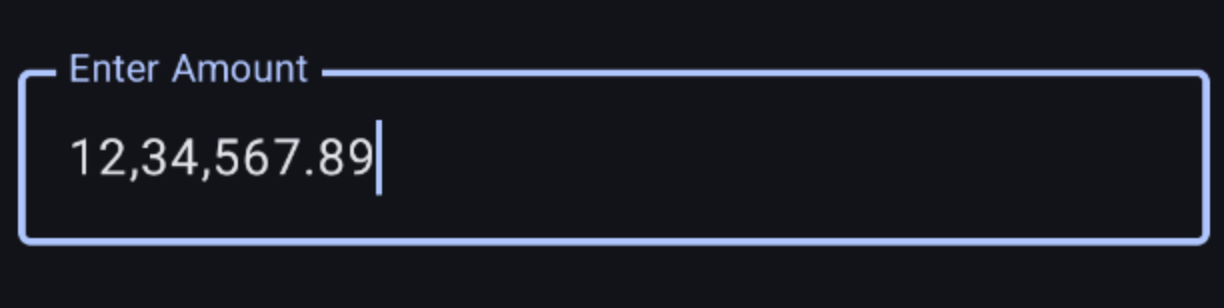
Final Result
Typing: 1234567.89
Becomes: 12,34,567.89

Key Learnings
VisualTransformationis powerful for UI-only changesOffsetMappingis mandatory for cursor stability- Always separate:
- Formatting logic
- UI transformation logic
you can find implementation at https://github.com/revanthkumarJ/InputTextFieldWithCommas
메타데이터
- post_id
- bbcf82813e9c
- slug
- building-a-comma-separated-decimal-input-in-jetpack-compose-bbcf82813e9c
- url
- https://medium.com/@jrevanth101/building-a-comma-separated-decimal-input-in-jetpack-compose-bbcf82813e9c
- canonical_url
- https://medium.com/@jrevanth101/building-a-comma-separated-decimal-input-in-jetpack-compose-bbcf82813e9c
- author_url
- https://medium.com/@jrevanth101
- status
- ok
- fetched_at
- 2026-07-11 21:00:18